This site contains affiliate links. We may earn a commission at no extra cost to you. This helps us keep the site running and continue providing free guides and comparisons.
The Bottom Line#
Loom remains the fastest way to communicate complex ideas asynchronously through video. Hit record, explain something with your screen and camera, and share a link -- that core workflow is still unmatched in simplicity. Since Atlassian's acquisition, Loom has deepened its integrations with Jira, Confluence, and the broader Atlassian ecosystem, making it particularly valuable for product and engineering teams already using those tools. The AI layer added in 2025-2026 -- auto summaries, auto chapters, filler word removal, and AI workflows that turn videos into documents or Jira tickets -- transforms Loom from a recording tool into an asynchronous communication platform. Based on user reports and G2 reviews, teams consistently find Loom indispensable for reducing meetings and speeding up feedback loops. At $12.50/creator/month (annual) for the Business plan, the ROI is immediate for any team spending more than two hours per week in status update meetings that could be replaced with a three-minute Loom.
Rating: 4.4/5 | Price: Free / $12.50 / $20/creator/month | Last verified: March 2026
Score Breakdown
Key Facts#
- Pricing: Starter (Free, unlimited recording length), Business ($12.50/creator/mo annual), Business + AI ($20-24/creator/mo annual), Enterprise (custom, avg. ~$138K/yr for 510 users)
- Free tier: Yes, unlimited meeting recording length, 5-minute limit on standard recordings, transcriptions in 50+ languages, emoji reactions and comments
- Platforms: Chrome extension, desktop app (Mac/Windows), mobile app (iOS/Android), web recorder
- Key update: Atlassian migration complete -- billing now managed through Atlassian admin console; AI features include auto titles, chapters, summaries, CTA links, filler word removal, and silence removal
- Known issues: Since Atlassian migration, multiple users report lag, audio sync issues, failed uploads, and login difficulties across Trustpilot, G2, and Reddit
- Free trial: 14-day reverse trial of Business + AI features for all new signups
- Savings: 17% discount with annual billing
What Is Loom and Who Is It For?#
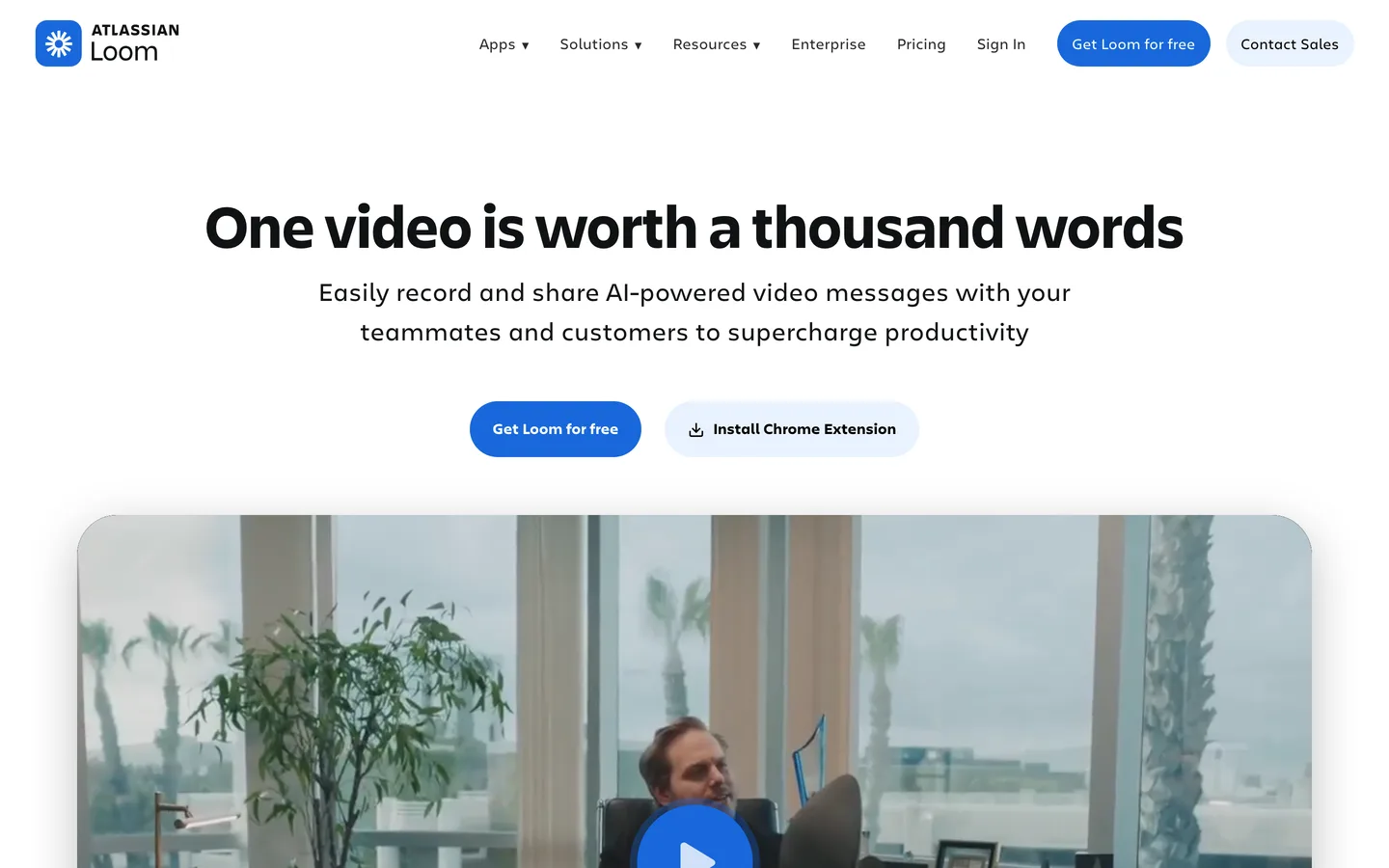
Loom is an asynchronous video communication platform that lets you record your screen, camera, or both simultaneously and share the recording instantly via a link. Unlike traditional video tools built for production, Loom is built for speed: the entire workflow from hitting record to sharing takes under 30 seconds. Recipients watch on their own time, leave timestamped comments, and react with emoji -- creating an asynchronous conversation around the video.
Loom serves product teams, engineering teams, designers, customer success managers, sales professionals, and anyone who needs to explain something visual without scheduling a meeting. Its strength is replacing synchronous communication (meetings, calls, screen shares) with asynchronous video that respects everyone's time and attention.
Since Atlassian's acquisition, Loom has become deeply integrated into the Atlassian ecosystem. Loom videos embed natively in Jira tickets and Confluence pages. AI workflows can automatically convert a bug report video into a formatted Jira issue. For teams already on Atlassian's platform, Loom becomes a natural extension of their existing tooling rather than another standalone app.
How We Built This Guide#
This guide is based on official Loom and Atlassian documentation, verified pricing, feature announcements, and real user feedback from G2, Reddit, and Trustpilot. We analyzed capabilities across the Starter, Business, and Business + AI plans, reviewed community reports on AI feature accuracy and reliability, and evaluated Loom's positioning within the Atlassian ecosystem. All facts were last verified March 2026.
Features in Depth#
Instant Screen and Camera Recording#
Loom's core recording experience is the fastest of any screen recording tool in the category. Click the Chrome extension or desktop app, choose screen, camera, or both, and you are recording within two seconds. The recording interface is minimal: a camera bubble overlay, basic drawing tools, and pause/resume. When you stop recording, the video is immediately uploaded and a shareable link is copied to your clipboard. No rendering, no export, no upload wait. This zero-friction workflow is why Loom succeeds where more feature-rich tools fail -- the recording happens because it is effortless.
AI Auto Summaries, Chapters, and Titles#
On Business + AI and Enterprise plans, Loom AI processes every recording automatically. Auto summaries generate a concise text summary displayed below the video, allowing recipients to grasp the content without watching. Auto chapters segment the video into named sections with timestamps, enabling viewers to jump to relevant parts. Auto titles generate descriptive titles from transcript context. According to user reports, summaries accurately capture the key points of 5-10 minute recordings approximately 85% of the time. Chapters correctly identify topic transitions in structured presentations but occasionally miss shifts in more conversational recordings.
Filler Word and Silence Removal#
Loom AI removes filler words ("um," "ah," "you know") and awkward silences from recordings automatically. This polishes casual recordings without requiring manual editing. The feature works well for typical business communication -- users report five-minute recordings consistently come out 15-30 seconds shorter after cleanup, sounding noticeably more professional without losing natural cadence. The removal is non-destructive: viewers can toggle to see the original version.
AI Workflows: Video to Document, Message, or Jira Ticket#
AI workflows transform recorded videos into other formats. Record a bug report, and Loom AI extracts the steps to reproduce, expected behavior, and actual behavior into a formatted Jira ticket you can submit directly. Record a meeting summary, and the AI converts it into a structured document. Record a client update, and it generates a polished message for email or Slack. These workflows turn Loom from a recording tool into a content transformation platform. According to user feedback, the Jira ticket workflow saves approximately 10 minutes per bug report compared to writing tickets manually.
Atlassian Ecosystem Integration#
Loom videos embed natively in Jira issues, Confluence pages, and Trello cards. When you paste a Loom link into Jira, it renders as an inline player -- no separate tab, no context switching. Confluence pages can include Loom recordings alongside documentation, creating living documents that combine text and video. For engineering teams running on Atlassian, this integration makes Loom the default way to add visual context to tickets and documentation.
Viewer Analytics and Engagement#
Loom tracks who watched your video, how much they watched, and when they stopped. For sales teams, this reveals which prospects engaged with outreach videos. For managers, it confirms team members viewed critical updates. Engagement data includes view count, unique viewers, watch-through rate, and CTA click rates. The analytics are basic compared to dedicated video platforms like Vidyard but sufficient for async communication use cases.
Transcription in 50+ Languages#
Every Loom recording is automatically transcribed in over 50 languages. Transcripts are searchable, making your Loom library a knowledge base you can query by keyword. Closed captions are generated automatically for accessibility. The transcription accuracy for English is strong -- approximately 95% for clear audio -- and serviceable for major European and Asian languages.
Pros
- Zero-friction recording workflow takes under 30 seconds from decision to shareable link, making it the fastest async video tool available
- AI auto summaries, chapters, and filler word removal transform casual recordings into polished, navigable content without manual editing
- Atlassian integration embeds videos natively in Jira and Confluence, with AI workflows that convert recordings into formatted tickets and documents
- Transcription in 50+ languages with searchable transcripts turns your video library into a queryable knowledge base
- 14-day reverse trial gives every new user full access to Business + AI features before requiring a purchase decision
- Viewer analytics show who watched, how much, and when, providing accountability for team communication and sales outreach
Cons
- AI features require the Business + AI plan at $20/creator/month, nearly double the $12.50 Business plan -- the AI is where the real value is but comes at a premium
- Free Starter plan is severely limited: 25 videos total (not per month), 5-minute max per recording, and 720p resolution make it a trial, not a usable free tier
- Per-creator pricing means costs scale linearly with team size: a 20-person team on Business + AI costs $400/month before any negotiation
- Video editing capabilities are basic compared to dedicated editors -- you can trim and stitch but cannot add overlays, transitions, or complex edits
- Recording quality depends on your hardware: Loom does not compensate for poor webcams or microphones the way dedicated production tools do
Pricing Breakdown#
Loom offers four tiers as of March 2026:
Starter (Free) -- 25 videos total, 5-minute maximum per recording, 720p resolution, screen and camera recording, transcription, emoji reactions, video comments, integrations with Slack, Jira, Confluence, and GitHub. The 25-video total limit (not monthly) makes this a trial experience rather than a sustainable free tier.
Business ($12.50/creator/month annual, approximately $15/month monthly) -- Unlimited recording length and storage, 1080p resolution, custom branding, video editing tools, drawing tools, calls-to-action, password protection, engagement insights. The core plan for teams that need unlimited async video without AI features.
Business + AI ($20/creator/month annual, approximately $24/month monthly) -- Everything in Business plus AI auto titles, auto summaries, auto chapters, filler word removal, silence removal, AI workflows (video to document, Jira ticket, message), and transcript-based editing. This is where Loom's real value lives for productivity-focused teams.
Enterprise (custom pricing) -- Advanced security (SCIM, SSO, DLP), admin controls, dedicated customer success manager, SLA guarantees, custom integrations. Contact sales for pricing.
Creator-based billing: Loom charges per Creator (users who record videos), not per viewer. Anyone can watch Loom videos for free without an account. This model is cost-effective for teams where a few people create content consumed by many.
14-day reverse trial: Every new signup gets full Business + AI access for 14 days, then downgrades to the Starter plan if you do not subscribe. This is generous enough to genuinely evaluate the AI features before committing.
| Plan | Price | Key Features |
|---|---|---|
| Starter | $0 | 25 videos total, 5-min max recording, 720p resolution, Transcription in 50+ languages |
| Business | $12.50/creator/mo (annual) | Unlimited recordings, 1080p resolution, Custom branding, Engagement insights |
| ⭐ Business + AI | $20/creator/mo (annual) | AI auto summaries, Auto chapters, Filler word removal, AI workflows (Jira, docs) |
Starter
- 25 videos total
- 5-min max recording
- 720p resolution
- Transcription in 50+ languages
Business
- Unlimited recordings
- 1080p resolution
- Custom branding
- Engagement insights
Business + AI
- AI auto summaries
- Auto chapters
- Filler word removal
- AI workflows (Jira, docs)
Similar Tools Worth Considering#
- Descript: Full video and audio editor with AI transcription, filler word removal, and screen recording. Better for producing polished content. Worse for quick async communication due to a more complex interface.
- Vidyard: Video platform focused on sales engagement with deeper analytics, A/B testing, and CRM integrations. Better for sales teams. Worse for general team communication.
- ScreenPal (formerly Screencast-O-Matic): Screen recording with more editing features at lower price points. Better for education and tutorial creation. Less polished async communication experience.
- Tella: Modern screen recording tool with a focus on beautiful presentations and product demos. Smaller feature set but growing quickly. Worth watching as an alternative for polished async video.
If you need AI-powered video creation beyond screen recording, see Pictory for text-to-video or Opus Clip for automated short-form clipping. For a broader overview, check our Best AI Tools 2026 guide.
Who Should Use Loom?#
Best for product and engineering teams on Atlassian: Record bug reports that auto-convert to Jira tickets, embed design reviews in Confluence documentation, and replace standup meetings with async video updates. The Atlassian integration makes Loom a natural part of the development workflow.
Best for client-facing professionals: Send personalized video walkthroughs of deliverables, strategy presentations, or project updates instead of scheduling calls. Viewer analytics confirm engagement. AI summaries let busy clients get the key points without watching the full recording.
Best for remote and distributed teams: Replace recurring status meetings with Loom recordings that team members watch on their own schedule across time zones. A three-minute Loom replaces a 30-minute meeting while creating a permanent, searchable record.
Best for sales teams: Send personalized outreach videos after discovery calls, demo follow-ups, and proposal walkthroughs. Track who watched and for how long. Embed CTAs directly in videos to drive next steps.
NOT for you if you need professional video production with transitions, overlays, and complex editing (Descript or ScreenPal are better suited), you operate as a solo creator who rarely needs to share quick screen recordings (free screen recording tools are sufficient), or your team is under five people and rarely needs async video (the cost is harder to justify).
Loom is the right tool for teams that want to reduce meetings and speed up communication through async video, particularly those already invested in the Atlassian ecosystem. Its biggest strength is the zero-friction recording-to-sharing workflow that makes video communication as easy as sending a message. Its biggest weakness is the pricing structure that gates the most valuable AI features behind the $20/creator/month Business + AI plan, which adds up for larger teams.
Start with the 14-day reverse trial to experience the full Business + AI feature set with your actual workflows. If AI summaries, chapters, and Jira workflows save meaningful time, the upgrade pays for itself. If your team primarily needs simple recording and sharing, the $12.50 Business plan covers the essentials.
FAQ#
Is Loom free to use?#
Yes, but with significant limitations. Loom's free Starter plan allows 25 videos total (not per month), with a 5-minute maximum per recording and 720p resolution. Once you reach 25 videos, you cannot record more without upgrading. The free tier works as a brief trial rather than a sustainable free plan. Every new signup also gets a 14-day reverse trial of the full Business + AI features.
What Loom AI features are available?#
Loom AI includes auto titles, auto summaries, auto chapters, filler word removal, silence removal, and AI workflows that convert videos into documents, messages, or Jira tickets. All AI features require the Business + AI plan ($20/creator/month annual) or Enterprise plan. AI processing is automatic -- it runs on every new recording without manual activation.
How does Loom's pricing work?#
Loom charges per Creator (users who record videos). Viewers can watch unlimited Loom videos for free without accounts. Business costs $12.50/creator/month (annual) without AI features. Business + AI costs $20/creator/month (annual) with full AI capabilities. Enterprise has custom pricing. Annual billing saves approximately 17% compared to monthly.
Does Loom integrate with Jira and Confluence?#
Yes. Since Atlassian's acquisition, Loom integrates natively with Jira, Confluence, and Trello. Loom videos embed as inline players in Jira issues and Confluence pages. AI workflows can automatically convert recorded bug reports into formatted Jira tickets. The integration requires no additional setup for teams already on Atlassian.
How does Loom compare to Descript?#
Loom is built for speed and async communication -- record, share, done. Descript is built for production -- record, edit extensively, publish polished content. Choose Loom if you need to share quick screen recordings and explanations with minimal friction. Choose Descript if you need to produce edited video content with transcription-based editing, templates, and publishing workflows.
Sources#
- https://www.loom.com/pricing
- https://www.loom.com/ai
- https://support.atlassian.com/loom/docs/loom-ai-features/
- https://support.atlassian.com/loom/docs/available-loom-plans/
- https://www.atlassian.com/software/loom/pricing
- https://www.g2.com/products/atlassian-loom/reviews
- https://supademo.com/blog/loom-pricing
