This site contains affiliate links. We may earn a commission at no extra cost to you. This helps us keep the site running and continue providing free guides and comparisons.
The Bottom Line#
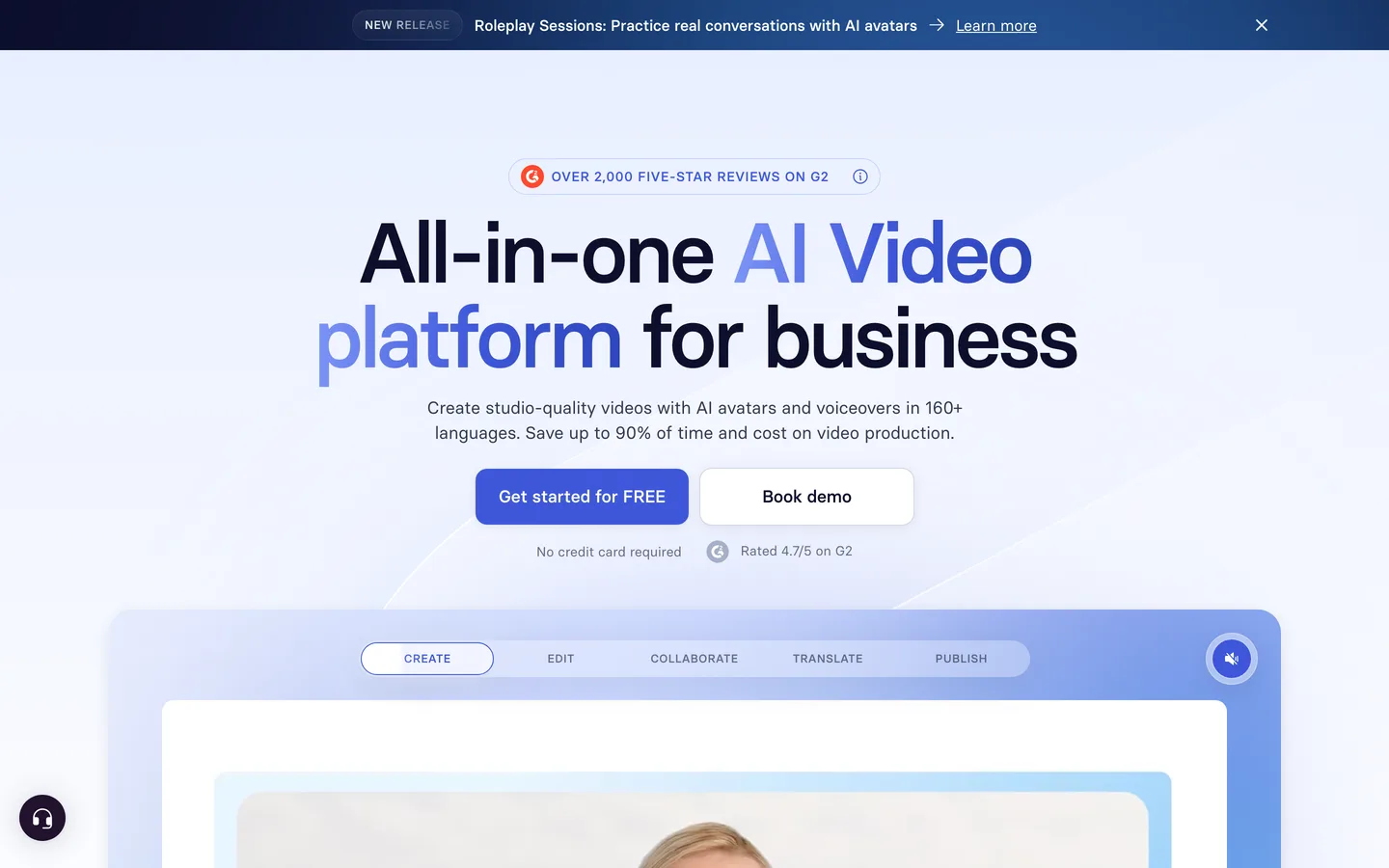
Synthesia is the most practical AI video platform for businesses that need professional talking-head videos without cameras, studios, or actors. Based on our research and user reviews, the Express-2 avatars produce remarkably natural results, the 160+ language support eliminates localization costs, and the workflow is fast enough to produce a finished video in under 30 minutes. It is not a replacement for creative filmmaking, but for corporate and educational video at scale, nothing else comes close.
Rating: 4.5/5 | Price: Free / $18 / $64/month | Last verified: August 2026
Score Breakdown
Key Facts#
- Pricing: Free (10 min/mo), Starter ($18/mo annual), Creator ($64/mo annual), Enterprise (custom)
- Free tier: Yes, 10 minutes of video per month (120 minutes yearly)
- Platforms: Web-based, no desktop app required
- Avatars: 240+ stock avatars, custom personal avatars, full-body Express-2
- Languages: 160+ languages with lip-synced avatars
- Valuation: $4 billion (January 2026, after $200M raise)
What Is Synthesia and Who Is It For?#
Synthesia is an AI video generation platform that turns text scripts into professional videos featuring AI-generated avatars. Instead of hiring actors, booking studios, and managing post-production, you write a script, select an avatar, and Synthesia produces a finished video with natural-looking lip sync, gestures, and body language.
The platform is built for business use cases: employee training, product demonstrations, onboarding videos, internal communications, and customer-facing explainers. Companies like Heineken, Xerox, and Reuters use Synthesia to produce video content at a fraction of the cost and time of traditional production.
If you are a marketer who needs product videos across multiple languages, an L&D professional creating training materials, or a founder who wants professional video content without the production overhead, Synthesia is purpose-built for your workflow. It is not designed for entertainment, short-form social content, or creative filmmaking.
How We Built This Guide#
This guide is based on Synthesia's official documentation, verified pricing from synthesia.io/pricing, and real user feedback from G2 (1,500+ reviews, 4.7/5) and community discussions on Reddit. We analyzed Synthesia's feature set, pricing structure, and market positioning against alternatives like HeyGen and D-ID. All facts were last verified March 2026.
Our sources include:
- Official product pages and documentation
- G2 user reviews (verified ratings)
- Reddit community discussions
- Synthesia product updates and press releases
- Competitor comparison data
Why Synthesia
Visit provider- Express-2 AvatarsExpress-2 is Synthesia's latest avatar generation, and the quality leap over previous versions is substantial.
- 240+ Stock Avatars and Custom AvatarsThe stock library includes over 240 pre-built avatars across different ages, ethnicities, and styles.
- 160+ Language SupportWrite your script in English, and Synthesia generates versions in over 160 languages with lip-synced avatars that match each language's mouth movements.
- AI Playground with Veo 3.1 and Sora 2
- Full-Body Avatar ActionsBeyond standing and talking, Express-2 avatars can perform prompted actions as B-roll.
Features in Depth#
Express-2 Avatars#
Express-2 is Synthesia's latest avatar generation, and the quality leap over previous versions is substantial. These avatars feature full-body visibility with synchronized gestures: they move their hands, shift their posture, and use body language that matches the script content. The facial expressions are remarkably natural, with realistic lip sync that handles complex words and multiple languages without the uncanny valley effect that plagued earlier AI avatars. According to user reviews, lip sync in German is nearly as good as English, which is notable given German's compound word structures.
240+ Stock Avatars and Custom Avatars#
The stock library includes over 240 pre-built avatars across different ages, ethnicities, and styles. More importantly, you can create a personal avatar by recording a short webcam or phone video of yourself. Synthesia then generates an AI version of you that reads any script you write. Custom avatar creation takes about 10 minutes according to Synthesia, and users report the results are convincing enough for client-facing content. A 2026 update lets you create entirely new avatars with a single text prompt and place them in any environment, with natural lighting, depth, and perspective. You can prompt an avatar in an office, at a beach, or a construction site, and prompt an outfit to match the scene.
160+ Language Support#
Write your script in English, and Synthesia generates versions in over 160 languages with lip-synced avatars that match each language's mouth movements. This is where the ROI case becomes compelling: a single video can become a library of localized content without re-recording. Users report producing English, German, and Spanish versions of the same video in under an hour. Traditional production would require three separate shoots.
AI Playground with Veo 3.1 and Sora 2#
Synthesia recently introduced AI Playground, available across all plans, which provides access to Google's Veo 3.1, Veo 3.1 Fast, and OpenAI's Sora 2 for generating video assets. This means you can create supplementary video clips, B-roll footage, and visual elements alongside your avatar presentations. The integration is practical: generate a product demo scene with Veo, then have your avatar narrate over it.
Full-Body Avatar Actions#
Beyond standing and talking, Express-2 avatars can perform prompted actions as B-roll. Describe an action like "avatar walks to a whiteboard and points at a chart," and the system generates the sequence. This bridges the gap between static talking-head videos and dynamic presentations. The actions are limited compared to what a real actor could do, but they add visual variety to what would otherwise be a static shot.
Interactive Quizzes#
A 2026 addition, Quizzes let you add single-choice or multiple-choice questions anywhere in your scenes and set passing thresholds. This is particularly valuable for training and L&D use cases where you need to verify viewer comprehension. Completion rates improve when viewers are actively engaged rather than passively watching.
PowerPoint to Video#
Upload a .pptx file and Synthesia converts it into an editable video project, with speaker notes automatically becoming voiceover narration. This eliminates the need to rebuild presentations from scratch when you want to turn static slides into narrated video content.
In-Editor Image Generation#
You can now generate custom image assets directly within the Synthesia editor, eliminating the need to switch to external tools like Midjourney for supplementary visuals. This keeps the entire production workflow inside one interface.
Screen Recording and Templates#
Synthesia includes screen recording tools for software tutorials, plus a template library for common video types (training, onboarding, product demos, announcements). The templates provide structure for users who are not experienced video producers. They handle pacing, transition timing, and visual layout, so you can focus on the script content rather than production decisions.
Collaboration and Brand Kit#
Teams can collaborate on video projects with shared workspaces, comment threads, and review workflows. The brand kit feature lets you lock in company colors, fonts, logos, and intro/outro sequences, ensuring every video stays on brand without manual checking.
Pros
- Express-2 avatars deliver the most realistic AI-generated talking heads available, with natural gestures, lip sync, and body language
- 160+ language support with lip-synced translations eliminates the cost and time of multi-language video production entirely
- Custom personal avatars let you put yourself in videos without booking a studio or setting up cameras
- AI Playground with Veo 3.1 and Sora 2 integration adds supplementary video generation across all plans
- Starter plan at $18/month (annual) represents a 38% price reduction, making it accessible for small businesses and freelancers
- Full-body avatar actions add visual variety to presentations that would otherwise be static talking heads
Cons
- Output quality is clearly AI-generated to a careful viewer: expressions and gestures, while improved, still lack the spontaneity of real human video
- Free tier is limited to 10 minutes per month, enough to evaluate the platform but not enough for regular production before committing to a paid plan
- Content moderation is rigid and can misclassify legitimate content: healthcare, biotech, and medical companies are blocked from using stock avatars even for educational content, with no practical appeal process
- G2 reviewers request the ability to trim generated videos and remove dead time at transitions, basic editing features that are still missing
- Enterprise pricing is not transparent, requiring a sales call that smaller organizations may find friction-heavy
Features (4.7): The avatar quality, language support, and AI Playground integration make this the most complete AI video platform available. No competitor matches the combination of avatar realism and multi-language lip sync.
Ease of Use (4.6): Write a script, pick an avatar, and click generate. The interface abstracts away all video production complexity. Templates help users with no video experience produce professional-looking results.
Value for Money (4.4): The Starter plan at $18/month (annual) is accessible for small businesses. The Creator plan at $64/month is justified if you produce multiple videos monthly. Compared to traditional video production costs ($1,000-$10,000 per video), the economics are compelling even at Creator tier.
Performance (4.3): Video rendering takes a few minutes for short clips and up to 15 minutes for longer content. Not instant, but fast enough for a professional workflow. Editing and previewing are responsive.
Accuracy (4.5): Lip sync accuracy across languages is the strongest in the market. Avatar expressions match script sentiment well. Occasional mispronunciations on technical terms or uncommon names require manual adjustments.
Pricing Breakdown#
| Plan | Price | Key Features |
|---|---|---|
| Free | $0 | 10 min video/month, Stock avatars, Basic templates, AI Playground |
| Starter | $18/mo | Expanded video minutes, Full avatar library, Multi-language, Screen recording |
| Creator ⭐ | $64/mo | Custom personal avatars, Full-body actions, Brand kit, Collaboration, Priority rendering |
| Enterprise | Custom | Unlimited features, SSO, Dedicated CSM, API access, SLA guarantees |
Synthesia offers four tiers as of August 2026:
Free -- 10 minutes of video per month (120 minutes annually). Access to stock avatars, basic templates, and AI Playground. Enough to evaluate the platform but not enough for production use.
Starter ($18/month annual, $29/month monthly) -- Expanded video minutes, full stock avatar library, multi-language support, AI Playground, and screen recording. The 38% price reduction from previous rates makes this accessible for freelancers and small businesses who need a few videos per month.
Creator ($64/month annual, $89/month monthly) -- Higher video minute limits, personal custom avatars, full-body actions, premium templates, brand kit, collaboration tools, and priority rendering. This is the plan for teams producing regular video content. The custom avatar feature alone justifies the upgrade for anyone creating client-facing or company-branded content.
Enterprise (custom pricing) -- Custom annual contracts with tailored onboarding, dedicated Customer Success Manager, SSO, live collaboration features, advanced brand controls, API access, and SLA guarantees. Contact sales for pricing.
Hidden costs to consider: Video minutes are the gating factor on Starter and Creator plans. Exceeding your monthly allocation requires add-on purchases or an upgrade. Custom avatars are Creator-only, meaning Starter users are limited to stock avatars. Enterprise pricing is not published, which can be a barrier for mid-size organizations trying to budget.
Free
- 10 min video/month
- Stock avatars
- Basic templates
Starter
- Expanded minutes
- Full avatar library
- Multi-language
Creator
- Custom avatars
- Full-body actions
- Brand kit
- Collaboration
Enterprise
- Unlimited features
- SSO
- Dedicated CSM
- API access
Similar Tools Worth Considering#
- HeyGen: The closest competitor with similar avatar quality and multi-language support. Slightly more affordable on lower tiers but with fewer avatar options and less mature enterprise features. Worth comparing side-by-side before committing.
- D-ID: Focuses on creating digital humans from single photos rather than pre-built avatars. Better for personalized video messages at scale; less polished for professional training and marketing content.
- Colossyan: Strong in corporate training and learning management system integrations. Comparable avatar quality but a smaller stock library. Worth considering if LMS integration is a priority.
- Midjourney: Not a direct competitor (image generation, not video), but relevant if your video needs are primarily visual rather than presentation-based. Combine Midjourney visuals with voiceover for a different aesthetic approach.
For creative AI video generation rather than avatar-based content, see our guides on Pika and Sora. Explore all Synthesia alternatives or see how it ranks in our Best AI Tools 2026 guide.
Who Should Use Synthesia?#
Best for corporate training and L&D teams: Produce onboarding videos, compliance training, and skill development content without booking studios or coordinating schedules with presenters. Update content by editing the script rather than reshooting.
Best for multilingual content teams: If you need the same video in 5, 10, or 50 languages, Synthesia eliminates the cost of separate productions per language. The lip-sync quality across languages makes localized content feel native, not dubbed.
Best for product marketing and demos: Create product explainers, feature walkthroughs, and customer success stories with consistent visual quality. The AI Playground with Veo 3.1 adds supplementary visuals for richer presentations.
Best for internal communications: Company updates, executive messages, and team announcements with professional production quality but without the CEO's calendar as a bottleneck. Create the custom avatar once, then generate videos from scripts.
NOT for you if you need creative storytelling or entertainment-quality video (traditional production or Midjourney for visuals plus real actors), short-form social media content optimized for TikTok or Reels (dedicated social video tools handle this better), or if your audience requires authentically human on-camera presence where AI-generated video would undermine trust.
Synthesia has established itself as the leading AI video platform for business communication. The Express-2 avatar quality, 160+ language lip sync, and the AI Playground integration with Veo 3.1 and Sora 2 make it the most complete solution for producing professional video content without traditional production infrastructure.
Its biggest strength is accessibility: anyone who can write a script can produce a professional video. Its biggest weakness is authenticity: careful viewers will notice the AI-generated nature of the avatars, which may not suit every use case or audience.
For corporate training, product marketing, internal communications, and multilingual content, Synthesia delivers genuine ROI that is easy to calculate: compare the $18-$64/month subscription against the $1,000-$10,000+ cost of a single traditionally produced video. Start with the free tier to evaluate avatar quality, then move to Starter or Creator based on your volume needs.
FAQ#
Is Synthesia free in 2026?#
Yes. The free tier gives you 10 minutes of video per month (120 minutes per year). You get access to stock avatars, basic templates, and AI Playground. This is enough to evaluate the platform, but not enough for regular production use.
Are Synthesia avatars realistic?#
Express-2 avatars are the most realistic AI-generated talking heads available in 2026. They feature full-body visibility, natural gestures, and lip sync that works across 160+ languages. While noticeably improved, careful viewers can still detect that the avatars are AI-generated. For professional business content, the quality is more than sufficient.
Can I create an avatar of myself?#
Yes, on the Creator plan ($64/month annual) and above. Record a short video of yourself via webcam or phone, and Synthesia creates an AI avatar in your likeness. The process takes about 10 minutes, and the result is convincing for professional use. You can then have your avatar read any script in any of the 160+ supported languages.
How does Synthesia compare to hiring a video production company?#
Traditional video production for a 3-minute corporate video typically costs $1,000 to $10,000 depending on complexity. Synthesia's Creator plan costs $64/month and lets you produce multiple videos per month. The tradeoff is creative flexibility: traditional production delivers unique, authentic content while Synthesia delivers consistent, scalable content.
What languages does Synthesia support?#
Over 160 languages with lip-synced avatars. The avatar's mouth movements adjust to match each language's phonetic structure. Users report that German, Spanish, and English all produce natural-looking lip sync. This makes Synthesia particularly valuable for companies that need to localize video content across multiple markets.
Can I use Synthesia for YouTube or social media?#
Technically yes, but it is optimized for business communication: training, product demos, internal updates, and marketing explainers. Social media audiences tend to prefer authentic, human-created content, and AI-generated avatars may not perform as well in terms of engagement on platforms like YouTube or TikTok.
