This site contains affiliate links. We may earn a commission at no extra cost to you. This helps us keep the site running and continue providing free guides and comparisons.
The Bottom Line#
Pika is the most creatively oriented AI video generator available in 2026. Based on our analysis and user feedback, Pika 2.5 strikes an unusual balance: accessible enough for anyone to generate a compelling clip in seconds, yet flexible enough for professional creators to produce content that does not look AI-generated. The Pikaffects and Pikadditions features are genuinely inventive, the sound design integration is a differentiator no competitor matches, and the credit-based pricing keeps costs manageable. It is not built for long-form video or talking-head content. It is built for short, punchy, visually striking clips, and it does that better than anything else.
Rating: 4.4/5 | Price: Free / $10 / $35 / $95/month | Last verified: September 2026
Score Breakdown
Key Facts#
- Pricing: Free ($0), Starter ($10/mo), Creator ($35/mo), Fancy ($95/mo)
- Free tier: Yes, but no monthly credits included; free accounts can only buy one-off credit packs. No commercial use.
- Platforms: Web (pika.art), iOS
- Latest model: Pika 2.5 with scene extension, physics simulation, and integrated sound effects
- Output: Up to 1080p, clips up to ~10 seconds natively, extendable via scene extension
What Is Pika and Who Is It For?#
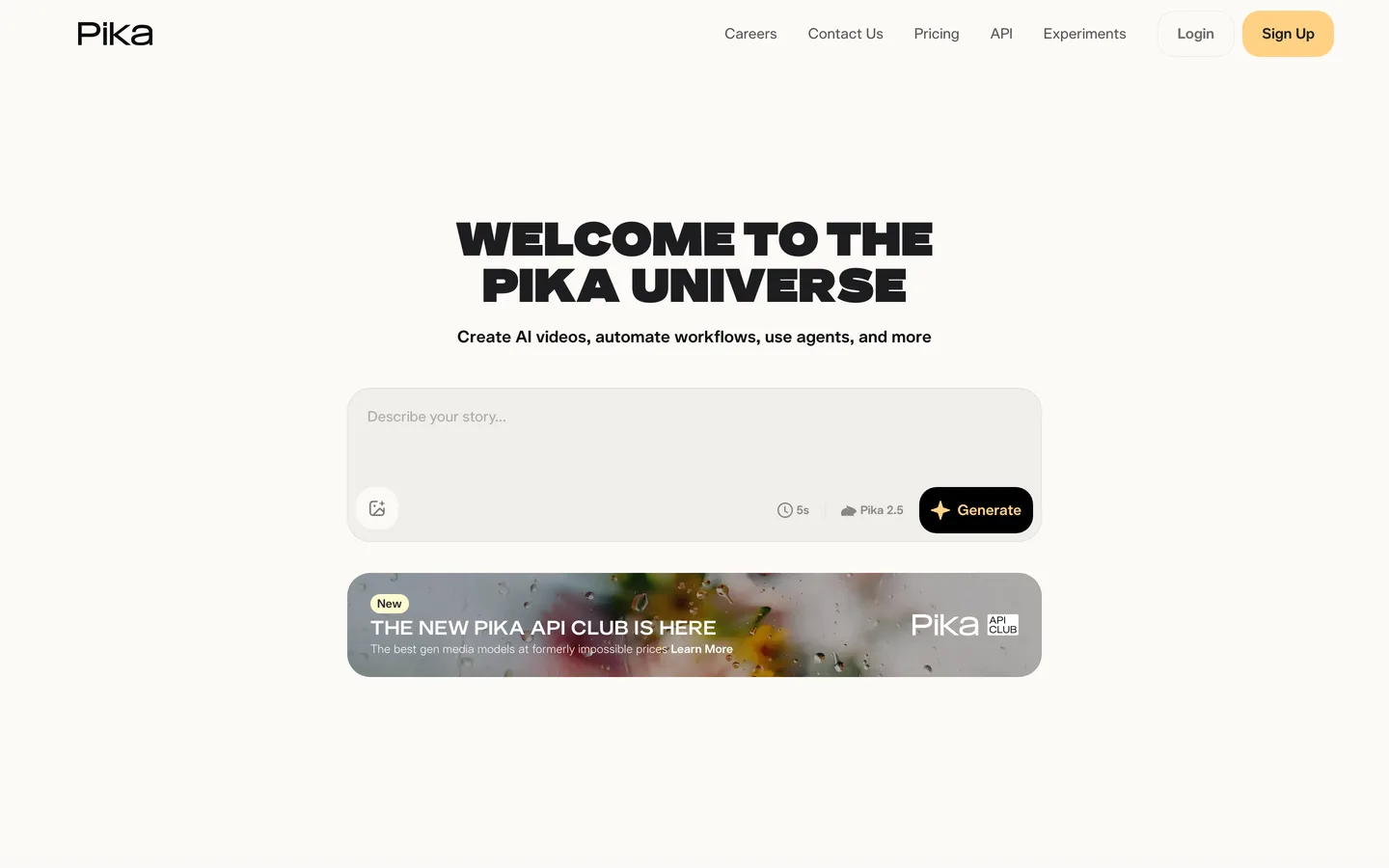
Pika is an AI video generation platform that turns text prompts and still images into short, dynamic video clips. It focuses on creative and visually expressive output rather than photorealistic simulation, making it the go-to tool for social media creators, marketers producing short-form content, and artists experimenting with motion.
What sets Pika apart from competitors like Sora or Runway is creative tooling. Features like Pikadditions (inserting objects into scenes), Pikaffects (applying dramatic visual effects), Pikatwists (transforming styles mid-clip), and automatic sound effect generation give creators control over the look and feel of their output that pure text-to-video generators do not offer. Pika 2.5 also introduced physics-based interactions that make generated motion feel grounded rather than floaty.
How We Built This Guide#
This guide is based on Pika's official documentation, verified pricing from pika.art/pricing, and real user feedback from Trustpilot and community discussions on Reddit. We analyzed Pika's feature set, pricing structure, and market positioning against alternatives. All facts were last verified September 2026.
Our sources include:
- Official product pages and documentation
- Trustpilot reviews
- Reddit community discussions
- Release notes and feature announcements
- Competitor comparison data
Features in Depth#
Pika 2.5 Engine: Physics, Motion Control, and Temporal Consistency#
Pika 2.5 introduced physics-based interaction that represents a meaningful step forward for generative video. Objects interact with their environment in ways that feel physically plausible: water splashes, fabric drapes, and objects fall with weight. Based on user demonstrations, a prompt describing a ball rolling off a table produces a clip where the ball's trajectory, bounce, and shadow all look natural. Earlier models would have produced floating, weightless motion. This physics awareness makes Pika's output usable for product demonstrations and visual effects rather than just abstract art.
Equally important: Pika 2.5 represents a massive leap in temporal consistency. The "flicker" that plagued earlier AI video generators is virtually gone. The model maintains character identity and environmental lighting with professional precision, particularly noticeable in high-motion scenes where Pika handles motion blur and depth of field more realistically than its predecessors.
Pikaffects: Creative Visual Effects#
Pikaffects lets you apply dramatic transformations to any video or image. Melt, explode, crush, freeze, or dissolve subjects with a single prompt modifier. The effects are rendered with surprising physical coherence. Effects like "crumble to dust" on product images produce results compelling enough for social media campaigns. These effects are unique to Pika and do not exist in any competing platform.
Pikadditions: Object Insertion#
Upload an image and add objects that were not in the original scene. Place a product on a table, add a character to a landscape, or insert a logo into a video. The lighting and perspective matching is not perfect, but for social media and marketing content, the results are convincing enough to be useful without manual compositing.
Integrated Sound Effects#
Pika automatically generates sound effects that match the visual action on screen. A crashing car generates impact sounds. A waterfall produces rushing water. Footsteps sync with walking motion. No other AI video generator does this natively, and it eliminates the step of sourcing and syncing audio separately. Based on user reports, the sound matches the action accurately about 80% of the time, with the remaining 20% requiring minor timing adjustments.
Scene Extension#
Scene extension treats the final frames of a generated clip as the starting point for subsequent generation. This allows you to build longer sequences from short clips, extending a 5-second clip into 15-30 seconds of coherent motion. The technology maintains visual consistency across extensions, though quality degrades slightly with each iteration. For TikTok and Reels content under 30 seconds, this works well.
Pikaframes: Format-Native Output#
Pikaframes provides precise aspect ratio control so your content is natively formatted for TikTok (9:16), YouTube (16:9), Instagram (1:1), or cinematic widescreen (2.39:1). This eliminates the cropping and reformatting step that wastes time in traditional workflows. Select your target format before generation, and the composition is optimized for that frame.
Pros
- Pikaffects and Pikadditions offer creative visual effects and object insertion that no competitor matches
- Integrated sound effect generation eliminates the need to source and sync audio separately
- Physics-based motion in Pika 2.5 makes generated clips feel grounded and physically plausible
- Credit-based pricing starting at $10/month makes it accessible for individual creators and small teams
- Scene extension enables clips up to 30 seconds while maintaining visual coherence
- Pikaframes eliminates reformatting by generating natively for TikTok, YouTube, Instagram, or cinema formats
Cons
- Maximum native clip length is approximately 10 seconds before scene extension, limiting long-form use
- Credits are consumed per attempt whether the result is usable or not, meaning the real cost per good video is always higher than it appears. Starter plan users burn through 900 credits faster than expected
- Trustpilot shows a 1.6-star rating with 87% one-star reviews, driven by non-responsive customer support (tickets unanswered for weeks), unauthorized charges after cancellation, and no clear subscription cancellation button
- Users report persistent 'High Demand' messages leading to generation queues of hours or days, with some generations never completing
- No avatar or talking-head capability; for presenter-style videos, HeyGen or Synthesia are better choices
Pricing Breakdown#
| Plan | Price | Key Features |
|---|---|---|
| Free | $0 | No monthly credits (packs only), No watermark, No commercial use |
| Starter | $10/mo | 900 credits/month, No watermark, No commercial use |
| ⭐ Creator | $35/mo | 3,150 credits/month, Commercial use rights, No watermark |
| Fancy | $95/mo | 8,550+ credits/month, Commercial use rights, Priority queue |
Pika renamed its tiers to Free, Starter, Creator, and Fancy as of September 2026 (formerly Basic, Standard, Pro, and Fancy):
Free ($0) — No monthly credits; you can only buy one-off credit packs. No watermark on output per Pika's current pricing page, but no commercial use rights. Good for evaluation and occasional experimentation once you buy a credit pack.
Starter ($10/month, $8/month annual) — 900 credits per month. No watermark. Access to all Pika features and models. No commercial use rights. Suitable for individual creators producing 2-3 videos per week.
Creator ($35/month, $28/month annual) — 3,150 credits per month. Commercial use rights included from this tier upward. No watermark. The sweet spot for professional content creators and marketing teams.
Fancy ($95/month, $76/month annual) — 8,550+ credits per month. Commercial use rights. Priority queue and unlimited parallel generations. Best for agencies and high-volume production teams.
Additional credits: One-off credit packs are available for purchase on all tiers, including Free, when you need extra capacity beyond your monthly allocation.
Hidden costs to consider: Credit consumption varies by feature. High-resolution generation with effects like Pikaffects uses more credits per clip than basic text-to-video. Users on the Starter plan who use creative effects regularly may find 900 credits insufficient for a full month. Annual billing saves approximately 20% across all tiers.
Free
- No monthly credits (packs only)
- No watermark
- No commercial use
Starter
- 900 credits/month
- No watermark
- No commercial use
Creator
- 3,150 credits/month
- Commercial use rights
- No watermark
Fancy
- 8,550+ credits/month
- Commercial use rights
- Priority queue
Similar Tools Worth Considering#
- Sora (via ChatGPT): OpenAI's video generator produces longer, more photorealistic clips. Better for narrative content and realistic scenes. Lacks Pika's creative effects toolkit and sound integration. Requires a ChatGPT Plus subscription.
- Runway Gen-3: Strong general-purpose video generation with a professional editing interface. Better for filmmakers and video professionals who need precise control. Less creative and playful than Pika.
- Synthesia: Avatar-based video platform. Completely different use case: scripted presenter videos rather than creative visual content. Choose Synthesia for training and explainer videos, Pika for social media and creative work.
- Kling AI: Competitive quality from Kuaishou with longer clip durations. Growing fast but smaller ecosystem and fewer creative tools than Pika.
For avatar-based video content, see HeyGen and Synthesia. For longer-form AI video, explore Sora and Luma Dream Machine. See our Runway vs Pika comparison and how Pika ranks in our Best AI Tools 2026 guide.
Who Should Use Pika?#
Best for social media creators: Generate TikTok, Reels, and Shorts content directly in the right format. Pikaffects and sound effects produce scroll-stopping clips that stand out from static posts and template-based video.
Best for marketing teams producing product teasers: Turn product photos into dynamic motion content with Pikadditions and image-to-video. A static product shot becomes a 10-second video with environmental context, motion, and synchronized audio.
Best for visual effects experimentation: Artists and creative directors can test visual concepts rapidly. Melt, explode, transform, or extend any image or video with creative effects that would take hours in After Effects.
NOT for you if you need talking-head or avatar-based videos (HeyGen and Synthesia are built for that), you need videos longer than 30 seconds consistently (Sora or traditional editing tools are more appropriate), or you require photorealistic human faces with consistent identity across clips.
Pika is the best AI video generator for creative, short-form content in 2026. Its unique combination of physics-aware generation, creative effects (Pikaffects, Pikadditions), integrated sound design, and format-native output makes it the strongest choice for social media creators and marketing teams producing visual content.
Its biggest strength is creative differentiation: no other tool offers the range of visual effects and object manipulation features that Pika provides. Its biggest weakness is duration: native clips are short, and while scene extension helps, it is not a solution for long-form video.
Start with the free tier to experiment (credit packs only, no monthly allowance), and upgrade to Creator ($35/month) when you are producing content regularly and need commercial rights. The annual billing discount to $28/month makes it one of the best values in AI video generation.
FAQ#
Is Pika free to use in 2026?#
You can sign up for free, but the Free plan does not include monthly credits, only the option to buy one-off credit packs. For regular use with a monthly credit allowance, the Starter plan starts at $10/month ($8/month annual) with 900 credits.
How long can Pika videos be?#
Native generation produces clips of approximately 4-10 seconds. Scene extension can stretch this to 15-30 seconds by chaining generated segments together. For content longer than 30 seconds, you will need to edit multiple clips together externally or use a different tool. Pika is optimized for short-form social media content.
Is Pika better than Sora for video generation?#
They serve different strengths. Pika excels at creative, stylized content with unique effects (Pikaffects, Pikadditions, sound generation) and is optimized for social media formats. Sora produces longer, more photorealistic clips better suited for narrative content. For TikTok and Reels, Pika is the stronger choice. For realistic, longer-form video, Sora has the advantage.
Can I use Pika videos commercially?#
Yes, but only from the Creator plan upward. The Creator plan ($35/month) and Fancy plan ($95/month) include commercial use rights. The Starter plan ($10/month) and the Free plan allow personal and non-commercial use only.
What are Pikaffects and Pikadditions?#
Pikaffects are creative visual effects you apply to images or videos: melt, explode, freeze, dissolve, crumble, and more. They transform the subject with physically coherent animations. Pikadditions let you insert objects into existing scenes by uploading an image and specifying what to add. Both are unique to Pika and not available in competing video generators.
