
This site contains affiliate links. We may earn a commission at no extra cost to you. This helps us keep the site running and continue providing free guides and comparisons.
The Bottom Line#
Descript is the fastest way to edit talking-head video and podcast content if you can type. Its text-based editing approach, where you edit the transcript and the video follows, fundamentally changes the production workflow for content creators. Based on user reports, it cuts editing time by roughly 50% compared to traditional timeline editors. The Underlord AI co-editor handles filler word removal, silence trimming, and audio cleanup automatically. At $24/month for the Creator plan, it delivers exceptional value for solo creators and small teams. It is not a replacement for Adobe Premiere or DaVinci Resolve for complex visual productions, but for the 80% of content that is people talking, nothing is faster.
Rating: 4.5/5 | Price: Free / $16 / $24 / $50/month | Last verified: August 2026
Score Breakdown
Key Facts#
- Pricing: Free, Hobbyist ($16/mo), Creator ($24/mo), Business ($50/mo), Enterprise (custom)
- Free tier: Yes, with 1 hour of transcription, 5 AI speech minutes, 720p exports
- Platforms: Web, macOS, Windows
- Core innovation: Text-based video/audio editing with AI-powered automation
- Latest features: Lip sync for translated video, Kling O1 video generation model, auto multicam
What Is Descript and Who Is It For?#
Descript is an AI-powered video and podcast editor built around a text-based editing paradigm. Instead of dragging clips on a timeline, you work with a transcript: delete a sentence, and the corresponding video/audio is cut. Edit a word, and the audio adjusts. This approach makes video editing accessible to anyone who can use a word processor.
The platform serves three audiences well: YouTubers and content creators who produce talking-head or interview content, podcasters who need efficient editing and transcription, and marketing teams creating video content from webinars, meetings, and presentations. Descript is not built for cinematic productions, motion graphics, or visual effects. It excels at the specific workflow of editing people talking, and within that scope, nothing matches it.
How We Built This Guide#
This guide is based on Descript's official documentation, verified pricing from descript.com/pricing, and real user feedback from G2 (4.5/5) and community discussions on Reddit. We analyzed Descript's feature set, pricing structure, and market positioning against alternatives. All facts were last verified March 2026.
Our sources include:
- Official product pages and documentation
- G2 user reviews (verified ratings)
- Reddit community discussions
- Changelog and release notes
- Competitor comparison data
Why Descript
Visit provider- Text-Based Video EditingThis is the feature that defines Descript.
- Underlord AI Co-EditorUnderlord is Descript's AI assistant that automates repetitive editing tasks.
- Filler Word RemovalDescript detects and highlights every 'um,' 'uh,' 'like,' 'you know,' and similar filler words in the transcript.
- Studio Sound: AI Audio EnhancementStudio Sound uses regenerative AI to transform recordings made in suboptimal environments into professional-sounding audio.
- Auto Multicam
Features in Depth#
Text-Based Video Editing#
This is the feature that defines Descript. Upload a video, and the platform generates a transcript automatically. Every word in the transcript is linked to the corresponding video/audio segment. Delete text, and the video cuts. Rearrange paragraphs, and the video follows. Highlight a section and hit delete to remove a tangent from an interview. Based on user reports, this workflow reduces editing time for a 30-minute talking-head video from approximately 2 hours in Premiere to under 1 hour in Descript. The approach is intuitive for anyone who has ever edited a document.
Underlord AI Co-Editor#
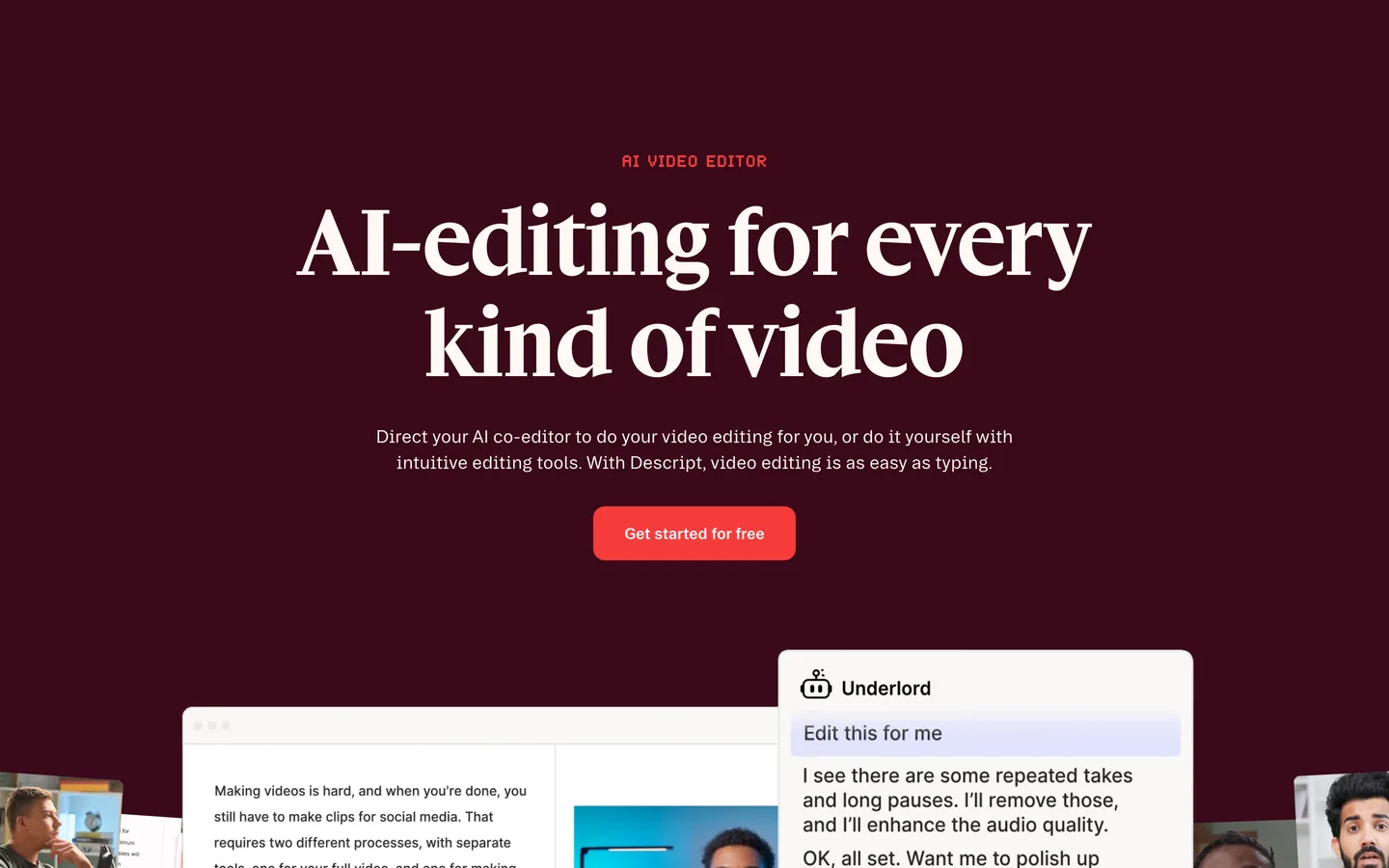
Underlord is Descript's AI assistant that automates repetitive editing tasks. Tell it to "tighten the cuts" and it removes pauses and dead air. Ask it to "add captions" and it generates styled subtitles. It can create highlight clips for social media, suggest cuts based on content analysis, and generate show notes from the transcript. According to user reports, Underlord's automatic cleanup saves 15-20 minutes per video by handling filler removal and silence trimming that were previously done manually.
Filler Word Removal#
Descript detects and highlights every "um," "uh," "like," "you know," and similar filler words in the transcript. One click removes them all, with the corresponding audio cuts made automatically. You can preview each removal before committing. This single feature is worth the subscription for anyone producing interview or conversational content. The detection accuracy is reported at above 95% for English recordings.
Studio Sound: AI Audio Enhancement#
Studio Sound uses regenerative AI to transform recordings made in suboptimal environments into professional-sounding audio. It removes background noise, reduces echo and room reverb, and enhances voice clarity. Users report dramatic improvements, taking audio from "clearly recorded on a laptop" to "sounds like a decent USB microphone in a treated room." It is not magic, but it closes 70% of the gap to studio quality.
Auto Multicam#
For interviews and multi-camera recordings, Descript's auto multicam feature detects who is speaking and automatically cuts to the appropriate camera angle. Upload multiple audio/video tracks, and the system identifies speakers and creates edit points. Users report the cuts are accurate and well-timed, saving approximately 30 minutes of manual multicam editing per episode.
AI Speech and Overdub#
Create AI voice clones for corrections without re-recording. If you stumble over a word, type the correction in the transcript, and Descript generates new audio in your voice. The quality is good enough for brief corrections and inserts, though longer generated passages still sound slightly synthetic. The Creator plan includes 2 hours of AI speech per month, which is sufficient for corrections but not for generating entire narrations.
Translation and Lip Sync#
A recent 2026 addition: translate your video into other languages and apply lip sync to match the speaker's mouth movements to the translated audio. The feature makes translated content look significantly more natural than traditional dubbing. Early user feedback suggests the lip sync is not perfect but convincing enough for social media and web content.
2026 Updates: Media Library, Color Tools, and Smarter Underlord#
March 2026 brought redesigned color adjustment tools now in the Properties panel (instead of the Effects menu), including filter presets (Neutral, Warm, Cool, Pop, Black and White) and white balance controls with an eyedropper for color correction. A new Media Library feature lets you upload and organize media at the drive level, reusing files across multiple projects and saving transcription minutes.
Underlord now provides a multi-step Project Brief before editing begins, proposing a stylistic direction for the video and waiting for your approval before making cuts. This turns the AI from a passive assistant into an opinionated editor that you direct.
Overdub voice cloning is now available in trial form on Free and Creator accounts with a 1,000-word vocabulary. You can create an Overdub Voice using existing audio by reading a brief Voice ID statement and uploading audio, lowering the barrier to entry for voice cloning.
Pros
- Text-based editing makes video production accessible to anyone who can edit a document, cutting editing time by approximately 50% for talking-head content
- Filler word detection and one-click removal is 95%+ accurate and eliminates the most tedious part of interview editing
- Studio Sound transforms recordings from poor environments into professional-quality audio, closing 70% of the gap to studio recordings
- Underlord AI automates repetitive tasks like silence trimming, caption generation, and highlight clip creation, saving 15-20 minutes per video
- Auto multicam detects speakers and creates camera cuts automatically, eliminating manual multicam editing for interview content
- Free tier with 1 hour of transcription lets you evaluate the full workflow before committing financially
Cons
- Not suitable for complex visual productions, motion graphics, color grading, or visual effects; those still require Premiere or DaVinci Resolve
- Reddit and Trustpilot users report app slowness, lag, and crashes during long editing sessions, especially with videos over 60 minutes
- Video export compression is a known issue: users report 500MB source files being compressed to 23MB on export, with limited control over export settings
- Descript's September 2025 pricing overhaul introduced media minutes and AI credits that caught users off guard, with some reporting bill increases from $30 to $195/month. Trustpilot shows 31% of complaints relate to billing
- Customer support response times are slow: users report waiting days for basic account changes, and AI credits can run out quickly with frequent use of Studio Sound or Overdub
Features (4.6): Text-based editing, AI audio cleanup, filler removal, auto multicam, translation with lip sync, and AI speech make this the most complete AI-powered editor for spoken content. Missing advanced color grading, motion graphics, and VFX tools keeps it a step below full NLE editors for complex productions.
Ease of Use (4.8): The text-based paradigm is brilliant in its simplicity. If you can delete and rearrange text in a document, you can edit video in Descript. Underlord AI reduces the learning curve further by automating tasks that require expertise in traditional editors. The only learning curve is understanding what Descript cannot do.
Value for Money (4.5): The Creator plan at $24/month includes 30 transcription hours, 2 hours of AI speech, 4K exports, and the full Underlord suite. For solo content creators, this replaces both a transcription service and basic editing software. The gap between Creator and Business ($50/month) is steep for small teams that need collaboration but not the full Business feature set.
Performance (4.3): Transcription completes in near-real-time for most recordings. Video processing and exports run at reasonable speeds. The web editor can lag with recordings longer than 60 minutes or when multiple AI features are active simultaneously. Desktop apps perform better than the web version for large projects.
Accuracy (4.3): English transcription accuracy is strong (95%+) for clear speech with standard accents. Non-English languages, heavy accents, and overlapping speakers reduce accuracy to 85-90%, requiring manual corrections. Filler word detection is highly accurate. Studio Sound enhancement is consistent across different recording conditions.
Pricing Breakdown#
| Plan | Price | Key Features |
|---|---|---|
| Free | $0 | 1 hr transcription, 5 AI speech minutes, 720p exports |
| Hobbyist | $16/mo | 10 transcription hrs, 1080p exports, No watermark |
| ⭐ Creator | $24/mo | 30 transcription hrs, 2 hrs AI speech, 4K exports, Full Underlord AI, Studio Sound |
| Business | $50/mo | 40 transcription hrs, 5 hrs AI speech, Brand Studio, Team collaboration, Priority support |
Descript offers five tiers as of March 2026, with annual billing saving up to 35%:
Free -- 1 hour of transcription, 5 AI speech minutes, 720p video exports. Access to basic text-based editing and limited AI features. Sufficient to evaluate the workflow but not for production.
Hobbyist ($16/month annual) -- 10 transcription hours, 1080p exports, watermark-free. Basic AI features without advanced Underlord tools. Suitable for occasional content creators producing 2-4 videos per month.
Creator ($24/month annual) -- 30 transcription hours, 2 hours of AI speech, 4K exports, full Underlord AI suite, Studio Sound, and advanced editing features. The sweet spot for individual creators and podcasters. This is where the platform delivers its best value.
Business ($50/month annual) -- 40 transcription hours, 5 hours of AI speech, Brand Studio for consistent branding, team collaboration with shared projects and permission controls, and priority support. Built for content teams and agencies managing multiple creators.
Enterprise (custom pricing) -- Unlimited usage, custom integrations, dedicated account management, and advanced security. For media companies and large organizations.
Hidden costs to consider: Transcription hours are consumed for every file you upload, not just final exports. Re-uploading the same file for re-editing counts against your allowance. The jump from Creator ($24) to Business ($50) doubles the price for collaboration features that some small teams could work around with file sharing.
Free
- 1 hr transcription
- 5 AI speech min
- 720p exports
Hobbyist
- 10 transcription hrs
- 1080p exports
- No watermark
Creator
- 30 transcription hrs
- 2 hrs AI speech
- 4K exports
- Full Underlord AI
Business
- 40 transcription hrs
- 5 hrs AI speech
- Brand Studio
- Team collaboration
Similar Tools Worth Considering#
- Adobe Premiere Pro: Full-featured professional NLE with AI features like auto-captioning and AI-powered first cuts. Far steeper learning curve but handles every type of video production. Choose Premiere when you need visual effects, color grading, or complex multi-track editing.
- CapCut: Free video editor with strong AI captioning and social media export features. Simpler than Descript with less AI depth. Choose CapCut for quick social media edits when you do not need transcription-based editing.
- Riverside.fm: Recording-first platform with built-in editing. Better for remote podcast and interview recording with local-quality audio. Less powerful as a standalone editor. Choose Riverside when recording quality is the priority.
- Opus Clip: AI-powered clip generation from long-form video. Focuses specifically on creating short-form social content from longer recordings. Less versatile than Descript but faster for the specific task of repurposing content.
For AI-generated video from text prompts rather than editing existing footage, see our guides on Pika and Sora. Descript is featured in our Best AI Tools 2026 guide.
Who Should Use Descript?#
Best for YouTubers and talking-head content creators: If 80% or more of your content is people speaking to camera, Descript's text-based editing will transform your workflow. Edit a 30-minute video in under an hour, remove all filler words in one click, and generate captions and clips for social media automatically.
Best for podcasters: Transcription, editing, filler removal, and Studio Sound audio enhancement in one tool replaces a multi-app workflow. The show notes generation and clip creation features are built specifically for podcast distribution.
Best for marketing teams repurposing webinar content: Record a 60-minute webinar, upload to Descript, and Underlord can generate highlight clips, social media cuts, and captioned excerpts automatically. The text-based approach makes it easy for non-editors on the marketing team to make cuts.
NOT for you if you produce cinematic content requiring color grading, motion graphics, or visual effects (use Premiere Pro or DaVinci Resolve), you need to edit music videos or highly visual content where the audio is not the primary element, or you work primarily with non-English content where transcription accuracy drops significantly.
Descript remains the most innovative video editor for spoken content in 2026. The text-based editing paradigm is not a gimmick. It fundamentally reduces the skill and time required to produce polished talking-head video and podcast content. Combined with Underlord AI, Studio Sound, and filler word removal, it creates a workflow that is faster and more accessible than any traditional editor.
Its biggest strength is the editing paradigm: working with text instead of a timeline makes video editing intuitive for anyone who can use a word processor. Its biggest weakness is scope: it is purpose-built for spoken content and cannot replace a full NLE for visually complex productions.
Start with the free tier to confirm the text-based approach works for your content type. Upgrade to Creator ($24/month) for production use. You will not go back to timeline editing for talking-head content.
FAQ#
Is Descript free in 2026?#
Yes. The free tier includes 1 hour of transcription, 5 AI speech minutes, and 720p video exports. It gives you full access to text-based editing to evaluate the workflow. Production use requires a paid plan because the 1-hour transcription limit and 720p export restriction are too limiting for real content.
Can Descript replace Adobe Premiere Pro?#
For talking-head videos, podcasts, interviews, and webinar content, yes. Descript is faster and easier for these specific content types. For cinematic productions, music videos, multi-layer visual compositions, color grading, motion graphics, or any content where the visual component is primary, Premiere Pro remains necessary. Many creators use both: Descript for spoken content, Premiere for everything else.
How accurate is Descript's transcription?#
English transcription accuracy is approximately 95% for clear speech with standard accents. Accuracy drops to 85-90% for heavy accents, overlapping speakers, poor audio quality, and non-English languages. Manual corrections are required for professional transcripts in all cases, but the automated version provides a strong starting point that reduces total transcription time significantly.
What is Descript's Underlord AI?#
Underlord is Descript's AI co-editor that automates repetitive editing tasks. It can remove filler words, trim silences, generate captions, create highlight clips for social media, enhance audio quality with Studio Sound, and manage multicam switching. You direct Underlord through natural language instructions or one-click actions. It is included in the Creator plan and above.
Is Descript good for podcasts?#
Yes, it is one of the best tools available for podcast production. Text-based editing, automatic filler word removal, Studio Sound audio enhancement, transcription, and show notes generation cover the full podcast workflow. The Creator plan at $24/month includes 30 transcription hours, which is sufficient for 4-8 episodes per month depending on length.
