
This site contains affiliate links. We may earn a commission at no extra cost to you. This helps us keep the site running and continue providing free guides and comparisons.
The Bottom Line#
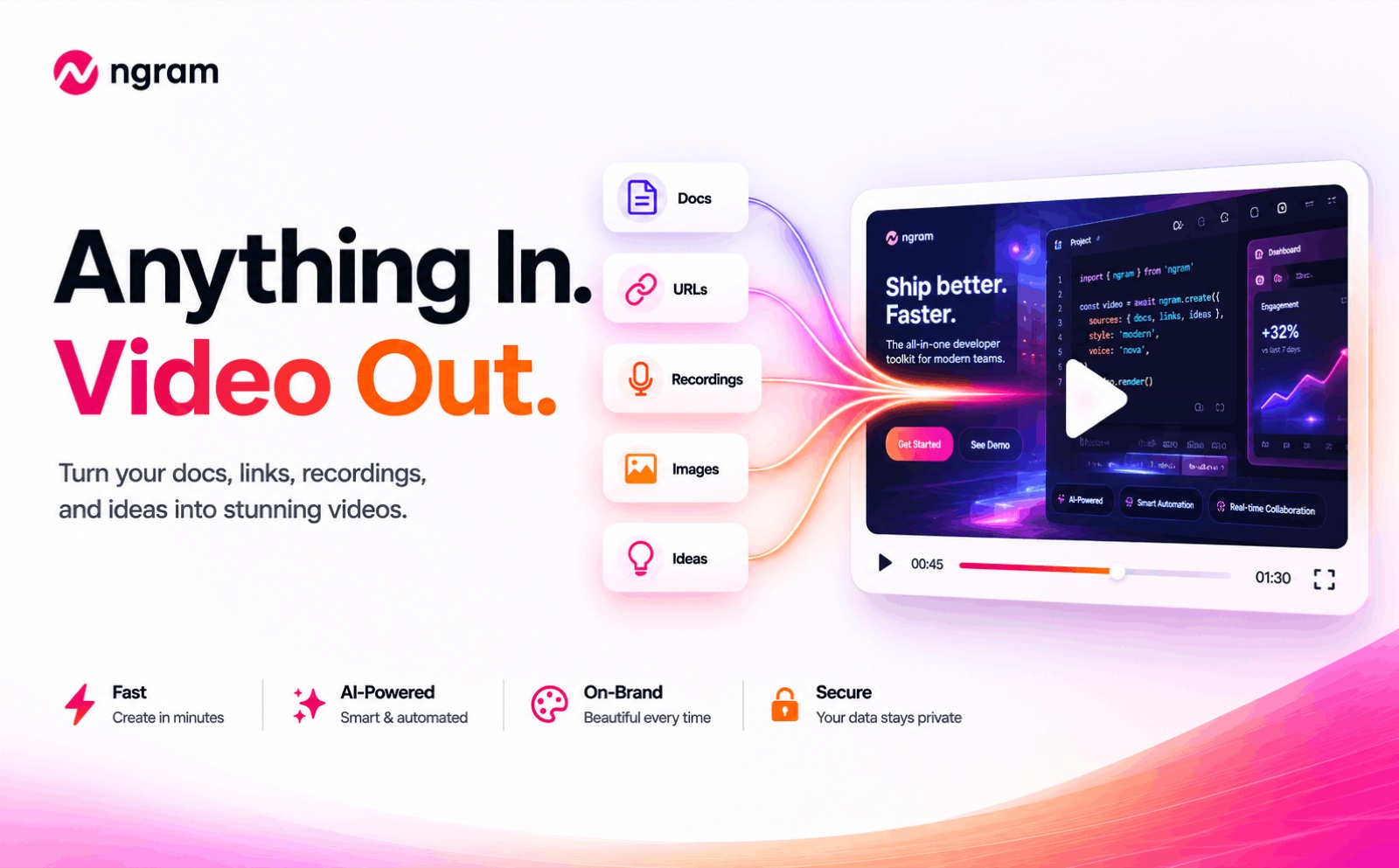
ngram is an AI video-creation platform built for product and marketing teams. Its differentiator is context: instead of starting from a blank prompt, you feed it what you already have, product docs, a URL, a PDF, a screen recording, or images, and it generates a storyboard, script, AI visuals, voiceover, and captions into a polished, on-brand video. A one-time brand kit (logo, colours, fonts) applies across every export, and one project outputs 16:9, 9:16, and 1:1, so a single demo becomes assets for the site, LinkedIn, and Reels. You can refine in plain language ("shorten scene 2") without rebuilding. The honest caveats: AI-generated footage and voiceover still need a review pass before publishing, the free and Basic tiers give limited AI-generation minutes, and it is a young product with thin independent review coverage. One clarification up front: this is ngram.com the video tool, not Google's Ngram Viewer. For teams that produce explainers and demos regularly, its doc-to-demo workflow is a genuine time-saver.
Rating: 4.2/5 | Price: Free / $29 / $59 / $299 per month | Last verified: July 2026
Score Breakdown
Key Facts#
- Pricing: Free ($0), Basic ($29/mo), Plus ($59/mo), Pro ($299/mo)
- Free tier: Yes, 300 one-time credits (30 sec AI generation or 5 min editing)
- Inputs: Product docs, URLs, PDFs, screen recordings, images, text, prompts
- Standout: Context-aware doc-to-demo generation with a one-time brand kit
- Exports: 16:9, 9:16, and 1:1 from a single project
- Best for: Product marketing, growth, sales enablement, and customer success teams
- Note: This is ngram.com the AI video tool, not Google's Ngram Viewer
What Is ngram and Who Is It For?#
ngram exists for teams that need to ship videos regularly, explainers, product demos, feature announcements, onboarding walkthroughs, and social clips, but do not have a production team. The workflow is the point: you give it real source material (a product URL, a doc, a screen recording), and it builds a scripted, branded video around it, rather than making you write a prompt from scratch. Research, storyboarding, scripting, visuals, voiceover, captions, music, and brand formatting live in one connected flow, with control before and after generation.
It fits product managers, product marketers, growth and sales-enablement teams, customer-success teams, founders, and educators at SaaS companies and startups. It is not aimed at cinematic or narrative film work, and it is not a replacement for a video editor on high-end brand films: it is built to turn working material into structured business videos quickly.
Why ngram
Visit provider- Context-Aware, Doc-to-Demo Generation
- Storyboard, Script, Voiceover, Captions
- One-Time Brand KitSet your logo, colours, and fonts once, and the brand kit applies across every export.
- Multi-Format ExportA single project exports 16:9, 9:16, and 1:1, so one demo becomes a website hero, a LinkedIn post, and a Reel without rebuilding.
- Plain-Language EditingRefinements like 'shorten scene 2' work in plain language, without rebuilding the whole project.
ngram was founded in 2020 and is based in San Francisco, with a team of 10-50 people (per ngram's own published media kit). Its customer list, also published on ngram's site, names teams at DocuSign, HubSpot, Zapier, Deel, Rocket Mortgage, SafetyCulture and Demandbase among current users, alongside enterprise names like Veeva Systems and DP World — a broader and more established roster than the product's 2020 founding date might suggest.
How We Built This Guide#
This guide is based on ngram's official homepage, pricing page, AI video generator page, solutions pages, and published brand/media kit, plus independent hands-on reviews. We verified the Free/Basic/Plus/Pro structure and the exact credit pools and AI-generation minutes per tier (300 one-time credits free; 1,800/3,600/18,000 credits monthly on paid tiers) as of July 2026. We explicitly disambiguate ngram.com (the video tool) from Google's Ngram Viewer and from unrelated companies with similar names, so none of their data is mixed in. Because the product is young, we note that aggregate independent review coverage is still limited and do not invent user-rating figures; the 4.8/5 rating mentioned on ngram's own media kit is the vendor's own figure, not independently confirmed here. All facts were last verified July 2026.
Our sources include:
- ngram official homepage, pricing, and solutions pages
- ngram's published brand and media kit (company facts, customer list)
- Independent hands-on reviews of the video workflow
Features in Depth#
Context-Aware, Doc-to-Demo Generation#
This is the standout. Feed ngram a product URL, PDF, doc, or screen recording, and it generates a scripted, branded video around that source, with smart zoom, captions, and motion graphics. Because it starts from real material, the output is closer to what you actually want than a blank-prompt generator.
Storyboard, Script, Voiceover, Captions#
ngram auto-creates a storyboard and script based on your specified audience, goal, and tone, then fills gaps with AI visuals and narration and adds captions. You review and adjust each stage rather than accepting a single black-box render.
One-Time Brand Kit#
Set your logo, colours, and fonts once, and the brand kit applies across every export. For teams producing many videos, this consistency is a real operational win.
Multi-Format Export#
A single project exports 16:9, 9:16, and 1:1, so one demo becomes a website hero, a LinkedIn post, and a Reel without rebuilding. This is the feature that turns one recording into a full social set.
Plain-Language Editing#
Refinements like "shorten scene 2" work in plain language, without rebuilding the whole project. It lowers the editing learning curve considerably.
Pros
- Context-aware, doc-to-demo generation stands out for product and marketing teams
- One project exports every social aspect ratio (16:9, 9:16, 1:1)
- One-time brand kit keeps every video on-brand automatically
- Plain-language editing ('shorten scene 2') lowers the learning curve
- Usable free tier (300 credits) to test before paying
Cons
- AI-generated footage and voiceover still need a review pass before publishing
- Credit pools convert to limited AI-generation minutes (about 3 min/mo on Basic)
- Young product with limited independent review coverage
- Big price jump from Plus ($59/mo) to Pro ($299/mo)
- US tool, USD billing, no documented EU data residency
Features (4.3): Doc-to-demo generation, storyboard/script control, brand kit, and multi-format export cover the product-video workflow well.
Brand Consistency (4.4): The one-time brand kit applied across all exports is a standout for teams producing videos at volume.
Ease of Use (4.2): Starting from your own material plus plain-language edits makes it approachable, though you still review each stage.
Value for Money (4.0): A usable free tier and a $29 Basic plan are fair, but AI-generation minutes are limited and Pro is a big jump.
Output Quality (3.9): Strong for structured business videos; AI footage and voiceover still need a human check before they are client-ready.
Pricing Breakdown#
| Plan | Price | Key Features |
|---|---|---|
| Free | $0 | 300 one-time credits, 30 sec AI generation or 5 min editing |
| ⭐ Basic | $29/mo | 1,800 credits/mo, 3 min AI generation, unlimited manual edits |
| Plus | $59/mo | 3,600 credits/mo, 6 min AI generation, 60 min AI editing |
| Pro | $299/mo | 18,000 credits/mo, 30 min AI generation, team access |
Annual billing lowers the effective monthly rate (for example, Basic to about $23.20/mo). Top-up credits are available per tier.
Free ($0) -- 300 one-time credits, enough for 30 seconds of AI generation or 5 minutes of editing. A real way to test the workflow before paying.
Basic ($29/mo) -- 1,800 credits per month, up to 3 minutes of AI generation, and unlimited manual edits. The entry plan for a solo marketer or small team.
Plus ($59/mo) -- 3,600 credits per month, 6 minutes of AI generation, and 60 minutes of AI editing. For teams shipping videos more regularly.
Pro ($299/mo) -- 18,000 credits per month, 30 minutes of AI generation, unlimited audio generation, and team access. For high-volume video production.
Free
- 300 one-time credits
- 30 sec AI generation
- 5 min AI editing
Basic
- 1,800 credits/mo
- 3 min AI generation
- Unlimited manual edits
Plus
- 3,600 credits/mo
- 6 min AI generation
- 60 min AI editing
Pro
- 18,000 credits/mo
- 30 min AI generation
- Team access
Similar Tools Worth Considering#
- Synthesia: AI avatar videos in 140+ languages, strong for talking-head training and corporate content. Choose Synthesia if you want a presenter avatar rather than doc-to-demo videos.
- Pictory: Turns scripts, blog posts, and long recordings into videos. Choose Pictory if your source is mostly text or existing footage.
- InVideo: A broad AI video editor for social and marketing videos. Choose InVideo if you want a general-purpose editor with templates.
- Descript: An editor-first tool with transcription and AI voice. Choose Descript if you are editing real recordings rather than generating from docs.
ngram's edge is the context-aware, doc-to-demo workflow and multi-format export. For more options, see our video category.
Who Should Use ngram?#
Best for product marketing and growth teams: Turning a product URL or doc into a scripted, branded demo is exactly the repetitive video work these teams face.
Best for sales enablement and customer success: Onboarding walkthroughs, feature explainers, and training clips are quick to produce and easy to keep on-brand.
Best for founders and small SaaS teams: If you need launch videos and demos without hiring a production team, the free tier and Basic plan are a low-risk start.
NOT for you if you need cinematic or narrative video, you require large volumes of long AI-generated footage on a budget (minutes are capped per tier), or you need guaranteed EU data residency, which is not documented.
ngram is a well-scoped AI video tool whose doc-to-demo generation and brand kit genuinely speed up product and marketing video work. Its limits are AI footage that still needs review and generation minutes that are metered by credits. Start on the free plan, run one real product URL or screen recording through it, and judge the output on your own material before choosing a paid tier.
FAQ#
Is ngram.com the same as Google's Ngram Viewer?#
No. ngram.com is an AI video-creation platform for product and marketing teams. Google's Ngram Viewer is a separate, unrelated tool that charts word frequency in books. This review is entirely about ngram.com the video tool.
What can ngram turn into a video?#
You can feed it product docs, URLs, PDFs, screen recordings, images, text, and prompts. It generates a storyboard, script, AI visuals, voiceover, and captions around that source, then exports 16:9, 9:16, and 1:1 formats from one project. Its strength is context: starting from real material rather than a blank prompt.
Is there a free version of ngram?#
Yes. The free plan gives 300 one-time credits, enough for about 30 seconds of AI generation or 5 minutes of editing, so you can test the workflow before paying. Paid plans start at Basic ($29/mo) with 1,800 monthly credits.
ngram vs Synthesia: which should I choose?#
They target different needs. ngram is best for context-aware product videos, demos, explainers, and launch clips generated from your own docs and recordings. Synthesia is best for avatar-led talking-head videos, especially multilingual training content. Choose ngram for doc-to-demo product videos; choose Synthesia if you want a presenter avatar.
