Why this post exists#
If you are a lawyer in Munich, a doctor running a single-room practice in Bern, or a tax advisor in Vienna, the headlines about AI productivity hide a hard legal truth: pasting any client, patient, or mandate detail into the standard ChatGPT web interface is a § 203 StGB criminal offence in Germany, a violation of the Anwaltsgeheimnis under § 43a BRAO, and a clear GDPR breach. None of those outcomes go away because the AI was useful.
This post is for the solo or small-team practitioner who needs to use AI in a regulated profession without ending up as the precedent case in 2026. It maps the four compliance paths in order of legal exposure, gives real hardware numbers for the local-LLM option, and is honest about which use cases are genuinely off-limits.
Not legal, medical, or tax advice. Talk to your Berufskammer for the binding interpretation in your specific case.
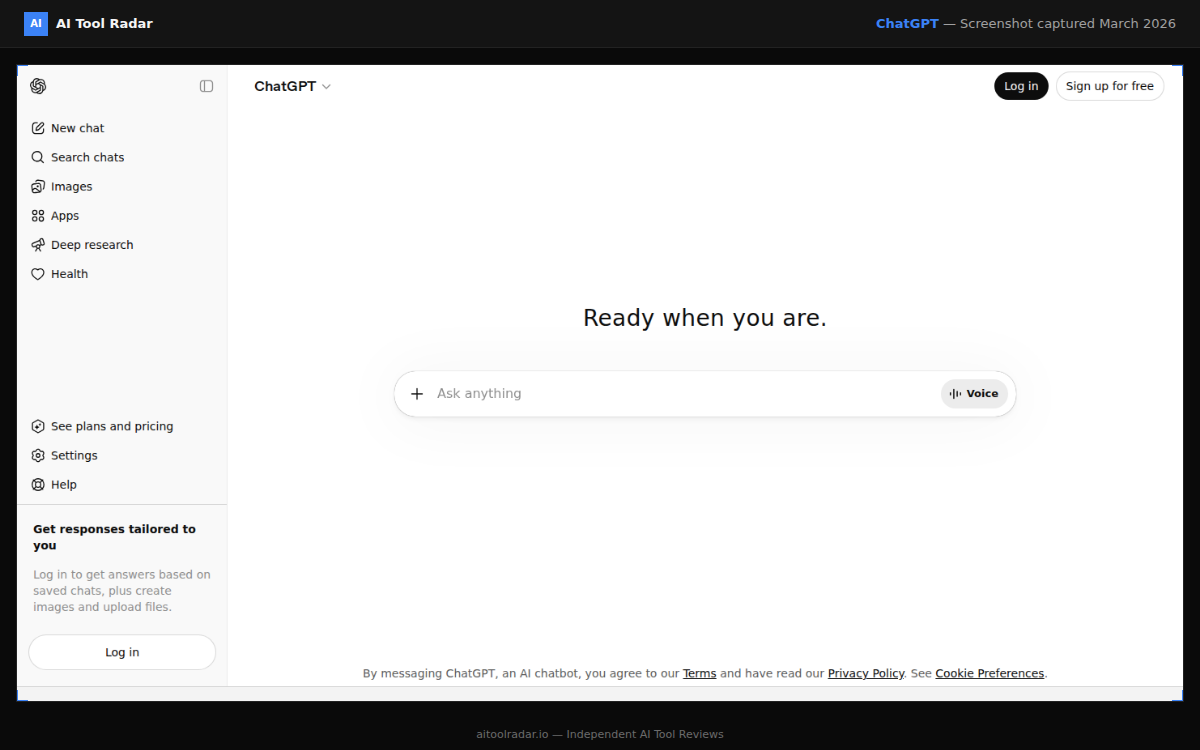
The legal cliff (German-language references throughout)#
Three frameworks stack on top of each other for regulated DACH professions:
§ 203 StGB — Verletzung von Privatgeheimnissen. Criminal liability for anyone who reveals a "fremdes Geheimnis" entrusted to them in their professional capacity. Applies to doctors, lawyers, tax advisors, psychologists, and a long list of other professions enumerated in subsection 1. Cloud AI providers are explicitly addressed by the 2017 reform of § 203 (3) StGB: a regulated professional can disclose secrets to "mitwirkende Personen" only if those parties are bound to confidentiality and if the disclosure is necessary. Source: § 203 StGB on gesetze-im-internet.de. For a detailed analysis specifically on cloud AI in medical practice see Kleiboldt — § 203 StGB and Cloud AI.
GDPR (DSGVO). Health, biometric, and special-category data under Art. 9 require explicit consent or another narrow legal basis. Even for non-special data, transferring it to a third-country provider triggers Art. 44+ obligations: standard contractual clauses, transfer-impact assessments, supplementary measures. Most "EU residency" toggles on consumer AI products do not satisfy these requirements unless backed by a written Auftragsverarbeitungsvertrag (AVV) under Art. 28.
Profession-specific obligations. BRAO § 43a, MBO-Ä § 9, StBerG § 62a — each adds a layer on top of § 203 StGB. The professional bodies have all issued AI-specific guidance in 2024 and 2025.
What the professional bodies actually say#
BRAK (lawyers): December 2024 guidelines#
The Bundesrechtsanwaltskammer published its 25-page "Hinweise zum Einsatz von kuenstlicher Intelligenz" in December 2024. The core operational rule:
"Die Uebermittlung von Mandantengeheimnissen ist nach derzeitigem Stand der Technik nicht erforderlich, da das System auch ohne Uebermittlung solcher Daten genutzt werden kann; eine Offenlegung waere mit unkalkulierbaren Risiken fuer die Mandantschaft verbunden."
Translation: do not put mandate secrets into general-purpose AI. The recommended workflow is anonymisation or abstraction before the prompt. Source: BRAK AI guidelines PDF, December 2024 and the official BRAK announcement.
The CCBE technical guide referenced by BRAK in April 2026 reinforces this: CCBE technical guidance via BRAK newsletter, April 2026. A separate ad-hoc-news report covers a 2025 court decision confirming that AI-chat content does not enjoy attorney-client privilege protection: AI chats in court: no attorney-client privilege.
Bundesaerztekammer (doctors): position via the Wissenschaftlicher Beirat#
The Wissenschaftlicher Beirat of the BAEK has stated that systems like ChatGPT do not provide a data-protection-compliant environment and cannot be used for processing patient data or documentation. In particular: pasting a Patientenkurve, lab values, or even pseudonymised but re-identifiable case histories into the consumer ChatGPT web interface is non-compliant. Practical analysis with profession-specific cases: Doc Report AI — ChatGPT for doctors and the GDPR and Kleiboldt — ChatGPT in the medical practice 2026.
BStBK (tax advisors): January 2026 FAQ catalogue#
The Bundessteuerberaterkammer's FAQ catalogue from 27 January 2026 explicitly addresses AI tools. FAQ 5.8 ("Duerfen Mandantendaten oder andere vertrauliche Informationen in KI-Tools (z.B. ChatGPT) eingegeben werden?") concludes: not without explicit authorisation, technical safeguards, and an AVV with the provider. The same document discusses § 203 StGB criminal exposure for tax advisors. Source: BStBK FAQ catalogue, January 2026 PDF and Haufe analysis of FAQ 5.8.
The pattern is consistent: every major DACH professional body in 2024 to 2026 says the same thing. Standard cloud AI is not safe for client, patient, or mandate data.
The four compliance paths#
Ranked from most-protective to most-permissive. Pick the lowest-friction one that matches your risk tolerance and the sensitivity of the data.
Path 1 — Do not put client data into AI at all#
This sounds defeatist but is the formally safest position and matches the BRAK guidance for highly sensitive matters.
Use AI for: legal research on public statutes, drafting templates, marketing content, internal training material, summarising publicly available case law, generating standard contract skeletons that you then fill in manually.
Do not use AI for: anything traceable to an identifiable client, patient, or mandate. Even pseudonymised data that could be re-identified through context.
Cost: zero compliance burden. Realistic use coverage: maybe 30 to 40 percent of a typical solo practitioner's AI productivity gains.
Path 2 — Cloud AI with AVV plus disciplined pseudonymisation#
Use ChatGPT Enterprise, Claude for Work, or Microsoft 365 Copilot (with an Auftragsverarbeitungsvertrag in place) and aggressively pseudonymise inputs before pasting.
What this means in practice: replace names with "Mandant A", addresses with "Anschrift A1", dates with structural placeholders, and amounts with relative ranges. The output is then reverse-mapped back to the original case. This is the BRAK-recommended workflow for "Datenschutz-mittlere" matters.
Pitfalls:
- Most consumer ChatGPT Plus and Team accounts do not satisfy AVV requirements. You need ChatGPT Enterprise specifically. ChatGPT Team (the SMB tier launched 2024) is closer but still needs careful AVV review.
- Microsoft 365 Copilot via Azure has the strongest AVV story for DACH professionals and stays in EU data residency by default.
- Claude for Work (Anthropic Enterprise) signs DPAs and offers EU residency for Claude 4.7 since late 2025, but check the current DPA scope before assuming sufficiency.
- Pseudonymisation is harder than it looks. Re-identification through context (rare medical condition, unusual case history, distinctive procedural posture) defeats the protection.
Cost: ChatGPT Enterprise and Microsoft 365 Copilot are priced for teams; for a single-person practice expect EUR 30 to 60 per user per month.
Path 3 — Azure OpenAI Service in EU residency#
Same models as ChatGPT, but consumed through Azure with explicit EU data residency, full AVV under Microsoft's GDPR framework, and no model training on customer data by contract. This is the path most large DACH law firms and hospitals are actually picking.
Realistic for solo practitioners only if you already have Azure infrastructure or are willing to learn Azure Resource Management. The setup is non-trivial: Resource Group, Cognitive Services account, content-filter configuration, network rules. There is a meaningful learning curve.
Cost: pay per token, similar to OpenAI direct pricing, plus modest infrastructure overhead.
Path 4 — Self-hosted local LLM (true sovereignty)#
The data never leaves your machine or local network. § 203 StGB does not apply because there is no disclosure to a third party. The DSGVO data-transfer chapters do not apply because there is no transfer.
This is the only path that gives you genuine peace of mind for the most sensitive matter types: criminal defence, psychiatric records, ongoing tax investigations, custody battles, M&A under NDA.
The 2026 hardware reality is the next section.
Local LLM hardware reality, April 2026#
The numbers below are for actually usable models, not toy demos.
What "usable" means in 2026#
For regulated-profession workflows, the realistic minimum is a model with:
- Solid German-language reasoning (most Llama, Mistral, and Qwen variants are now adequate; smaller models are not).
- 70B+ parameters or a strong 30B+ MoE.
- 32k+ context window for document analysis.
Llama 3.3 70B and DeepSeek V3-class models are the current sweet spot. Llama 3.3 70B specifically requires roughly 35 GB VRAM at Q4_K_M quantisation. Source: APXML system requirements for Llama 3 family.
Hardware options#
RTX 4090 or 5090 single workstation. A 24 GB consumer GPU plus 64 to 128 GB system RAM can run Llama 3.3 70B at Q4_K_M with offloading. Performance is acceptable for single-document tasks; throughput is the bottleneck. Total build cost: EUR 3,500 to 5,000.
Mac Studio M3 Ultra (or M4 Ultra when shipped). The unified memory architecture means a 192 GB Mac Studio can hold a 70B model entirely in memory at FP16, and 70B at Q4 leaves plenty of room for context. Inference is slower than CUDA at the same model size but adequate for desk work. Cost: EUR 5,500 to 8,000 fully configured. This is the option many solo practitioners choose because it doubles as their daily workstation.
Workstation with a single A6000 Ada (48 GB). Runs 70B Q8 cleanly. Cost: EUR 6,500 to 8,000 for the full system. Good for clinics or law firms expecting multiple concurrent users.
Multi-GPU 70B at FP16 / 405B Llama variants. Genuinely enterprise. Skip unless you are deploying for a hospital or a 20-plus-lawyer firm.
The software stack (in order of friction)#
- Ollama. One-line install on macOS, Linux, Windows. Auto-exposes an OpenAI-compatible API on
localhost:11434. Source: the official Llama 3.3 70B model page on Ollama. For most solo practitioners, this is the right starting point. - LM Studio. GUI-driven, more discoverable for non-technical users, slightly less flexible than Ollama. Excellent for doctors and lawyers without IT staff.
- Open WebUI. Web interface that sits on top of Ollama. Gives you a ChatGPT-style UI on your local network. Pair with Tailscale if you want secure access from a tablet or laptop on the go.
- AnythingLLM. RAG-capable wrapper. Lets you upload your case files, judgements, statutes, or medical guidelines and have the local LLM cite them. The RAG pipeline keeps everything local.
A typical deployment for a 5-person law firm in DACH: Mac Studio M3 Ultra running Ollama with Llama 3.3 70B, Open WebUI on the LAN, AnythingLLM ingesting the firm's case archive. All-in cost EUR 7,000 to 9,000 plus 4 to 8 hours of consultant time. No recurring AI subscription cost, no data ever leaving the office.
Realistic use cases per profession#
For lawyers#
- Public-source legal research. Local LLM ingests case law you have downloaded from openJur, dejure.org, BVerfG database, etc. RAG returns answers with citations. No mandate data involved.
- Contract template review and drafting. With pseudonymised context.
- Document summarisation for unrelated cases. Past cases that have been completed and anonymised for training purposes.
- Internal knowledge base. Sozietaetshandbuch, internal policies, partnership agreements.
- Brief proofreading and style polishing. When you provide the language model with a redacted text.
What still does not work: full case-file analysis with live mandate data unless you are running entirely local on hardware in your physical control.
For doctors#
- Anamnesis question generation. Generic decision support that does not see actual patient data.
- Public medical literature summarisation. Pubmed pulls, AWMF guidelines, IQWiG reports.
- Patient-information documents. Generating Aufklaerungsboegen and educational handouts.
- Internal training scenarios. Synthetic case studies for staff training.
- Local-only Arztbrief drafting with strict separation: the LLM sees structural fields and free-text notes that have been pseudonymised, and the final output is reviewed and re-personalised on a separate screen. Acceptable in a fully local setup; not acceptable on cloud AI even with AVV unless the AVV explicitly covers health data and your DPO has signed off.
What still does not work: Live patient-record analysis on cloud AI. Imaging analysis on consumer-grade tools. Any workflow where the doctor cannot fully trust the chain of custody for the data.
For tax advisors#
DATEV's own AI stack covers most of the day-to-day automation needs. See the dedicated DATEV and AI in 2026 post for that side.
For non-DATEV-covered work:
- Public tax-law research. BFH database, BMF circulars, JStG drafts. Local LLM with RAG works well.
- Generic email drafting with pseudonymised mandate context.
- Audit-preparation checklists. Generated against public Pruefungsschwerpunkte.
- Onboarding-process automation for new mandates, before any actual client data is collected.
What still does not work: Loose-cloud AI with raw bookkeeping data. The BStBK FAQ 5.8 is explicit on this point.
The cost comparison most posts skip#
For a solo practitioner doing serious AI use (50 to 100 prompts per workday with substantial context):
- Cloud Path 2 (ChatGPT Enterprise or Copilot): EUR 30 to 60 per month, indefinitely. Five-year cost: EUR 1,800 to 3,600.
- Cloud Path 3 (Azure OpenAI direct): Variable but often EUR 50 to 200 per month at solo scale. Five-year cost: EUR 3,000 to 12,000.
- Local Path 4 (Mac Studio or RTX workstation): EUR 5,000 to 8,000 once. Five-year cost: same plus modest electricity (rough estimate EUR 200 to 400 per year).
The local option is cheaper in five-year TCO for any serious-volume user. It is materially more expensive in cash flow if you are starting out. The deciding factor is rarely cost. It is operational comfort and IT-support availability.
What still does not work in 2026 (be honest with yourself)#
- OCR plus structured extraction at the quality of Adobe Acrobat AI or Azure Document Intelligence. Local pipelines exist (PaddleOCR, Tesseract plus LLM) but the engineering effort is real.
- Real-time speech transcription at the quality of Otter.ai or Microsoft Teams. Whisper Large V3 runs locally but the latency is higher and quality slightly behind cloud APIs.
- Multimodal medical imaging at the quality of cloud-only specialised models. Solo practices generally do not need this; specialist clinics do.
- Document comparison across hundreds of pages. Possible with the right RAG pipeline but engineering-intensive.
Action checklist for the next two weeks#
-
Map your data sensitivity. For every AI-relevant task, classify the data as: public, pseudonymisable without re-identification risk, sensitive but pseudonymisable with effort, special-category and never-disclosable.
-
Match each category to one of the four paths. Public goes to Path 1 or 2 freely. Pseudonymisable goes to Path 2 with discipline. Sensitive goes to Path 3 or 4. Special-category goes to Path 4 only, or stays out of AI entirely.
-
If Path 4 makes sense, dry-run on a Mac mini or your existing GPU. Before you spend EUR 5,000 to 8,000, install Ollama with a smaller model (Llama 3.3 8B or Phi-4) and confirm the workflow shape works for you. Most disappointment with local LLMs comes from people skipping this step.
-
Update your AVV inventory. Make sure every cloud AI tool you currently use is covered by a written AVV and an EU-residency clause. If not, either upgrade to Enterprise tier or switch to a different tool.
-
Document your decisions. Article 4 of the EU AI Act now requires you to demonstrate AI literacy at the firm level. A two-page memo describing your data-classification map, path assignments, and pseudonymisation rules is your compliance artefact. See the EU AI Act 2026 solopreneur guide for the literacy obligation context.
The honest summary#
Standard cloud AI is fast, capable, and broadly illegal for live client and patient data in DACH regulated professions. The professional bodies have all said this explicitly between 2024 and 2026. The exposure is § 203 StGB criminal liability plus GDPR plus profession-specific sanctions. None of those are theoretical risks.
The two practical paths forward are either disciplined cloud-AI usage with rigorous pseudonymisation and an enforceable AVV, or full local deployment on hardware you physically control. The local-LLM option is finally good enough in 2026 — Llama 3.3 70B on a Mac Studio M3 Ultra is a usable workhorse for serious practice work, at a five-year TCO competitive with enterprise cloud AI.
Pick a path deliberately. The wrong default is the standard ChatGPT subscription that 70 percent of professionals are already (silently) using anyway.
Sources#
Statutes and primary regulation
Professional bodies
- BRAK AI guidelines, December 2024 (PDF)
- BRAK announcement of the AI guidelines
- BRAK newsletter on the CCBE technical AI guidance, April 2026
- BRAK AI publications hub
- Rechtsanwaltskammer Sachsen — BRAK AI guidance summary
- BStBK FAQ catalogue, January 2026 (PDF)
Independent professional analysis
- Haufe — BStBK FAQ 5.8 commentary
- Clara Agent — § 203 StGB and AI for tax advisors
- Anwaltspraxis Magazin — Darf die KI Anwalt sein?
- KI in Kanzleien — overview of the BRAK guideline
- get-aimax — practical summary of BRAK guidelines
- Doc Report AI — ChatGPT for doctors and the GDPR
- Kleiboldt — § 203 StGB and Cloud AI
- Kleiboldt — ChatGPT in the medical practice 2026
- Kleiboldt — AI Arztbrief, what works in 2026
- Kleiboldt — ChatGPT Arztbrief liability and DSGVO
- Skill-Sprinters — five GDPR-safe AI use cases for medical practices
- Amplinome — DSGVO and AI in medical practice
- Klinikmanagement-Akademie — DPIA for AI in clinics
- bw.tech — patient data protection with AI in medical practices
- healthcare-digital — shadow AI usage despite data-protection concerns
- ad-hoc-news — AI chats and attorney-client privilege
Local-LLM hardware and tooling
