This site contains affiliate links. We may earn a commission at no extra cost to you. This helps us keep the site running and continue providing free guides and comparisons.
Verdict#
GitHub Copilot is the safe, proven choice for AI-assisted coding. With approximately 4.7 million paying subscribers, it is the most widely adopted AI coding tool, and for good reason: it integrates deeply into your existing IDE, suggests code that matches your project's patterns, and saves measurable time on boilerplate. The free tier with 2,000 completions makes it easy to evaluate, and Agent mode plus the coding agent push it beyond simple autocomplete into autonomous task execution.
Rating: 4.5/5 | Price: Free / $10 / $39 / $100 per month | Free tier: Yes (2,000 completions) | Last verified: September 2026
Score Breakdown
Key Facts#
- Plans: Free, Pro ($10/mo), Pro+ ($39/mo), Max ($100/mo), Business ($19/user/mo), Enterprise ($39/user/mo)
- Billing model: Since June 1, 2026, GitHub replaced premium requests with GitHub AI Credits (1 credit = $0.01). Each plan includes a monthly credit allowance; usage above that draws on admin-controlled budgets rather than a fixed request count
- Platforms: VS Code, JetBrains IDEs, Neovim, Visual Studio, Xcode (beta)
- Highlights: Agent mode, coding agent, multi-model support, PR summaries, Copilot Workspace
This article contains affiliate links. We earn a commission at no extra cost to you. See our How We Make Money page.
What Is GitHub Copilot and Who Is It For?#
GitHub Copilot is an AI-powered coding assistant that lives inside your IDE. Developed by GitHub and powered by OpenAI and other AI models, it suggests code completions as you type, generates entire functions, writes tests, explains code, and helps debug problems. It has evolved from a smart autocomplete into a multi-faceted development tool with chat, agent capabilities, and autonomous coding.
Copilot is for any developer who writes code regularly. It works across virtually every programming language and major IDE, making it the most universally accessible AI coding tool available. Whether you build React frontends, Python APIs, or Go microservices, Copilot adapts to your stack.
How We Built This Guide#
This guide is based on GitHub's official documentation, verified pricing from the official plans page, and real user feedback from G2 and community discussions on Reddit and GitHub Community forums. We analyzed Copilot's feature set, pricing structure, and market positioning against alternatives like Cursor and Claude Code. All facts were last verified September 2026.
Our sources include:
- Official product pages and documentation
- G2 user reviews (verified ratings)
- GitHub Community forum discussions
- Reddit developer community feedback
- GitHub changelog and release notes
- Competitor comparison data
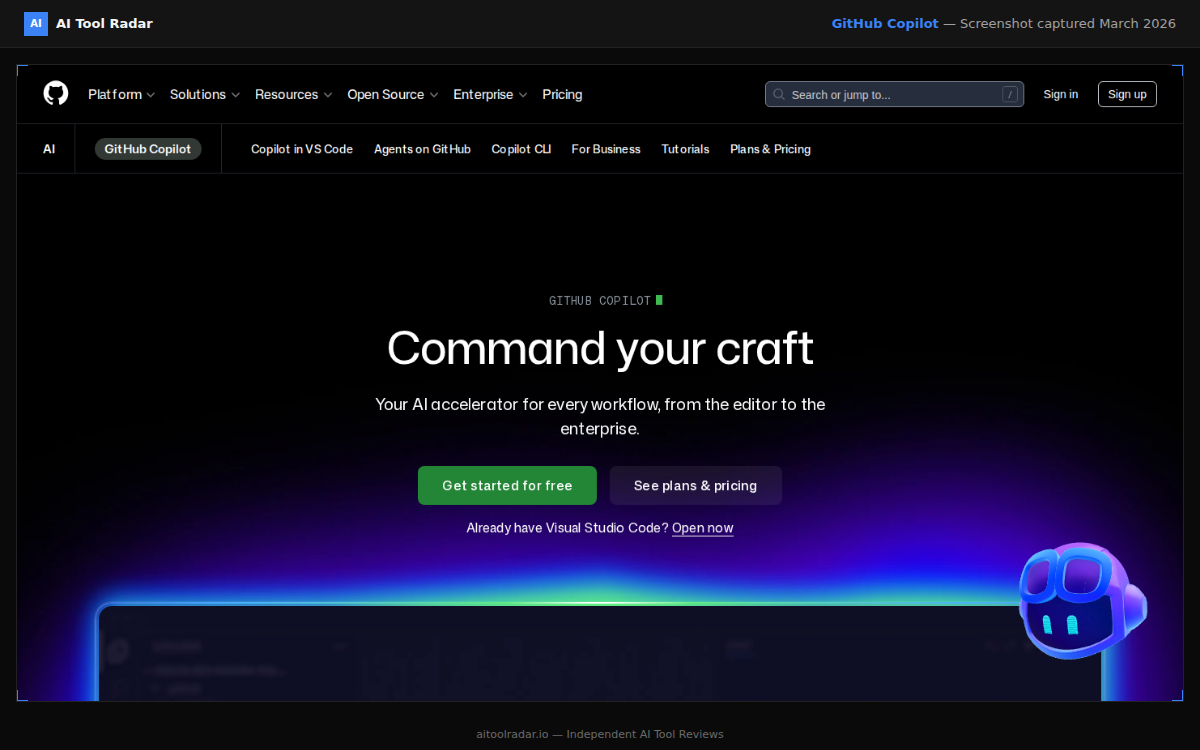
Why GitHub Copilot
Visit provider- Inline Code CompletionsCopilot's core feature is inline suggestions.
- Copilot ChatCopilot Chat is an AI conversation panel embedded in your IDE.
- Agent Mode and the Coding AgentAgent mode autonomously plans and executes multi-step coding tasks within your IDE.
- Multi-File Context and Project UnderstandingCopilot indexes your project to understand cross-file relationships.
- Multi-Model SupportPro and higher plans give access to multiple AI models across providers, including Claude and Gemini alongside OpenAI's models.
Features in Depth#
Inline Code Completions#
Copilot's core feature is inline suggestions. Start writing a function and it predicts the implementation. Write a comment describing intent and it generates the code below. Suggestions appear as ghost text that you accept with Tab or dismiss by continuing to type.
What makes these completions effective is context awareness. Copilot considers the current file, open tabs, imports, variable names, and patterns from your project. The suggestions use your naming conventions, your project's patterns, and your preferred libraries. Based on user reports, roughly 70% of accepted completions require zero modification in well-structured codebases.
Copilot Chat#
Copilot Chat is an AI conversation panel embedded in your IDE. Ask it to explain code, suggest refactoring, debug errors, generate documentation, or write tests. The /fix command is particularly useful: select an error, run /fix, and Copilot proposes a targeted solution. /tests generates unit tests for selected functions, and /doc creates documentation comments. Unlike standalone chatbots, Chat has full visibility into your current file, selected code, and open project.
Agent Mode and the Coding Agent#
Agent mode autonomously plans and executes multi-step coding tasks within your IDE. It reads files, makes edits, runs terminal commands, and iterates on errors. Plan mode lets you review the blueprint before the agent starts coding. The coding agent goes further: assign it a GitHub issue, and it works in a GitHub Actions environment to propose changes and create pull requests. It self-reviews using Copilot code review before opening the PR, includes built-in security scanning, and supports vision models so you can share screenshots of bugs or mockups.
Multi-File Context and Project Understanding#
Copilot indexes your project to understand cross-file relationships. When you reference a type from another file, use a utility function, or extend a class, suggestions reflect that understanding. This was a significant weakness in earlier versions, and the improvement makes a real difference in medium-to-large codebases.
Multi-Model Support#
Pro and higher plans give access to multiple AI models across providers, including Claude and Gemini variants alongside OpenAI's models. Pro+ and Max unlock premium and reasoning-focused models, including Claude Opus tiers. You choose the model that fits the task, switching between faster completions and deeper reasoning as needed.
Pull Request Summaries and Code Review#
For Business and Enterprise users, Copilot generates PR descriptions automatically by analyzing the diff and explaining changes in natural language. Copilot code review provides automated feedback on pull requests, catching issues before human reviewers spend time on them.
Strengths & Limitations#
Pros
- Deeply integrated into your existing IDE with zero workflow disruption, suggestions feel natural
- Multi-file context awareness understands your project structure, naming conventions, and patterns
- Free tier with 2,000 completions and a limited AI Credits allowance for chat/agent use makes evaluation risk-free
- Agent mode and coding agent can autonomously handle multi-step tasks and create PRs from issues
- Supports virtually every programming language and all major IDEs
- Multi-model support on Pro+ gives access to frontier reasoning models
Cons
- The $15/month AI Credits allowance on Pro can be exhausted quickly with heavy Chat and Agent usage, especially on premium models
- Can suggest insecure or subtly incorrect code that passes a casual review, always read before accepting
- Pro+ at $39/month is expensive for individual developers who want advanced models
- Since April 24, 2026, GitHub has used interaction data from Free, Pro, and Pro+ users to train AI models unless you opt out in Copilot settings (Business and Enterprise users are exempt)
- Users on GitHub Community forums report silent model downgrades and inconsistent output quality when multi-model routing selects different backends between sessions
- A March 2026 rate-limiting bug undercounted token usage from newer models, causing widespread throttling; check GitHub's status page and community forums for current reliability reports before relying on it for critical work
Pricing Breakdown#
| Plan | Price | Key Features |
|---|---|---|
| Free | $0 | 2,000 completions/mo, limited AI Credits for chat/agent, Copilot CLI |
| Pro ⭐ | $10/mo | Unlimited completions, $15/mo in AI Credits, Multi-model access, Coding agent |
| Pro+ | $39/mo | $70/mo in AI Credits, All models incl. reasoning, GitHub Spark |
| Max | $100/mo | $200/mo in AI Credits, priority access to new models and features |
| Business | $19/user/mo | AI Credits worth $19/user/mo, IP indemnity, Org-wide policies, Audit logs |
| Enterprise | $39/user/mo | AI Credits worth $39/user/mo, Advanced models, Knowledge bases, Fine-tuned models |
GitHub Copilot offers six tiers. Prices verified September 2026 from the official plans page:
Since June 1, 2026, GitHub replaced its "premium requests" system with GitHub AI Credits. Instead of a fixed count of premium requests per month, each plan now includes a monthly dollar-denominated credit allowance (1 AI Credit = $0.01), consumed based on actual token usage per model. Lighter models (like Haiku or GPT-5 mini variants) stretch further than premium models (like Claude Opus); heavier models draw down credits faster. Business and Enterprise admins can set budget controls to allow or cap additional paid usage once credits run out.
| Plan | Price | Monthly AI Credits | Key Features |
|---|---|---|---|
| Free | $0 | Limited, chat/agent only | 2,000 completions, Copilot CLI |
| Pro | $10/mo ($100/yr) | $15/mo | Unlimited completions, multi-model access, coding agent |
| Pro+ | $39/mo ($390/yr) | $70/mo | All models including advanced reasoning, GitHub Spark |
| Max | $100/mo | $200/mo | Priority access to new models and features |
| Business | $19/user/mo | $19/user/mo | IP indemnity, org-wide policies, audit logs |
| Enterprise | $39/user/mo | $39/user/mo | All Business features + advanced models, knowledge bases, fine-tuned models |
Usage beyond your plan's included AI Credits is billed at each model's per-token rate, subject to the budget controls your account or organization has configured; there is no more flat "$0.04 per extra request" fee. Students, teachers, and verified open-source maintainers get the full Pro feature set for free.
Important privacy note: Since April 24, 2026, GitHub has used interaction data (inputs, outputs, code snippets, and context) from Copilot Free, Pro, and Pro+ users to train AI models unless you disable this in your Copilot settings. Business and Enterprise users are not affected.
The Pro plan at $10/month is the obvious starting point for individual developers. Its $15/month in AI Credits covers typical daily use with everyday models, though heavy use of premium models like Claude Opus depletes credits faster. Pro+ at $39/month (or Max at $100/month for the heaviest users) makes sense once you consistently run out of credits and need advanced reasoning models. For teams, Business at $19/user provides IP indemnity, which matters for companies concerned about legal risk.
Prices may change. Check the official GitHub Copilot plans page for current pricing.
Free
- 2,000 completions/mo
- Limited AI Credits for chat/agent
- VS Code + CLI
Pro
- Unlimited completions
- $15/mo in AI Credits
- All IDEs
Pro+
- $70/mo in AI Credits
- Agent mode
- Coding agent
Business
- Policy management
- Audit logs
- IP indemnity
Similar Tools Worth Considering#
- Cursor: AI-native editor with deeper integration. Cmd+K inline editing and Composer multi-file edits are more powerful than Copilot's equivalents. Requires switching editors. See our Cursor vs Copilot comparison and coding tools comparison.
- Claude (via Claude Code): Terminal-based AI development. Best for complex refactoring, project-level reasoning, and multi-file changes. Complements Copilot rather than replacing it.
- Amazon Q Developer: AWS-focused alternative with strong cloud service integration. Free tier available. Best for teams deep in the AWS ecosystem.
- Windsurf (now Devin Desktop, by Cognition): AI-first editor with a free tier and a Pro plan starting at $20/month after Cognition's 2026 rebrand from Codeium/Windsurf. Worth considering if budget is a primary concern.
Explore all GitHub Copilot alternatives or see how it ranks in our Best AI Tools 2026 guide.
Who Should Use GitHub Copilot?#
Best for professional developers who write code daily across multiple languages and projects. The productivity gains compound: saving seconds per completion, dozens of times per hour, adds up to hours per week. Boilerplate, repetitive patterns, and API integration are where Copilot shines.
Best for teams on the Business plan who want organization-wide AI assistance with governance controls, audit logs, and IP indemnity. Copilot learns from shared codebases and suggests patterns aligned with team conventions.
Best for junior developers as a learning tool. Copilot Chat explains unfamiliar code, and completions show experienced patterns. The key is to read and understand suggestions before accepting them.
NOT for you if you want the most powerful AI-first coding experience. Cursor offers deeper AI integration with inline editing (Cmd+K), multi-file Composer, and Agent mode that goes beyond what Copilot achieves within a traditional IDE. Also not ideal if you need project-level changes across many files at once: Claude Code handles that better from the terminal.
GitHub Copilot is the most pragmatic choice for AI-assisted coding in 2026. Its deep IDE integration, broad language support, and non-disruptive workflow make it the easiest AI coding tool to adopt. You do not change your editor, learn new keybindings, or alter your development process. It just works.
The AI coding landscape has evolved, though. Cursor offers a more powerful AI-first experience for developers willing to switch editors, and Claude Code handles complex project-level tasks that inline completions cannot match. Many developers use Copilot for inline completions alongside Claude Code for heavier reasoning tasks.
For most developers, Copilot at $10/month is an obvious investment. The free tier lets you evaluate before committing. If you write code and are not using an AI assistant yet, start here.
FAQ#
Is GitHub Copilot free?#
Yes. GitHub Copilot offers a free tier with 2,000 completions per month and a limited AI Credits allowance for chat and agent use, no credit card required. Students, teachers, and open-source maintainers get the full Pro feature set for free. For unrestricted access, the Pro plan costs $10/month. Check the official plans page for current pricing.
How many AI Credits does Copilot Pro include?#
Since GitHub replaced premium requests with AI Credits on June 1, 2026, Copilot Pro includes $15/month in AI Credits, which covers typical daily usage with everyday models. Usage with premium models like Claude Opus consumes credits faster. Pro+ includes $70/month in AI Credits, and the new Max plan at $100/month includes $200/month in credits for heavier usage.
Is Copilot worth $10/month?#
For developers who write code regularly, yes. The free tier lets you evaluate before committing. The productivity gains on boilerplate, API integration, and repetitive patterns make it one of the best returns on a software subscription. Based on developer reports, it saves at least 30 minutes per day.
Does Copilot work with my IDE?#
GitHub Copilot supports VS Code, Visual Studio, all JetBrains IDEs (IntelliJ, PyCharm, WebStorm, GoLand, etc.), Neovim, and Xcode (beta). The VS Code and JetBrains experiences are the most polished.
Is GitHub Copilot better than Cursor?#
Different tools for different needs. Copilot is best for non-disruptive inline completions within your existing IDE. Cursor is best for an AI-first editor experience with deeper AI integration, inline editing, and multi-file Composer. Many developers use both. See our coding tools comparison.
Can Copilot write entire applications?#
The coding agent and Copilot Workspace can turn GitHub issues into pull requests, but they work best for well-defined, scoped tasks. For building applications from scratch, Cursor Composer or Claude Code are more effective. Copilot's strength is augmenting your coding workflow, not replacing it entirely.
Sources#
- https://github.com/features/copilot/plans
- https://docs.github.com/en/copilot/get-started/plans
- https://docs.github.com/en/copilot/concepts/billing/individual-plans
- https://docs.github.com/en/copilot/reference/copilot-billing/models-and-pricing
- https://github.blog/news-insights/company-news/github-copilot-is-moving-to-usage-based-billing/
- https://github.blog/changelog/2026-03-25-updates-to-our-privacy-statement-and-terms-of-service-how-we-use-your-data/
