This site contains affiliate links. We may earn a commission at no extra cost to you. This helps us keep the site running and continue providing free guides and comparisons.
The Bottom Line#
Pictory is the fastest way to turn written content into video. Paste a blog post URL, a script, or a text prompt, and Pictory generates a complete video with stock footage, captions, voiceover, and background music in minutes. With the launch of Pictory 2.0 in March 2026, the platform has expanded from a text-to-video converter into a full end-to-end AI video solution, adding AI-generated avatars, prompt-to-video generation, interactive video hosting, and six additional creation workflows. Based on user reports and independent reviews, Pictory delivers genuine time savings for content marketers who need video output without video production skills. The Starter plan at $25/month (annual) provides enough capacity for consistent social media video production. Where Pictory falls short is creative control: the AI selects stock footage and compositions automatically, and the results look templated rather than custom. For marketers who prioritize volume and speed over production polish, Pictory fills a real gap.
Rating: 4.1/5 | Price: $25 / $35 / $119/month (annual) | Last verified: March 2026
Score Breakdown
Key Facts#
- Pricing: Starter ($25/mo annual, $29/mo monthly), Professional ($35/mo annual, $59/mo monthly), Teams ($119/mo annual), Enterprise (custom)
- Free tier: No, but 14-day free trial with 3 full projects and all features, no credit card required, watermarked exports
- Platforms: Web application (browser-based), Chrome extension, Zapier and Make.com integrations
- Key update: All-new storyboard interface (June 2025), audio-to-video workflow (October 2025), ElevenLabs voice integration in Professional plan
- Video minutes: Starter includes 200 video minutes/month with 50 gen AI credits, Professional 600 minutes with 500 gen AI credits, Teams 1,800 minutes with 2,400 credits/user
- Media: Processes 1,400+ document formats; Professional plan includes Storyblocks media library
What Is Pictory and Who Is It For?#
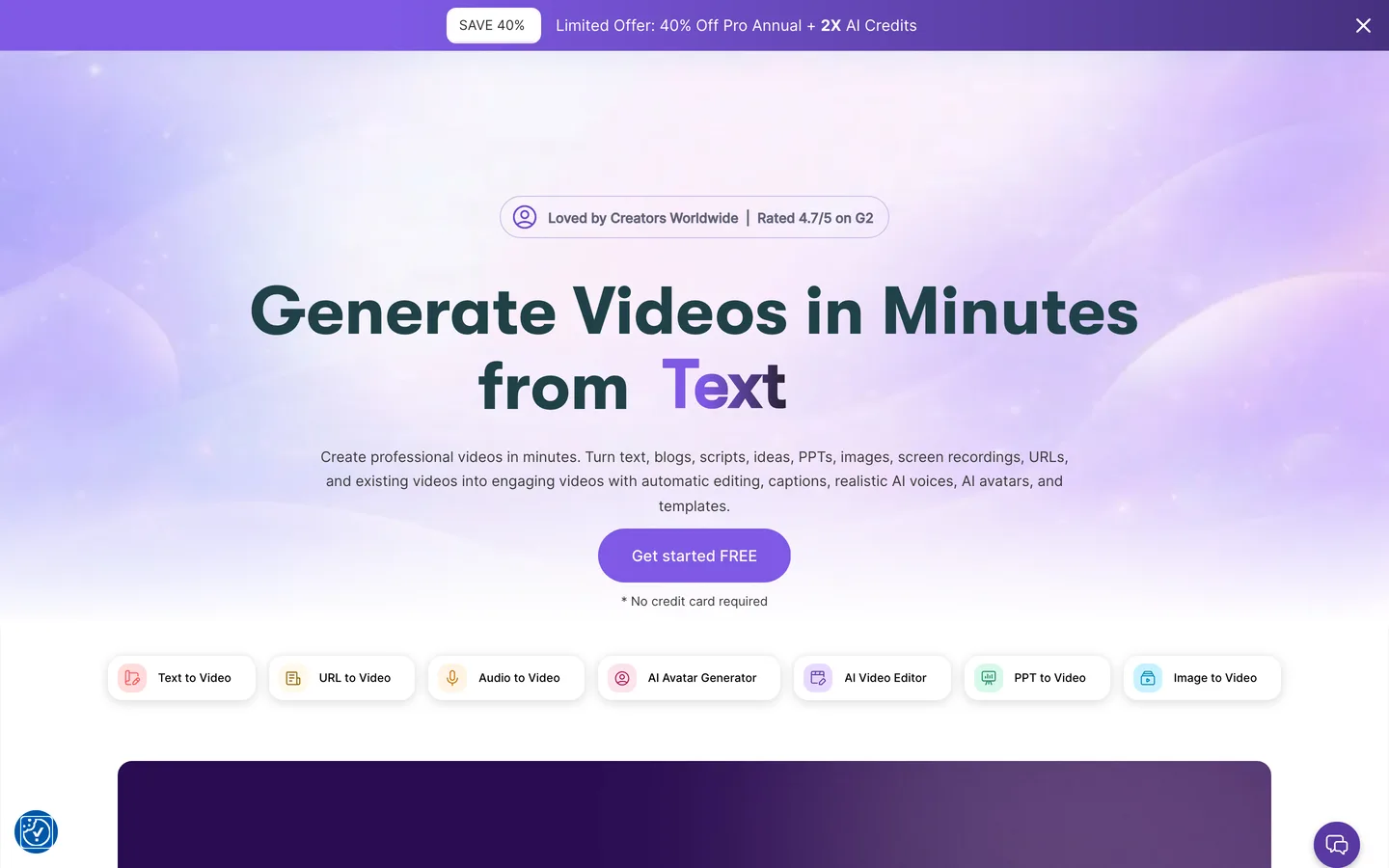
Pictory is an AI-powered video creation platform designed to convert text content into finished videos automatically. Its core use case is content repurposing: you have a blog post, a script, a presentation, or an article, and you need it as a video for social media, YouTube, or your website. Pictory handles the transformation -- scene segmentation, stock footage selection, caption generation, voiceover, music, and editing -- without requiring video editing experience.
Pictory serves content marketers, social media managers, bloggers, course creators, and small business owners who need regular video content but lack the time, skills, or budget for traditional video production. It occupies the space between manual video editing (too slow) and hiring a video production team (too expensive) for teams producing content at volume.
With Pictory 2.0, the platform has expanded beyond text-to-video into a comprehensive creation suite. AI avatars eliminate the need for on-camera talent. Prompt-to-video lets you generate videos from a brief description without pre-written scripts. Pictory Central provides interactive video hosting with engagement analytics. The evolution positions Pictory as a one-stop video platform for content teams, though it competes with more established tools in each individual category.
How We Built This Guide#
This guide is based on official Pictory documentation, verified pricing, Pictory 2.0 release announcements, and real user feedback from G2, Reddit, and independent review sites. We analyzed feature capabilities across the Starter and Professional plans, reviewed community reports on blog-to-video conversion quality, AI voice accuracy, and stock footage relevance. All facts were last verified March 2026.
Features in Depth#
Blog-to-Video Conversion#
Pictory's flagship feature. Paste a blog post URL, and the AI extracts key points, summarizes the content, builds a scene-by-scene storyboard, selects matching stock footage from the Storyblocks library, adds captions, and layers background music. Based on user reports, the blog-to-video pipeline produces usable first drafts approximately 70% of the time. The AI correctly identified main topics and supporting points in well-structured articles with clear headings. It struggled with nuanced content, opinion pieces, and articles without clear section breaks. The stock footage selection was relevant but generic -- you get footage that matches the topic ("business meeting" for an article about management) rather than footage that enhances the narrative.
Script-to-Video Production#
Paste a script directly into the editor, and Pictory divides it into scenes, selects stock visuals, applies transitions, adds background music, and generates captions. You control pacing, scene breaks, and visual selections more granularly than with blog-to-video. This workflow produces better results because the input is already structured for video. Script-to-video is generally recommended as the best starting point -- write a script optimized for video (short sentences, clear scene transitions), and Pictory executes it reliably.
AI Avatars (Pictory 2.0)#
Pictory 2.0 introduces AI-generated avatars that present your content on camera. Select from a library of digital presenters, assign your script, and the avatar delivers it with synchronized lip movement and gestures. The avatars look polished but unmistakably AI-generated -- similar in quality to HeyGen and Synthesia's standard tiers. For training videos, explainer content, and internal communications, avatars are a practical alternative to on-camera recording. For customer-facing brand content, the "uncanny valley" effect may be distracting.
Prompt-to-Video Generation#
New in Pictory 2.0, this feature generates videos from brief text prompts without requiring a full script. Describe what you want ("30-second Instagram Reel about morning productivity tips for remote workers"), and Pictory generates a complete video with AI-written script, visuals, voiceover, and music. Based on user feedback, prompt-to-video works well for simple, formulaic content like social media tips, product highlights, and motivational clips. It struggled with complex topics that require specific expertise or nuanced messaging. Treat it as a first-draft generator that needs refinement rather than a finished-product creator.
AI Voices and Audio#
Pictory offers AI-generated voiceover in multiple languages and voice styles. The voice quality has improved significantly with the 2.0 update -- premium voices sound natural for narration, though they lack the warmth and variation of human voiceover. You can also upload your own voice recordings. Background music is selected from a library of royalty-free tracks with mood-based filtering.
Pictory Central: Interactive Video Hosting#
Pictory Central is a hosting platform for your generated videos with interactive elements: clickable CTAs, embedded forms, chapter navigation, and engagement analytics. Instead of uploading to YouTube or Vimeo, you can host directly on Pictory Central and track viewer behavior. This is useful for sales teams and course creators who need engagement data, but most content marketers will still publish to social platforms where their audience already exists.
Video Summarizer and Editing Tools#
The Video Summarizer condenses long-form video into short clips by identifying key moments. Upload a webinar recording, and Pictory extracts highlight clips suitable for social media. The text-based editing interface lets you edit video by editing the transcript -- delete a sentence from the text, and the corresponding video segment is removed. This is intuitive for text-focused people who find traditional timeline editors confusing.
Pros
- Blog-to-video and script-to-video workflows produce complete first-draft videos in under 10 minutes, eliminating the biggest bottleneck in content repurposing
- No video editing experience required: the AI handles scene selection, stock footage matching, captions, voiceover, and music automatically
- Pictory 2.0 adds AI avatars, prompt-to-video, and interactive hosting, transforming it from a conversion tool into a full video platform
- Text-based editing lets you modify videos by editing the transcript, which is more intuitive than timeline-based editing for content creators
- Storyblocks integration provides a large library of royalty-free stock footage, images, and music included in all plans
- Video Summarizer extracts highlight clips from long recordings, enabling quick repurposing of webinars, podcasts, and presentations
Cons
- Output looks templated: AI-selected stock footage is relevant but generic, and videos lack the custom feel of manually produced content
- Video resolution capped at 720p on the Starter plan, which looks noticeably soft on modern displays and is insufficient for YouTube
- No free plan available -- only a 14-day trial, which limits the ability to evaluate the tool's fit for ongoing workflows
- AI avatars are recognizably artificial and may not meet quality standards for customer-facing brand content
- Blog-to-video results vary significantly based on article structure: well-organized posts with headings convert well, while narrative-style content produces poor results
Pricing Breakdown#
Pictory offers three main tiers as of March 2026:
Starter ($25/month annual, $29/month monthly) -- 200 video minutes per month, 50 gen AI credits, Storyblocks media library access, AI voices, one brand kit, basic captions. The entry point for testing Pictory's workflow. The Annual Pro Plan is 40% off the Monthly Plan.
Professional ($35/month annual, $59/month monthly) -- 600 video minutes per month, 500 gen AI credits, 1 user, ElevenLabs voice integration in up to 29 languages, advanced brand kits, priority rendering. The recommended tier for regular content production. Visual matching accuracy improved by over 35% in 2025 updates, reducing manual adjustments.
Teams ($119/month annual) -- 1,800 video minutes per month, 2,400 credits per user, 3+ users, all Professional features, collaboration features, shared asset libraries, API access. For teams producing video content at scale with multiple contributors.
Enterprise (custom pricing) -- Custom video minutes, dedicated account management, API access, custom integrations, SLA guarantees. Contact sales for pricing.
Video-minute pricing: Pictory counts each minute of rendered video output against your monthly allowance. A 3-minute video uses 3 minutes regardless of how many drafts or edits you make before rendering. Re-rendering after edits does consume additional minutes.
14-day free trial: Full access to all premium features. No credit card required initially, though payment information is needed to continue after the trial.
| Plan | Price | Key Features |
|---|---|---|
| Starter | $25/mo (annual) | 200 video min/month, 50 gen AI credits, AI voices, 1 brand kit, 720p resolution |
| ⭐ Professional | $35/mo (annual) | 600 video min/month, 500 gen AI credits, ElevenLabs voices (29 langs), 1080p resolution, Advanced brand kits |
| Teams | $119/mo (annual) | 1,800 video min/month, 2,400 credits/user, 3+ users, Collaboration, API access |
Starter
- 200 video min/month
- 50 gen AI credits
- AI voices
- 1 brand kit
- 720p resolution
Professional
- 600 video min/month
- 500 gen AI credits
- ElevenLabs voices (29 langs)
- 1080p resolution
- Advanced brand kits
Teams
- 1,800 video min/month
- 2,400 credits/user
- 3+ users
- Collaboration
- API access
Similar Tools Worth Considering#
- Synthesia: Superior AI avatar quality with more natural-looking presenters and deeper enterprise features. Higher price point ($22/month for Starter). Better for training and corporate communication videos. Worse for text-to-video content repurposing. See Synthesia alternatives for more options.
- InVideo AI: Similar text-to-video capabilities with a larger template library and more customization options. Competitive pricing. Better for social media content with more design flexibility. Worth comparing directly with Pictory.
- Descript: Full video editor with transcription-based editing, screen recording, and podcast tools. Not designed for automated text-to-video conversion but offers more control over the final product. Better for creators who want to edit, worse for those who want automation.
- HeyGen: Focused on AI avatar video with the most realistic digital presenters available. Better avatar quality than Pictory but narrower feature set. Best for personalized video at scale (sales outreach, localized content).
For short-form video clipping from existing long-form content, see Opus Clip. For a broader overview, check our Best AI Tools 2026 guide.
Who Should Use Pictory?#
Best for content marketers repurposing blog content: If you publish regular blog content and need video versions for social media, Pictory's blog-to-video pipeline is the fastest path from article to video. A 1,500-word blog post becomes a 3-5 minute video in under 10 minutes with minimal manual intervention.
Best for social media managers needing volume: Teams posting daily video content across multiple platforms benefit from Pictory's speed. The prompt-to-video feature generates social clips from brief descriptions, and the Video Summarizer creates short-form clips from longer content.
Best for course creators and trainers: AI avatars present educational content without requiring on-camera recording. Text-based editing makes it easy to update course videos when content changes -- edit the transcript and re-render instead of re-shooting.
Best for small businesses without video production resources: If hiring a video editor or learning professional editing software is not feasible, Pictory fills the gap. The output is not broadcast-quality, but it is substantially better than no video at all.
NOT for you if you need high-production-value video with custom footage, animations, and precise creative control (hire an editor or use DaVinci Resolve), you produce primarily talking-head or vlog content (record directly and edit in Descript), or your video strategy centers on original footage rather than stock-based content.
Pictory is the right tool for content marketers and small businesses who need to convert existing text content into video at speed without video production expertise. Its biggest strength is the automated pipeline from written content to finished video that requires minimal manual intervention -- paste a URL, adjust a few settings, and export. Its biggest weakness is the templated quality of the output: videos are functional and professional-looking but lack the custom feel that distinguishes great video content.
Start with the 14-day free trial to test the blog-to-video and script-to-video workflows with your actual content. If the output quality meets your standards and the time savings are meaningful, the Professional plan at $35/month (annual) provides the best balance of capacity and features with 600 minutes and ElevenLabs voice integration.
FAQ#
Does Pictory have a free plan?#
No. Pictory does not offer a permanent free plan. It provides a 14-day free trial with full access to all premium features, including AI avatars, 1080p resolution, and all creation workflows. No credit card is required to start the trial. After 14 days, you must subscribe to a paid plan to continue using the platform.
Can Pictory turn a blog post into a video?#
Yes. The blog-to-video feature is Pictory's core capability. Paste a blog post URL, and the AI extracts key points, selects matching stock footage, generates captions, adds voiceover and background music, and produces a complete video. Well-structured articles with clear headings convert most effectively. The process takes 3-8 minutes depending on article length.
How does Pictory's video-minute system work?#
Pictory counts each minute of final rendered video output against your monthly allowance. A 3-minute video consumes 3 video minutes. Editing and previewing do not consume minutes -- only the final render does. However, if you re-render after edits, the new render also consumes minutes. The Starter plan includes 200 minutes, Professional includes 600 minutes, and Teams includes 1,800 minutes per month.
How do Pictory's AI avatars compare to Synthesia?#
Pictory's AI avatars, introduced with version 2.0 in March 2026, are polished but recognizably AI-generated. They work well for internal communications, training content, and social media. Synthesia's avatars are generally more realistic with better lip synchronization and more natural gestures, particularly on higher-tier plans. If avatar quality is your primary requirement, Synthesia is the stronger option.
What video resolution does Pictory support?#
The Starter plan is limited to 720p resolution, which is noticeably soft on modern displays. The Professional and Teams plans support 1080p resolution, which meets the standard for YouTube, social media platforms, and most business use cases. For professional video production, we recommend the Professional plan at minimum to avoid the 720p limitation.
Sources#
- https://pictory.ai/pricing/
- https://pictory.ai/
- https://pictory.ai/text-to-video
- https://pictory.ai/pictory-features/script-to-video
- https://www.g2.com/products/pictory-ai/reviews
- https://checkthat.ai/brands/pictory/pricing
- https://www.clipcat.com/blog/pictory-review-pros-cons-and-how-it-stands-out-in-2025/
