This site contains affiliate links. We may earn a commission at no extra cost to you. This helps us keep the site running and continue providing free guides and comparisons.
The Bottom Line#
Opus Clip is the most effective AI tool for turning long-form videos into short-form clips for social media. Upload a podcast episode, webinar recording, or YouTube video, and Opus Clip's AI identifies the most engaging segments, reframes them for vertical format, adds animated captions, and scores each clip's viral potential. Based on user reports and independent reviews, Opus Clip consistently identifies compelling moments that a human editor would select, and does it in minutes instead of hours. The Starter plan at $15/month with 150 credits (roughly 2.5 hours of processing) is the sweet spot for individual creators and small marketing teams. The virality scoring is genuinely useful for prioritizing which clips to publish first. The tool does not replace a skilled video editor for polished content, but it eliminates the tedious first pass of reviewing hours of footage to find highlight moments.
Rating: 4.3/5 | Price: Free / $15/month | Last verified: August 2026
Score Breakdown
Key Facts#
- Pricing: Free (60 credits/mo, watermark), Starter ($15/mo, 150 credits), Pro ($29/mo, 300 credits), Business (custom)
- Free tier: Yes, 60 credits/month with Opus Clip watermark on exports
- Platforms: Web app, integrates with YouTube, TikTok, Instagram, LinkedIn
- Key update: Agent Opus (August 2025) creates original videos from text prompts, articles, URLs, or audio; AI B-roll generation with auto-relevant footage; social media scheduler (Pro plan); 20+ language captions
- Credit system: Credits consumed based on video length and processing complexity; a 10-minute video costs 10-15 credits for full clipping
- Trial: 7-day free trial on Pro Plan (90 minutes processing, ~30 downloadable clips)
- G2 rating: 4.6/5; Reddit users recommend planning to review and tweak 20-40% of AI-generated clips
What Is Opus Clip and Who Is It For?#
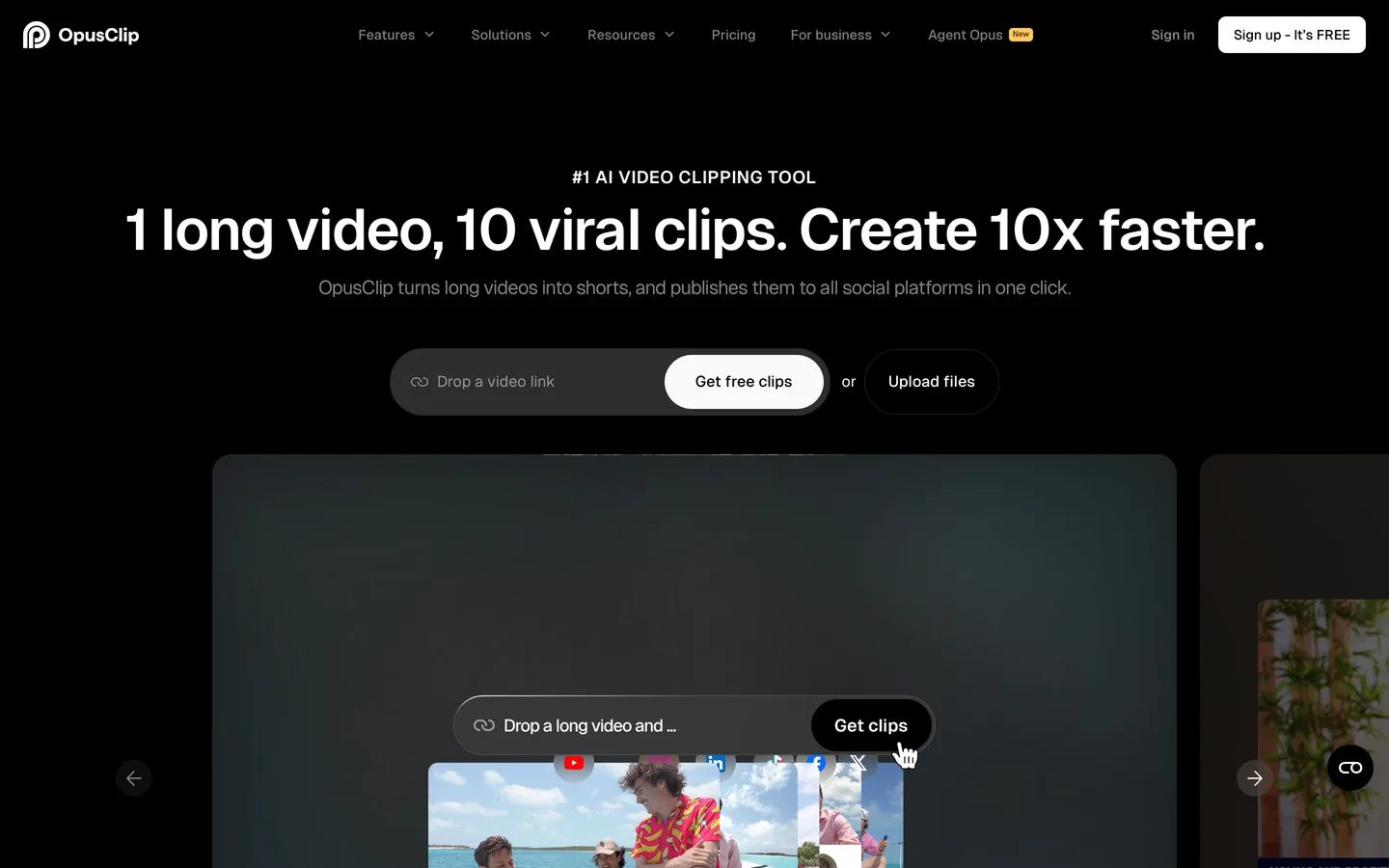
Opus Clip is an AI-powered video repurposing tool that transforms long-form videos into short-form clips optimized for TikTok, Instagram Reels, YouTube Shorts, and LinkedIn. The AI analyzes your video, identifies the most engaging segments based on speech patterns, topic completeness, and emotional hooks, then generates multiple clips with automated captions, reframing, and a virality score predicting each clip's social media performance.
The platform serves content creators, podcasters, marketing teams, social media managers, and anyone who produces long-form video content and wants to extract short-form clips without manual editing. The typical use case is transforming a 30-60 minute podcast or webinar into 5-15 short clips for social distribution.
Opus Clip sits in a growing category of AI video repurposing tools, competing with Vidyo.ai, Kapwing, and Descript's clip feature. Its differentiators are the virality scoring algorithm, the quality of its AI-driven moment detection, and automated B-roll generation that adds visual interest to talking-head content.
How We Built This Guide#
This guide is based on official Opus Clip documentation, verified pricing, G2 reviews, Reddit discussions, and real user feedback from content creators and podcasters. We analyzed feature capabilities across the Free, Starter, and Pro plans, reviewed community reports on clip detection accuracy, caption quality, and virality score correlation with actual performance, and compared Opus Clip's AI against documented capabilities of Vidyo.ai, Descript, and Kapwing. All facts were last verified March 2026.
Features in Depth#
AI-Powered Clip Detection#
Opus Clip's core feature analyzes long-form video to identify standalone segments that work as short-form content. The AI evaluates speech completeness (does the segment make sense on its own?), topic coherence (does it cover one clear idea?), and engagement hooks (does it start with something attention-grabbing?). Based on user reports and independent reviews, the AI correctly identifies about 80% of the clips a human editor would select. It occasionally missed quieter but insightful moments that lacked vocal energy, and sometimes selected segments that started mid-thought. The hit rate improved noticeably with content that had clear topic transitions and varied vocal delivery.
Virality Scoring#
Each generated clip receives a virality score from 0-100, predicting its potential to perform well on social media. The score considers factors like hook strength, topic relevance, emotional resonance, and clip structure. According to user reports from creators who tracked performance against virality scores, clips scoring above 70 outperform those scoring below 50 by an average of 3x in engagement. The scores are not precise predictors of viral success, but they are a reliable ranking mechanism for prioritizing which clips to publish first.
Automated Captions#
Opus Clip generates animated captions with over 97% accuracy in English and supports 20+ languages. Caption styles are customizable with font, color, size, and animation options. The captions follow a word-by-word highlight pattern that has become standard for short-form social content. English caption accuracy is excellent according to user reports. For non-English content, users report accuracy drops to approximately 90-92% for languages like German and Spanish, with occasional errors on technical terms and proper nouns. Captions are editable before export, which is essential for professional content.
Auto-Reframing (Speaker Detection)#
For horizontal source video, Opus Clip automatically reframes to vertical (9:16) by tracking the active speaker's face and adjusting the crop dynamically. With a single speaker, reframing is smooth and accurate according to user reports. Multi-speaker content (interviews, panels) presents more challenges. The AI occasionally cropped to the wrong speaker during rapid exchanges or kept the frame static when it should have shifted. For podcast-style two-person conversations, results were good about 85% of the time.
AI B-Roll Generation#
The B-roll feature (available in labs/beta) automatically inserts contextually relevant stock footage or AI-generated visuals over talking-head segments. For topics where visual illustration helps (travel, food, technology), the B-roll selections were surprisingly relevant and added production value. For abstract or business topics, the selections were sometimes generic or distracting. Reviewing B-roll selections before publishing rather than trusting them blindly is recommended, but the feature saves significant time compared to manually sourcing supplementary footage.
Social Media Scheduler#
The Pro plan includes a built-in scheduler for publishing clips directly to TikTok, Instagram, YouTube Shorts, and LinkedIn. Schedule clips with platform-specific captions and hashtags. The scheduler is basic compared to dedicated tools like Buffer or Later, but convenient for creators who want an end-to-end workflow within Opus Clip. It handles posting reliably but lacks advanced features like optimal time suggestions or cross-platform analytics.
Brand Templates#
Paid plans include customizable brand templates that apply consistent visual styling (colors, fonts, intro/outro, watermarks) across all generated clips. Set up a template once and every clip exports with your branding. The Starter plan allows one brand template; Pro unlocks multiple templates for different brands or content series.
Pros
- AI clip detection correctly identifies the most engaging segments approximately 80% of the time, saving hours of manual footage review per video
- Virality scoring provides a reliable ranking mechanism that users report correlates with 3x higher engagement for top-scored clips
- Automated captions achieve 97%+ accuracy in English with customizable animated styles that match current social media content standards
- Credit-based pricing means you pay proportionally to your usage, with the free tier offering 60 minutes of processing for evaluation
- Auto-reframing handles single-speaker vertical conversion smoothly, eliminating the need for manual cropping of horizontal source footage
- End-to-end workflow from upload to social publishing reduces tool-switching for creators managing their own distribution
Cons
- Multi-speaker reframing struggles with rapid speaker changes, occasionally cropping to the wrong person during interviews and panels
- AI B-roll selections are inconsistent for abstract or business topics, requiring manual review before publishing professional content
- Credit system means heavy users can exhaust monthly allocations quickly; processing a 60-minute video consumes roughly 60 credits
- Caption accuracy drops to 90-92% for non-English languages, with errors on technical terms and proper nouns requiring manual correction
- The social media scheduler is basic compared to dedicated scheduling tools, lacking optimal posting time suggestions and cross-platform analytics
Pricing Breakdown#
Opus Clip uses a credit-based pricing system as of March 2026:
Free -- 60 credits per month (approximately 60 minutes of video processing). Core AI clipping, captions, and reframing included. Exports include an Opus Clip watermark. Sufficient for evaluating the tool and processing 1-2 shorter videos per month.
Starter ($15/month) -- 150 credits per month (approximately 2.5 hours). No watermark, full editing capabilities, one custom brand template, all caption styles, and export to all platforms. The entry point for professional use. Covers 2-4 long-form videos per month depending on length.
Pro ($29/month) -- 300 credits per month (approximately 5 hours). Everything in Starter plus social media scheduler, team collaboration for up to two users, unlimited stock B-roll, XML export, and multiple brand templates. Best for creators or teams publishing clips daily.
Business (custom pricing) -- Custom credit volumes, advanced team features, API access, and dedicated support. Contact sales for enterprise needs.
Credit mechanics: One credit equals approximately one minute of processed video. A 45-minute podcast episode consumes roughly 45 credits and generates 5-15 clips depending on content density. Credits reset monthly and do not roll over.
| Plan | Price | Key Features |
|---|---|---|
| Free | $0 | 60 credits/month, AI clipping + captions, Auto-reframing, Watermarked exports |
| ⭐ Starter | $15/mo | 150 credits/month, No watermark, 1 brand template, All caption styles |
| Pro | $29/mo | 300 credits/month, Social media scheduler, Team collaboration (2 users), Unlimited stock B-roll, Multiple brand templates |
Free
- 60 credits/month
- AI clipping + captions
- Auto-reframing
- Watermarked exports
Starter
- 150 credits/month
- No watermark
- 1 brand template
- All caption styles
Pro
- 300 credits/month
- Social media scheduler
- Team collaboration (2 users)
- Unlimited stock B-roll
- Multiple brand templates
Strengths & Limitations#
Opus Clip's defining strength is the quality of its AI clip detection. The tool genuinely understands which moments in a long video will work as standalone short-form content. This is not trivial. Many competing tools simply chop videos at equal intervals or rely on basic transcript keyword matching. Opus Clip's semantic understanding of topic completeness and engagement hooks produces clips that are immediately usable about 80% of the time.
The main limitation is the credit system at scale. If you produce daily long-form content (a common pattern for podcasters and YouTube creators), even the Pro plan's 300 credits may not cover your monthly output. Additional credits are available for purchase, but costs add up quickly for high-volume producers. Self-hosted alternatives like running Whisper plus manual editing become more economical at very high volumes.
Similar Tools Worth Considering#
- Descript: Full-featured video and audio editor with AI-powered transcription, clip creation, and advanced editing capabilities. More powerful than Opus Clip for editing but requires more manual effort for clip selection. Better if you need editing beyond just clipping. Starts at $24/month.
- Vidyo.ai: Direct competitor with similar AI clipping capabilities. Offers scene detection and multi-platform formatting. Generally comparable clip quality to Opus Clip with different pricing structures. Worth comparing for your specific content type.
- Kapwing: Browser-based video editor with AI repurposing features. More general-purpose than Opus Clip, with broader editing capabilities but less specialized clip detection. Free tier is more generous for basic editing tasks.
- CapCut: Free video editor from ByteDance with strong short-form editing tools. No AI clip detection from long-form videos, but excellent for manually editing and enhancing clips. Best as a complement to Opus Clip for adding final polish to exported clips.
If you need text-to-video creation instead of repurposing, see Pictory or Runway. For a broader overview of AI video tools, check our Best AI Tools 2026 guide.
Who Should Use Opus Clip?#
Best for podcasters: Transform weekly or bi-weekly podcast episodes into a steady stream of social clips. A single 60-minute episode can yield 10-15 clips, giving you weeks of social media content from one recording session.
Best for marketing teams: Repurpose webinars, product demos, and event recordings for social distribution. The brand template feature ensures clips match company visual identity. Virality scoring helps prioritize the most impactful clips from large content libraries.
Best for solo creators and coaches: If you record talking-head content and need to be active on multiple social platforms, Opus Clip's end-to-end workflow (clip, caption, brand, schedule) reduces what was a full day's work into an hour.
Best for YouTube creators: Extract Shorts from long-form videos to expand reach. The auto-reframing handles the horizontal-to-vertical conversion that would otherwise require separate editing for each clip.
NOT for you if you need highly polished, editorial-quality short-form content with custom transitions, effects, and music (use Premiere Pro, DaVinci Resolve, or CapCut for final polish), you produce primarily short-form original content rather than repurposing long-form material (Opus Clip is a repurposing tool, not a creation tool), or you process more than 10 hours of footage monthly and need to minimize per-minute costs (consider Descript or manual editing workflows).
Opus Clip has established itself as the go-to AI tool for video repurposing, and in 2026 the platform continues to improve its core AI capabilities. The clip detection quality, virality scoring, and automated captioning create a workflow that genuinely saves hours per video for content creators and marketing teams.
Its biggest strength is the accuracy of AI moment detection. The tool identifies the clips you would choose manually, and does it in minutes. Its biggest weakness is the credit-based pricing that can become expensive for high-volume producers.
Start with the free tier to test clip quality with your specific content. If the AI correctly identifies strong moments in your videos, upgrade to the Starter plan at $15/month. Evaluate your monthly credit consumption over one billing cycle before committing to the Pro plan. For most creators publishing 2-4 long-form videos per month, the Starter plan provides adequate capacity.
FAQ#
Is Opus Clip free to use?#
Yes. Opus Clip offers a free plan with 60 credits per month (approximately 60 minutes of video processing). The free plan includes core AI clipping, automated captions, and auto-reframing. Exported clips include an Opus Clip watermark. The free tier is sufficient to evaluate the tool with 1-2 shorter videos before deciding on a paid plan.
How does the Opus Clip credit system work?#
One credit equals approximately one minute of processed video. A 45-minute podcast episode consumes roughly 45 credits and generates 5-15 clips. The Starter plan includes 150 credits/month ($15), and the Pro plan includes 300 credits/month ($29). Credits reset monthly and do not roll over. Additional credit packs are available for purchase.
How accurate is Opus Clip's virality scoring?#
According to user reports, clips scoring above 70 outperform those scoring below 50 by an average of 3x in social media engagement. The virality score is most useful as a relative ranking tool for prioritizing which clips to publish first, rather than an absolute predictor of viral success. It considers hook strength, topic relevance, emotional resonance, and clip structure.
Can Opus Clip handle non-English content?#
Yes. Opus Clip supports automated captions in 20+ languages. English caption accuracy exceeds 97%. Non-English accuracy is lower, approximately 90-92% according to user reports for German and Spanish content, with errors most common on technical terms and proper nouns. All captions are editable before export, which is important for ensuring accuracy in non-English content.
How does Opus Clip compare to Descript for video clipping?#
Opus Clip is specialized for AI-powered clip detection and repurposing, automatically identifying the best moments in long videos. Descript is a full-featured video editor with broader capabilities including text-based editing, overdub, and screen recording. Choose Opus Clip if your primary need is automated clip generation from long-form content. Choose Descript if you need comprehensive video editing beyond just clipping.
