This site contains affiliate links. We may earn a commission at no extra cost to you. This helps us keep the site running and continue providing free guides and comparisons.
The Bottom Line#
Otter.ai is the most reliable AI meeting assistant for teams that run on Zoom, Google Meet, or Microsoft Teams. Based on our analysis and user feedback, OtterPilot transforms meeting documentation from a manual chore into an automated process. It joins your calls automatically, transcribes in real time, identifies speakers, captures shared slides, and generates structured summaries with action items. The accuracy is strong enough that many users report stopping manual note-taking entirely. At $8.33/month (annual) on the Pro plan, it saves at least 4 hours per week in note-taking and follow-up work. The free tier at 300 minutes per month is generous enough for genuine evaluation, and the Business plan adds the collaboration features that make it valuable for entire teams.
Rating: 4.4/5 | Price: Free / $8.33 / $20/month per user | Last verified: March 2026
Score Breakdown
Key Facts#
- Pricing: Basic (free, 300 min/mo), Pro ($8.33/user/mo annual, $16.99 monthly), Business ($20/user/mo annual, $30 monthly), Enterprise (custom)
- Free tier: Yes, 300 minutes per month, 30 minutes per conversation, basic features
- Platforms: Web, iOS, Android, Chrome extension, Zoom/Google Meet/Teams integrations
- Languages: Transcriptions in 50+ languages (AI features most accurate in English)
- Key feature: OtterPilot auto-joins meetings, transcribes, captures slides, generates summaries
- Integrations: Salesforce and HubSpot via OtterPilot for Sales
- Privacy note: Federal class-action lawsuit filed August 2025 alleging recording of private conversations without proper consent
What Is Otter.ai and Who Is It For?#
Otter.ai is an AI-powered meeting assistant that records, transcribes, and summarizes meetings in real time. Its primary function is eliminating manual note-taking so meeting participants can focus on the conversation. The tool is built for knowledge workers, sales teams, project managers, journalists, and anyone who spends significant time in meetings and needs reliable documentation of what was discussed and decided.
What distinguishes Otter.ai from basic transcription services is the full meeting intelligence layer. OtterPilot does not just convert speech to text. It identifies speakers, segments conversations into logical chapters, captures slide screenshots, extracts action items, and generates structured summaries. The AI Chat feature lets you query your entire meeting history to find specific discussions, decisions, or commitments across months of conversations.
For teams, the collaboration features turn meeting notes from private documents into shared organizational knowledge. Comments, highlights, task assignments, and channels make meeting data actionable rather than archival.
How We Built This Guide#
This guide is based on Otter.ai's official documentation, verified pricing from otter.ai/pricing, and real user feedback from G2 and community discussions on Reddit. We analyzed Otter.ai's feature set, pricing structure, and market positioning against alternatives. All facts were last verified March 2026.
Our sources include:
- Official product pages and documentation
- G2 user reviews (verified ratings)
- Reddit community discussions
- Product updates and release notes
- Competitor comparison data
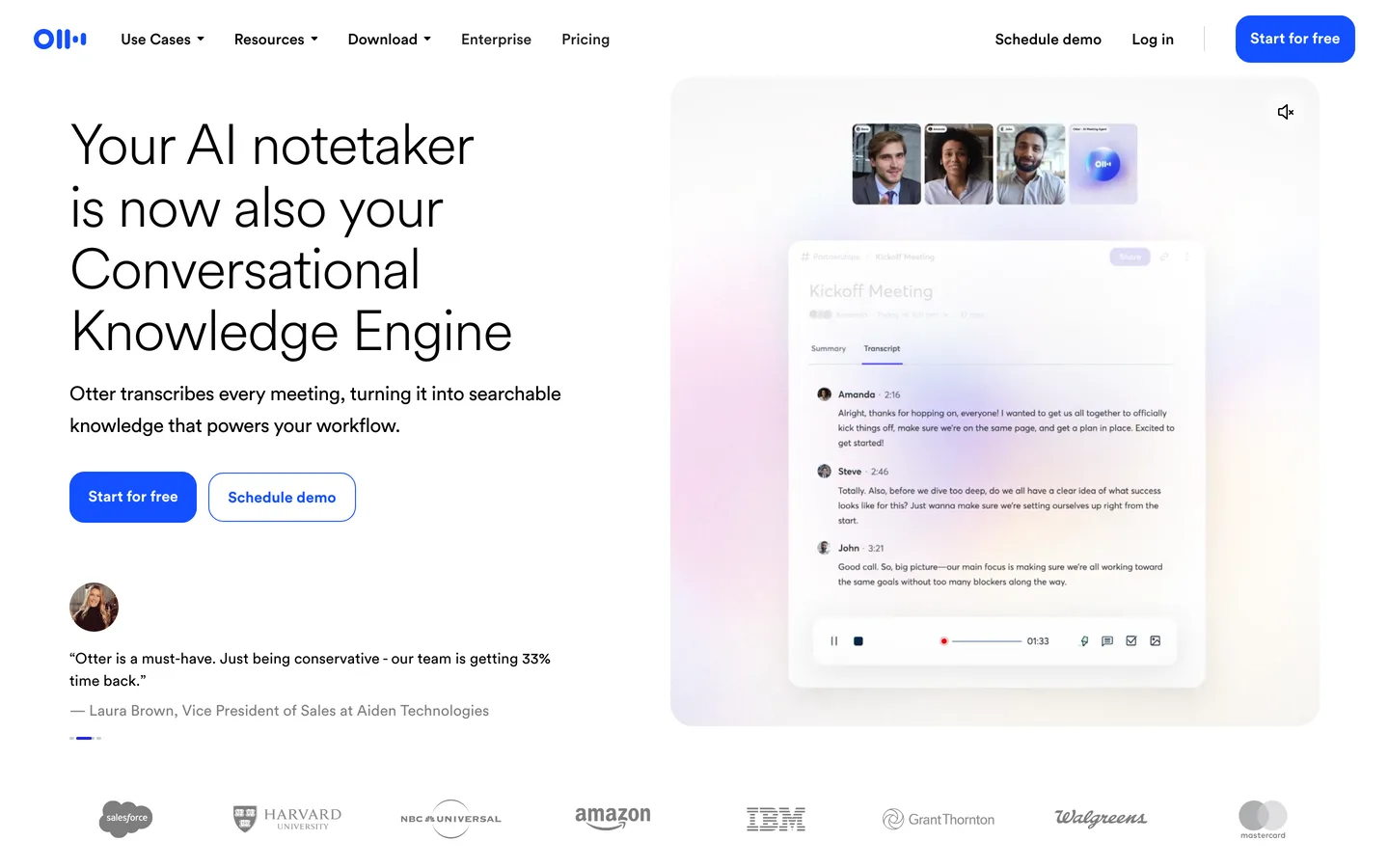
Features in Depth#
OtterPilot: Automated Meeting Attendance#
OtterPilot is the feature that makes Otter.ai a genuine productivity tool rather than a transcription utility. It detects calendar events with Zoom, Google Meet, or Teams links and automatically joins the call at the scheduled time. If you are running late, double-booked, or simply want to skip a meeting, OtterPilot captures everything. According to user reports, it joins meetings reliably within 10-15 seconds of the scheduled start time. The "No-Bot" recording mode via the Chrome extension records directly from browser audio without adding an extra participant to the call, which is useful for meetings where a visible bot attendee would be awkward.
Real-Time Transcription with Speaker Identification#
Otter transcribes speech in real time with speaker labels that improve over time as the system learns your regular meeting participants. Accuracy is approximately 90-95% for clear audio with native English speakers according to user reports, dropping to 80-85% for heavy accents, crosstalk, or poor microphone quality. The transcription appears live during the meeting, so participants can follow along, correct errors on the fly, or reference earlier statements. For most professional meetings with decent audio, the accuracy is high enough to replace manual notes.
Smart Chapters and Summaries#
Using advanced language models, Otter automatically segments long meetings into logical chapters based on topic changes. Each chapter gets a summary, and the full meeting receives an overall summary with key decisions, discussion points, and action items. Based on user feedback, the chapter segmentation is accurate approximately 75% of the time. The summaries capture the essential points reliably but occasionally miss nuanced context. For follow-up emails and meeting recaps, the summaries provide a strong first draft that needs only minor editing.
AI Chat Across Your Meeting History#
Otter AI Chat lets you query not just a single transcript but your entire meeting history. Ask "what did we decide about the Q2 budget?" and the AI searches across all your conversations to find relevant discussions. It can also help generate follow-up emails, reports, and content based on meeting discussions. This is one of Otter's most underrated features: it turns months of meeting data into a searchable knowledge base that surfaces decisions and commitments you might otherwise forget.
Slide Capture#
When someone shares a slide deck during a meeting, OtterPilot automatically captures screenshots of each slide and embeds them in the transcript at the appropriate timestamp. This means your meeting notes include both the spoken discussion and the visual context, which is invaluable for reviewing presentations after the fact. According to user reports, slide capture works reliably on Zoom and Google Meet. Capture timing is accurate within a few seconds of the actual slide change.
Collaboration and Task Management#
Otter turns transcripts into collaborative documents. Team members can highlight key passages, add comments, assign tasks from action items, and share notes via channels. These collaboration features transform meeting notes from static archives into living documents that drive follow-up work. The task assignment feature integrates with existing workflows, though it lacks deep integration with dedicated project management tools like Asana or Jira.
Pros
- OtterPilot auto-joins Zoom, Google Meet, and Teams calls reliably, capturing complete meetings even when you cannot attend
- AI Chat searches your entire meeting history to find specific decisions, commitments, and discussions across months of conversations
- Smart chapters segment long meetings into navigable sections with individual summaries, making 60-minute recordings easy to review
- Slide capture automatically embeds presentation screenshots in transcripts at the correct timestamps for full visual context
- The free tier at 300 minutes per month is genuinely useful for evaluation and light usage without any payment commitment
- No-Bot recording mode via Chrome extension records without adding a visible participant to the call
Cons
- Transcription accuracy drops to 80-85% with heavy accents, crosstalk, or poor microphone quality, requiring manual corrections
- Speaker identification is a recurring complaint on G2 and Reddit: transcripts often show 'Speaker 1, Speaker 2' which disrupts summaries and action items
- Federal class-action lawsuit filed August 2025 alleges deceptive recording of private conversations without proper consent, raising privacy concerns
- Reddit and Trustpilot users report billing issues, reduced plan value over time, and reliability problems in certain meeting scenarios
- The Pro plan's 90-minute per-conversation limit can be insufficient for extended strategy sessions or workshops
Pricing Breakdown#
Otter.ai offers four tiers as of March 2026:
Basic (Free) -- 300 transcription minutes per month, 30 minutes per conversation, basic features. No OtterPilot, no AI Chat, limited sharing. Generous enough for occasional use: 300 minutes covers approximately 10 thirty-minute meetings per month. Sufficient for evaluating transcription quality before committing.
Pro ($8.33/user/month annual, $16.99/month monthly) -- 1,200 minutes per month, 90 minutes per conversation, OtterPilot, AI Chat, Smart Chapters, custom vocabulary, import and transcribe up to 10 audio/video files per month. The sweet spot for individuals who attend multiple meetings daily. 1,200 minutes covers approximately 40 thirty-minute meetings, enough for most professionals.
Business ($20/user/month annual, $30/month monthly) -- Everything in Pro plus 6,000 minutes per month, 4-hour conversation limit, admin console, team-wide sharing, usage analytics, and priority support. The tier for teams that want meeting intelligence as an organizational capability. Minimum 2 users.
Enterprise (custom pricing) -- Typically $15,000-$35,000 per year depending on team size. Includes SSO, SCIM, advanced security, custom data retention, dedicated success manager, and SLA guarantees. For organizations with compliance requirements and large teams.
Student and teacher discount: 20% off Pro plans with a .edu email address. Pro Annual drops to $6.67/month. A solid discount for academic use.
| Plan | Price | Key Features |
|---|---|---|
| Basic | $0 | 300 min/month, 30 min/conversation, Basic transcription |
| ⭐ Pro | $8.33/user/mo (annual) | 1,200 min/month, 90 min/conversation, OtterPilot, AI Chat, Smart Chapters |
| Business | $20/user/mo (annual) | 6,000 min/month, 4-hour conversations, Admin console, Team sharing, Usage analytics |
Basic
- 300 min/month
- 30 min/conversation
- Basic transcription
Pro
- 1,200 min/month
- 90 min/conversation
- OtterPilot
- AI Chat
- Smart Chapters
Business
- 6,000 min/month
- 4-hour conversations
- Admin console
- Team sharing
- Usage analytics
Similar Tools Worth Considering#
- Fireflies.ai: Similar feature set with broader integrations (CRM, PM tools, Slack). Supports more languages than Otter. Better if you need automated task creation in Asana or Jira directly from meeting notes. Slightly higher pricing for comparable tiers.
- Grain: Focused on capturing and sharing meeting highlights rather than full transcripts. Better for teams that prioritize clip sharing and video snippets over complete transcription. Integrates well with Slack and Notion.
- Microsoft Teams Copilot: Native meeting transcription and summaries within the Teams ecosystem. Best for organizations fully committed to Microsoft 365. No additional cost for E5 license holders. More limited than Otter for cross-platform use. See our Microsoft Copilot guide for more details.
- tl;dv: Strong free tier with unlimited meetings and AI summaries. Better if you need CRM integrations (HubSpot, Salesforce) for automated meeting logging. Less mature platform but competitive on pricing and improving rapidly.
For a broader overview of AI productivity tools, see our Best AI Tools 2026 guide.
Who Should Use Otter.ai?#
Best for sales teams: Record every prospect call, capture objections and requirements automatically, and search across your meeting history to prepare for follow-ups. The AI Chat feature surfaces specific client statements and commitments that would otherwise be lost in manual notes. OtterPilot ensures nothing is missed even when reps are multitasking.
Best for project managers: Document standup meetings, sprint reviews, and stakeholder sessions without manual note-taking. Action items are extracted automatically. Smart chapters make it easy to share relevant sections with team members who were not on the call.
Best for consultants and freelancers: Record client meetings to ensure accurate project scoping and protect yourself in disputes over deliverables. The transcript becomes a verifiable record of what was discussed and agreed. The Pro plan's pricing is accessible for independent professionals.
Best for journalists and researchers: Transcribe interviews in real time, search across multiple conversations for specific quotes or themes, and generate structured summaries for writing. The 1,200 monthly minutes on Pro covers extensive interview work.
NOT for you if you primarily conduct meetings in languages other than English, French, or Spanish (Otter's language support is too limited), you need medical or legal transcription with certified accuracy (specialized services handle regulated transcription better), or your meetings regularly exceed 90 minutes and you cannot justify the Business plan upgrade.
Otter.ai does one thing exceptionally well: it removes the burden of meeting documentation. OtterPilot's automated attendance, reliable transcription, smart summaries, and searchable meeting history create a system where no meeting insight is lost. The time saved on note-taking and follow-up work is tangible and immediate.
Its biggest strength is the full-cycle automation: from auto-joining the call to generating shareable summaries with action items, there is no manual step required. Its biggest weakness is the limited language support, which excludes teams working outside English, French, and Spanish.
If meetings consume a significant portion of your workweek and you operate primarily in English, Otter.ai pays for itself in saved time within the first week. Start with the free tier's 300 minutes to validate transcription accuracy for your specific use case, then upgrade to Pro when the per-conversation limits become a bottleneck.
FAQ#
Is Otter.ai free?#
Yes. Otter.ai's Basic plan provides 300 transcription minutes per month and 30 minutes per conversation at no cost. It includes basic transcription and sharing but does not include OtterPilot, AI Chat, Smart Chapters, or advanced collaboration features. For occasional meeting recording and individual use, the free tier is genuinely functional. You do not need a credit card to sign up.
How accurate is Otter.ai transcription?#
Based on user reports, Otter.ai achieves 90-95% accuracy for clear English audio with good microphones and minimal background noise. Speaker identification works well for regular meeting participants after the system learns their voices. Accuracy drops to 80-85% with heavy accents, crosstalk, or poor audio quality. For most professional meeting settings with standard equipment, the accuracy is sufficient to replace manual notes.
Does Otter.ai work with Zoom, Google Meet, and Teams?#
Yes. OtterPilot integrates with all three platforms. It detects calendar events with meeting links and auto-joins at the scheduled time. For Google Meet, there is also a "No-Bot" mode via the Chrome extension that records from browser audio without adding a visible bot participant. Slide capture and speaker identification work across all three platforms.
Can Otter.ai transcribe uploaded audio files?#
Yes, but only on paid plans. The Pro plan allows you to import and transcribe up to 10 audio or video files per month. The Business plan increases this limit. The free tier does not support file uploads. This feature is useful for transcribing pre-recorded interviews, podcast episodes, or meetings that were recorded outside of Otter.
What is the difference between Otter Pro and Business?#
Pro ($8.33/month annual) is designed for individual users with 1,200 minutes per month and 90-minute per-conversation limits. Business ($20/month annual) is for teams with 6,000 minutes per month, 4-hour conversation limits, an admin console, team-wide sharing, and usage analytics. Choose Pro for individual productivity; choose Business when you need meeting intelligence as a team capability with centralized management.
