
This site contains affiliate links. We may earn a commission at no extra cost to you. This helps us keep the site running and continue providing free guides and comparisons.
The Bottom Line#
Reclaim.ai is the most polished automatic time-blocker for people who live in Google Calendar or Outlook. Instead of you dragging tasks onto a calendar, Reclaim does it: it schedules your to-dos by priority and deadline, places recurring habits at optimal times, defends focus blocks, and reschedules everything automatically when a meeting lands on top of your plans. It is highly rated (G2 4.8), SOC 2 Type II certified, and now owned by Dropbox. There is a genuinely useful free Lite plan, with paid tiers from $10/seat/month. Two honest caveats keep it from a perfect score: there is still no native mobile app in 2026, and all data is hosted in the USA with no EU data residency. If you are a calendar-driven knowledge worker on Google or Outlook, it is excellent. If you need a phone app or EU hosting, weigh that first.
Rating: 4.4/5 | Price: Free / $10 / $15 / $22 per seat/month | Last verified: June 2026
Score Breakdown
Key Facts#
- Pricing: Lite (free), Starter ($10/seat/mo), Business ($15/seat/mo), Enterprise ($22/seat/mo, annual)
- Free tier: Yes, free-forever Lite plan for one user
- Works with: Google Calendar and Microsoft Outlook
- Owner: Acquired by Dropbox in 2024 (now "Reclaim.ai from Dropbox")
- Security: SOC 2 Type II certified; data hosted in the USA (AWS)
- Ratings: G2 4.8/5 (120+ reviews)
What Is Reclaim.ai and Who Is It For?#
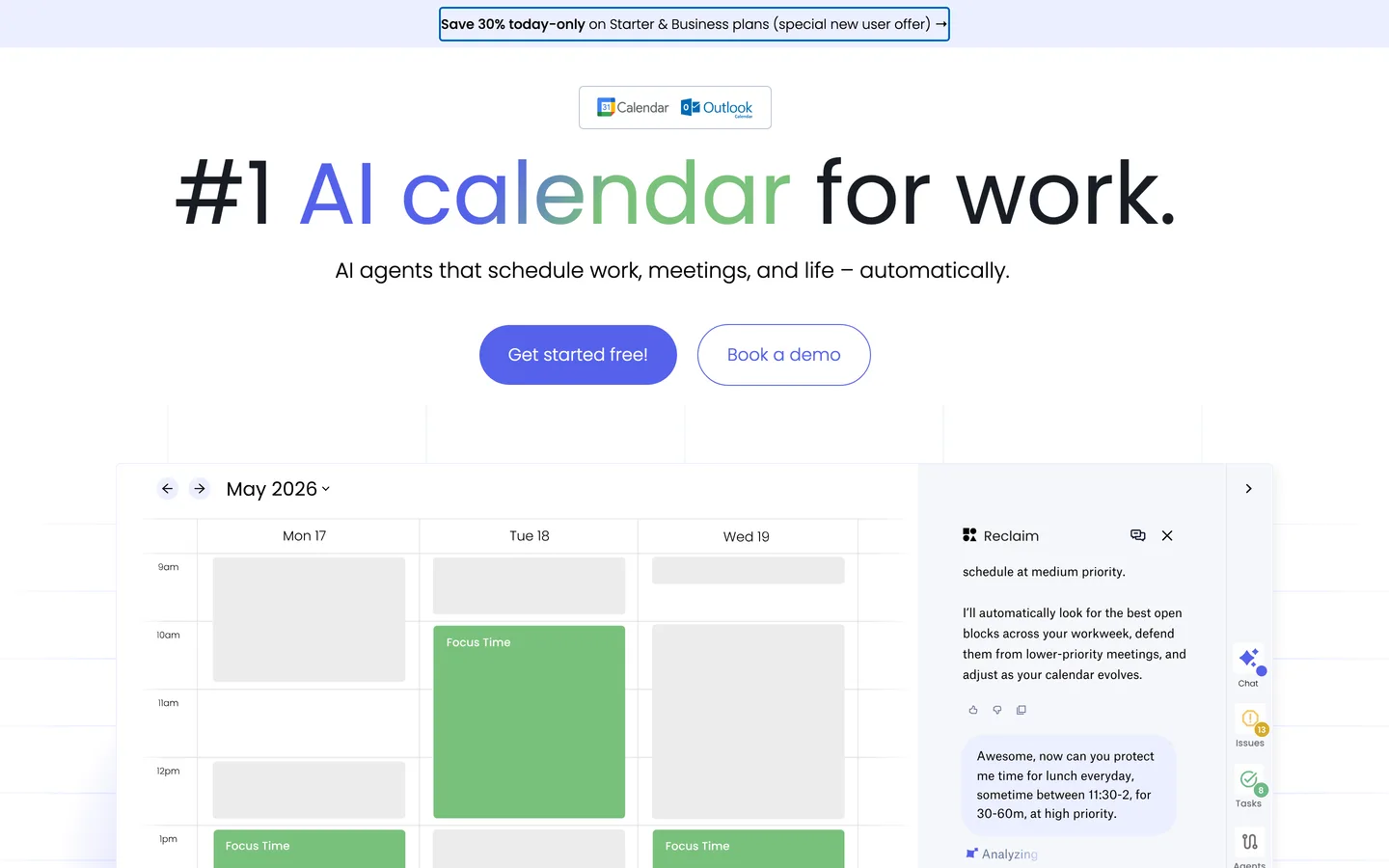
Reclaim.ai is an AI scheduling layer on top of your existing calendar. You tell it what needs to happen (tasks with priorities and deadlines, habits like "gym three times a week," meeting preferences), and it finds and defends the time automatically. When your week changes, Reclaim re-plans: a new meeting pushes a task to the next open slot, a missed habit gets rescheduled, and your focus blocks stay protected. It connects two-way to multiple Google and Outlook calendars and adds Calendly-style booking links and time-tracking analytics.
It is built for calendar-driven knowledge workers: freelancers and consultants protecting deep work, and teams in engineering, sales, ops, and customer success who want their calendars to reflect real priorities. It scales to mid-market and enterprise with team analytics and admin controls. It is not the right fit if you do not run your life from Google or Outlook, if you need a mobile-first experience, or if EU data residency is a hard requirement.
How We Built This Guide#
This guide is based on Reclaim.ai's official pricing and security pages, its GDPR help documentation, the Dropbox acquisition announcement, and independent reviews on G2 (4.8/5). We verified the current tier structure and prices as of June 2026 and flagged older listings that still cite retired $8 plans. The US-hosting and no-mobile-app points were confirmed against Reclaim's own documentation and current user reports. All facts were last verified June 2026.
Our sources include:
- Reclaim.ai official pricing, security and trust pages
- GDPR and SOC 2 help-center articles
- The Dropbox acquisition announcement and press coverage
- G2 user reviews
Why Reclaim.ai
Visit providerFeatures in Depth#
AI Tasks#
The core feature. Add a task with a priority, duration, and deadline, and Reclaim finds the best slot and books it. If the slot is lost to a meeting, the task automatically moves. This is the difference between a to-do list and a calendar that actually plans your day.
AI Habits#
Recurring routines (exercise, planning, learning) get placed at the times you are most likely to keep them, flexing around your real schedule rather than sitting as static recurring events you ignore.
Smart Meetings and Scheduling Links#
Reclaim finds the best meeting times across attendees and offers Calendly-style booking links, so external scheduling lives in the same tool that manages your internal time.
Focus Time and Buffer Time#
Focus Time defends blocks of deep work from being booked over. Buffer Time auto-inserts breaks, prep, and travel time around events, so your calendar reflects reality instead of back-to-back impossibility.
Calendar Sync and Analytics#
Two-way sync across multiple Google and Outlook calendars keeps work and personal commitments deconflicted. Time-tracking and team workforce analytics show where hours actually go, which is useful for both individuals and managers.
The Dropbox Acquisition#
Dropbox acquired Reclaim.ai in 2024, and the product is now branded "Reclaim.ai from Dropbox." In practice the tool continues to operate and ship (Outlook support arrived after the deal), but its roadmap now sits inside a larger company, which is worth knowing if long-term independence matters to you.
Pros
- Genuinely automatic, priority-based time-blocking that reschedules itself when your week changes
- Deep two-way Google Calendar integration, now extended to Microsoft Outlook
- A genuinely useful free Lite plan to evaluate the workflow before paying
- Highly rated (G2 4.8) and SOC 2 Type II certified
- Focus Time, Buffer Time, scheduling links and analytics cover the full calendar workflow
- Habits feature actually keeps recurring routines on the calendar instead of being ignored
Cons
- No native mobile app (iOS/Android) in 2026, a repeatedly cited gap for an on-the-go tool
- Outlook/Microsoft support is newer and trails the mature Google integration
- The free Lite tier has been progressively cut (fewer calendars and habits than before)
- All data is hosted in the USA (AWS) with no EU data residency option
- Some Trustpilot reports of lingering Google Calendar entries after account deletion
- Now a Dropbox product, so the roadmap and priorities sit inside a larger company
Automation (4.6): The auto-scheduling and re-planning is the best in class for Google/Outlook users. This is the reason to use Reclaim.
Ease of Use (4.4): Setup is quick and the defaults are sensible. Tuning priorities and habits rewards a little learning.
Value for Money (4.4): A free tier plus $10-15/seat is fair for the time it saves. Team analytics add value at the Business tier.
Integrations (4.2): Excellent with Google, solid and improving with Outlook. The lack of a native mobile app pulls this down.
EU / Privacy (3.5): SOC 2 Type II and a DPA are good, but US-only hosting with no EU data residency is a real limitation for European teams.
Pricing Breakdown#
| Plan | Price | Key Features |
|---|---|---|
| Lite | $0 forever | 1 user, core scheduling |
| Starter | $10/seat/mo (annual) | Unlimited tasks and habits, scheduling links, up to 10 seats |
| ⭐ Business | $15/seat/mo (annual) | Team features, analytics, up to 100 seats |
| Enterprise | $22/seat/mo (annual) | SSO, advanced admin, priority support |
Annual billing saves roughly 20%, and a "30% off new user" promo is often available. Monthly billing is a few dollars more per seat.
Lite (free forever) -- one user with core scheduling. Genuinely usable to evaluate the workflow, though the free limits have tightened over time.
Starter ($10/seat/month) -- unlimited tasks and habits, scheduling links, up to 10 seats. The right plan for individuals and small teams.
Business ($15/seat/month) -- team features and analytics for up to 100 seats. The most popular plan for teams that want shared scheduling intelligence.
Enterprise ($22/seat/month) -- SSO, advanced admin, and priority support for larger organizations (annual only).
Lite
- Free forever
- 1 user
- Core scheduling
Starter
- Unlimited tasks & habits
- Scheduling links
- Up to 10 seats
Business
- Team features
- Analytics
- Up to 100 seats
Enterprise
- SSO
- Advanced admin
- Priority support
Similar Tools Worth Considering#
- Motion: The closest auto-scheduling rival, combining task management and calendar with aggressive automation. Choose Motion if you want task management and scheduling fused in one app and do not mind a higher price.
- Akiflow: A command-bar-driven task and calendar tool that consolidates to-dos from many sources. Choose Akiflow for fast manual time-blocking with a keyboard-first workflow.
- Sunsama: A calmer, daily-planning ritual tool. Choose Sunsama if you prefer intentional daily planning over fully automatic scheduling.
- Morgen: A calendar app with strong cross-platform support including mobile. Choose Morgen specifically if a native mobile app is a must-have.
For more productivity tools, see our productivity category.
Who Should Use Reclaim.ai?#
Best for Google Calendar power users: If your work life runs through Google Calendar, Reclaim's automatic time-blocking and re-planning will save you real hours every week.
Best for teams defending focus time: Engineering, product, and other deep-work teams can protect focus blocks and surface where time actually goes with analytics.
Best for freelancers and consultants: Auto-schedule client work, defend focus, and offer booking links from one tool.
NOT for you if you need a native mobile app (Reclaim is web/desktop-first), you require EU data residency (all data is US-hosted), or you do not run your schedule from Google or Outlook.
Reclaim.ai is the strongest automatic calendar in this category for Google and Outlook users, and the free tier makes it easy to try. The honest limitations are the missing mobile app and US-only hosting, both of which matter for some users and are non-issues for others. Start with Lite, connect your calendar, add a few tasks and habits, and you will quickly see whether letting an AI plan your day fits how you work.
FAQ#
Is Reclaim.ai free?#
Yes. The Lite plan is free forever for one user and includes core scheduling. It is genuinely usable for evaluation, though the free limits (number of calendars and habits) have been reduced over time. Paid plans start at $10/seat/month (Starter, billed annually).
Does Reclaim.ai have a mobile app?#
No. As of 2026 there is still no native iOS or Android app, which is the most commonly cited limitation. Reclaim is web and desktop focused. If a phone app is essential to your workflow, consider an alternative like Morgen.
Is Reclaim.ai GDPR compliant and where is data hosted?#
Reclaim provides a DPA for all customers with Standard Contractual Clauses and is DPF-certified and SOC 2 Type II certified. However, all data is hosted in the USA (AWS) with no EU data residency option. For EU teams with strict residency requirements, that is a real limitation to weigh.
What changed after Dropbox acquired Reclaim.ai?#
Dropbox acquired Reclaim.ai in 2024, and it is now branded "Reclaim.ai from Dropbox." The product continues to operate and ship features (Outlook support arrived after the deal). The main implication is strategic: the roadmap now sits inside a larger company rather than an independent startup.
Reclaim.ai vs Motion: which is better?#
Both are automatic schedulers. Reclaim is a scheduling layer on top of your existing Google/Outlook calendar with a strong free tier. Motion bundles task management and calendar into one app with heavier automation, at a higher price. If you want to keep your existing calendar and start free, Reclaim. If you want an all-in-one task-and-calendar app, Motion.
