This site contains affiliate links. We may earn a commission at no extra cost to you. This helps us keep the site running and continue providing free guides and comparisons.
The Bottom Line#
Notion in 2026 is no longer just a note-taking and project management tool. With the launch of Notion 3.0 Agents in September 2025 and Custom Agents in February 2026, it has become a full AI-powered workspace where autonomous agents execute multi-step tasks across hundreds of pages, build project plans, compile reports, and update databases while you focus on higher-value work. Based on its market position, G2 reviews, and extensive user feedback, Notion remains the most flexible workspace tool available. The AI capabilities transform it from a powerful organizational tool into an intelligent system that actively works alongside you. The catch: full AI access now requires the Business plan at $20/user/month. The previous $8/user AI add-on was discontinued in May 2025. For teams already on Notion, the upgrade delivers genuine productivity gains. For new users evaluating Notion primarily for its AI features, the cost needs to be justified against alternatives.
Rating: 4.4/5 | Price: Free / $10 / $20/user/month | Last verified: September 2026
Score Breakdown
Key Facts#
- Pricing: Free ($0), Plus ($10/user/mo annual, $12 monthly), Business ($20/user/mo annual, $24 monthly), Enterprise (custom)
- Free tier: Yes, unlimited pages for individuals, limited blocks for teams, 5MB uploads, 7-day version history
- Platforms: Web, macOS, Windows, iOS, Android; offline mode added August 2025 (basic blocks only)
- Key update: Notion Mail (April 2025, AI-powered Gmail client), custom instructions for AI Meeting Notes, custom reusable AI skills, API improvements (tab block support, writable wiki verification, custom emoji listing)
- AI access: Full Notion AI included in Business and Enterprise plans only (May 2025 restructure). The previous $8/user AI add-on was discontinued. Plus plan includes 30-day version history and unlimited file uploads
- G2 feedback: Among reviews referencing ROI, nearly 60% report measurable returns within six months; most common criticism is complexity and learning curve
What Is Notion and Who Is It For?#
Notion is an all-in-one workspace that combines documents, databases, project management, wikis, and now AI agents in a single platform. It replaces the need for separate tools for note-taking (Evernote), project management (Asana/Trello), documentation (Confluence), and spreadsheets (basic Airtable use cases). Pages can contain any combination of text, databases, embedded content, and linked references, creating a connected knowledge system rather than isolated files.
The platform serves individuals organizing personal projects, startups building their operational backbone, and enterprises standardizing knowledge management across departments. Notion's strength is flexibility: it can be configured for virtually any organizational use case through its building blocks of pages, databases, and relations.
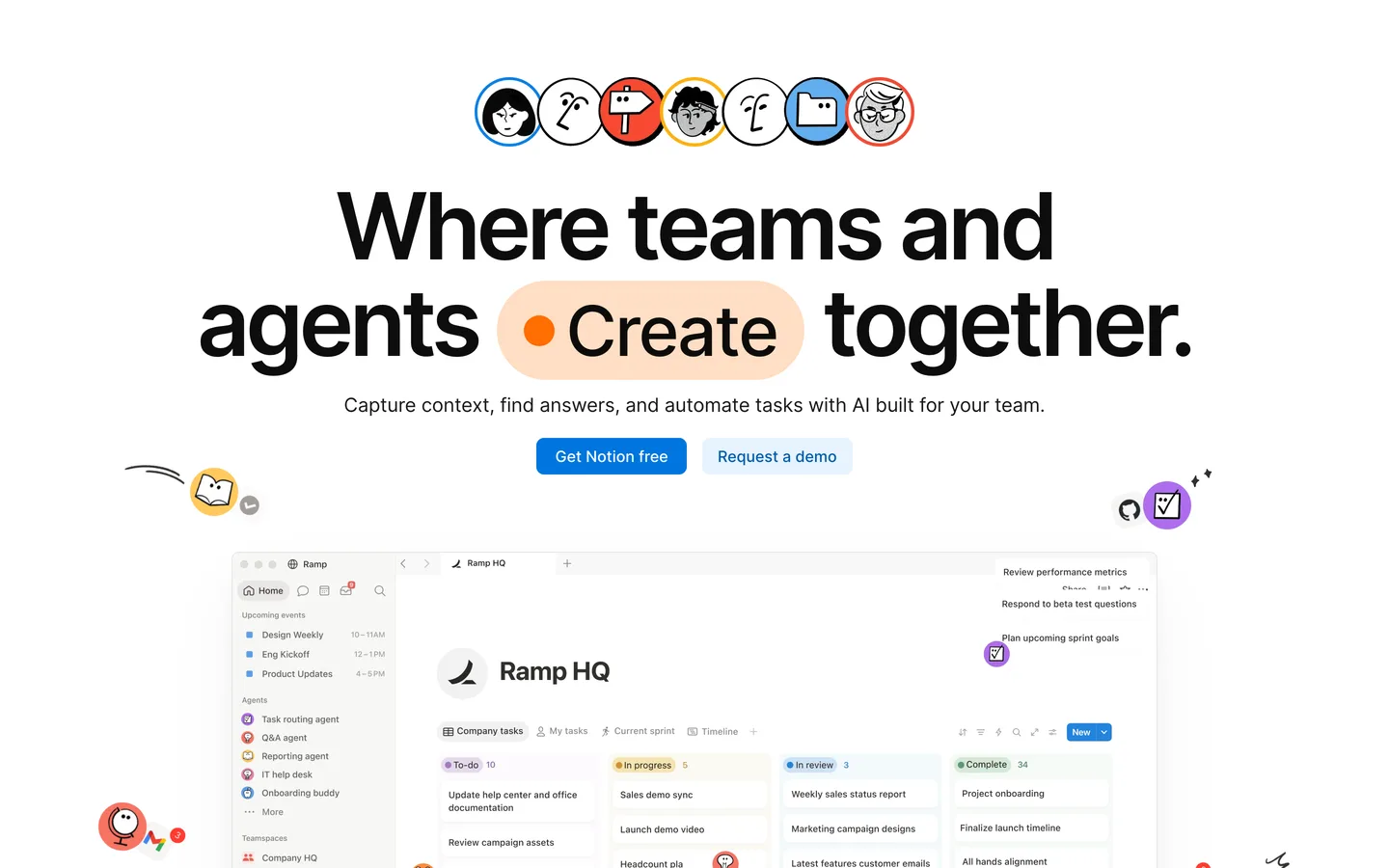
In 2026, Notion's AI layer adds a new dimension. AI Agents can work autonomously for up to 20 minutes, performing multi-step tasks across hundreds of pages simultaneously. Custom Agents automate recurring work on schedules or triggers. The workspace is no longer passive. It actively processes, organizes, and generates content based on your instructions.
How We Built This Guide#
This guide is based on official Notion documentation, verified pricing, Notion release notes, G2 reviews, and real user feedback from productivity and development communities. We analyzed feature capabilities across the Free, Plus, and Business plans, reviewed community reports on AI Agent performance, Custom Agent adoption, and multi-model AI quality, and compared Notion's total capability against documented features of Obsidian, Coda, ClickUp, and Monday.com. All facts were last verified September 2026.
Features in Depth#
AI Agents (Notion 3.0)#
Notion AI Agents represent the platform's most significant evolution. An agent can work autonomously for up to 20 minutes, performing multi-step tasks across hundreds of pages simultaneously. Instruct an agent to "build a comprehensive project launch plan for Q2" and it creates a structured plan with timelines, task assignments, dependencies, and linked resources, pulling context from your existing workspace data.
According to user reports, agents excel at tasks involving structured data manipulation: compiling information from multiple databases, generating reports from existing content, updating entries at scale, and creating interconnected page structures. They were less effective at tasks requiring creative judgment or external knowledge. The 20-minute autonomous work window is sufficient for most workspace operations. Complex multi-phase projects require breaking instructions into sequential agent tasks.
Custom Agents (Notion 3.3)#
Launched in February 2026, Custom Agents automate recurring work on triggers or schedules. Set up an agent to "every Monday morning, compile all tasks marked 'blocked' across all projects and create a summary page with owner, blocker, and suggested resolution." The agent runs automatically, whether you are online or not. Early adoption has been significant: Notion reported over 21,000 Custom Agents created during the initial rollout, with 2,800 running continuously.
Custom Agents were free to try on Business and Enterprise plans through May 3, 2026. Since May 4, 2026, running them consumes Notion credits at $10 per 1,000 credits, pooled workspace-wide and reset monthly with no rollover; a single agent run typically costs a few cents to a few dozen cents depending on complexity. Admins can top up credits as needed, and agents pause automatically once the pool runs out.
Multi-Model AI#
Notion 3.2 (January 2026) introduced access to multiple AI models, and the lineup has since expanded to include Claude Sonnet 5, Claude Fable 5.1 (Business and Enterprise only), the newest GPT models, Gemini, and Grok, with intelligent auto-model selection. The system chooses the best model for each task, or you can manually select your preferred model; premium models draw on the Notion credits pool described above. According to user reports, auto-selection works well for standard tasks. Manual selection was useful when we needed specific model strengths: Claude for long-form writing, GPT for structured data tasks, and Gemini for tasks involving large context windows.
Connected Workspace#
Notion's foundation remains its connected workspace architecture. Pages, databases, relations, rollups, formulas, and linked views create a system where information is connected rather than siloed. A single database can power multiple views: a Kanban board for the project manager, a calendar for the content team, a timeline for leadership. Changes propagate everywhere instantly.
This architecture becomes significantly more powerful with AI. Agents can traverse the entire workspace, understanding relationships between databases, following linked references, and producing outputs that account for context spread across hundreds of pages. This is something no standalone AI tool can replicate without the underlying data structure.
Templates and Workspace Setup#
Notion offers thousands of community and official templates for virtually every use case: project management, CRM, content calendars, personal habits, meeting notes, product roadmaps, and more. Templates dramatically reduce setup time for new workspaces. In practice, most teams start with templates and customize them over weeks of use. The customization flexibility means Notion adapts to your workflow rather than forcing you into a predefined structure.
Integrations and API#
Notion connects with 200+ tools through native integrations and its API. Slack, Google Drive, GitHub, Figma, Jira, and other standard business tools sync with Notion workspaces. The API enables custom integrations for workflows that native connections do not cover. For teams with development resources, the API transforms Notion into a flexible backend for operational data.
Pros
- AI Agents work autonomously for up to 20 minutes across hundreds of pages, executing multi-step tasks that would take hours manually
- Custom Agents automate recurring work on schedules and triggers, running 24/7 without manual intervention for systematic operational tasks
- Multi-model AI access (Claude Sonnet 5, Claude Fable 5.1, the newest GPT models, Gemini, Grok) with auto-selection lets you leverage the best model for each task type
- Connected workspace architecture means AI has full context of your entire knowledge base, producing outputs no standalone AI tool can match
- Replaces 5-10 specialized tools (notes, project management, wiki, databases, documents) in a single platform, reducing tool sprawl and subscription costs
- Thousands of templates and extreme customization flexibility let you configure Notion for virtually any organizational use case
Cons
- Full AI access requires the Business plan at $20/user/month. The previous $8/user AI add-on is discontinued. Free and Plus plans get only 20 AI responses total
- Custom Agents now consume Notion credits ($10 per 1,000, pooled workspace-wide) after the free trial ended in May 2026, adding a variable cost on top of the Business plan for teams running many agents
- The flexibility that makes Notion powerful also creates a steep setup curve. Teams can spend weeks configuring an optimal workspace before seeing full value
- Performance degrades noticeably in workspaces with thousands of pages and complex database relations, particularly on mobile devices
- Offline functionality is limited. The mobile and desktop apps cache recent pages, but comprehensive offline access to large workspaces is not reliable
Pricing Breakdown#
Notion offers four plans as of September 2026:
Free ($0) -- Unlimited pages for individual use, limited blocks for team guests, basic integrations, 7-day page history, and 20 AI responses (one-time, not monthly). Excellent for personal note-taking and lightweight organization. The AI allocation is a trial rather than an ongoing feature.
Plus ($10/user/month annual, $12/user/month monthly) -- Unlimited blocks, unlimited file uploads, 30-day page history, and up to 100 guest collaborators. No meaningful AI access beyond the 20-response one-time trial. The productivity plan for teams that need Notion's organizational features without AI.
Business ($20/user/month annual, $24/user/month monthly) -- Everything in Plus, plus unlimited AI (AI Agents, Ask Notion, Custom Agents), SAML SSO, advanced page analytics, 90-day page history, and 250 guest collaborators. The plan required for full AI capabilities. Custom Agents were free through May 3, 2026; since May 4, 2026 they consume Notion credits ($10 per 1,000).
Enterprise (custom pricing) -- Advanced security and compliance, user provisioning (SCIM), unlimited page history, audit log, custom data retention, and dedicated account management. Contact sales for pricing.
Important pricing change: In May 2025, Notion eliminated the separate AI add-on ($8/user/month) that was previously available on all plans. Full AI access is now exclusive to Business and Enterprise tiers. This effectively doubled the minimum cost of Notion AI for teams previously on the Plus plan with the AI add-on.
| Plan | Price | Key Features |
|---|---|---|
| Free | $0 | Unlimited pages (individual), 7-day page history, 20 AI responses (one-time), Basic integrations |
| Plus | $10/user/mo (annual) | Unlimited blocks, Unlimited file uploads, 30-day page history, 100 guest collaborators |
| ⭐ Business | $20/user/mo (annual) | Unlimited AI (Agents, Ask, Custom), SAML SSO, 90-day page history, 250 guest collaborators, Advanced analytics |
Free
- Unlimited pages (individual)
- 7-day page history
- 20 AI responses (one-time)
- Basic integrations
Plus
- Unlimited blocks
- Unlimited file uploads
- 30-day page history
- 100 guest collaborators
Business
- Unlimited AI (Agents, Ask, Custom)
- SAML SSO
- 90-day page history
- 250 guest collaborators
- Advanced analytics
Strengths & Limitations#
Notion's greatest strength in 2026 is the convergence of workspace flexibility and AI capability. No other tool combines the depth of organizational features (documents, databases, projects, wikis) with AI agents that understand and operate across your entire knowledge base. When an AI agent builds a project plan in Notion, it can reference existing documentation, pull data from connected databases, and create linked structures that integrate with your established workflows. This contextual advantage is impossible to replicate with standalone AI tools operating on disconnected data.
The most significant limitation is the pricing restructuring around AI. Teams that valued Notion at $10/user/month with an $8 AI add-on now face $20/user/month for the same functionality. For a 10-person team, that is $2,400/year versus the previous $2,160/year (with the add-on), but more importantly, teams that did not want AI lose the option to add it incrementally. The all-or-nothing approach at the Business tier forces an upgrade decision that bundles AI with other Business features you may or may not need.
Similar Tools Worth Considering#
- Obsidian: Local-first, Markdown-based knowledge management with exceptional offline support and a plugin ecosystem. No AI built in, but plugins add AI capabilities. Free for personal use, $50/year for commercial. Best for users who prioritize data ownership, offline access, and extensibility over collaboration.
- Coda: Document-meets-spreadsheet workspace with built-in AI and strong automation capabilities. Similar flexibility to Notion with a different approach to data modeling. Better for teams that think in spreadsheets. Comparable pricing with AI included on lower tiers.
- ClickUp: Project management platform with docs, wikis, and AI features. More structured than Notion for project management but less flexible for general knowledge work. AI features available at lower price points. Better for teams where project tracking is the primary need.
- Monday.com: Work management platform with strong visual project tracking and automation. More opinionated workflow structure than Notion. AI features integrated across the platform. Better for teams that want guided workflows rather than maximum flexibility.
For a detailed comparison, see our Notion vs ClickUp comparison. Explore Notion alternatives for more options. For a broader overview, check our Best AI Tools 2026 guide.
Who Should Use Notion?#
Best for startups and growing teams: Notion replaces the collection of disconnected tools (Trello, Google Docs, Confluence, Airtable) that most startups accumulate. AI agents accelerate common operations. Custom Agents automate recurring work as the team scales. The consolidation saves both money and context-switching time.
Best for knowledge workers: Writers, researchers, consultants, and anyone who manages large volumes of information benefits from Notion's connected architecture. AI agents can compile research, summarize lengthy documents, and maintain organized knowledge bases that would require hours of manual curation.
Best for project managers: Databases with multiple views (Kanban, timeline, calendar, table) cover most project management methodologies. AI agents generate status reports, identify blockers, and maintain project documentation. Custom Agents automate weekly status summaries and task prioritization.
Best for personal productivity (free tier): The free plan is one of the most capable free productivity tools available. Unlimited pages, basic databases, and a clean interface for organizing personal knowledge. The 20 AI responses let you sample AI capabilities before committing to a paid plan.
NOT for you if you need robust offline access for field work or frequent travel without connectivity (use Obsidian or Apple Notes), your team is standardized on Microsoft 365 and needs deep integration with Teams, SharePoint, and the Office suite (use Microsoft Loop or OneNote), you need enterprise-grade project management with resource allocation, Gantt dependencies, and capacity planning (use Monday.com, Asana, or Jira), or AI capabilities are not valuable to your workflow and $10/user/month for Plus provides everything you need without the Business tier upgrade.
Notion in 2026 represents the most ambitious attempt to build an AI-native workspace, and the result is compelling for teams willing to invest in setup and the Business plan pricing. The combination of flexible organizational architecture with autonomous AI agents creates capabilities that no collection of separate tools can match. Your AI has full context of your entire knowledge base, and that context makes every AI interaction more relevant and useful.
Its biggest strength is the convergence of workspace depth and AI capability in a single connected system. Its biggest weakness is the pricing structure that gates AI behind the $20/user/month Business plan, making the full Notion experience expensive for large teams.
Start with the free plan to evaluate Notion's organizational capabilities. If the workspace model fits how your team thinks and works, try the Business plan's free trial to test AI agents and Custom Agents with your actual data. The value of AI in Notion scales directly with the amount of data and structure in your workspace. A well-organized Notion workspace with AI agents is worth significantly more than either component alone.
FAQ#
Is Notion free to use?#
Yes. Notion's free plan includes unlimited pages for individual use, basic database functionality, standard integrations, 7-day page history, and 20 AI responses (one-time allocation). The free tier is one of the most capable free productivity tools available for personal use. Team usage is limited to basic blocks on the free plan.
How much does Notion AI cost in 2026?#
Full AI access (AI Agents, Ask Notion, Custom Agents) requires the Business plan at $20/user/month (billed annually) or $24/user/month (billed monthly). The previous $8/user/month AI add-on was discontinued in May 2025. Free and Plus plans include only 20 AI responses total as a one-time trial. There is no way to add AI to the Plus plan.
What are Notion AI Agents?#
Notion AI Agents are autonomous assistants that work within your workspace for up to 20 minutes per task, performing multi-step operations across hundreds of pages simultaneously. They can build project plans, compile reports, update database entries, summarize documents, and create interconnected page structures. Agents have full context of your workspace, making their outputs more relevant than standalone AI tools.
What are Custom Agents in Notion?#
Custom Agents (launched February 2026) automate recurring work on triggers or schedules. Set a trigger condition or time schedule, and the agent executes automatically, 24/7, whether you are online or not. Examples include weekly status report compilation, automatic task categorization, and scheduled database maintenance. Custom Agents were free through May 3, 2026 on Business and Enterprise plans; since May 4, 2026 they consume Notion credits at $10 per 1,000 credits, pooled workspace-wide.
Can Notion replace project management tools like Asana or Jira?#
For small to mid-size teams, yes. Notion's databases with Kanban, timeline, calendar, and table views cover standard project management workflows. AI agents automate status reporting and task management. For enterprise teams needing advanced resource allocation, Gantt chart dependencies, capacity planning, and audit trails, dedicated project management tools like Jira or Monday.com remain more appropriate. Notion excels when project management is one part of a broader workspace need.
How does Notion compare to Obsidian?#
Notion is a cloud-first collaboration platform with built-in AI, databases, and team features. Obsidian is a local-first, Markdown-based knowledge management tool with exceptional offline support and extensibility through plugins. Choose Notion if you need team collaboration, databases, and AI agents. Choose Obsidian if you prioritize data ownership, offline access, and a plugin-driven personal knowledge system.
