
This site contains affiliate links. We may earn a commission at no extra cost to you. This helps us keep the site running and continue providing free guides and comparisons.
The Bottom Line#
Lindy is the most capable AI executive assistant we have analyzed in 2026. It triages your inbox, drafts replies in your voice, joins and summarizes meetings, coordinates scheduling, and updates your CRM, and underneath sits a no-code agent builder with 100+ templates for everything beyond the standard use cases. G2 reviewers rate it 4.9/5 across roughly 170 reviews, with ease of use as the dominant praise. The catch is cost: plans start at $49.99/month, the free tier was discontinued in early 2026, and credit-based metering means your real monthly cost depends on usage in ways that are hard to predict. If digital admin work eats hours of your week, Lindy pays for itself. If you want a cheap set-and-forget automation, look elsewhere.
Rating: 4.2/5 | Price: $49.99 / $99.99 / $199.99 per month | Last verified: July 2026
Score Breakdown
Key Facts#
- Pricing: Plus ($49.99/mo, up to 2 inboxes), Pro ($99.99/mo, 3x usage, computer use), Max ($199.99/mo, 7x usage, up to 5 inboxes), Enterprise (custom)
- Free tier: No. The former 400-credit free plan was discontinued in early 2026; a 7-day trial with full Plus features (no credit card) is the entry point
- Billing: Monthly only, no annual discount; usage measured in credits per action
- Platforms: Web app, delegation via iMessage and SMS; no learning curve for the assistant use case
- Key differentiator: One assistant covering inbox, meetings, and scheduling, backed by a no-code agent builder with 100+ templates
- Integrations: Gmail, Outlook, Google Calendar, Slack, Notion, HubSpot, Salesforce, Microsoft Teams, Zoom, and more
- Security: Enterprise plan adds SSO, SCIM, HIPAA compliance with BAA, and audit logs
What Is Lindy and Who Is It For?#
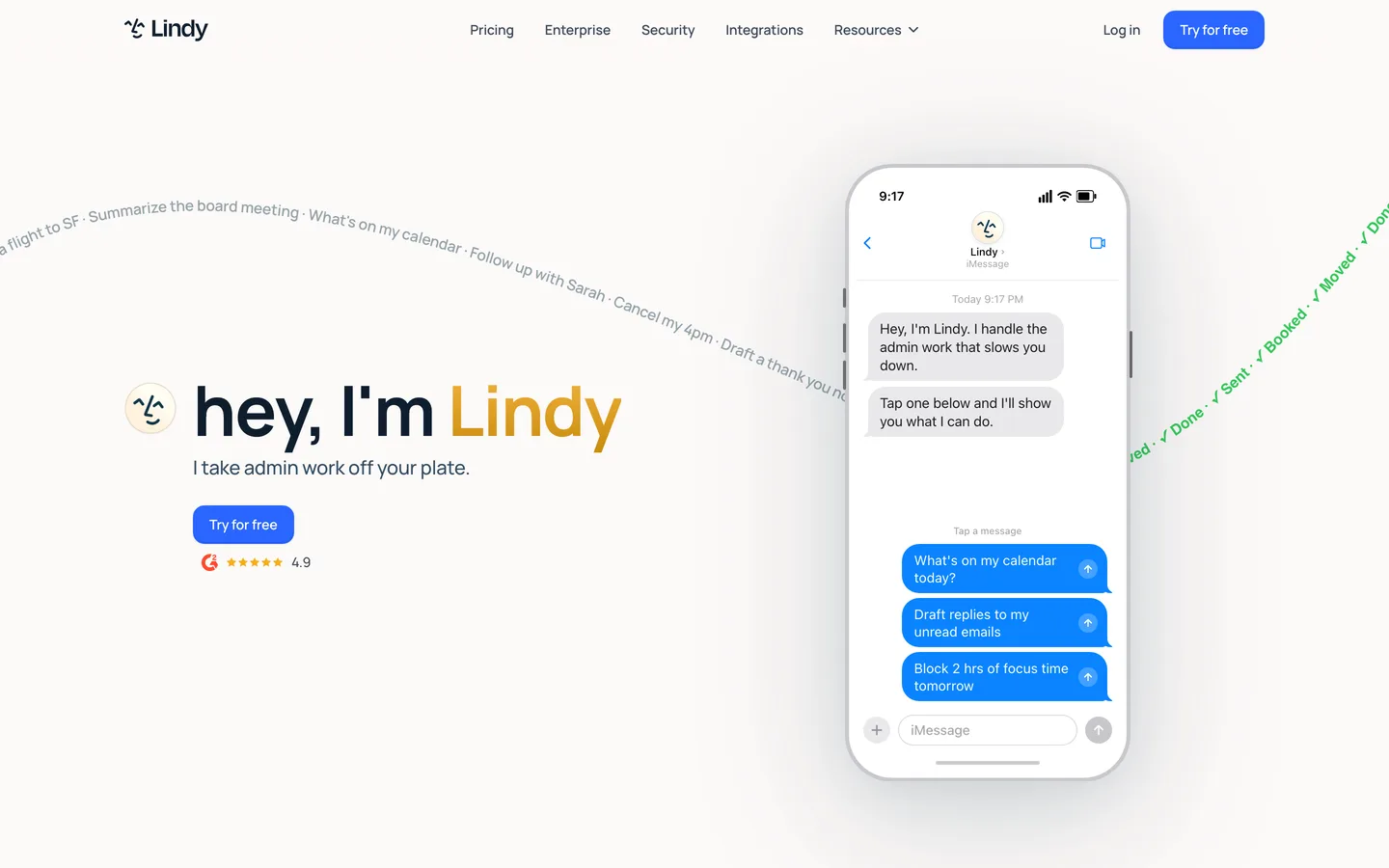
Lindy is an AI work assistant for digital admin work. Instead of positioning itself as a chatbot, a notetaker, or a scheduling link, it combines those jobs into one assistant that works across your apps: it reads and prioritizes your inbox, drafts replies that match your writing style, prepares you for meetings, joins calls to take notes and extract action items, sends follow-ups, keeps your calendar conflict-free, and pushes call context into HubSpot or Salesforce.
The target audience is professionals whose day is fragmented by repetitive coordination: sales teams, customer success, recruiters, consultants, and founders. You can talk to Lindy over iMessage or SMS, which makes delegation feel closer to texting a human assistant than operating software.
Under the hood, Lindy is a no-code AI agent platform. The 100+ templates cover the common cases (meeting notes, lead outreach, support triage), and you can build custom multi-step agents that reason through tasks rather than following rigid if-then rules. That dual nature matters for the buying decision: the assistant use case works out of the box, while custom agents require real building and maintenance effort.
How We Built This Guide#
This guide is based on Lindy's official product and pricing pages, verified pricing as of July 2026, aggregated user feedback from G2 and Trustpilot, community discussions on Reddit (r/AI_Agents), and independent review articles that tested the product hands-on. We did not run a paid Lindy subscription ourselves for this guide.
Our sources include:
- Official product pages and pricing documentation
- G2 user reviews (~170 reviews, verified ratings)
- Trustpilot reviews
- Reddit community discussions
- Independent hands-on reviews and pricing breakdowns
Why Lindy
Visit provider- Inbox Triage and Reply DraftsLindy connects to Gmail or Outlook, categorizes incoming mail, surfaces what actually needs your attention, and drafts replies in your voice.
- Meeting Notes and Follow-Ups
- Scheduling Without Back-and-ForthLindy coordinates times over email, reschedules when conflicts appear, and can protect focus time in your calendar.
- No-Code Agent Builder with 100+ TemplatesBeyond the assistant, Lindy is a full agent platform.
- iMessage and SMS DelegationYou can text Lindy tasks from your phone with no app installed.
Features in Depth#
Inbox Triage and Reply Drafts#
Lindy connects to Gmail or Outlook, categorizes incoming mail, surfaces what actually needs your attention, and drafts replies in your voice. Reviewers consistently describe the drafts as usable with light edits rather than generic boilerplate. Email triage is one of the cheapest actions in Lindy's credit system, which makes this the most cost-predictable part of the product. The Plus plan covers up to 2 inboxes, Pro covers 3, and Max covers 5, which is the practical limit for consultants juggling client mailboxes.
Meeting Notes and Follow-Ups#
Lindy prepares briefings before calls, joins Zoom, Google Meet, or Teams meetings, takes notes, extracts action items, and drafts the follow-up email afterward. The differentiator against dedicated notetakers is what happens after the meeting: action items can flow into reminders, CRM updates, and scheduled follow-ups without you copying anything between tools. Meeting recording and notes sit in the moderate range of credit consumption.
Scheduling Without Back-and-Forth#
Lindy coordinates times over email, reschedules when conflicts appear, and can protect focus time in your calendar. It replaces the scheduling-link workflow: instead of sending someone a booking page, your assistant negotiates the slot. This works across Google Calendar and Outlook.
No-Code Agent Builder with 100+ Templates#
Beyond the assistant, Lindy is a full agent platform. Templates cover lead qualification, outreach, support triage, research, and content workflows. A practitioner review on r/AI_Agents called the platform "mostly just works" and praised the templates and Google product integration, while flagging an overwhelming trigger screen and weak loop debugging for complex agents. Simple agents come together in minutes; complex multi-step workflows take real iteration time. On Pro and above you can pick which AI model an agent uses.
iMessage and SMS Delegation#
You can text Lindy tasks from your phone with no app installed. For the executive-assistant use case this is the standout interaction: forwarding an email thread or asking "find 30 minutes with Sarah next week" feels like delegating to a person. Reviewers note a task initialization delay of roughly 20 seconds, noticeable but acceptable for asynchronous work.
Computer Use and Integrations#
The Pro plan adds computer use: browser-based actions for tasks that have no API, like filling forms or pulling data from web apps. Native integrations cover Gmail, Outlook, Google Calendar, Slack, Notion, HubSpot, Salesforce, Teams, and Zoom. One honest caveat from user reports: the experience is strongest inside the Google ecosystem, and some workflows assume it.
Pros
- Covers inbox triage, meeting notes, scheduling, and CRM updates in one assistant instead of three or four separate subscriptions
- 4.9/5 on G2 across ~170 reviews with ease of use as the most-cited strength (125 mentions)
- 100+ agent templates make the first working automation a matter of minutes, no code required
- iMessage/SMS delegation makes the assistant usable from anywhere without opening another app
- Agents reason through multi-step tasks instead of following rigid if-then rules
- 7-day trial with full Plus features and no credit card requirement
Cons
- Expensive entry point: $49.99/month minimum since the free plan was discontinued in early 2026
- Credit-based metering is a black box: per-step costs are only visible after execution, and complex actions burn 5-10x more than simple ones
- Trustpilot rating of 1.7/5 driven by billing surprises (including a reported $550 overage case) and hard-to-reach support
- Complex multi-step agents have a real learning curve, and loop debugging is weak
- Monthly billing only, no annual discount; strongest inside the Google ecosystem
Pricing Breakdown#
Lindy offers three self-serve tiers plus Enterprise as of July 2026. All plans bill monthly; there is no annual option.
Plus ($49.99/month) -- Standard usage, up to 2 inboxes, and the full assistant feature set: inbox triage, meeting notes, scheduling, and the agent builder with templates. This is the right starting point for individuals.
Pro ($99.99/month) -- 3x the usage of Plus, up to 3 inboxes, computer use (browser-based actions), and AI model selection for agents. Worth it if you hit Plus usage limits or need browser automation.
Max ($199.99/month) -- 7x the usage of Plus and up to 5 inboxes. For heavy delegation workloads and people running multiple client mailboxes.
Enterprise (custom) -- Dedicated support, SSO, SCIM provisioning, HIPAA compliance with BAA, and audit logs.
| Plan | Price | Key Features |
|---|---|---|
| ⭐ Plus | $49.99/mo | Standard usage, 2 inboxes, full assistant + agent builder |
| Pro | $99.99/mo | 3x usage, 3 inboxes, computer use, model selection |
| Max | $199.99/mo | 7x usage, 5 inboxes |
| Enterprise | Custom | SSO, SCIM, HIPAA/BAA, audit logs, dedicated support |
The number to watch is not the subscription price but credit consumption. Simple actions like sending a message or creating a calendar event cost roughly 1 credit; complex actions like email parsing, web research, or multi-step lead workflows can use 5-10+ credits per execution, and larger AI models multiply the cost. Lindy shows per-step costs only after execution, which is why "black box" is the most common billing complaint in user reviews. Users on Trustpilot report unexpected overage charges and a cancellation process that has required contacting support rather than self-serve.
Plus
- Standard usage
- Up to 2 inboxes
- Inbox, meetings, scheduling
- 100+ agent templates
Pro
- 3x usage of Plus
- Up to 3 inboxes
- Computer use (browser actions)
- Model selection
Max
- 7x usage of Plus
- Up to 5 inboxes
- For heavy delegation workloads
Similar Tools Worth Considering#
- Zapier: The integration champion with 9,000+ connected apps and agents, chatbots, and workflows on top. Better when your automation spans many niche tools; weaker as a personal assistant. Lindy thinks in tasks, Zapier thinks in data pipelines.
- Relay.app: Simpler agent builder with human-in-the-loop steps built in. Cheaper and easier to learn, but narrower in scope than Lindy's assistant feature set.
- Gumloop: Stronger for multi-agent orchestration and data-heavy workflows. A builder tool, not an executive assistant.
- n8n: Self-hosted and code-friendly. Full control over hosting, data, and cost, at the price of building everything yourself. The right choice for technical teams with data residency requirements.
- MindStudio: No-code platform for building and deploying AI agents and apps. Closer to Lindy's builder side than its assistant side.
For a broader overview, see our Best AI Tools 2026 guide.
Who Should Use Lindy?#
Best for founders and executives: If your inbox and calendar are the bottleneck, Lindy replaces the first hour of admin work every day. The iMessage delegation makes it feel like a real assistant.
Best for sales and customer success teams: Meeting notes flow into CRM updates and follow-ups automatically. The HubSpot and Salesforce integrations close the loop that dedicated notetakers leave open.
Best for recruiters and consultants: Scheduling coordination across multiple external calendars is exactly the repetitive work Lindy automates well. Multiple-inbox support on Pro/Max fits client work.
NOT for you if you want a predictable flat monthly bill (the credit system scales with usage), you need a free tier for occasional use (discontinued in early 2026), your stack lives outside the Google/Microsoft ecosystem, or you want pure delegation without ever maintaining an agent (the build-it-yourself model means you manage the assistant).
Final Verdict#
Lindy earns its G2 rating: it is the most complete AI executive assistant available in 2026, and the agent platform underneath gives it room to grow with your needs. The product quality is not the question. The economics are. At $49.99/month minimum with usage-based credit consumption on top, Lindy is priced for people whose time is expensive, and the billing transparency problems documented on Trustpilot mean you should watch your first invoices closely.
Its biggest strength is breadth done well: inbox, meetings, and scheduling genuinely handled by one tool. Its biggest weakness is cost predictability. Use the 7-day trial with your real inbox and meeting load, check the credit meter daily, and you will know within a week whether the math works for you.
FAQ#
Is Lindy free to use?#
No. Lindy discontinued its 400-credit free plan in early 2026. The entry point is now a 7-day free trial with full access to Plus features, no credit card required. After the trial, the cheapest plan is Plus at $49.99/month.
How do Lindy credits work?#
Every action an agent takes consumes credits. Simple actions like sending a message or creating a calendar event cost roughly 1 credit; complex actions like email parsing, web research, or multi-step workflows can cost 5-10+ credits, and using larger AI models multiplies consumption. Each plan includes a usage allotment (Pro includes 3x Plus, Max 7x Plus). Per-step costs are only visible after execution, so monitor the usage meter during your first weeks.
What is the difference between Lindy Plus and Pro?#
Pro ($99.99/month) includes 3x the usage of Plus ($49.99/month), supports 3 inboxes instead of 2, and adds two capabilities Plus lacks: computer use (browser-based actions for tools without APIs) and AI model selection for agents. If you stay within Plus limits and do not need browser automation, Plus is sufficient.
Which apps does Lindy integrate with?#
Native integrations include Gmail, Outlook, Google Calendar, Slack, Notion, HubSpot, Salesforce, Microsoft Teams, and Zoom. Computer use on the Pro plan extends coverage to web apps without APIs. User reports agree the experience is deepest inside the Google ecosystem.
Is Lindy suitable for companies with compliance requirements?#
The Enterprise plan includes SSO, SCIM provisioning, HIPAA compliance with a BAA, and audit logs. Lindy is a US company; if you need EU data residency guarantees, ask for documentation during the Enterprise sales process before committing.