
This site contains affiliate links. We may earn a commission at no extra cost to you. This helps us keep the site running and continue providing free guides and comparisons.
The Bottom Line#
MindStudio is a visual, no-code platform for building, testing, and deploying AI agents and AI apps without writing code. Its best idea is the Service Router: one account gives you 200+ AI models (GPT, Claude, Gemini, Amazon, Meta) with no per-provider API keys and, per the vendor, no markup on what the models cost. You build a workflow by dragging blocks, then deploy it as a web app, a scheduled autonomous agent, a browser extension, an email or webhook trigger, or an MCP server. The free tier (1 agent, 1,000 runs/month) is generous, and the Individual plan is $20/month ($16 billed yearly). The catch to understand before you commit: the subscription is cheap, but you also pay the model providers' token cost on top, so heavy usage adds a variable bill the sticker price hides. For non-coders who want to ship real AI agents fast, it is one of the strongest options in 2026.
Rating: 4.2/5 | Price: Free / $20/month + model usage | Last verified: June 2026
Score Breakdown
Key Facts#
- Pricing: Free, Individual ($20/mo or $16/mo yearly), Business (custom), plus pay-per-use model costs
- Free tier: Yes, with 1 agent and 1,000 runs per month
- Models: 200+ via the Service Router, no per-provider API keys
- Integrations: 1,000+ (HubSpot, Salesforce, Google Workspace, databases, and more)
- Operated by: GoMeta, Inc. (founder/CEO Dmitry Shapiro); product launched June 2023; ~$36M raised (vendor-reported)
- Best for: non-technical builders shipping AI agents and internal tools without engineering
What Is MindStudio and Who Is It For?#
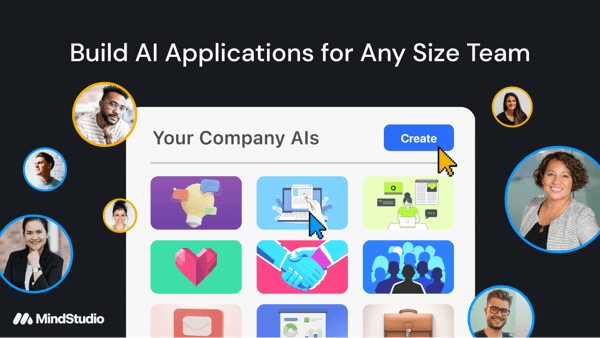
MindStudio is a no-code IDE for AI agents. You design a workflow visually: take an input, route it through one or more AI models, call integrations and custom functions, add human approval steps, and produce an output. The platform is model-agnostic, so you can use GPT for one step and Claude for the next without managing separate API keys. When the workflow is ready, you publish it to whichever surface fits: a shareable web app, a scheduled agent that runs on its own, a browser extension, an email or webhook trigger, or an MCP server other AI tools can call.
It is built for non-technical builders: founders, marketers, operations and support teams, consultants, and SMBs that want internal AI tools without hiring engineers. Larger organizations use it too, with enterprise controls like SSO, audit logs, budgets, and self-hosting on the Business tier. If you can map a process on a whiteboard, you can probably build it in MindStudio. If you want a polished consumer chatbot product with zero configuration, this is more of a builder than a finished app.
Scale and backing are worth a mention for anyone weighing whether MindStudio is a stable platform to build on. Per the vendor's own materials, corroborated by MindStudio's public About page, over 200,000 AI agents built on the platform have been deployed across SMBs, enterprises, and government. The company has also raised $36M in venture capital, with angel investors and advisors including former Disney CEO Michael Eisner, Zynga founder Mark Pincus, and executives from Google, LinkedIn, and Salesforce. None of that is a feature in itself, but it is a reasonable signal that the company behind the tool has real staying power.
How We Built This Guide#
This guide is based on MindStudio's official site and pricing page, its about page and compliance blog post, and independent reviews on Product Hunt and elsewhere, cross-checked against the public record for the company behind it (GoMeta, Inc.). It also draws on MindStudio's own affiliate resource materials for its investor and deployment figures, corroborated against its public About page. We used the current official pricing page rather than older third-party reviews, several of which still cite a retired "Starter / 5,000 runs" plan that no longer matches the live Free tier. Vendor-reported figures (such as "$36M raised" and "200k+ agents deployed") are labeled as such. All facts were last verified June 2026.
Our sources include:
- MindStudio official site, pricing, and about pages
- The vendor's AI-agent compliance blog post
- Product Hunt reviews and independent write-ups
- Public company records and launch announcements
Features in Depth#
Visual No-Code Builder#
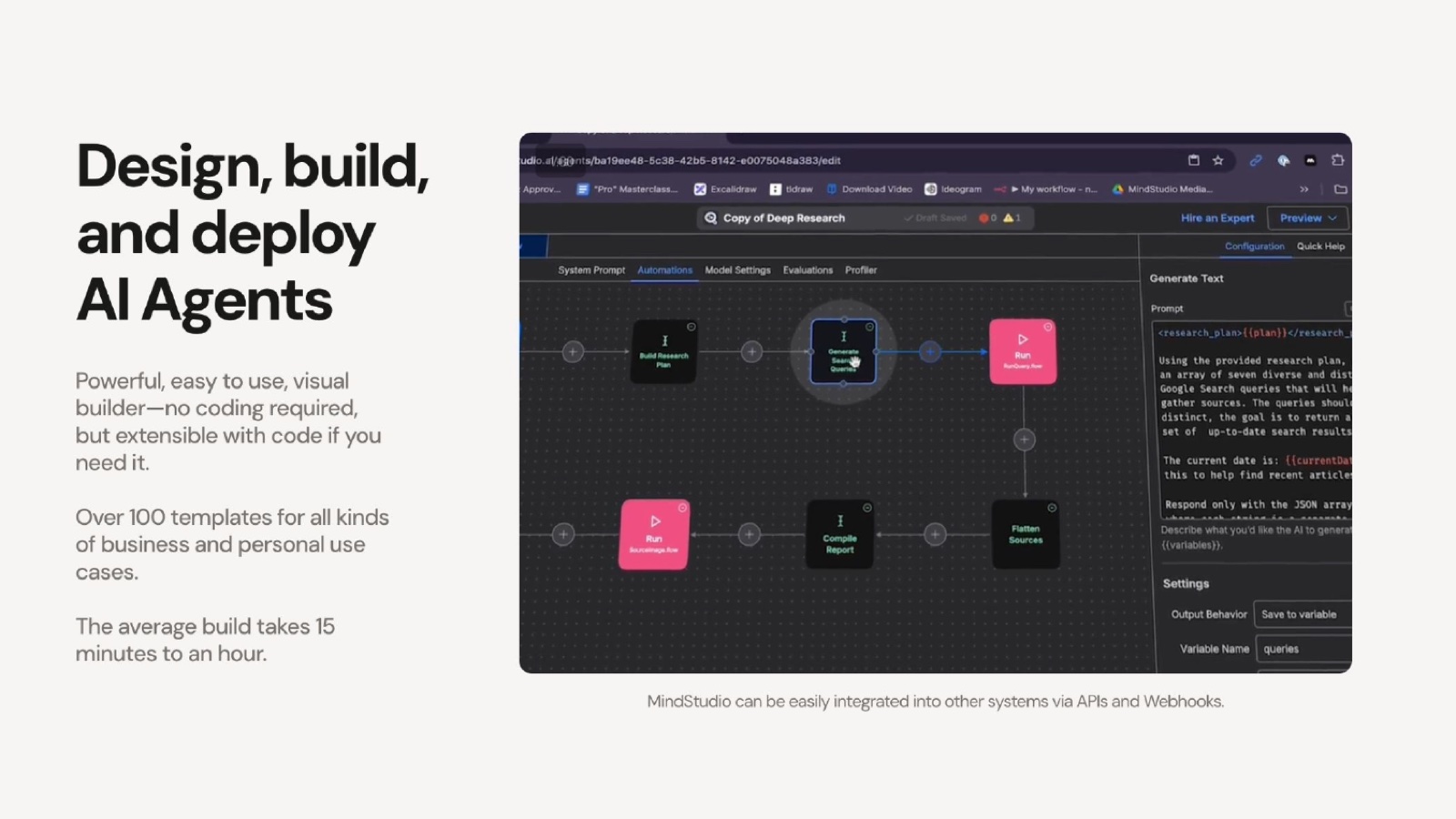
The core of MindStudio is a drag-and-drop workflow editor where you assemble an agent from blocks: prompts, model calls, logic, integrations, and outputs. You can test and debug a workflow inside the editor before you ship it. The paradigm is familiar to anyone who has used a no-code automation tool, with the difference that AI model calls are first-class citizens rather than bolt-ons.
Why MindStudio
Visit provider- Visual No-Code BuilderThe core of MindStudio is a drag-and-drop workflow editor where you assemble an agent from blocks: prompts, model calls, logic, integrations, and outputs.
- Service Router: 200+ Models, No API KeysThis is MindStudio's signature feature.
- 1,000+ IntegrationsMindStudio connects to over 1,000 services, including HubSpot, Salesforce, Google Workspace, social platforms, and SQL and vector databases.
- Many Deployment Surfaces
- Custom Functions and Human-in-the-LoopFor anything the visual blocks cannot express, you can drop in custom JavaScript or Python.
Service Router: 200+ Models, No API Keys#
This is MindStudio's signature feature. Instead of signing up for OpenAI, Anthropic, and Google separately and juggling API keys, you get 200+ models through one account. You can pick the best model per step and switch models without rewiring anything. Per the vendor's FAQ, model usage is billed at the providers' cost with no markup. That is unusual and, if accurate, makes MindStudio a transparent place to run multi-model workflows.
1,000+ Integrations#
MindStudio connects to over 1,000 services, including HubSpot, Salesforce, Google Workspace, social platforms, and SQL and vector databases. This is what turns an AI prompt into a real agent: it can read from your CRM, write to a sheet, post to a channel, or query a database as part of its workflow.
Many Deployment Surfaces#
A single build can be deployed as a web app, a scheduled or event-triggered autonomous agent, a browser extension, an email-triggered automation, a webhook endpoint, or an MCP server. That range is a genuine differentiator: most no-code AI tools lock you into one output format, while MindStudio lets the same logic live wherever your users are.
Custom Functions and Human-in-the-Loop#
For anything the visual blocks cannot express, you can drop in custom JavaScript or Python. And for workflows where you do not want the AI acting unsupervised, human-in-the-loop approval steps pause the agent for a person to review and approve before it continues. That combination keeps the platform usable by non-coders while leaving an escape hatch for developers.
Remy: Build Agents From a Description#
A 2026 addition, Remy, generates an app from a natural-language description, lowering the barrier even further. At the time of our research it was in Alpha, so treat its reliability as early-stage rather than production-grade.
Pros
- Low barrier to entry: non-coders can build and ship working AI agents quickly with the visual editor
- The Service Router gives 200+ models through one account with no API keys and, per the vendor, no markup on token cost
- Broad model choice (GPT, Claude, Gemini, Amazon, Meta) avoids lock-in to a single provider
- One build deploys to many surfaces: web apps, autonomous agents, browser extensions, email/webhook triggers, and MCP servers
- Generous free tier with 1,000 runs per month lets you build something real before paying
- Enterprise controls (SSO, audit logs, budgets, self-hosting) are available on the Business tier
Cons
- Advanced features like custom functions and complex branching logic have a real learning curve
- Total cost is variable: the subscription is cheap, but you pay model-usage costs on top, which climb at scale
- Newer platform with fewer third-party tutorials and community templates than Zapier or Make
- Some users report integration friction and limited advanced analytics
- Managed EU data residency is unverified; residency is only guaranteed via self-hosting on the Business tier
- Remy, the build-from-a-description feature, was in Alpha at the time of writing
Ease of Use (4.5): The visual builder makes basic agents genuinely accessible to non-coders. The learning curve only appears when you reach custom functions and complex logic.
Model Flexibility (4.6): 200+ models through one account with no API keys and no markup is the best part of the product. You always use the right model for the step without lock-in.
Features (4.3): The combination of integrations, deployment surfaces, custom code, and human-in-the-loop covers most real agent use cases. It loses a little for thinner analytics and a still-maturing template library.
Value for Money (4.2): $20/month for unlimited agents and runs is excellent on paper. The score reflects the variable model-usage cost on top, which makes the true monthly bill harder to predict.
Maturity & Support (3.8): It is a newer platform. Support on lower tiers is community-based, third-party learning resources are thinner than for incumbents, and some features (like Remy) are early. Enterprise support comes with the Business tier.
Pricing Breakdown#
| Plan | Price | Key Features |
|---|---|---|
| Free | $0 | 1 agent, 1,000 runs/mo, 200+ models, no API keys |
| ⭐ Individual | $20/mo ($16/mo yearly) | Unlimited agents and runs, Remy (Alpha), community support |
| Business | Custom | Team workspace, SSO, audit logs, budgets, self-hosting, SLA/MSA |
MindStudio splits cost into a platform subscription plus pay-per-use model costs:
Free -- 1 agent, 1,000 runs per month, access to 200+ models, and no API keys to manage. Enough to build and test a real agent before paying.
Individual ($20/month, or $16/month billed yearly) -- unlimited agents and runs, access to Remy (Alpha), live workshops, and the Slack community. The right plan for solo builders and most small teams.
Business (custom) -- team workspaces, SSO, audit logs, usage budgets, self-hosting, custom domains, and an SLA/MSA. For organizations that need governance and EU data residency via self-hosting.
Model usage (separate) -- on top of the subscription, you pay the model providers' token cost, which the vendor states carries no markup. This is the line item to watch: a busy agent calling frontier models many times a day will add a variable cost the subscription price does not include.
Free
- 1 agent
- 1,000 runs/mo
- 200+ models
- No API keys
Individual
- Unlimited agents & runs
- $16/mo billed yearly
- Remy (Alpha)
- Community support
Business
- Team workspace
- SSO & audit logs
- Self-hosting
- SLA / MSA
Similar Tools Worth Considering#
- n8n: A more developer-oriented, open-source workflow automation tool with strong AI nodes and self-hosting. MindStudio itself publishes head-to-head comparisons. Choose n8n when you want open-source control and do not mind a steeper, more technical setup.
- Zapier Agents: AI agents inside the Zapier ecosystem, with the largest integration library on the market. Choose Zapier when your automations live across many SaaS apps and integration breadth matters most.
- Relevance AI: A no-code platform focused on AI "teams" of agents. Choose it if your use case is specifically multi-agent collaboration.
- Lindy: AI agents and assistants aimed at automating business workflows like email and scheduling. Choose Lindy for assistant-style automation rather than building apps.
For AI app builders that target coders and full apps rather than agents, see our best AI coding tools comparison.
Who Should Use MindStudio?#
Best for non-technical founders and operators: If you can describe a process but cannot code it, MindStudio lets you build and deploy the AI agent yourself instead of waiting on engineering.
Best for marketing, ops, and support teams: Internal tools, content workflows, and triage agents that read from your CRM and post to your channels are exactly what the integration library and deployment surfaces are built for.
Best for consultants and agencies: Build a client-facing AI app or internal automation, deploy it to the right surface, and keep costs transparent with no model markup.
NOT for you if you need a finished consumer product with zero configuration (this is a builder, not an app store), you require guaranteed managed EU data residency without self-hosting (only Business self-hosting confirms it), or you want a mature platform with a deep library of community templates and tutorials today.
MindStudio is one of the most capable no-code AI agent builders in 2026, and the Service Router with no model markup is a real, differentiated advantage. Its weaknesses are the ones you would expect from a newer platform: a learning curve on advanced features, thinner third-party resources, and a variable model-usage bill on top of the subscription. Budget for that usage cost, start on the free tier, and you will quickly see whether the build-it-yourself approach fits your team.
FAQ#
Is MindStudio really free?#
There is a genuine free tier: 1 agent, 1,000 runs per month, access to 200+ models, and no API keys to manage. It is enough to build and test a real agent. The paid Individual plan ($20/month, or $16/month billed yearly) removes the agent and run limits. Note that model-usage costs are billed separately on top of any plan.
Does MindStudio really not mark up model costs?#
Per the vendor's FAQ, model usage is billed at the providers' cost with no markup. If accurate, that makes MindStudio a transparent place to run multi-model workflows, since you pay the same token price you would pay the provider directly, plus the flat platform subscription. As with any vendor claim, check your actual usage invoices to confirm.
MindStudio vs n8n: which should I choose?#
MindStudio is no-code and aimed at non-technical builders who want to ship AI agents fast with no API keys. n8n is more technical and developer-oriented, open-source, and self-hostable, with broader general-purpose automation. If you are non-technical and AI-first, start with MindStudio. If you want open-source control and do not mind setup, look at n8n.
Is MindStudio GDPR compliant?#
MindStudio's own blog describes GDPR support, including consent management and data deletion on request. However, managed EU data residency is unverified: residency is only guaranteed through self-hosting on the Business tier. A SOC 2 attestation and EU billing entity could not be confirmed. If you have strict EU data-residency requirements, plan to self-host and request a DPA from the vendor.
What can you build with MindStudio?#
Anything that fits a prompt-plus-integration workflow: content generators, research and triage agents, customer-support assistants, internal tools that read from your CRM, scheduled agents that run on their own, browser extensions, and MCP servers other AI tools can call. The combination of 200+ models, 1,000+ integrations, and multiple deployment surfaces covers most agent use cases for small teams.
