This site contains affiliate links. We may earn a commission at no extra cost to you. This helps us keep the site running and continue providing free guides and comparisons.
The Bottom Line#
Luma Dream Machine is one of the strongest AI video generators available in March 2026, powered by the Ray3 model family that produces photorealistic video with coherent motion and native 1080p output. With OpenAI's Sora shut down days ago, Luma occupies a key position alongside Runway and Kling in the professional AI video generation market. The Ray3.14 update delivers 4x faster generation and 3x lower cost per clip compared to the original Ray3, while the Ray3 Modify feature enables video-to-video transformations with keyframe control and character reference consistency that push Dream Machine beyond simple text-to-video generation. The Standard plan at $29.99/month provides 150 generations with commercial rights and no watermarks, making it the practical entry point for professional use. The platform excels at cinematic scenes, photorealistic human motion, and creative concept visualization. Where it falls short is generation consistency across repeated prompts, opaque credit usage for complex generations, and a free tier too limited for meaningful evaluation.
Rating: 4.2/5 | Price: From $29.99/mo (Standard) with free tier | Last verified: March 2026
Score Breakdown
Key Facts#
- Pricing: Free ($0), Lite ($9.99/mo), Standard ($29.99/mo), Premier ($499.99/mo); 20% discount on annual billing
- Free tier: Yes, 30 image generations per month with watermarks and no commercial use
- Platforms: Web app at lumalabs.ai/dream-machine
- Key features: Text-to-video, image-to-video, video-to-video (Ray3 Modify), keyframe control, character reference, native 1080p, synchronized scene generation
- Current model: Ray3.14 (native 1080p, 4x faster than Ray3, 3x cheaper at 720p)
- Video specs: Up to 10-second clips per generation, extendable to approximately 30 seconds
- Recent updates (2025-2026): Ray3 Modify for video-to-video with keyframe and character reference controls, Ray3.14 with native 1080p and 4x speed improvement, enhanced motion consistency for Modify Video
- Commercial use: Available from Standard plan and above
What Is Luma Dream Machine and Who Is It For?#
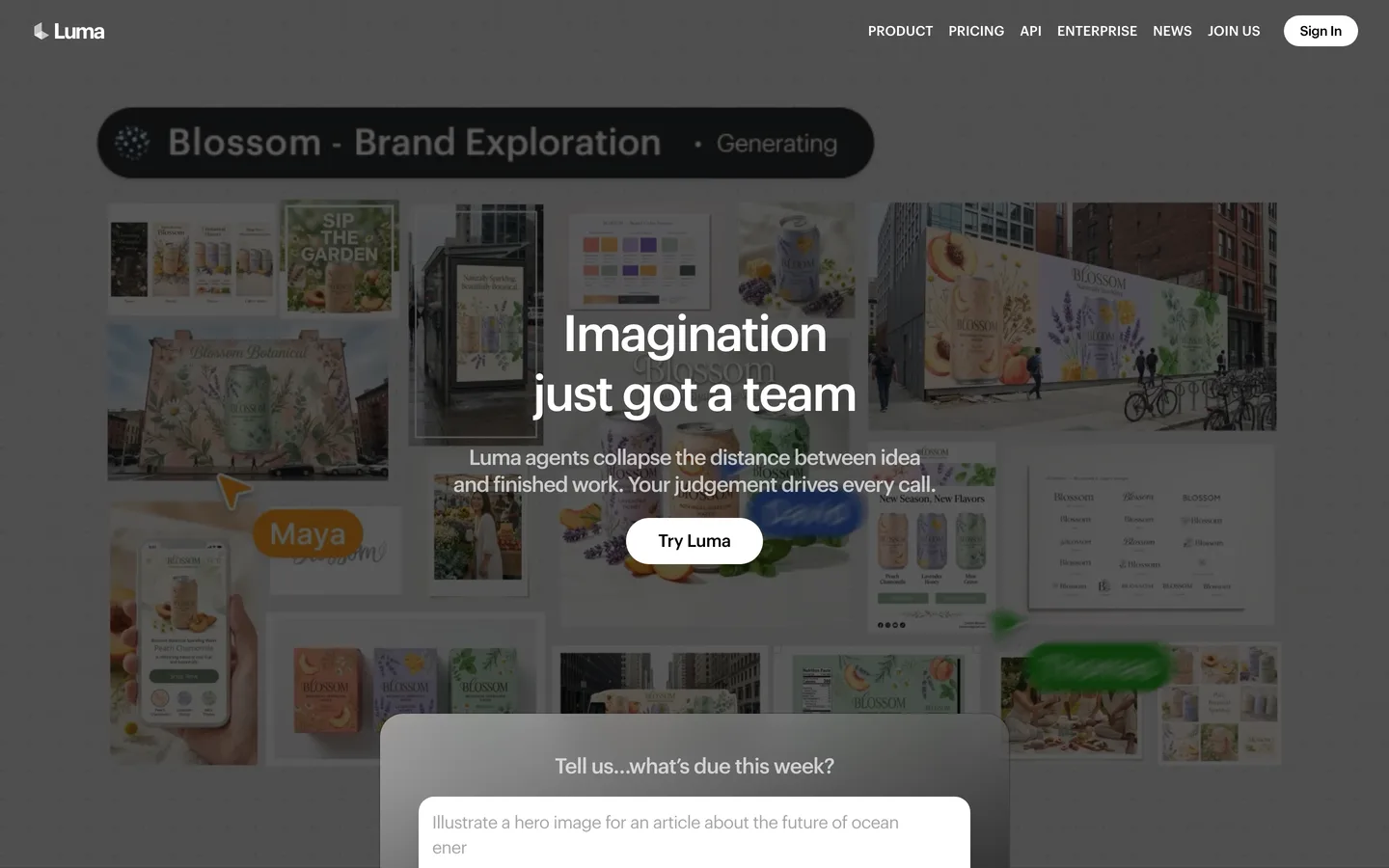
Luma Dream Machine is an AI video generation platform built by Luma Labs that converts text prompts, reference images, and existing video into new video clips using the Ray3 model family. The platform runs as a web application with a conversational interface where you describe what you want to see, and the model generates corresponding video content. Dream Machine handles text-to-video, image-to-video, and with the Ray3 Modify feature, video-to-video transformations that preserve the physical logic and performance of the source footage.
The tool serves content creators, filmmakers, marketers, and creative professionals who need AI-generated video for social media, concept visualization, advertising, and creative experimentation. It competes directly with Runway, Pika, Kling, and Google Veo 3. Luma differentiates through its emphasis on photorealistic output quality, fast generation speed (under 10 seconds for basic clips), and the Ray3 Modify workflow that allows real-world video input to direct AI generation.
How We Built This Guide#
This guide is based on official Luma Labs documentation, verified pricing from the Dream Machine pricing page, the Ray3 and Ray3.14 announcement pages, independent reviews from Tom's Guide, Max-Productive, TechJarvis AI, and GoEnhance, user feedback from Product Hunt and G2, and competitive analysis across the AI video generation category. Feature capabilities were verified against official Luma Labs press releases and learning hub documentation. All facts were last verified March 2026.
Features in Depth#
Ray3.14 Video Generation#
The Ray3.14 model is Luma's most advanced video generation engine and the default for Dream Machine. It produces native 1080p video across all core workflows, runs 4x faster than the original Ray3 at 720p, and costs 3x less per generation at 720p resolution. The model demonstrates improved motion consistency, particularly in video-to-video transformations. Visual coherence for complex scenes with multiple subjects, camera movements, and environmental effects has improved meaningfully since the Ray2 generation that Tom's Guide rated as "better than Sora" in direct comparison testing.
Ray3 Modify (Video-to-Video)#
Ray3 Modify transforms Luma from a text-to-video tool into a hybrid creative platform. You provide source video footage and the model applies AI-driven transformations while preserving the physical logic, narrative coherence, and performance authenticity of the original. The key advancement is keyframe control: you can set start and end frames to guide transitions, control character behavior, and maintain spatial continuity across longer camera passes. Character reference functionality allows you to feed the model a reference image of a person, and it maintains that appearance consistently throughout the generated video, solving one of AI video's most persistent problems.
Text-to-Video with Scene Understanding#
Luma's text-to-video pipeline goes beyond simple prompt matching. The Ray3 model family uses what Luma describes as "reasoning" about the scene, handling complex spatial relationships, multi-subject interactions, and physically plausible motion. In practice, this means scenes involving gravity, fluid dynamics, and object interactions produce more realistic results than earlier model generations. The conversational interface accepts natural language descriptions and iterates quickly: generation times are under 10 seconds for standard clips at lower resolutions.
Image-to-Video Animation#
Provide a still image, and Dream Machine generates motion based on that visual starting point. This feature is particularly useful for animating product photography, bringing illustrations to life, and creating motion from established brand assets. The model infers plausible motion from the image context rather than requiring explicit motion descriptions, though adding directional prompts improves results.
Multi-Format Output and Extension#
Individual generations produce up to 10-second clips. These can be extended to approximately 30 seconds through sequential generation, though Luma's own documentation notes that quality may degrade beyond the initial clip length. Output is available in standard video formats suitable for social media, web embedding, and post-production workflows. Resolution options span from draft quality (faster, lower resolution) up to native 1080p on the Ray3.14 model.
Collaboration Features#
Paid plans include collaboration tools that let you invite guest collaborators who can edit or review projects within Dream Machine. For agency workflows or team-based content production, this eliminates the need to export and share files through external channels. Collaboration is available from the Standard plan upward.
Pros
- Ray3.14 produces native 1080p video with photorealistic quality and coherent motion, competitive with the best models in the category
- Generation speed under 10 seconds for standard clips makes Dream Machine one of the fastest AI video generators available
- Ray3 Modify enables video-to-video transformations with keyframe and character reference controls, going beyond simple text-to-video
- Conversational interface requires no technical knowledge for basic video generation, lowering the barrier to entry
- Commercial use rights included from the Standard plan ($29.99/mo) with no watermarks
- 4x speed improvement and 3x cost reduction with Ray3.14 compared to original Ray3 demonstrates rapid model improvement
Cons
- Generation consistency is unreliable: running the same prompt multiple times produces noticeably different results more than half the time
- Free tier is limited to 30 image generations (not video) with watermarks and no commercial use, too restrictive for meaningful evaluation
- Lite plan ($9.99/mo) still includes watermarks and restricts commercial use, pushing the practical minimum to $29.99/mo
- Video clips are capped at 10 seconds per generation, and quality degrades when extending beyond that through sequential generation
- Credit usage for complex generations can be opaque, with users reporting unexpected credit consumption on higher-quality settings
- No built-in audio generation, unlike what the now-defunct Sora offered during its active period
Features (4.5): The combination of text-to-video, image-to-video, and Ray3 Modify video-to-video with keyframe controls covers the full spectrum of AI video generation workflows. Native 1080p output and the reasoning-based scene understanding set Luma apart from budget competitors. The lack of audio generation is the most notable gap.
Ease of Use (4.3): The conversational web interface is immediately accessible. Type a description, get a video. No software installation, no complex parameters to configure for basic use. The learning curve appears when trying to achieve consistent, specific results across multiple generations, which requires prompt engineering experience.
Value for Money (3.8): The Standard plan at $29.99/month (or $23.99/mo with annual billing) provides 150 generations with commercial rights, which is competitive for the quality level. However, the gap between the free tier (30 image-only generations) and the first plan with commercial video rights ($29.99/mo) is steep. The Premier tier at $499.99/month is priced for production studios.
Performance (4.2): Generation speed is a genuine strength, with sub-10-second output for standard clips. The Ray3.14 speed improvement (4x over Ray3) is noticeable in daily use. Queue times during peak hours can extend wait times, but Luma's infrastructure handles load better than most competitors. Output quality at 1080p is consistently high for photorealistic content.
Accuracy (4.2): Prompt adherence for single-subject scenes with clear descriptions is strong. Multi-subject interactions, specific hand positions, and text within video remain challenging, consistent with the broader category. Ray3 Modify's keyframe control significantly improves accuracy for video-to-video workflows by providing visual reference points.
Pricing Breakdown#
Luma Dream Machine offers four main tiers as of March 2026:
Free ($0/month) provides 30 image generations per month with watermarked output. No video generation, no commercial use rights. Useful only for testing the image generation quality, not for evaluating video capabilities.
Lite ($9.99/month, or $7.99/month annual) provides 70 generations per month. Output is still watermarked. No commercial use rights. Suitable for hobbyists exploring AI video generation without commercial intent.
Standard ($29.99/month, or $23.99/month annual) provides 150 generations per month with watermark-free output and commercial use rights. This is the practical starting point for any professional or commercial use. Freelancers, small businesses, and content creators producing regular AI video content should start here.
Premier ($499.99/month, or $399.99/month annual) provides 2,430 generations per month with highest processing priority and full commercial rights. Designed for production studios, agencies, and high-volume commercial users who need both capacity and speed.
Annual billing saves 20% across all paid plans. All paid plans include access to the Ray3.14 model and Ray3 Modify features.
Free
- 30 image generations/mo
- Watermarked output
- No commercial use
Lite
- 70 generations/mo
- Watermarked
- No commercial use
Standard
- 150 generations/mo
- No watermark
- Commercial use rights
Premier
- 2,430 generations/mo
- Highest priority
- Full commercial rights
Who Should Use Luma Dream Machine?#
Best for creative professionals and filmmakers: Ray3 Modify's keyframe control and character reference features enable workflows that go beyond basic text-to-video generation. Filmmakers can use real footage as directing input for AI-generated scenes, maintaining performance authenticity while transforming visual style.
Best for marketing teams needing fast visual content: Sub-10-second generation times and the conversational interface make Dream Machine efficient for producing social media clips, product animations, and advertising concepts. The Standard plan's commercial rights cover professional use cases.
Best for concept visualization and pitching: When you need to visualize a scene or concept quickly for client presentations, storyboarding, or creative exploration, Dream Machine's speed and quality make it one of the fastest paths from idea to visual output.
NOT for you if you need long-form video beyond 30 seconds (generation quality degrades with extension), you need built-in audio synchronization (Luma does not generate audio), you require pixel-perfect consistency across multiple generations (output varies between runs), or you are on a tight budget and need commercial video rights under $24/month (Pika offers a lower entry point).
Strengths & Limitations#
Luma Dream Machine's defining strength is the combination of output quality and generation speed. The Ray3.14 model produces photorealistic 1080p video in under 10 seconds, and the Ray3 Modify feature genuinely advances the category by letting real-world video direct AI generation. With Sora's shutdown, Luma is positioned as one of three serious options (alongside Runway and Kling) for professional AI video work.
The primary limitation is consistency. Generating the same scene twice rarely produces identical results, which creates friction for production workflows where visual continuity matters. The credit system's opacity, where complex generations consume more credits than simple ones without always being transparent about the cost upfront, frustrates users managing tight budgets. The free tier is too limited to properly evaluate the tool before committing to $30/month.
Similar Tools Worth Considering#
- Runway Gen-4: The closest competitor and market leader for professional AI video production. Gen-4 offers superior motion control through features like motion brush, stronger temporal consistency across clips, and deeper integration with professional post-production workflows. Starts at $15/month. Better for users who need precise creative control over generation results.
- Pika Labs 2.0: Optimized for maximum generation speed on short-form clips. Generates 5-10 second videos in 15-30 seconds, roughly 3-5x faster than competitors for equivalent content. Lower quality ceiling than Luma or Runway, but unmatched for high-frequency social media production. Starts at $10/month.
- Kling 2.0 (Kuaishou): Produces photorealistic quality comparable to Luma at approximately 40% lower cost per second. Excels at human generation and can sustain narrative clips up to two minutes, far exceeding Luma's 10-second per-generation limit. Dominant for high-volume content production in Asian markets, growing globally. Starts at approximately $8/month.
- Google Veo 3: Leads in raw photorealistic and cinematic output quality. Deep integration with Google Drive, YouTube Studio, and Google Ads makes it the natural choice for creators already in the Google ecosystem. Less accessible as a standalone creative tool compared to Luma's conversational interface.
FAQ#
Is Luma Dream Machine free to use?#
Luma offers a free tier with 30 image generations per month, but free output is watermarked and restricted to non-commercial use. Video generation requires a paid plan. The Lite plan at $9.99/month adds video generation but retains watermarks. For watermark-free video with commercial rights, the Standard plan at $29.99/month ($23.99 with annual billing) is the minimum.
How long can Luma Dream Machine videos be?#
Individual generations produce up to 10-second clips. These can be extended to approximately 30 seconds through sequential generation, but Luma's documentation notes that quality may degrade beyond the initial clip length. For content requiring longer videos, you would need to generate multiple clips and edit them together in post-production.
Is Luma Dream Machine better than Runway?#
They serve overlapping but distinct needs. Luma excels at generation speed (under 10 seconds), photorealistic output quality, and the Ray3 Modify video-to-video workflow. Runway Gen-4 offers superior motion control, better temporal consistency, professional editing tools like motion brush, and deeper post-production integration. For quick creative generation, Luma has the edge. For precise professional video production, Runway leads.
What is Ray3 Modify?#
Ray3 Modify is Luma's video-to-video transformation feature that accepts source video footage and applies AI-driven changes while preserving the physical logic and performance of the original. It includes keyframe control (set start and end frames to guide the transformation) and character reference functionality (maintain consistent character appearance across generated clips). It effectively turns Dream Machine into a hybrid tool where real-world video directs AI generation.
Can I use Luma Dream Machine videos commercially?#
Commercial use rights are included from the Standard plan ($29.99/month) upward. The Free and Lite plans do not include commercial use rights. All paid plans from Standard onward also remove watermarks. Generated videos on eligible plans can be used for monetized content, marketing, advertising, and product promotions.
