This site contains affiliate links. We may earn a commission at no extra cost to you. This helps us keep the site running and continue providing free guides and comparisons.
The Bottom Line#
Zapier is the most accessible automation platform for connecting business apps without code, and in 2026 its AI layer has turned it into something more: an orchestration system where AI agents execute multi-step workflows autonomously. Based on our analysis and widespread user feedback, it remains the default choice for anyone who wants to automate workflows between SaaS tools. The 8,000+ app integrations mean you can connect virtually anything. The new AI Agents, Copilot, Canvas, and MCP features push it beyond simple if-this-then-that automations into genuine AI-powered business operations. At $19.99/month for the Professional plan (annual), the ROI is immediate for anyone spending more than an hour per week on repetitive tasks.
Rating: 4.5/5 | Price: Free / $19.99 / $69/month | Last verified: August 2026
Score Breakdown
Key Facts#
- Pricing: Free (100 tasks/mo), Starter ($19.99/mo annual, 750 tasks), Professional ($49/mo annual, 2,000 tasks), Team ($69/user/mo annual, 2,000 shared tasks), Enterprise (custom)
- Free tier: Yes, 100 tasks/month, unlimited Zaps (previously had limits)
- Integrations: 8,000+ apps with 30,000+ actions
- Platforms: Web app, browser extension, API, MCP
- Key updates: Tables, Forms, and Zapier MCP now included on all plans at no extra cost; pay-per-task overflow billing at 1.25x task cost; AI Agents with admin roles and version management; new Admin Center (December 2025); in-line formulas for step fields
- G2 rating: 4.5/5
What Is Zapier and Who Is It For?#
Zapier is a no-code automation platform that connects over 8,000 web applications and enables automated workflows (called "Zaps") between them. A Zap triggers when something happens in one app and performs actions in one or more other apps. Beyond simple automations, Zapier now includes Tables (a built-in database), Forms (for data collection), Chatbots (for conversational automation), and AI Agents (autonomous AI teammates).
Zapier serves small business owners, marketing teams, operations managers, sales teams, and anyone who needs to move data between apps without building custom integrations. Its strength is breadth: no competitor matches the number of supported applications. If an app has an API, Zapier probably connects to it.
The 2026 evolution into AI orchestration means Zapier is no longer just an automation tool. With Agents, Copilot, Canvas, and MCP (Model Context Protocol), you can build autonomous workflows where AI makes decisions, takes actions, and adapts to changing conditions. This transforms Zapier from a workflow utility into a platform for building AI-powered business operations.
How We Built This Guide#
This guide is based on Zapier's official documentation, verified pricing from zapier.com/pricing, and real user feedback from G2 (4.5/5) and community discussions on Reddit. We analyzed Zapier's feature set, pricing structure, and market positioning against alternatives. All facts were last verified March 2026.
Our sources include:
- Official product pages and documentation
- G2 user reviews (verified ratings)
- Reddit community discussions
- Product updates and changelog
- Competitor comparison data
Features in Depth#
8,000+ App Integrations#
Zapier's core advantage is scale. With over 8,000 supported apps and 30,000+ available actions, you can connect almost any combination of business tools. From mainstream apps like Slack, Gmail, and Salesforce to niche tools like specific CRMs, accounting software, and industry platforms, Zapier likely supports it. The integration quality varies: popular apps have deep, well-maintained integrations with many trigger and action options, while smaller apps may offer basic functionality. Based on user reports, approximately 90% of integrations work reliably out of the box. The remaining 10% need workarounds, usually involving Zapier's built-in tools like Formatter or Code steps.
AI Agents: Autonomous Workflows#
Zapier Agents represent the platform's biggest evolution. You define a goal (e.g., "every morning, summarize new leads from HubSpot and post them to Slack with priority rankings"), grant access to relevant data sources, and set a schedule. The agent reasons through the task, decides which apps to use, fetches data, formats output, and delivers results. Based on user reports, agents handle routine data aggregation and reporting tasks reliably. They struggle with ambiguous goals or tasks requiring nuanced judgment, which is expected. The sweet spot is structured, repeatable tasks that follow predictable patterns but require more flexibility than traditional Zaps offer.
Copilot: Natural Language Workflow Building#
Copilot lets you describe an automation in plain language, and the AI builds the Zap for you. Say "when a new lead fills out my Typeform, add them to HubSpot, send a welcome email via Gmail, and notify my team in Slack," and Copilot creates the draft workflow, maps fields, and asks clarifying questions where needed. Based on user reports, Copilot correctly builds approximately 80% of straightforward workflows on the first attempt. Complex multi-branch automations still required manual configuration, but Copilot saved significant setup time even for those by handling the initial scaffolding.
Canvas: Visual Workflow Design#
Canvas is a visual mapping tool for designing complex automation systems. Instead of building individual Zaps in isolation, Canvas lets you see how multiple automations interact, where data flows between systems, and how AI models plug into your workflows. For organizations running dozens of connected Zaps, Canvas provides the architectural overview that was previously impossible to get. It is particularly useful for onboarding new team members who need to understand existing automation infrastructure.
Tables, Forms, and Chatbots#
Zapier now includes built-in data tools on every plan. Tables provides lightweight database functionality similar to Airtable: store, query, and transform data directly within Zapier without external database tools. Forms collect data from users and feed it into automations. Chatbots create conversational interfaces that can qualify leads, answer questions, and trigger workflows based on user responses. These tools eliminate the need for separate subscriptions to basic data and form services.
MCP (Model Context Protocol)#
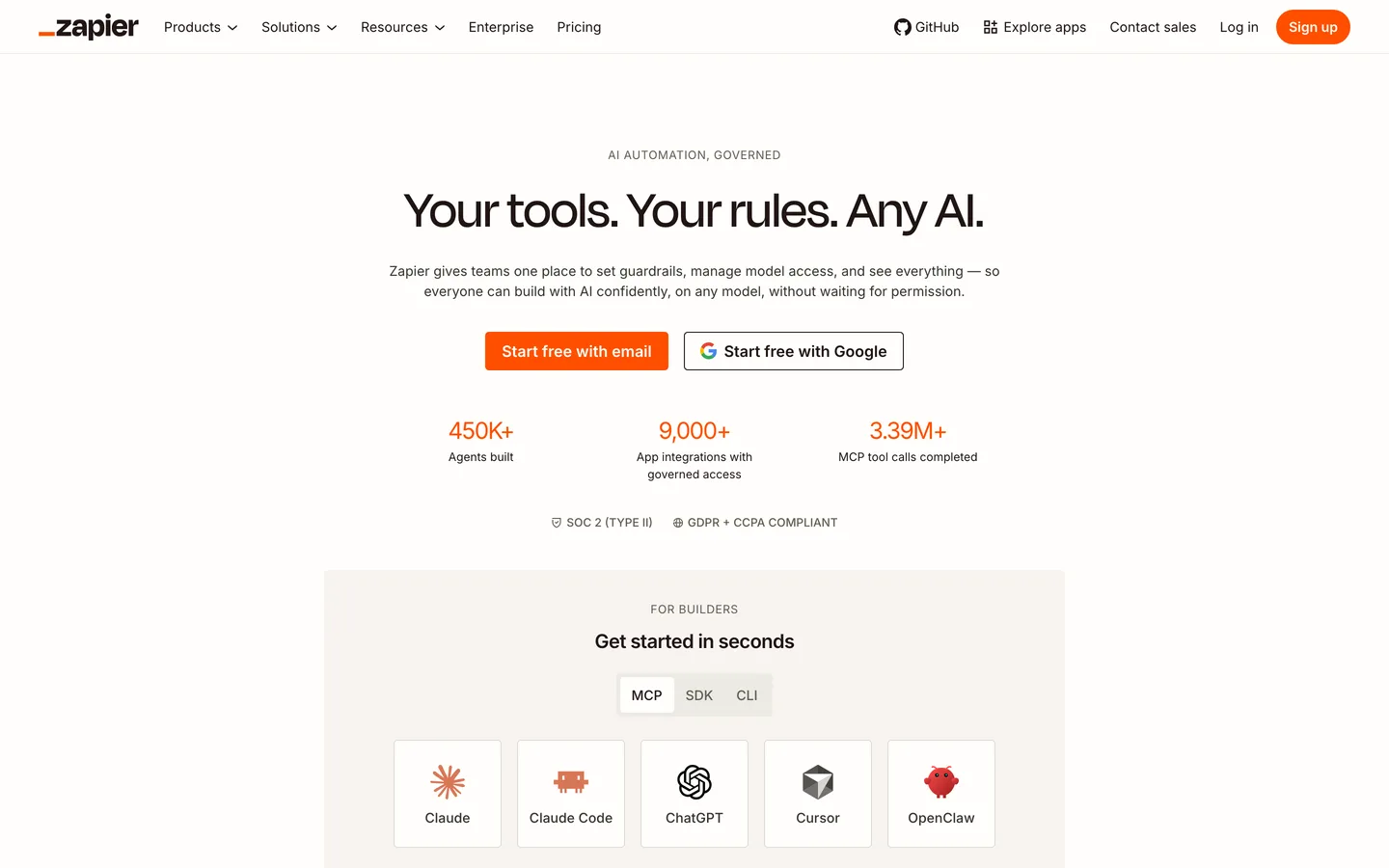
Zapier MCP connects AI tools like ChatGPT, Claude, and Cursor to Zapier's 8,000+ app integrations and 30,000+ actions without complex custom integrations. This means your AI assistants can take real-world actions (send emails, create tasks, update CRMs) through Zapier's infrastructure. MCP is included on all plans and represents a strategic positioning of Zapier as the bridge between AI models and business applications.
Filters, Formatters, and Paths#
Zapier's built-in tools (Filters, Formatters, Paths, Delays, and Looping) handle data transformation and conditional logic within workflows. Critically, these do not count toward your task usage. Filters prevent unnecessary actions when conditions are not met. Paths create branching logic. Formatters transform data between formats. These tools make complex automations possible without code and without consuming extra tasks.
Pros
- 8,000+ app integrations with 30,000+ actions cover virtually every business tool, eliminating the need for custom API work
- AI Agents execute autonomous multi-step workflows with reasoning, turning routine tasks into hands-off operations
- Copilot builds automations from plain English descriptions, reducing setup time by 60-80% for straightforward workflows
- Tables, Forms, and Chatbots included on all plans replace the need for separate database, form, and conversational UI subscriptions
- Built-in tools (Filters, Formatters, Paths) do not count toward task usage, keeping costs predictable for complex automations
- MCP connects AI assistants like ChatGPT and Claude to real-world app actions through Zapier's integration infrastructure
Cons
- Task-based pricing means costs scale directly with usage; high-volume automations can become expensive quickly
- When you exceed your plan's task limit, Zapier switches to pay-per-task billing at 1.25x the base rate, and pauses Zaps at 3x
- The free plan is limited to 100 tasks per month and two-step Zaps, which is too restrictive for meaningful automation
- AI Agents struggle with ambiguous goals and tasks requiring nuanced judgment, working best for structured, predictable patterns
- Integration quality varies: niche app integrations sometimes have limited triggers and actions compared to popular apps
Pricing Breakdown#
Zapier offers four tiers as of March 2026:
Free -- 100 tasks per month, two-step Zaps only (one trigger, one action), access to all 8,000+ app integrations, Tables, Forms, and Chatbots. Useful for testing and very light automation. The two-step limitation makes it impractical for most real workflows that need multiple actions.
Professional ($19.99/month annual, approximately $30/month monthly) -- 750 tasks per month, multi-step Zaps, Paths (conditional logic), Filters, Formatters, Webhooks, and all AI features. The entry point for real automation work. 750 tasks handles a moderate automation workload. Additional task packs are available for purchase.
Team ($69/month annual) -- 2,000 tasks per month, shared folders, shared app connections, user roles and permissions, SAML SSO, and everything in Professional. Designed for teams collaborating on automations. The shared infrastructure prevents duplication and ensures consistency.
Enterprise (custom pricing) -- Advanced security, compliance controls, dedicated account management, priority support, and custom task volumes. Contact sales for a quote.
Task counting: Only action steps count as tasks. Triggers, Filters, Formatters, and Paths are free. This makes complex workflows more economical than they appear. A five-step Zap with one trigger, one filter, and three actions consumes only 3 tasks per execution.
Overage handling: When you hit your plan's task limit, Zapier switches to pay-per-task billing at 1.25x the cost of a base task. If you reach 3x your task subscription, Zaps pause until the next billing cycle. Monitor usage to avoid unexpected costs.
Annual billing saves approximately 33% compared to monthly payments.
| Plan | Price | Key Features |
|---|---|---|
| Free | $0 | 100 tasks/month, Two-step Zaps, 8,000+ apps, Tables + Forms |
| ⭐ Professional | $19.99/mo (annual) | 750 tasks/month, Multi-step Zaps, Paths + Filters, AI features |
| Team | $69/mo (annual) | 2,000 tasks/month, Shared folders, SAML SSO, User roles |
Free
- 100 tasks/month
- Two-step Zaps
- 8,000+ apps
- Tables + Forms
Professional
- 750 tasks/month
- Multi-step Zaps
- Paths + Filters
- AI features
Team
- 2,000 tasks/month
- Shared folders
- SAML SSO
- User roles
Similar Tools Worth Considering#
- Make (formerly Integromat): More powerful visual workflow builder with better handling of complex data transformations. Lower pricing for high-volume automation. Fewer integrations (2,000+) but deeper customization per integration. Better for technical users who need granular control.
- n8n: Self-hosted open-source alternative with no task limits and complete data control. Requires technical setup and maintenance. Best for development teams who want unlimited automation without per-task costs.
- Power Automate: Microsoft's automation platform, deeply integrated with Microsoft 365 and Azure. Best for organizations standardized on the Microsoft ecosystem. Pricing is included in many Microsoft 365 plans.
- Pipedream: Developer-focused automation platform with code-first workflows. Better for engineers who want to write JavaScript/Python within automations. More flexible than Zapier for custom logic. Smaller integration library.
For a broader overview of AI productivity and automation tools, see our Best AI Tools 2026 guide.
Who Should Use Zapier?#
Best for small business owners: Automate lead capture, invoicing, email follow-ups, and social media posting without hiring a developer. Zapier's breadth of integrations means you can connect whatever tools you already use. The Professional plan's 750 tasks handles a typical small business automation workload.
Best for marketing teams: Connect your CRM, email platform, social media scheduler, analytics tools, and ad platforms into cohesive workflows. Automate lead scoring, campaign reporting, and content distribution. AI Agents can handle morning lead summaries and weekly performance reports autonomously.
Best for sales operations: Route leads from forms to CRMs, trigger follow-up sequences, sync data between tools, and create deal-stage automations. The integration depth with Salesforce, HubSpot, and Pipedrive is well-maintained and reliable.
Best for operations managers: Build cross-departmental workflows that connect HR, finance, project management, and communication tools. Canvas provides the visual overview needed to manage complex automation infrastructure. Tables stores operational data without external databases.
NOT for you if you need to process thousands of automations per hour at minimal cost (Make or n8n offer better economics at scale), you require deeply customized integrations that go beyond standard API actions (custom development is more appropriate), or your tech stack is primarily a single platform like Microsoft 365 or Google Workspace (native automations within those ecosystems may be sufficient).
Zapier remains the most comprehensive automation platform available, and the 2026 AI features elevate it from a workflow tool into an AI-powered operations layer. The combination of 8,000+ integrations, AI Agents, Copilot, Canvas, Tables, Forms, Chatbots, and MCP creates a platform that handles everything from simple two-step automations to complex AI-driven business processes.
Its biggest strength is accessibility paired with depth: anyone can build a simple Zap in minutes, and power users can orchestrate sophisticated multi-system workflows with AI reasoning. Its biggest weakness is the task-based pricing model that can escalate costs unpredictably at high volumes.
If you spend time on repetitive tasks that involve moving data between apps, Zapier will save you hours per week. Start with the free tier to test integrations with your specific tools, then upgrade to Professional when you need multi-step workflows. For teams, the Team plan's shared infrastructure prevents automation sprawl and keeps workflows organized.
FAQ#
Is Zapier free to use?#
Yes. Zapier's free plan includes 100 tasks per month, two-step Zaps (one trigger plus one action), and access to all 8,000+ app integrations, Tables, Forms, and Chatbots. The free tier is functional for testing and very light automation but too limited for most real business workflows due to the two-step restriction and 100-task cap.
What counts as a "task" in Zapier?#
A task is counted each time an action step executes successfully. Triggers do not count as tasks. Built-in tools like Filters, Formatters, and Paths also do not count. A five-step Zap with one trigger, one filter, one formatter, and two actions consumes 2 tasks per execution. This counting method makes complex workflows more economical than they initially appear.
How does Zapier compare to Make?#
Zapier offers more integrations (8,000+ vs. 2,000+) and is easier for non-technical users. Make provides more powerful visual workflow design, better data transformation handling, and lower pricing for high-volume usage. Choose Zapier if integration breadth and AI features are priorities. Choose Make if you need advanced workflow logic and cost efficiency at scale.
What are Zapier Agents?#
Zapier Agents are autonomous AI teammates that you configure with a goal, data source access, and a schedule. The agent reasons through tasks, decides which apps to use, and executes actions independently. For example, an agent can summarize new leads every morning, prioritize them, and post the summary to Slack. Agents work best for structured, repeatable tasks and are included on all Zapier plans.
What happens if I exceed my Zapier task limit?#
When you hit your plan's task limit, Zapier automatically switches to pay-per-task billing at 1.25x the cost of a base task in your plan. If you reach 3x your task subscription within a billing period, your Zaps pause until the next billing cycle. You can also purchase additional task packs proactively. Monitor your usage dashboard to avoid unexpected costs or paused workflows.
What is Zapier MCP?#
MCP (Model Context Protocol) connects AI tools like ChatGPT, Claude, and Cursor to Zapier's 8,000+ app integrations and 30,000+ actions. This allows your AI assistants to perform real-world actions (send emails, update CRMs, create tasks) through Zapier without custom API integrations. MCP is included on all plans at no extra cost.
