This site contains affiliate links. We may earn a commission at no extra cost to you. This helps us keep the site running and continue providing free guides and comparisons.
The Bottom Line#
Grammarly is the most practical AI writing assistant for professionals who write across many platforms daily. It works inside Gmail, Google Docs, Slack, LinkedIn, WordPress, and over a million other apps and websites, catching errors and improving clarity without requiring you to copy-paste text into a separate tool. Based on our analysis, its real value is not grammar checking (most writers catch obvious errors) but the tone adjustments, full-sentence rewrites, and clarity suggestions that make communication more effective. The Pro plan at $12/month (annual) adds generative AI with 2,000 prompts/month, a plagiarism checker, and advanced tone detection. For anyone who writes professionally in English, the friction reduction alone justifies the cost.
Rating: 4.5/5 | Price: Free / $12/month / Enterprise | Last verified: August 2026
Score Breakdown
Key Facts#
- Pricing: Free ($0), Pro ($12/mo annual, $30/mo monthly), Enterprise (custom)
- Free tier: Yes, basic grammar, spelling, and punctuation checking
- Platforms: Browser extension (Chrome, Firefox, Edge, Safari), desktop apps (macOS, Windows), mobile keyboard (iOS, Android), integrations with 1M+ apps
- AI capabilities: Grammar/style correction, generative AI, tone detection, full-sentence rewrites, plagiarism checking, AI detection/authorship analytics
- Languages: Full support for English; grammar and paragraph-level rewrites now available in Spanish, French, Portuguese, German, and Italian (2026 launch)
- Team features: Pro supports up to 149 team members with brand voice guides and style consistency
What Is Grammarly and Who Is It For?#
Grammarly is an AI-powered writing assistant that provides real-time suggestions for grammar, spelling, punctuation, clarity, tone, and style. It operates as a browser extension and system-level integration, working inside virtually every application where you type, from email clients and messaging apps to document editors and CMS platforms.
The platform serves two primary audiences: professionals who write across multiple platforms daily (emails, documents, social media, chat) and want consistent quality without context-switching, and teams that need to maintain consistent brand voice and communication standards across members. What separates Grammarly from general-purpose AI tools like ChatGPT is its integration model. ChatGPT requires you to visit a separate interface. Grammarly meets you wherever you are already writing, providing suggestions inline without disrupting your workflow.
How We Built This Guide#
This guide is based on Grammarly's official documentation, verified pricing from grammarly.com/plans, and real user feedback from G2 and community discussions on Reddit. We analyzed Grammarly's feature set, pricing structure, and market positioning against alternatives. All facts were last verified March 2026.
Our sources include:
- Official product pages and documentation
- G2 user reviews (verified ratings)
- Reddit community discussions
- Changelog and release notes
- Competitor comparison data
Why Grammarly
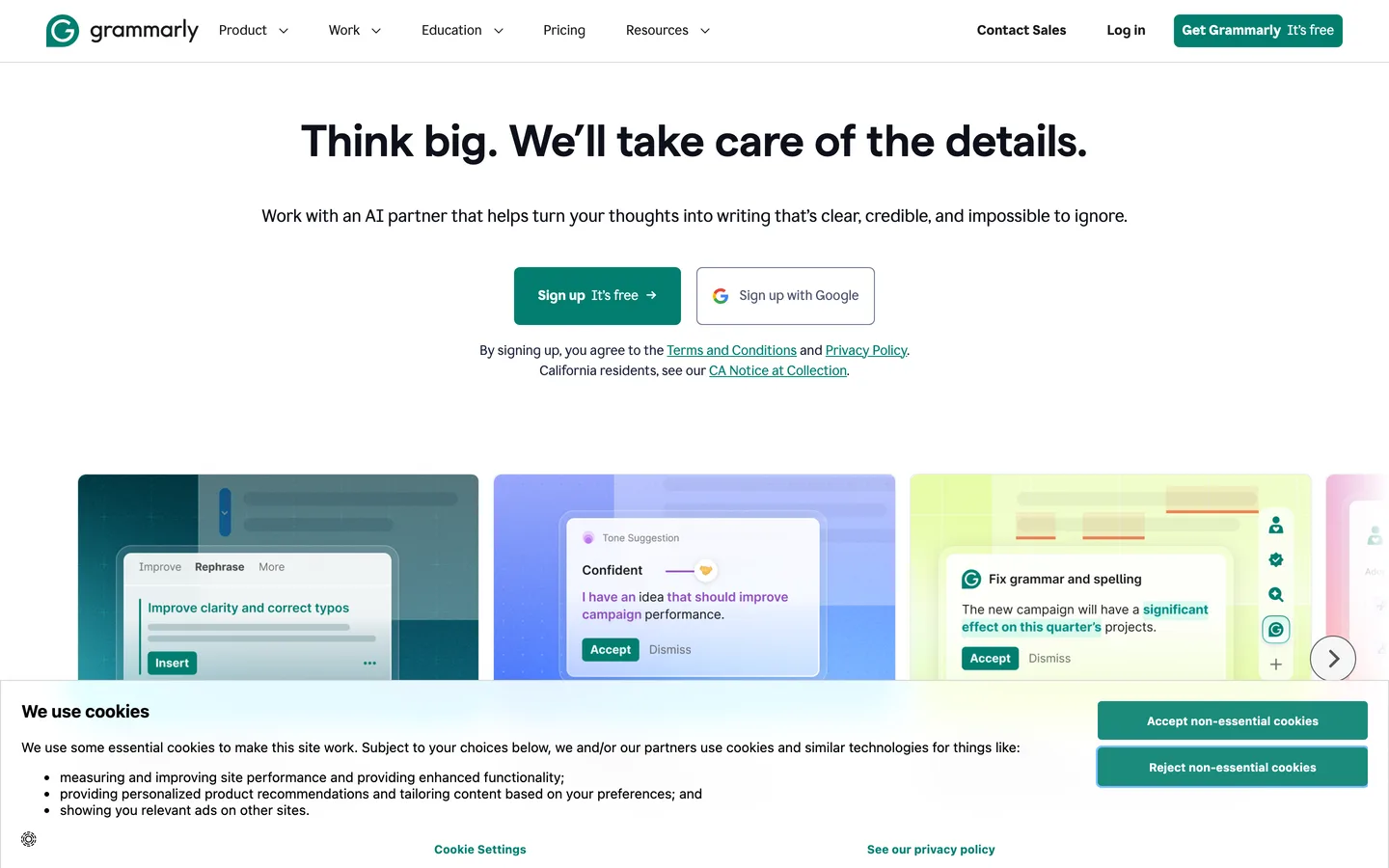
Visit provider- Universal IntegrationGrammarly's most valuable feature is where it works, not what it does.
- Tone Detection and AdjustmentGrammarly analyzes your writing's tone in real-time, labeling it as confident, friendly, formal, appreciative, concerned, or other categories.
- Full-Sentence RewritesBeyond correcting individual errors, Grammarly Pro suggests complete sentence rewrites for clarity, conciseness, and impact.
- Generative AI (2,000 Prompts/Month)Grammarly Pro includes generative AI capabilities with a monthly allowance of 2,000 prompts.
- Plagiarism CheckerPro includes a plagiarism detector that scans your text against over 16 billion web pages and ProQuest's academic databases.
Features in Depth#
Universal Integration#
Grammarly's most valuable feature is where it works, not what it does. The browser extension activates automatically in Gmail, Google Docs, WordPress, LinkedIn, Twitter/X, Notion, Slack, and essentially any text field in your browser. The desktop app extends coverage to native applications like Microsoft Word, Apple Mail, and local text editors. You never need to copy text into a separate tool. In practice, this means every email, every Slack message, and every document gets the same level of attention. The friction reduction is the primary reason users continue subscribing.
Tone Detection and Adjustment#
Grammarly analyzes your writing's tone in real-time, labeling it as confident, friendly, formal, appreciative, concerned, or other categories. More importantly, it suggests rewrites to shift the tone when needed. This is most useful for client emails where the right tone is critical. Writing a request that sounds demanding? Grammarly flags it and offers a softer alternative. Drafting feedback that sounds dismissive? It suggests a more constructive framing. Based on G2 reviews, tone suggestions are appropriate approximately 85% of the time. The remaining 15% are either unnecessary or slightly off-target for the context.
Full-Sentence Rewrites#
Beyond correcting individual errors, Grammarly Pro suggests complete sentence rewrites for clarity, conciseness, and impact. It identifies wordy sentences, passive constructions, and unclear phrasing, then offers streamlined alternatives. Based on user feedback, accepting about 60% of rewrite suggestions improves readability without losing the original writing voice. The other 40% simplify too aggressively or lose nuance. Learning which suggestions to accept and which to skip takes a week or two of regular use.
Generative AI (2,000 Prompts/Month)#
Grammarly Pro includes generative AI capabilities with a monthly allowance of 2,000 prompts. You can generate text on-demand, rewrite for different tones or lengths, and brainstorm ideas directly within any supported application. The generation quality is comparable to ChatGPT for short-form content (emails, social posts, brief summaries). For longer content, ChatGPT and Claude produce more nuanced output. The value of Grammarly's generative AI is not superior quality but in-context availability: you generate and refine text without leaving your email client or document editor.
Plagiarism Checker#
Pro includes a plagiarism detector that scans your text against over 16 billion web pages and ProQuest's academic databases. It flags matching sentences, provides source references, and calculates an overall originality score. According to user reports, it correctly identifies both deliberate paraphrases and direct quotes. It does not catch sophisticated paraphrasing as reliably as Turnitin, but for professional content production where you want to verify originality before publishing, it is a solid safeguard.
Multilingual Support (2026 Launch)#
A significant 2026 expansion: Grammarly now supports grammar and style checking in Spanish, French, Portuguese, German, and Italian. When you write in these languages, you see the same red underlines familiar from the English experience. Paragraph-level rewrites for clarity, tone, and structure are available across all five new languages. This transforms Grammarly from an English-only tool into a practical multilingual writing assistant, though the depth of suggestions in new languages does not yet match the English experience.
AI Detection and Authorship Analytics#
Grammarly updated its Authorship analytics to identify AI-assisted writing more accurately. Text pasted into a document and rephrased with AI is now categorized as a subcategory under copied or generated text. Authorship tracking works within Word in addition to Google Docs, providing attribution data across web and desktop sources. For teams managing content integrity, this is a meaningful compliance tool.
Brand Voice and Style Guides (Pro Teams)#
Pro now includes team features previously reserved for the Business plan. You can create style guides that enforce consistent terminology, brand voice, and communication standards across up to 149 team members. Custom rules flag deviations from your established guidelines in real-time. Users can switch between assigned style guides so only suggestions relevant to a specific audience, brand, or project are shown. Admins can set regional spelling and grammar preferences for specific groups. For agencies and content teams, this replaces the manual style guide that nobody reads with automated, inline enforcement.
Pros
- Works inside 1M+ apps and websites through browser extension and system integration, eliminating copy-paste workflows entirely
- Tone detection and adjustment catches communication misfires in professional emails and client messages before you send them
- Full-sentence rewrites improve clarity and conciseness while preserving your voice, with approximately 60% of suggestions worth accepting
- Pro plan at $12/month annual includes generative AI (2,000 prompts), plagiarism checker, and team features previously locked to Business
- Brand voice and style guides enforce consistent communication standards across teams of up to 149 members automatically
- Plagiarism checker scans against 16 billion web pages and academic databases, providing source references and originality scores
Cons
- Monthly pricing at $30/month without annual commitment is expensive, making the upfront $144/year annual payment the only sensible option -- Reddit users frequently complain about the price jump
- Long-time users report frustration with Grammarly's AI-heavy direction: constant AI feature notifications make basic grammar checking harder without upgrading, and some five-year subscribers threaten to cancel without an option to revert to the classic experience
- Generative AI output quality falls short of ChatGPT and Claude for anything beyond short-form content like emails and social posts
- Multilingual support (Spanish, French, Portuguese, German, Italian) launched in 2026 but does not yet match the depth and accuracy of the English experience
- The Business plan was eliminated, replaced by custom-priced Enterprise, creating a gap between Pro ($12/mo) and Enterprise for mid-size teams that need admin controls without a sales process
Features (4.4): Grammar correction, tone detection, full-sentence rewrites, generative AI, plagiarism checking, and brand voice guides cover the full spectrum of writing assistance. Missing deeper content strategy features like SEO optimization and long-form content structuring that tools like Jasper provide.
Ease of Use (4.9): Install the extension, and it works. No configuration, no onboarding, no learning curve. Suggestions appear inline as you type, and accepting or dismissing them is a single click. This is widely regarded as the most frictionless AI writing tool available.
Value for Money (4.4): Pro at $12/month (annual) is reasonable for the feature set, especially now that it includes team features previously requiring the Business plan. The $30/month monthly price is steep. The elimination of the Business plan in favor of custom Enterprise pricing creates a gap for mid-size teams that want more than Pro but cannot justify a sales call.
Performance (4.6): Suggestions appear within 1-2 seconds of typing. The extension does not noticeably slow browsers or applications. Occasional brief delays when processing long documents (5,000+ words). The mobile keyboard works well without impacting typing speed.
Accuracy (4.5): Grammar and spelling correction accuracy is above 98% for standard English writing. Tone detection is accurate approximately 85% of the time. Full-sentence rewrites improve text in about 60% of cases. The plagiarism checker catches direct copying and close paraphrasing reliably.
Pricing Breakdown#
| Plan | Price | Key Features |
|---|---|---|
| Free | $0 | Grammar & spelling, Basic tone detection, 100 AI prompts/mo, All platforms |
| ⭐ Pro | $12/mo (annual) | Full-sentence rewrites, Generative AI (2,000 prompts), Plagiarism checker, Brand voice & style guides, Teams up to 149 members |
| Enterprise | Custom | Unlimited AI credits, SAML SSO, Advanced admin, Analytics dashboard, Dedicated support |
Grammarly simplified its pricing in 2026, reducing from four tiers to three:
Free -- Basic grammar, spelling, and punctuation checking. Tone detection (basic). Works across all supported platforms. Includes limited generative AI (100 AI prompts/month for text generation), but no full-sentence rewrites, tone adjustment, plagiarism checker, or style guides. Sufficient for catching typos and basic errors, but limited for professional writing improvement.
Pro ($12/month annual, $20/month quarterly, $30/month monthly) -- Everything in Free plus full-sentence rewrites, advanced tone suggestions, vocabulary improvements, clarity and conciseness edits, plagiarism detection, formatting suggestions, generative AI with 2,000 prompts/month, and brand voice/style guides for teams up to 149 members. This plan absorbed features from the former Premium and Business plans.
Enterprise (custom pricing) -- Unlimited generative AI credits, advanced admin controls, SAML SSO, user groups, custom style guides, analytics dashboard, and dedicated support. Replaces the former Business plan. Contact sales for pricing, which makes it inaccessible for smaller teams that just need collaboration features.
Hidden costs to consider: The annual plan requires a $144 upfront payment. Monthly billing at $30/month costs $360/year, 2.5x the annual price. The quarterly plan at $60 per quarter ($240/year) is a compromise but still 67% more than annual. For teams that outgrow Pro but are too small for Enterprise, there is currently no intermediate option.
Free
- Grammar checking
- Spelling
- Punctuation
- 100 AI prompts/mo
Pro (Annual)
- Generative AI
- 2,000 prompts/mo
- Plagiarism checker
- Tone detection
Pro (Monthly)
- Same as annual
- No commitment
- Cancel anytime
Enterprise
- Custom team size
- Admin controls
- SSO
- Analytics
Similar Tools Worth Considering#
- ChatGPT: Stronger generative AI for content creation, brainstorming, and long-form writing. No inline integration across apps. Choose ChatGPT when generation quality matters more than in-context correction. Many users benefit from both: Grammarly for daily writing assistance, ChatGPT for dedicated content creation. See also our Grammarly vs Jasper comparison for marketing-focused writing.
- ProWritingAid: More detailed writing analysis with reports on style, structure, readability, and pacing. Better for authors and long-form writers who want deep editorial feedback. Less polished integration than Grammarly but stronger analytical depth.
- LanguageTool: Open-source alternative with strong multilingual support covering 30+ languages. Free tier is more generous than Grammarly's. Choose LanguageTool if you write primarily in non-English languages.
- Hemingway Editor: Focused specifically on readability and conciseness. Free for basic use. No grammar checking or generative AI. Choose Hemingway as a supplement for improving readability in long-form content.
Explore all Grammarly alternatives or see how it ranks in our Best AI Tools 2026 guide.
Who Should Use Grammarly?#
Best for professionals who write across many platforms daily: If you send 20+ emails, write Slack messages, draft documents, and post on social media every day, Grammarly's universal integration catches issues across all of them without changing your workflow. The friction reduction compounds over hundreds of daily interactions.
Best for non-native English writers: Tone detection and full-sentence rewrites help non-native speakers write more natural, professional English. The corrections go beyond grammar to address phrasing patterns that are technically correct but sound non-native. Several non-native English-speaking clients report this as Grammarly's highest value feature.
Best for content teams needing consistency: Style guides and brand voice settings on Pro enforce terminology, tone, and communication standards automatically across team members. This replaces manual style guide adherence, which realistically happens inconsistently in most organizations.
NOT for you if you need an AI writing tool for long-form content generation (ChatGPT or Claude produce substantially better output for articles, reports, and creative writing), you primarily write in languages beyond the six supported (English, Spanish, French, Portuguese, German, Italian), or you need SEO content optimization (NeuronWriter or Surfer SEO are purpose-built for that).
Grammarly is the most seamlessly integrated AI writing assistant available. Its value is not in any single feature but in the compound effect of having competent writing assistance available in every text field, every email, and every document you touch throughout the day. The tone detection and full-sentence rewrites catch communication issues that grammar checkers miss, and the universal integration means you never need to change your workflow to benefit.
Its biggest strength is ubiquity: it works everywhere you write, providing consistent quality improvement without friction. Its biggest weakness is the pricing gap between Pro ($12/month) and Enterprise (custom pricing), which leaves mid-size teams without a clean upgrade path.
Start with the free tier to experience the integration model. Upgrade to Pro ($12/month annual) when you want tone detection, full-sentence rewrites, and generative AI. For most professionals who write in English regularly, Pro pays for itself through time saved and communication improved.
FAQ#
Is Grammarly free in 2026?#
Yes. The free tier includes basic grammar, spelling, and punctuation checking across all supported platforms (browser extension, desktop apps, mobile keyboard). It catches errors but does not provide full-sentence rewrites, advanced tone suggestions, generative AI, or plagiarism detection. For typo-catching, the free tier works. For professional writing improvement, Pro is necessary.
Is Grammarly Pro worth the price?#
For professionals who write regularly in English across multiple platforms, yes. The $12/month annual price is justified by tone detection, full-sentence rewrites, and 2,000 generative AI prompts/month. The plagiarism checker and brand voice features add further value for content creators and teams. If you write fewer than 5 emails per day and do not produce content professionally, the free tier may be sufficient.
Does Grammarly work with Google Docs?#
Yes. Grammarly's browser extension integrates directly with Google Docs, providing inline suggestions as you type. It also works with Gmail, Google Slides, and other Google Workspace applications. The integration is seamless and does not require copy-pasting text into a separate tool.
How does Grammarly compare to ChatGPT for writing?#
They serve different purposes. Grammarly excels at in-context correction and improvement of text you are already writing, across every app and website. ChatGPT excels at generating new content, brainstorming, and long-form writing in a dedicated interface. Grammarly catches errors and improves clarity as you type. ChatGPT creates content from scratch. Most professionals benefit from using both.
What happened to Grammarly Business?#
Grammarly eliminated the Business plan and replaced it with custom-priced Enterprise. The Pro plan ($12/month annual) absorbed many features previously exclusive to Business, including team support for up to 149 members, style guides, and brand voice settings. Teams that need advanced admin controls, SSO, unlimited AI credits, and analytics must move to Enterprise, which requires contacting sales for pricing.
Sources#
- https://www.grammarly.com/plans
- https://www.grammarly.com/pro
- https://www.grammarly.com/ai-writing-assistant
- https://www.grammarly.com/plagiarism-checker
- https://www.demandsage.com/how-much-is-grammarly-premium/
- https://www.grammarly.com/blog/product/multilingual-support-launch/
- https://www.g2.com/products/grammarly/reviews
