
This site contains affiliate links. We may earn a commission at no extra cost to you. This helps us keep the site running and continue providing free guides and comparisons.
The Bottom Line#
WhatConverts answers the question every marketer actually cares about: which marketing actually produced a lead. It captures leads across phone calls, forms, chats, and e-commerce transactions, and ties each one back to the source, campaign, and even keyword that generated it, all in one dashboard. That multi-channel breadth is its edge over pure call-tracking tools like CallRail. It is aimed squarely at marketing agencies and lead-gen businesses, and the ratings back it up: G2 4.9 and Capterra 4.9, with support frequently singled out for praise. Plans start at $30/month for call tracking, with Plus ($60) unlocking forms, chats, and campaign/keyword reporting. The one honest trade-off: billing is usage-based, so costs can climb unpredictably at high lead volume. For agencies that need to prove marketing ROI down to the keyword, it is one of the best tools available.
Rating: 4.6/5 | Price: $30 / $60 / $100 / $160 per month (+ agency tiers) | Last verified: July 2026
Score Breakdown
Key Facts#
- Pricing: Call Tracking ($30/mo), Plus ($60/mo), Pro ($100/mo), Elite ($160/mo), plus agency unlimited-account tiers
- Free tier: No, but a 14-day trial
- Tracks: calls, forms, chats, and e-commerce transactions in one dashboard
- Standout: source-to-lead attribution down to campaign and keyword
- Company: Founded 2014, Charlotte NC, USA; bootstrapped, ~$10M ARR
- Ratings: G2 4.9/5, Capterra 4.9/5
What Is WhatConverts and Who Is It For?#
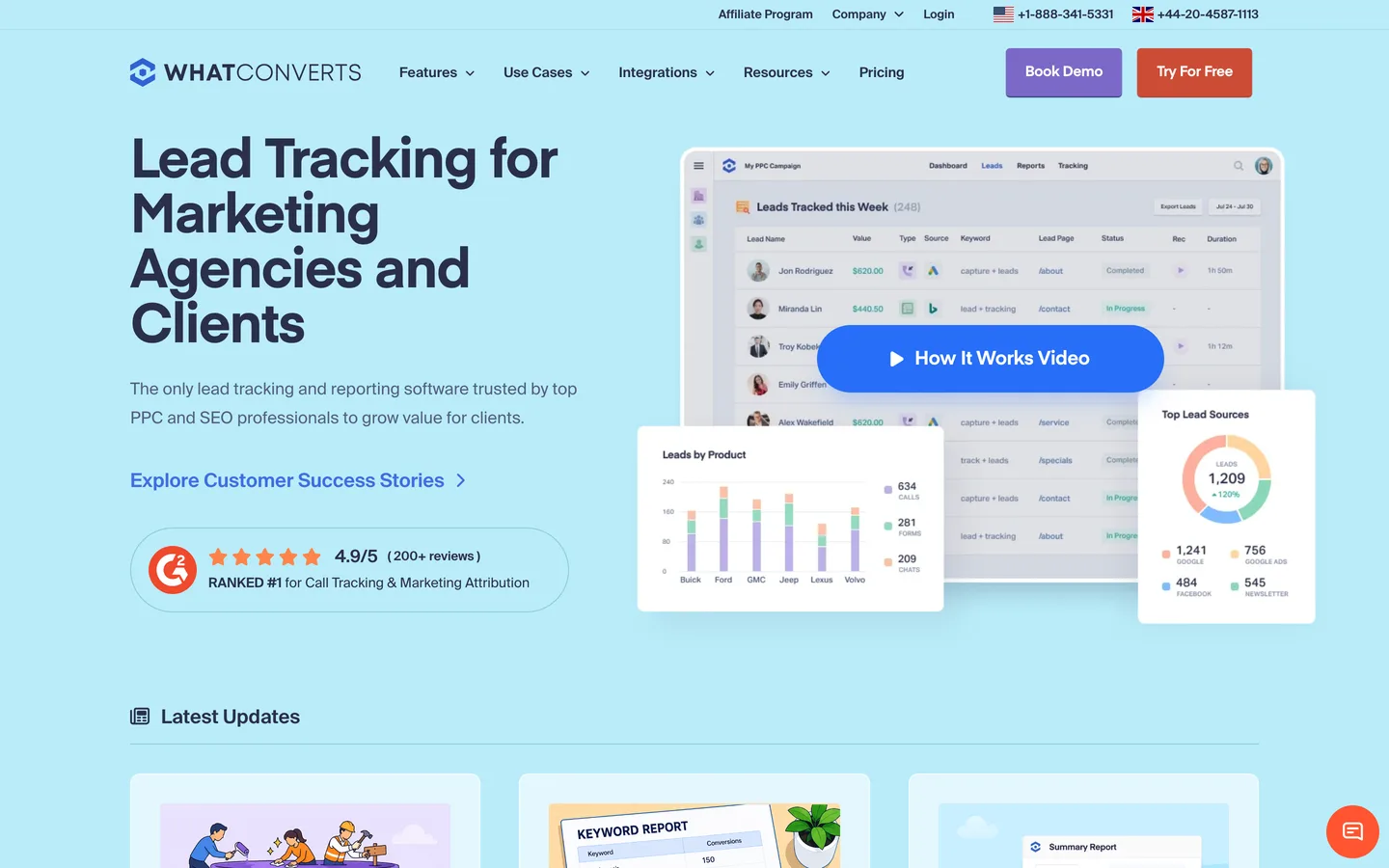
WhatConverts is a lead tracking and marketing attribution platform. It sits across all the ways a lead can reach a business, a phone call, a form submission, a chat, or an online purchase, captures each one, and connects it to the marketing that drove it. Using dynamic number insertion for calls and tracking scripts for forms and chats, it can tell you that a particular lead came from a specific Google Ads campaign and keyword, not just "paid search." From there you get lead management (search, filter, qualify, tag, export) and attribution reporting with a custom report builder, and on higher tiers a multi-click Customer Journey view.
It is built primarily for marketing agencies proving ROI to clients, and for PPC and SEO professionals and local or service businesses (HVAC, legal, dental, real estate, automotive, and more) that generate leads by phone and form. The agency-focused unlimited-account plans and white-label options make it a natural fit for managing many clients. It is less suited to businesses that do not care about lead-source attribution, or that need a full CRM rather than a tracking-and-attribution layer.
How We Built This Guide#
This guide is based on WhatConverts's official pricing and GDPR pages, its Germany call-tracking page, and independent reviews on Capterra (4.9/5) and G2 (4.9/5). We verified the single-account tier structure and prices as of July 2026 and flagged usage-based add-on rates that only appear in third-party sources. The GDPR/DPA and German-number points were checked against WhatConverts's own documentation. All facts were last verified July 2026.
Our sources include:
- WhatConverts official pricing, GDPR and international call-tracking pages
- Capterra and G2 user reviews
- Public company metrics
Why WhatConverts
Visit provider- Call Tracking with Dynamic Number Insertion
- Form and Chat TrackingBeyond calls, WhatConverts tracks form submissions, without rebuilding your existing forms, and chat conversations, tying both back to marketing sources.
- E-Commerce and Transaction TrackingFor online sellers, WhatConverts can track transactions and revenue, so attribution goes all the way to actual sales, not just lead volume.
- Lead Management and Attribution ReportingLeads land in a dashboard where you can search, filter, qualify, tag, and export them.
- Integrations and API
Features in Depth#
Call Tracking with Dynamic Number Insertion#
The foundation. WhatConverts swaps the phone number shown to each visitor (dynamic number insertion) so it can attribute the resulting call to the exact source, campaign, and keyword. Calls are recorded and transcribed, and available even on the entry tier.
Form and Chat Tracking#
Beyond calls, WhatConverts tracks form submissions, without rebuilding your existing forms, and chat conversations, tying both back to marketing sources. This is what makes it multi-channel rather than a pure call-tracking tool.
E-Commerce and Transaction Tracking#
For online sellers, WhatConverts can track transactions and revenue, so attribution goes all the way to actual sales, not just lead volume.
Lead Management and Attribution Reporting#
Leads land in a dashboard where you can search, filter, qualify, tag, and export them. The reporting attributes leads down to campaign and keyword, with a custom report builder and scheduled reports. Higher tiers add a multi-click Customer Journey view that shows every touch before conversion.
Integrations and API#
WhatConverts advertises 1,000+ integrations (including Google Ads and Microsoft/Bing Ads) plus an API that is available even on the entry tier, so lead and attribution data can flow into your ad platforms and reporting stack.
Pros
- Truly multi-channel in one dashboard: calls, forms, chats, and transactions, unlike pure call-tracking tools
- Strong source-to-lead attribution down to the campaign and keyword level
- Outstanding third-party ratings (G2 4.9, Capterra 4.9) with frequently praised support
- Fast setup, a large integration ecosystem, and API access even on the entry tier
- Agency-friendly: unlimited-account plans and white-label options for managing many clients
- GDPR compliant with a published DPA and German (+49) call-tracking numbers available
Cons
- Usage-based billing can be unpredictable and climb at high lead volume (the top pricing criticism)
- Reporting has a learning curve to get the most out of the custom report builder
- Collaboration limits, with restricted email/user access per account
- US-based with no confirmed EU data residency, and USD-only billing
- Some integration gaps (for example no WhatsApp Business)
Attribution (4.7): The core strength. Tying leads to campaign and keyword across calls, forms, and chats is exactly what agencies need to prove ROI.
Features (4.6): Call, form, chat, and transaction tracking plus a custom report builder cover the full lead-attribution workflow.
Support (4.8): Consistently praised across G2 and Capterra, which matters for a tool agencies rely on daily.
Ease of Use (4.3): Setup is fast, but getting the most from the reporting takes some learning.
Value for Money (4.2): Strong for what it does, but the usage-based billing can make costs unpredictable at scale, which is the main knock.
Pricing Breakdown#
| Plan | Price | Key Features |
|---|---|---|
| Call Tracking | $30/mo | Calls, text, DNI, recording/transcripts, API |
| ⭐ Plus | $60/mo | Adds forms, chat, e-commerce, campaign & keyword reporting |
| Pro | $100/mo | Call flows/routing, custom report builder, scheduled reports, HIPAA |
| Elite | $160/mo | Full Customer Journey attribution, page-visit tracking, lead intelligence |
There is a 14-day trial. Agencies get unlimited-account tiers: Plus ($500/mo), Pro ($800/mo), and Elite ($1,250/mo), each including account credit.
Call Tracking ($30/month) -- calls, text, dynamic number insertion, recording and transcripts, and API. No form or chat tracking. For businesses whose leads are mostly phone calls.
Plus ($60/month) -- adds form, chat, and e-commerce tracking plus campaign and keyword reporting and Google/Bing Ads integration. The plan most businesses will actually want.
Pro ($100/month) -- adds call flows/routing, a custom report builder, scheduled reports, and HIPAA compliance. For teams that need deeper reporting.
Elite ($160/month) -- adds full multi-click Customer Journey attribution, page-visit tracking, and lead-intelligence rules. For advanced, attribution-driven marketing.
Call Tracking
- Calls + text + DNI
- Recording & transcripts
- API
Plus
- Adds forms + chat + e-commerce
- Campaign & keyword reporting
Pro
- Call flows/routing
- Custom report builder
- HIPAA
Elite
- Full Customer Journey attribution
- Page-visit tracking
- Lead intelligence
Similar Tools Worth Considering#
- CallRail: The biggest head-to-head competitor, strong on call tracking with growing form/attribution features. Choose CallRail if call tracking is the core need and you want the most established brand.
- CallTrackingMetrics: A feature-rich call and contact-center platform. Choose it if you need advanced call routing and contact-center capabilities alongside tracking.
- Ruler Analytics: An attribution-focused, EU-friendly option. Choose Ruler if closed-loop revenue attribution and a European base are priorities.
- Invoca: Enterprise conversation intelligence for large call-driven businesses. Choose Invoca for AI call analytics at enterprise scale.
For more marketing tools, see our marketing category.
Who Should Use WhatConverts?#
Best for marketing agencies: Prove ROI to clients by tying every lead to the campaign and keyword that created it, and manage many clients with unlimited-account and white-label plans.
Best for PPC and SEO professionals: Keyword-level attribution across calls, forms, and chats shows exactly which paid and organic efforts generate leads.
Best for local and service businesses: HVAC, legal, dental, real estate, and similar verticals that generate leads by phone and form get clear, actionable source attribution.
NOT for you if you do not care about lead-source attribution, you need a full CRM rather than a tracking-and-attribution layer, or you require guaranteed EU data residency (WhatConverts is US-based, though it is GDPR compliant and offers German numbers).
WhatConverts is one of the best lead tracking and attribution tools for agencies and lead-gen businesses, and its near-perfect ratings reflect a tool that does its job well with strong support. The multi-channel attribution across calls, forms, chats, and transactions is a genuine advantage over pure call-tracking rivals. The trade-off to plan for is usage-based billing that can climb with volume. Start with the 14-day trial on Plus, connect your real lead channels, and confirm the overage rates for your expected volume before committing.
FAQ#
Does WhatConverts have a free plan?#
No. WhatConverts offers a 14-day free trial but no permanent free plan. Paid plans start at $30/month for call tracking, with Plus at $60/month adding form, chat, and e-commerce tracking plus campaign and keyword reporting.
What makes WhatConverts different from CallRail?#
Breadth of attribution. Both do call tracking well, but WhatConverts captures and attributes leads across calls, forms, chats, and e-commerce transactions in one dashboard, tying each to the source, campaign, and keyword. CallRail is the more established call-tracking brand; WhatConverts is the stronger all-in-one lead-attribution tool. Many agencies choose WhatConverts specifically for the multi-channel attribution.
Is WhatConverts GDPR compliant for EU and German businesses?#
Yes on compliance: WhatConverts is GDPR compliant, has appointed a DPO, and provides a data-processing agreement (EU, UK, and US versions). German (+49) call-tracking numbers are available, subject to German telecom verification requirements. Two caveats: it is US-based with no confirmed EU data residency, and billing is USD-only with an unverified German-language UI/support.
How much does WhatConverts really cost?#
Single-account plans are $30 (Call Tracking), $60 (Plus), $100 (Pro), and $160 (Elite) per month. Agencies get unlimited-account tiers at $500, $800, and $1,250. The important caveat is that billing is usage-based, so per-lead actions and call minutes can push the effective cost higher at volume. Confirm overage rates for your expected lead volume before committing.
Is WhatConverts good for agencies?#
Yes, agencies are its primary audience. The unlimited-account plans, white-label options, custom report builder, and scheduled reports are built for managing multiple clients and proving marketing ROI. Its high ratings and praised support reflect heavy agency use. The main thing to manage is usage-based cost across many client accounts.
