
This site contains affiliate links. We may earn a commission at no extra cost to you. This helps us keep the site running and continue providing free guides and comparisons.
The Bottom Line#
Castmagic is an AI content-repurposing tool that turns one long recording into a whole content pack. Upload a podcast episode, webinar, or Zoom call, or paste a YouTube URL, and it returns a transcript, timestamped show notes, a summary, a blog post, a newsletter, and social posts for LinkedIn and X. Its standout feature is Magic Chat, a ChatGPT-style assistant trained on your episode that you can query for quotes and angles. It supports 60+ languages and plugs into Zoom, Google Drive, Zapier, and RSS. The honest caveat: the outputs are strong first drafts, not publish-ready copy, and the pricing jumps sharply from Starter ($79/mo) to Business ($790/mo). For creators and agencies who publish regularly across formats, it saves real hours; for someone repurposing one episode a month, the paid entry is harder to justify.
Rating: 4.3/5 | Price: From $21/mo (billed annually) | Last verified: July 2026
Score Breakdown
Key Facts#
- Pricing: Hobby ($21/mo), Starter ($79/mo), Business ($790/mo), Scale (custom), all billed annually
- Free tier: No ongoing free plan; entry is Hobby at $21/mo billed annually
- Works with: Audio/video uploads, YouTube/podcast URLs, Zoom, Google Drive, RSS
- Standout: Magic Chat, a chat assistant trained on your uploaded episode
- Languages: 60+ supported, including German
- Founded: 2023 by Blaine Bolus, Ramon Berrios, and Justin Tormey; 100k+ users
- Ratings: AppSumo 4.76/5 (175 reviews)
What Is Castmagic and Who Is It For?#
Castmagic solves the "I recorded an hour of content and now have to turn it into ten posts" problem. You feed it a recording, and it generates the written assets you would otherwise write by hand: transcript, show notes, summary, blog draft, email, LinkedIn post, and tweet thread. Everything comes from one upload, so a single podcast episode becomes a week of content in a few minutes. Magic Chat then lets you interrogate the material, pull the best quote, or draft a caption in your own words.
It fits podcasters, content teams, and marketing agencies who publish across channels and need to move fast. It is especially useful for agencies repurposing client calls and webinars at volume. It is not the right tool if you mainly need short-form video clips (that is Opus Clip's lane), or if you only produce content occasionally, where the paid entry cost outweighs the time saved.
How We Built This Guide#
This guide is based on Castmagic's official homepage and pricing page, plus independent buyer reviews on AppSumo (4.76/5 from 175 reviews) and Capterra. We verified the Hobby/Starter/Business/Scale plan structure and per-plan transcription hours and seats as of July 2026. Founder and launch details come from company interviews and press coverage. Where review sites listed older plan names and prices that no longer match the official page, we used the official pricing page and flag the discrepancy rather than average them. All facts were last verified July 2026.
Our sources include:
- Castmagic official homepage and pricing page
- AppSumo and Capterra buyer reviews
- Founder interviews and company coverage
Why Castmagic
Visit provider- One Upload, a Full Content Pack
- Magic ChatMagic Chat is the differentiator.
- Transcription and LanguagesTranscription covers 60+ languages, including German, and handles long files with unlimited re-generations if the first output misses.
- Clips and AudiogramsBeyond text, Castmagic generates media clips and audiograms for social, plus AI image backgrounds.
- Integrations
Features in Depth#
One Upload, a Full Content Pack#
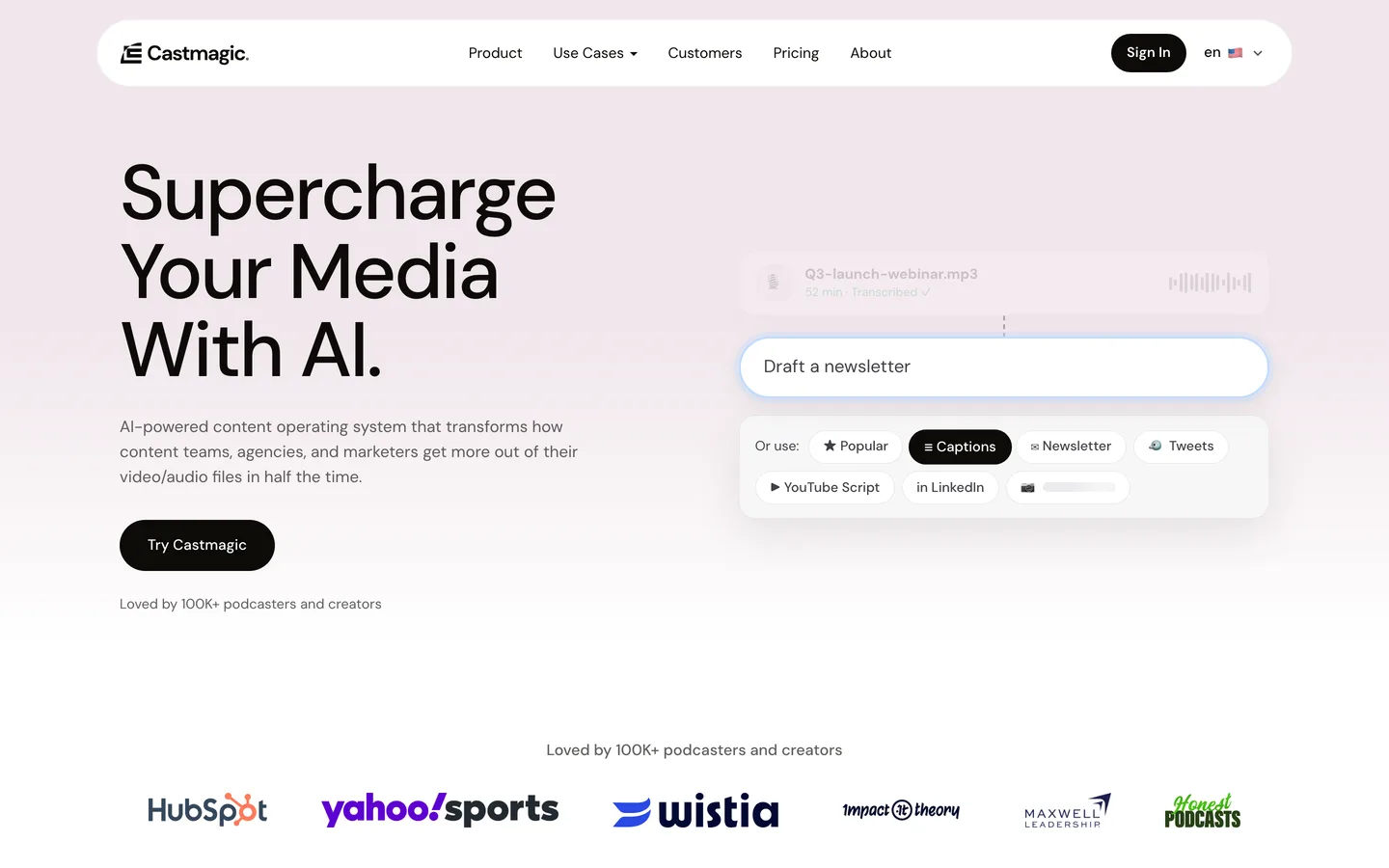
The core workflow is simple: upload audio or video, or paste a URL, and Castmagic generates a transcript, timestamped show notes, a summary, a blog post, a newsletter, LinkedIn posts, and X/Twitter threads. This breadth is the reason to use it: you get every text format from a single source in one pass.
Magic Chat#
Magic Chat is the differentiator. It is a ChatGPT-style assistant trained on your uploaded episode, so you can ask for the three best quotes, a punchier hook, or a custom caption without leaving the tool. It turns a static transcript into something you can actually work with.
Transcription and Languages#
Transcription covers 60+ languages, including German, and handles long files with unlimited re-generations if the first output misses. Accuracy is good on clear audio but, as with any AI notetaker, degrades on crosstalk and noisy recordings.
Clips and Audiograms#
Beyond text, Castmagic generates media clips and audiograms for social, plus AI image backgrounds. It is not a dedicated short-video editor, but the clipping is enough for quick social snippets.
Integrations#
It imports from Zoom (meetings), Google Drive (files), and RSS (auto-pull podcast episodes as they publish), and connects to Zapier for 1,000+ downstream apps, plus direct imports from YouTube, TikTok, and Instagram. That makes it easy to slot into an existing publishing workflow.
Pros
- Fast, broad repurposing from one upload: transcript, show notes, blog, newsletter, social
- Magic Chat is genuinely useful for pulling quotes and angles out of an episode
- Handles long files and 60+ languages, with unlimited re-generations
- Solid integrations (Zoom, Google Drive, RSS, Zapier) fit real content workflows
- Strong buyer ratings on AppSumo (4.76/5 from 175 reviews)
Cons
- Outputs are drafts: social posts and articles usually need editing before publishing
- Steep price jump from Starter ($79/mo) to Business ($790/mo)
- No ongoing free plan; paid entry is $21/mo billed annually
- US tool with USD-only billing and no documented EU data residency
- Best prices require an annual commitment (about 20% cheaper than monthly)
Features (4.4): The range of outputs from a single upload, plus Magic Chat and broad integrations, covers the repurposing workflow end to end.
Ease of Use (4.4): Upload or paste a URL and the content pack appears. There is little to learn beyond choosing which formats you want.
Value for Money (3.9): Hobby and Starter are reasonable for the time saved, but the leap to Business at $790/mo is steep, and there is no free ongoing plan.
Output Quality (4.0): Strong first drafts that pull the right points, but social copy and articles need a human edit before they are publish-ready.
Integrations (4.3): Zoom, Google Drive, RSS, and Zapier cover the common inputs and downstream automations well.
Pricing Breakdown#
| Plan | Price | Key Features |
|---|---|---|
| Hobby | $21/mo | 5 hrs transcription/mo, 5 seats, 10 longform outputs |
| ⭐ Starter | $79/mo | 20 hrs/mo, 10 seats, 2000+ word longform |
| Business | $790/mo | 80 hrs/mo, 20 seats, workspace customization |
| Scale | Custom | Volume discounts, custom implementations, support |
All prices are billed annually (about 20% cheaper than monthly billing).
Hobby ($21/mo) -- 5 hours of transcription per month, 5 seats, and 10 longform AI outputs. Fine for a solo creator with one or two shows.
Starter ($79/mo) -- 20 hours per month, 10 seats, and 2000+ word longform outputs. The right plan for most active content teams.
Business ($790/mo) -- 80 hours per month, 20 seats, and workspace customization. Aimed at agencies and studios repurposing at volume.
Scale (custom) -- volume discounts and custom implementations for publishing houses and large teams.
Hobby
- 5 hrs transcription/mo
- 5 seats
- 10 longform AI outputs/mo
Starter
- 20 hrs/mo
- 10 seats
- 2000+ word longform
Business
- 80 hrs/mo
- 20 seats
- Workspace customization
Scale
- Volume discounts
- Custom implementations
- Priority support
Similar Tools Worth Considering#
- Descript: An all-in-one audio/video editor with transcription and AI voice tools. Choose Descript if you want to edit the recording itself, not just repurpose it into text.
- Opus Clip: Turns long videos into short, captioned clips for TikTok, Reels, and Shorts. Choose Opus Clip if short-form video is your main output.
- Pictory: Creates videos from scripts, blog posts, and long recordings. Choose Pictory if you want video output rather than written content.
- Riverside: A recording studio with a strong Magic Clips and transcription layer. Choose Riverside if you also need high-quality remote recording.
Castmagic's edge over these is that it is text-first: it is the strongest at turning one recording into a full set of written assets. For more options, see our marketing category.
Who Should Use Castmagic?#
Best for podcasters and content teams: One upload becomes show notes, a blog, a newsletter, and social posts, which is exactly the multi-format output podcasters need.
Best for agencies repurposing at volume: The Business and Scale plans and 20 seats are built for teams turning many client calls and webinars into content.
Best for anyone who records more than they publish: If you have hours of recordings sitting unused, Castmagic is the fastest way to extract publishable text from them.
NOT for you if you mainly need short-form video clips (use Opus Clip), you only repurpose occasionally (the paid entry outweighs the saving), or you require guaranteed EU data residency, which is not documented.
Castmagic is a strong, time-saving repurposing tool whose Magic Chat and breadth of outputs set it apart, held back only by drafts that need editing and a steep jump to the Business tier. Start on Hobby or Starter, run a real episode through it, and judge the output quality on your own content before committing annually.
FAQ#
Is Castmagic free?#
No. There is no ongoing free plan. The entry tier is Hobby at $21/mo billed annually, which includes 5 hours of transcription per month, 5 seats, and 10 longform AI outputs. You can register to try the product, but sustained use requires a paid plan.
What can Castmagic actually generate from one recording?#
From a single audio or video file (or a YouTube/podcast URL), Castmagic produces a transcript, timestamped show notes, a summary, a blog post, a newsletter, LinkedIn posts, and X/Twitter threads, plus media clips and audiograms. Magic Chat then lets you query the episode for quotes and custom outputs.
How good is the output quality?#
The outputs are strong first drafts. They correctly capture the key points and are usable as a starting point, but social copy and articles typically need a human edit before publishing. Treat Castmagic as a fast draft generator, not a hands-off publisher.
Castmagic vs Descript vs Opus Clip: which should I choose?#
They solve different problems. Castmagic is text-first, turning recordings into written content across formats. Descript is an editor for the recording itself. Opus Clip makes short-form video clips. If your main need is written repurposing, choose Castmagic; if it is editing or video clips, choose Descript or Opus Clip.
