Why AI Data Analysis Tools Matter in 2026#
The phrase "AI data analysis" now covers two very different things. On one side you have conversational tools that let you upload a spreadsheet and ask questions in plain English. On the other you have established business intelligence platforms that have bolted AI assistants on top of dashboards your company already runs. Both call themselves AI analytics, and the gap between them in price and purpose is enormous.
This roundup sorts them out. I have grouped the tools by what they actually do, listed current pricing with sources, and been explicit about who each one fits. If you want a deep, single-tool walkthrough of the conversational category, start with my Julius AI guide and come back here to compare.
The Tools at a Glance#
| Tool | Entry price | Category | Best for |
|---|---|---|---|
| ChatGPT (Plus) | $20/mo | Conversational analysis | Ad-hoc questions on uploaded files |
| Julius AI (Plus) | $35/mo | Conversational analysis | Repeatable analyst workflows |
| Hex (Professional) | from $36/mo per editor | AI notebook | Technical teams writing SQL and Python |
| ThoughtSpot (Essentials) | $25/user/mo | Self-serve BI | Search-style questions across a team |
| Power BI Copilot (PPU) | $24/user/mo | BI assistant | Organisations already on Microsoft |
| Tableau Pulse | Enterprise tier | BI assistant | Existing Tableau customers |
Prices are entry points and several require annual billing. Sources for every figure are listed at the end.
Conversational Analysis: Upload a File, Ask a Question#
This is the category most people now mean when they search for AI data analysis software. You bring a CSV or Excel file, the tool runs code behind the scenes, and you get charts and answers in a chat thread.
ChatGPT: The Default Starting Point#
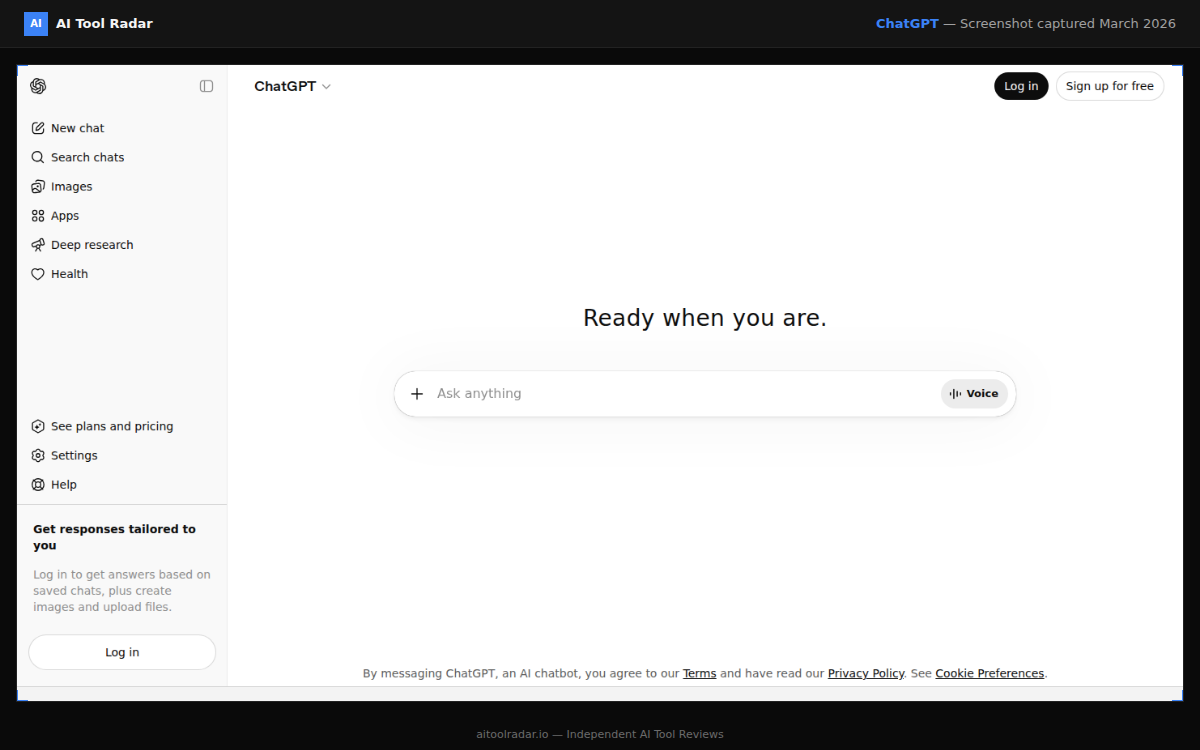
ChatGPT Plus costs $20 per month and includes Advanced Data Analysis (the feature formerly called Code Interpreter) at that price (chatgpt.com/pricing). You upload a dataset in CSV, Excel or JSON, and it cleans the data, runs statistics and produces charts inside the conversation.
For most people asking occasional questions about a spreadsheet, ChatGPT is the honest first answer. You very likely already pay for it. The limits show up when you want the same analysis run reliably every week, want it connected to a live database, or need outputs that are reproducible rather than regenerated from scratch each time.
Pros
- Already included in a $20/mo plan many people own
- Handles CSV, Excel and JSON out of the box
- No new tool to learn
Cons
- Not built for repeatable, scheduled reporting
- No native connection to production databases on the standard plan
- Results can vary between runs
Read our ChatGPT review for the full feature breakdown.
Julius AI: Built for the Analyst Workflow#
Julius AI is purpose-built for data analysis rather than being a general chatbot. The Plus plan is $35 per month for 250 messages, and the Pro plan is $45 per month with no message cap (coefficient.io Julius pricing). The most meaningful unlock on Pro is direct database connectivity: Julius can query a live Snowflake, PostgreSQL or Google Ads source rather than a one-off upload, according to the same breakdown.
Annual billing saves 15 percent across plans, and students and educators get 50 percent off, which brings Pro under $20 per month for eligible users (coefficient.io Julius pricing).
If you keep re-uploading the same export to ChatGPT every week, that is the signal to look at Julius. The database connectors on Pro exist precisely to kill that repetitive step.
The full pricing tiers, scoring and competitor comparison live in the Julius AI guide.
Hex: When You Actually Want the Code#
Hex sits between conversational tools and full notebooks. Its Notebook Agent generates SQL and Python that you can read, edit and rerun, which matters for teams that need to trust and audit the steps. Professional and Team plans run from $36 to $75 per month per editor, with optional pay-as-you-go compute on top (Hex pricing 2026).
Hex is the pick when a chat answer is not enough and you want the underlying analysis as inspectable code, without giving up the AI assistance that speeds it up.
BI Assistants: AI Added to Dashboards You Already Run#
The second category is different. These are mature business intelligence platforms where AI is a layer on top of existing dashboards and semantic models. You do not adopt them to analyse a loose spreadsheet. You adopt them because your organisation already standardised on the platform.
Power BI Copilot#
Copilot for Power BI is not included with the standard Power BI Pro license. It requires either Premium Per User at $24 per user per month or a Microsoft Fabric F64 capacity (powerbiconsulting.com pricing guide). For a small team, the $24 per user route is the straightforward path. The same guide notes that F64 capacity only becomes more economical somewhere around 290 or more users.
Tableau Pulse#
Tableau Cloud is priced per role: $75 per Creator, $42 per Explorer and $15 per Viewer on the Standard edition, billed annually (toucantoco.com Tableau pricing). Tableau Pulse, the AI analytics layer, is generally bundled at the Enterprise tier rather than Standard, where Creator, Explorer and Viewer cost $115, $70 and $35 respectively. The most advanced agentic features sit in the separately quoted Tableau+ bundle.
ThoughtSpot#
ThoughtSpot lets people ask questions in a search box across governed company data. Essentials starts at $25 per user per month and Pro at $50 per user per month, both billed annually, with Enterprise on custom pricing (thoughtspot.com/pricing). Be aware that real enterprise deployments are frequently quoted in the six figures annually, so the per-user entry price is not the whole story.
The per-user prices on BI platforms are deceptive. Power BI Copilot needs PPU or Fabric capacity, Tableau Pulse generally needs the Enterprise tier, and ThoughtSpot enterprise contracts commonly run into six figures per year. Always price the tier that actually contains the AI feature, not the cheapest seat.
How to Choose#
- You have a spreadsheet and a question: ChatGPT at $20/mo is the cheapest honest answer.
- You run the same analysis repeatedly or need a live database connection: Julius AI Plus or Pro.
- You want the AI to write inspectable SQL and Python: Hex.
- Your company already lives in Power BI, Tableau or a search-BI tool: use that platform's own AI layer and price the tier it lives in.
The cheapest tool that solves your problem is usually a conversational one. The expensive platforms earn their cost through governance, sharing and scale, not through better answers to a single question.
What this post does not cover: this is a pricing and positioning roundup, not a benchmark. I have not run a controlled accuracy test across these tools on an identical dataset, and I do not cover open-source or fully self-hosted analytics stacks here. Pricing was current as of the sources below on the publication date and changes often, so confirm on each vendor's own pricing page before you buy.