
This site contains affiliate links. We may earn a commission at no extra cost to you. This helps us keep the site running and continue providing free guides and comparisons.
The Bottom Line#
Wegic is a chat-based AI website builder: you describe the site you want in a conversation, and its AI, framed as your designer, developer, and manager, generates a responsive multi-page website in roughly a minute. You refine it by chatting ("make the hero darker", "add a contact section") and publish in one click. It is genuinely no-code and fast, which makes it a good fit for non-technical founders, freelancers, and small businesses who need a presentable site today. The honest caveats matter, though: credits burn even on failed edits and do not roll over, the free and Starter plans have no custom domain, and third-party reviews are mixed and thin (a handful of negative Trustpilot posts among a claimed 2.5M+ users). Treat Wegic as a fast way to a first-draft site, not a replacement for a full CMS or a designer on complex projects.
Rating: 3.9/5 | Price: Free / $39.90 / $69.90 per month | Last verified: July 2026
Score Breakdown
Key Facts#
- Pricing: Free ($0), Starter ($39.90/mo), Premium ($69.90/mo); 40% off annually
- Free tier: Yes, 70 credits/month, 3 pages, 1K visitors, with a Wegic badge
- How it works: Describe your site in chat, edit conversationally, publish in one click
- Standout: Speed, a live, responsive draft site in about 60-90 seconds
- Custom domain: Premium plan only
- Company: Singapore-based; claims 2.5M+ users
- Caveat: Credits are consumed even on failed edits and expire monthly
What Is Wegic and Who Is It For?#
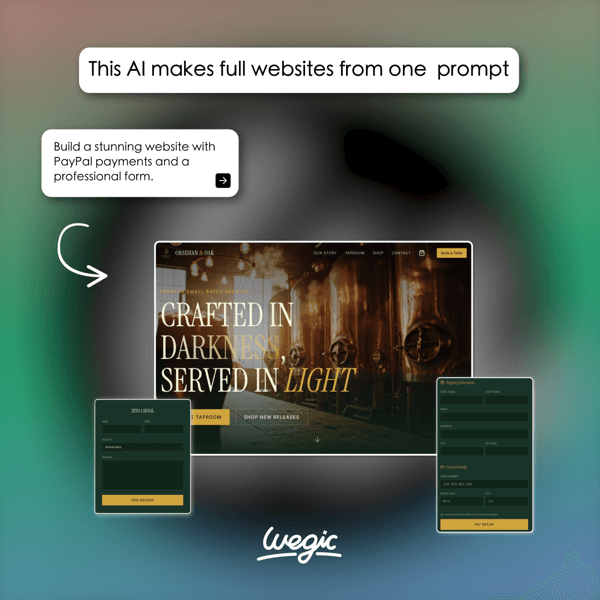
Wegic compresses the "I need a website but I can't code and don't have time" problem into a chat window. You tell it what you want, it builds a multi-page, responsive site in about a minute, and you keep refining by chatting. There is no template-wrangling or drag-and-drop learning curve; the AI handles layout, copy scaffolding, and structure, and you steer with plain language.
It fits non-technical entrepreneurs, freelancers, portfolio owners, and small businesses who need a professional-looking site fast and do not want to hire a developer. It covers landing pages, portfolios, blogs, and simple stores in multiple languages. It is not the right tool for large, content-heavy sites, complex e-commerce, or projects where you need fine-grained design control or a full CMS: for those, a traditional builder or a developer will serve you better.
How We Built This Guide#
This guide is based on Wegic's official site and pricing, an independent pricing breakdown, and third-party review platforms including Trustpilot and Product Hunt. We verified the Free/Starter/Premium structure, the exact credit, page, and visitor limits per plan, and the custom-domain availability (Premium only) as of July 2026. Because Wegic's pricing page renders dynamically, we cross-checked the numbers against an independent pricing source. We also drew on Wegic's own affiliate campaign materials to confirm feature details, including the SEO Site Audit, against the vendor's own description and screenshots. Where user sentiment is mixed, we report it honestly rather than smoothing it over, and we do not assign an aggregate user-rating score, since third-party review counts are still thin. All facts were last verified July 2026.
Our sources include:
- Wegic official homepage and pricing
- An independent Wegic pricing breakdown
- Trustpilot and Product Hunt user reviews
- Wegic's own affiliate campaign materials
Features in Depth#
Chat-to-Build#
The core experience is conversational. You describe the site, and Wegic generates a complete, responsive, multi-page site in about 60-90 seconds. This speed is the reason to use it: you go from idea to a live-looking draft faster than almost any traditional builder.
Conversational Editing#
Rather than a drag-and-drop canvas, you edit by chatting: ask for a new section, a different tone, or a colour change, and the AI applies it. This lowers the barrier for non-technical users but also means edits consume credits, so iteration has a cost.
One-Click Publishing and Domains#
Sites publish in one click. A custom domain is available only on Premium; Free and Starter sites use a Wegic subdomain (and the Free plan shows a Wegic badge). Premium also adds Google Analytics.
SEO Site Audit#
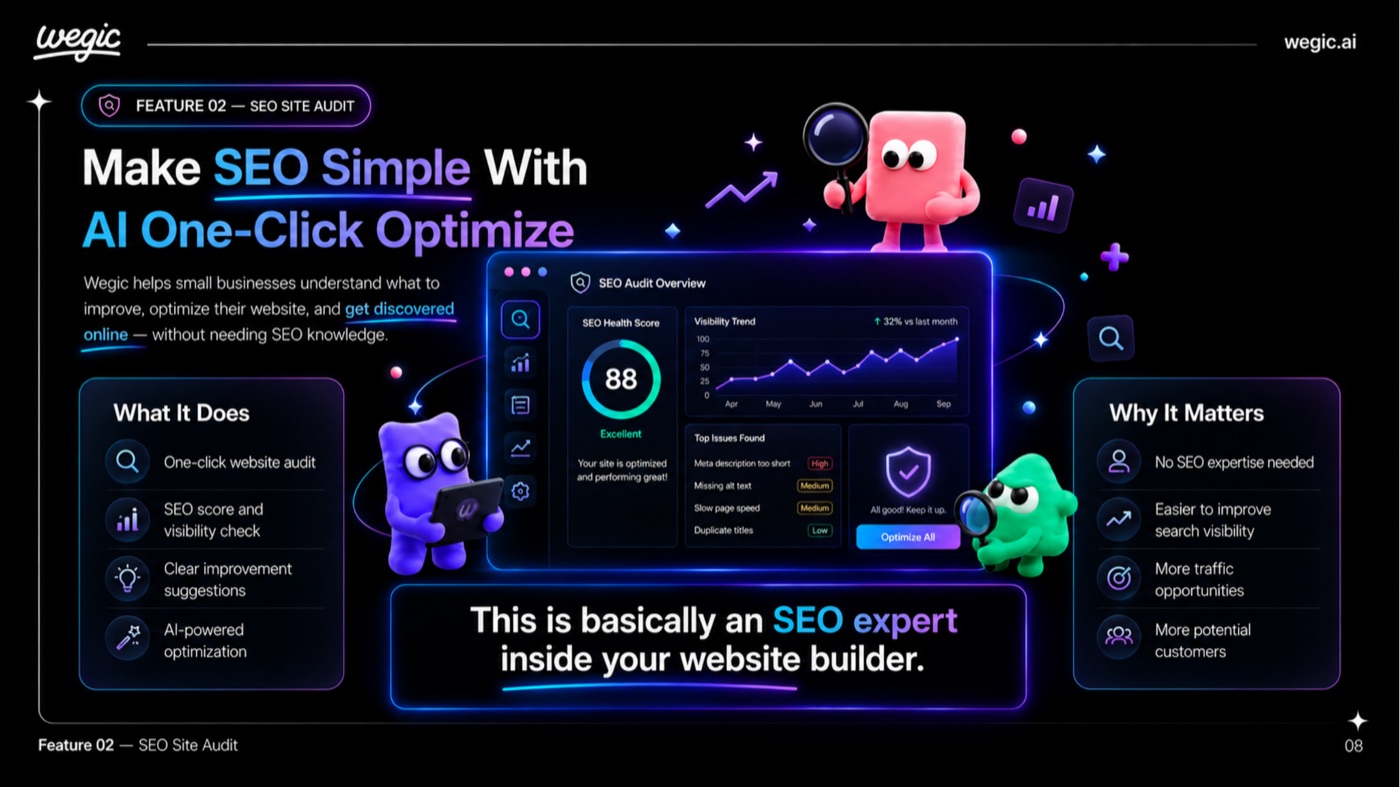
Wegic lists "built-in advanced SEO, fully optimized for Google indexing" as a core feature across its plans. In practice this includes a one-click SEO site audit that returns an overall health score, tracks visibility over time, and lists specific issues it has detected with suggestions to fix them, alongside auto-generated (and editable) meta descriptions and built-in search-engine verification tools.
Why Wegic
Visit provider- Chat-to-BuildThe core experience is conversational.
- Conversational EditingRather than a drag-and-drop canvas, you edit by chatting: ask for a new section, a different tone, or a colour change, and the AI applies it.
- One-Click Publishing and DomainsSites publish in one click.
- SEO Site AuditWegic lists 'built-in advanced SEO, fully optimized for Google indexing' as a core feature across its plans.
- Templates and Use CasesWegic covers landing pages, portfolios, blogs, simple stores, event pages, and more, with multi-language generation.
Templates and Use Cases#
Wegic covers landing pages, portfolios, blogs, simple stores, event pages, and more, with multi-language generation. It is broad enough for most small-business needs, though not as deep as a dedicated e-commerce or CMS platform.
AI Avatar and Auto-Sync#
Paid plans add AI avatar support and auto-sync content features. These are useful extras but not the reason most people choose Wegic; speed and simplicity are.
Pros
- Extremely fast from prompt to a live, responsive draft site (about 60-90 seconds)
- Genuinely no-code and approachable for non-technical owners and freelancers
- Cheap entry: a real free plan plus Starter at $39.90/mo (40% off annually)
- One-click publishing, with a custom domain on Premium
- Large user base (2.5M+) and active product iteration
Cons
- Credits burn even on failed edits and do not roll over month to month
- Free and Starter plans have no custom domain; Starter caps at 10 pages
- Mixed, thin third-party reviews (some negative Trustpilot feedback)
- Shallow versus a full CMS: limited for complex or large sites
- Singapore-based, USD billing, no documented EU data residency
Speed & Ease (4.4): From a chat prompt to a live, responsive site in about a minute, with no technical skill required. This is Wegic's strongest suit.
Output Quality (3.8): Good-looking first drafts, but they can feel templated and need refinement to stand out, and each refinement costs credits.
Value for Money (3.8): A useful free tier and a cheap Starter plan, offset by credit consumption and the custom domain being gated behind Premium.
Flexibility (3.5): Fine for small sites; limited for complex layouts, deep e-commerce, or content-heavy projects.
Trust & Reviews (3.5): A large claimed user base, but thin and mixed independent reviews, including some negative Trustpilot posts, keep this cautious.
Pricing Breakdown#
| Plan | Price | Key Features |
|---|---|---|
| Free | $0 | 70 credits/mo, 3 pages, 1K visitors, Wegic badge |
| ⭐ Starter | $39.90/mo | 600 credits/mo, 10 pages, 10K visitors, badge removed |
| Premium | $69.90/mo | Unlimited credits, unlimited pages, custom domain, Google Analytics |
Annual billing saves about 40% (Starter drops to roughly $23.90/mo, Premium to about $41.90/mo).
Free ($0) -- 70 credits per month, 3 pages, and 1K monthly visitors, with a visible Wegic badge. Enough to build and test a small site.
Starter ($39.90/mo) -- 600 credits per month, 10 pages, 10K visitors, and the badge removed. The right plan for a small business site, though still no custom domain.
Premium ($69.90/mo) -- unlimited credits, pages, and visitors, plus a custom domain and Google Analytics. The plan you need for a real, branded business site.
Free
- 70 credits/mo
- 3 pages
- 1K visitors/mo
- Wegic badge
Starter
- 600 credits/mo
- 10 pages
- 10K visitors
- Badge removed
Premium
- Unlimited credits
- Unlimited pages
- Custom domain
- Google Analytics
Similar Tools Worth Considering#
- Durable: An AI website builder that spins up a business site in seconds, with built-in marketing tools. Choose Durable if you want a fast site plus CRM and invoicing extras.
- 10Web: An AI WordPress builder with hosting and performance optimisation. Choose 10Web if you want the flexibility and ecosystem of WordPress under the hood.
- Wix AI: Wix's AI generator inside a mature, full-featured builder. Choose Wix if you want deep customisation and app extensibility after the AI draft.
Wegic's edge is the pure chat-first experience and speed; the trade-off is depth. For more tools, see our design category.
Who Should Use Wegic?#
Best for non-technical founders and freelancers: If you need a presentable site today and cannot code, Wegic's chat-to-build flow is the fastest route to a live draft.
Best for simple sites: Portfolios, landing pages, small-business brochure sites, and blogs are well within its comfort zone.
Best for quick first drafts: Even if you later move to another platform, Wegic is a fast way to generate a starting structure and copy.
NOT for you if you need a large, content-heavy site or complex e-commerce, you want fine-grained design control, or you require guaranteed EU data residency, which is not documented for this Singapore-based tool.
Wegic is a fast, genuinely no-code way to get a small website live, and its free tier makes it easy to try. The honest limits are credit consumption, the custom domain gated behind Premium, and thin third-party reviews. Build a test site on the free plan, watch how quickly credits deplete on your edits, and confirm the output meets your standard before upgrading.
FAQ#
Is Wegic really free?#
There is a genuine free plan: 70 credits per month, 3 pages, and 1K monthly visitors, with a visible Wegic badge and no custom domain. It is enough to build and test a small site, but credits are consumed as you generate and edit, so heavier use pushes you to a paid plan.
How do Wegic's credits work?#
Credits are spent when the AI generates or edits your site, and, importantly, they are consumed even on failed edits and do not roll over between months. That makes iteration a metered activity: the more you refine by chat, the faster you use your monthly allocation. Premium removes the limit with unlimited credits.
Can I use my own domain with Wegic?#
Only on the Premium plan ($69.90/mo). The Free and Starter plans publish to a Wegic subdomain, and the Free plan also shows a Wegic badge. Premium adds a custom domain plus Google Analytics.
Wegic vs Durable vs Wix: which should I choose?#
All three build sites quickly. Wegic is the most chat-first and fastest to a draft, best for simple sites by non-technical users. Durable bundles marketing tools like CRM and invoicing. Wix offers the deepest customisation and app ecosystem once the AI draft exists. Choose Wegic for speed and simplicity; Durable for built-in business tools; Wix for depth and flexibility.
