GPT Image 2 (model id gpt-image-2) is OpenAI's recommended default image model in 2026, labelled "state-of-the-art" in the official model docs. The interesting part for anyone making images is not the model name. It is that the gap between a mediocre result and a great one is almost entirely in the prompt.
This is the long version. First the facts: what GPT Image 2 actually is and what it costs, from primary OpenAI sources. Then a prompting method from OpenAI's own cookbook and respected practitioner guides, one prompt dissected fragment by fragment, and a section on character consistency: how to put one real, recognisable person (my own face, from a folder of studio photos) into any scene, with the hard-won lessons that took a dozen failed attempts to learn. Finally 10 style directions, each with the full prompt. Every image below was generated with gpt-image-2 itself.
What GPT Image 2 is#
GPT Image 2 replaces the fixed-size legacy models (gpt-image-1 and gpt-image-1.5, which only output 1024x1024, 1024x1536, or 1536x1024) with flexible resolutions and three quality settings. Per OpenAI's image generation prompting guide, the model accepts any size where the longest edge is under 3840px, both edges are a multiple of 16, the long-to-short edge ratio is at most 3:1, and the total pixel count sits between 655,360 and 8,294,400, at low, medium, or high quality. The same guide calls it "the strongest overall model" and the "recommended default for new builds."
What it costs#
Pricing is token-based, not per-image, on the Standard tier (OpenAI API pricing, developer pricing docs):
| Token type | Standard | Cached |
|---|---|---|
| Text input | $5.00 / 1M | $1.25 / 1M |
| Image input | $8.00 / 1M | $2.00 / 1M |
| Image output | $30.00 / 1M | n/a |
A Batch tier runs 50% lower. In practice a single 1024x1024 image lands roughly between $0.006 (low quality) and about $0.21 (high quality); every image in this post is high quality, so budget accordingly when you scale up.
How to prompt GPT Image 2: the method#
The single most useful idea, straight from practitioner guide fal.ai: "Excitement does not render." Words like stunning, epic, masterpiece, insane detail do nothing. Concrete visual specifics do everything. Replace praise with lighting (overcast daylight, soft bounce light), materials (brushed aluminium, chipped paint, worn canvas), and lens characteristics (an 85mm feel). The model renders what you can describe, not what you admire.
Six rules carry most of the weight:
- Order matters. OpenAI recommends a consistent sequence: background/scene, then subject, then key details, then constraints (cookbook). Every prompt below follows it.
- Use a template. fal.ai's five-slot structure is a reliable scaffold: Scene, Subject, Important details, Use case, Constraints.
- Constraints are where weak prompts fail silently. An unbounded idea lets the model get inventive in directions you did not want. State exclusions and invariants explicitly:
no watermark,no extra text,no logos, or for editspreserve the layout. - For accurate text, be literal. Put the exact words in quotes or ALL CAPS and specify typography (font style, size, color, placement). Use medium or high quality for small or dense text, and spell tricky words letter by letter (cookbook). Style 10 below is a live demo.
- For edits, isolate the change. Use "change only X" plus "keep everything else the same," and repeat the preserve list on each iteration to reduce drift.
- Pick a format and keep it skimmable. Minimal prompts, descriptive paragraphs, JSON-like structures, instruction-style, and tag-based prompts all work; the cookbook's advice is that the format stay maintainable. The examples here use descriptive paragraphs.
The photographer's toolkit: camera craft as prompt language#
This is the heart of the masterclass. A great image prompt is not creative writing, it is a camera report. Photographers already have a precise vocabulary for light, lenses and framing, and GPT Image 2 understands almost all of it. Stop writing "beautiful photo" and start writing the spec sheet a photographer would hand an assistant.
Light: shape it, do not just brighten it#
Light is the single biggest lever. Name the shape, the quality, and the direction.
| Term to put in the prompt | What it does | When to reach for it |
|---|---|---|
| Rembrandt lighting | Key at ~45 deg and slightly above, leaves a small triangle of light on the shadow cheek | Characterful, moody portraits |
| Loop lighting | Key slightly off-centre, a small nose-shadow loop | The safe, flattering default for most faces |
| Butterfly / clamshell | Key high and frontal (plus a fill below) | Clean beauty, even skin, glamour |
| Split lighting | Key 90 deg to the side, half the face in shadow | Drama, tension, edgy editorial |
| Broad vs short lighting | Lights the near vs the far side of a turned face | Short lighting slims and sculpts; broad opens up |
| Rim / kicker / hair light | A light from behind separating subject from background | Almost always add one for depth |
| High-key vs low-key | Bright, airy, low contrast vs dark, dramatic, deep shadows | Sets the entire emotional register |
Then the quality: a large soft source (softbox, octabox, overcast sky, north-facing window) gives soft, wrapping, forgiving light; a small hard source (bare bulb, direct sun, spotlight) gives crisp, contrasty, dramatic light with hard-edged shadows. "Soft overcast daylight" and "a single hard spotlight" are night-and-day instructions. The bigger and closer the source, the softer the light, say so.
Lens and focal length: the look lives here#
The focal length changes the face itself, not just the crop.
| Focal length | Effect | Use for |
|---|---|---|
| 24-35mm | Wide, slight perspective stretch, lots of context | Environmental portraits, scenes, interiors |
| 50mm | Natural, close to human vision | Documentary, honest, neutral |
| 85mm | Flattering compression, creamy background separation | The portrait classic |
| 135mm | Strong compression, background melts | Tight, glamorous, isolating |
Pair it with aperture: "f/1.4" or "f/1.8" gives a dreamy shallow depth of field with a blurred background and bokeh; "f/8" or "f/11" keeps everything sharp, front to back. "Shot on an 85mm lens at f/1.8" is two words that do an enormous amount of work.
Colour, film stock and grade#
Colour sets mood faster than anything. Name a grade or a film stock:
- Teal-and-orange grade: the modern blockbuster look (warm skin, cool shadows).
- Bleach bypass: desaturated, high-contrast, gritty.
- Kodak Portra 400: warm, soft, beautiful skin tones (great for natural portraits).
- Kodak Tri-X 400: classic black-and-white, rich grain.
- CineStill 800T: tungsten-balanced, neon halation, night-time cinematic.
Angle and composition#
- Camera height: eye-level (neutral), low angle (heroic, powerful), high angle (diminishing, vulnerable), Dutch tilt (unease).
- Composition: "rule-of-thirds placement", "centred symmetrical composition", "generous negative space" (room for a headline), "leading lines", "tight head-and-shoulders crop". Tell the model where the subject sits in the frame.
Put three or four of these together and you have written a real photograph: "low-angle 35mm shot, hard late-afternoon sun from camera-left, teal-and-orange grade, subject placed on the right third."
Describing skin, eyes and hair without going plastic#
The line between a photograph and obvious AI is micro-texture and imperfection. But there is a trap: stacking every detail word at once produces an overcooked, waxy, hyper-real look that is its own kind of fake. The rule is pick three to five specific cues, and include at least one imperfection.
Skin: visible pores, fine vellus (peach-fuzz) hair on the cheeks, subsurface scattering, a natural sebaceous sheen on the forehead and nose, a few freckles and a small blemish, skin texture retained, not airbrushed. The freckle or blemish is what tips it from "rendered" to "real".
Eyes (the highest-impact area): a detailed iris with a visible limbal ring and fine radial fibres, a sharp catchlight in each eye, a moist lower tear line, individually separated eyelashes, a soft lower lash line. Eyes carry realism; if you spend detail words anywhere, spend them here. A crisp catchlight alone makes a face look alive.
Eyebrows and beard: individual eyebrow hairs with natural direction, a few stray brow hairs, a beard of individual hairs at varying lengths, not a flat shape.
Hair: strand separation and a soft sheen, a few flyaway strands catching the rim light, natural part. "Flyaways" is a small word that breaks the helmet-hair AI tell.
The discipline: describe texture, then add natural, lifelike skin, not retouched, not waxy, not plastic as a constraint. More detail words are not better, the right few plus an imperfection beat a wall of adjectives every time. (Look back at the fisherman in style 1: pores, catchlights and individual beard hairs, three cues, not thirty.)
Character planning: write the character sheet first#
For anything beyond a one-off, plan the character before you prompt, the way a film does a character design. Lock these and reuse them verbatim in every image so the person stays consistent:
- Identity & age: "a man in his late 30s".
- Face & build: face shape, complexion, build.
- Signature features: the unmistakable ones, "a full dark beard, thin round metal-framed glasses". These do the heaviest lifting for recognisability.
- Hair: colour, length, style.
- Wardrobe baseline: a default outfit, then vary it per scene to match context (see the safari example below).
- Demeanour: the default expression and energy, calm and warm, or intense, or playful.
For a real person, the reference photos are the character sheet (next section). For an invented character, write the sheet once as a text block and paste it unchanged into every prompt, the model will hold the character far better than if you re-describe from memory each time. Either way: the character is a fixed anchor, and only the scene around it changes.
Anatomy of a prompt, dissected#
Theory is cheap. Here is the photorealistic-portrait prompt from further down, cut into the four jobs every strong prompt does. Read it top to bottom and you are reading scene, then subject, then details, then constraints.
| Fragment | Its job | Why it earns its place |
|---|---|---|
| "Soft north-facing window light filling a quiet studio with pale grey walls" | Scene + lighting | North-facing light is soft and even. Naming the wall colour sets the entire tonal key before a subject exists, so everything after it inherits that light. |
| "A 60-year-old fisherman with weathered, deeply lined skin and a short white beard ... worn navy wool sweater" | Subject | Age, profession and wardrobe in one breath. Concrete nouns do the work; there is no "rugged" or "characterful" because adjectives like that do not render. |
| "visible pores, catchlights in the eyes, individual beard hairs, shallow depth of field" | Key details | These are the exact texture cues that separate a photograph from plastic AI skin. Catchlights alone make eyes look alive. |
| "Full-frame camera with an 85mm lens at f/1.8, soft background falloff, neutral natural color grade" | Optics + grade | The lens line buys flattering compression and creamy background blur for free. "Neutral grade" stops the model oversaturating. |
| "Photorealistic. No text, no watermark." | Constraints | Locks the medium and kills the two most common artefacts in one line. |
The order is not decoration. Give the model the stage (light and room) first and the subject stands inside it; lead with the subject and the model often invents lighting that fights the scene you wanted.
Put your own face in any scene: character consistency#
The single most useful trick GPT Image 2 unlocks is identity: feeding the model real reference photos of one person so it can place that exact person, recognisably, into a scene that never happened. Every portrait in this section is me, generated with gpt-image-2, none of them photographed.
How it works. Instead of the text-to-image endpoint you use the image edits endpoint (/v1/images/edits) with model=gpt-image-2, and you attach reference photos as repeated image[] fields. The prompt then describes the new scene and explicitly tells the model to keep the person's identity. In practice:
- Feed 10 to 20 reference photos, not 3. More angles give the model a far more robust sense of the face. Three works; fourteen is noticeably better.
- Frontal frames win. Head-on reference shots give the cleanest identity signal. Heavy profile shots confuse more than they help.
- Downscale first. Resize references to about 1024px on the long edge before uploading. It is faster, cheaper, and makes no visible difference to identity.
Here are four of the frontal reference frames that were fed to the model:
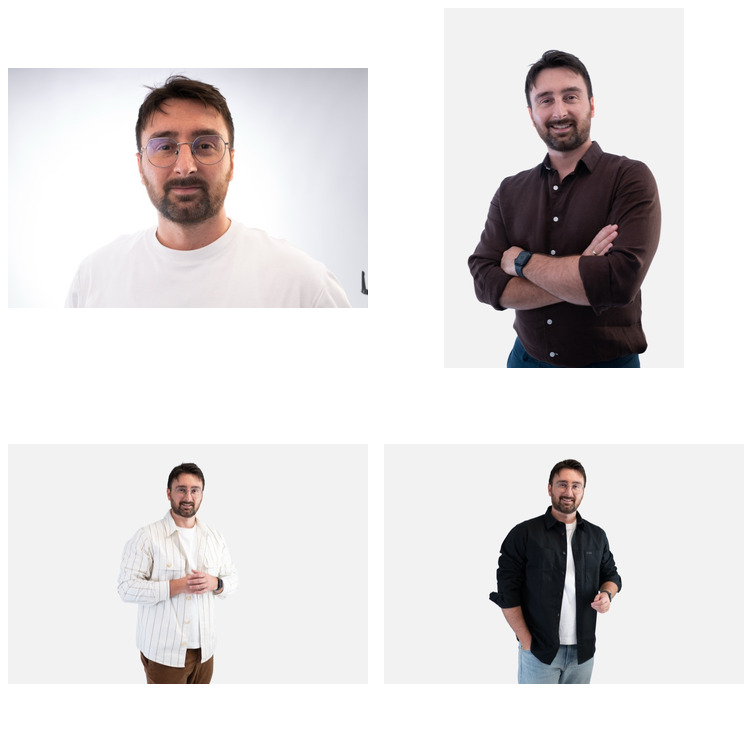
Every portrait below shares one identity anchor block, then adds a scene-specific line. The anchor is where the real lesson lives:
Preserve his exact identity from the reference photos: same face shape, same short dark-brown hair, same full dark beard, same thin round metal-framed glasses, same eyes. He is a man in his late 30s. CRITICAL: do NOT copy the smiling expression or pose from the reference photos. Render exactly the facial expression, gaze and head angle described in this prompt instead.
Five lessons that took a dozen tries#
These cost real iterations to learn, so steal them:
- References transfer expression and pose, not just identity. My reference photos all show the same broad smile, so the first batch came out with the same grin in every scene, cinematic founder, oil painting, everything. It looked uncanny. You have to override expression and pose explicitly, every time.
- The expression must fit the scene. A keynote speaker is animated mid-sentence; an editorial headshot is calm and closed-lipped. Decide the emotion the image needs, then write it.
- Do not over-direct intensity, or it reads as angry. Forcing "serious, intense, lips closed" onto a face whose references smile produced portraits that looked stiff or outright hostile. The fix is to aim for natural: "a soft genuine micro-smile, friendly eyes, relaxed brow, not stern, not posed".
- Specify the lighting like a photographer. "Good lighting" does nothing. "A large octabox key at 45 degrees with subtle negative fill" or "clamshell beauty lighting with a rim light for separation" is what turns a snapshot into a high-end portrait.
- High quality, and a wider crop, for anything with text or fine detail. The magazine cover only rendered "AI TOOL RADAR" cleanly at high quality.
- Stylised and impossible scenes are where identity shines. A real, learned face in a scene that never happened (riding a dinosaur) is far more striking than another headshot, and an action or three-quarter angle sidesteps the uncanny-smile problem entirely, because the face is no longer locked frontal.
- Think holistically. Wardrobe, pose, lighting and setting all have to agree. Riding a Triceratops through a jungle calls for a safari outfit, not a city shirt. A mismatch anywhere in the frame is the fastest way to break the illusion.
1. Cinematic founder portrait#
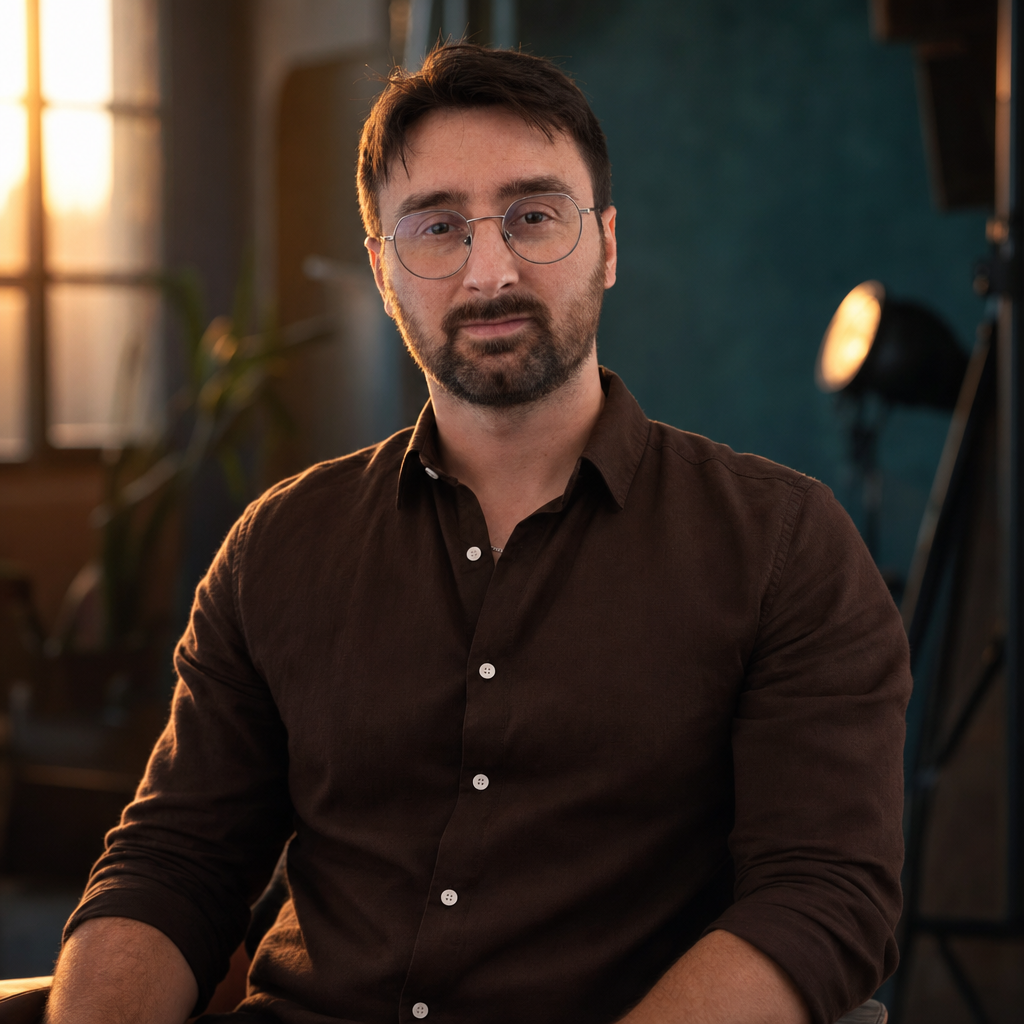
A cinematic editorial portrait of this exact man, seated in a softly lit modern studio at dusk, warm rim light from the left, deep teal shadows, shallow depth of field, 85mm lens look. Expression: calm and composed, lips closed, a faint confident half-smile, looking directly into the lens, head straight. [+ identity anchor]
Why it works: the warm-rim-plus-teal-shadow combination is a complete cinematic lighting recipe, and "calm, lips closed, faint half-smile" fits the reflective founder mood. Compare it to a forced grin and you feel the difference.
2. Clean professional headshot#

A clean, approachable professional headshot of this exact man. Premium clamshell beauty lighting (a large softbox key above plus soft fill below for clean, even skin) with a subtle rim light separating him from a smooth light-grey studio background, smart-casual dark shirt, bright airy color-accurate look, shot on a medium-format camera, razor-sharp focus on the eyes, crisp catchlights, magazine-grade retouch. Framing: head-on, frontal. Expression: a warm, genuine closed-lip smile, friendly and relaxed, looking directly at camera. [+ identity anchor]
Why it works: clamshell lighting is the standard for clean, even beauty skin. Here the warm closed-lip smile does fit the context, so it is welcome, the point is matching expression to use, not banning smiles.
3. Warm natural-window portrait#
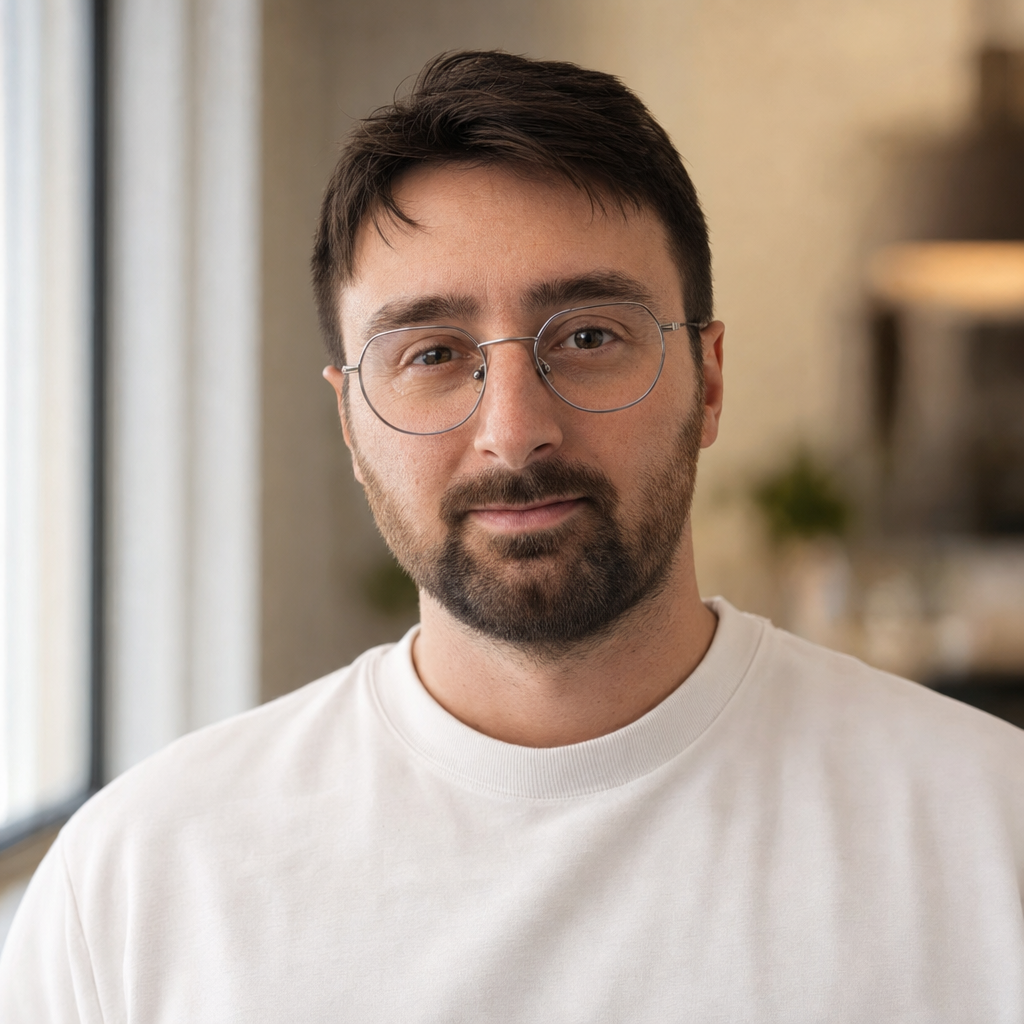
A warm, high-end natural-light portrait of this exact man standing near a large window, soft directional morning daylight wrapping his face from the side with gentle falloff into soft shadow, a clean softly-blurred warm-neutral interior behind, 85mm lens, shallow depth of field, lifestyle-editorial. Framing: tight head-and-shoulders, frontal. Expression: natural, relaxed and genuinely warm, a soft authentic micro-smile with friendly approachable eyes, completely at ease and candid, relaxed brow, lifelike and human, NOT stiff, NOT posed, NOT stern. [+ identity anchor]
Why it works: this is lesson 3 in action. The earlier version of this shot, directed only as "relaxed and thoughtful", came out stiff. Spelling out "soft authentic micro-smile, relaxed brow, not posed" is what made it read as a real, comfortable human.
4. Outdoor daylight portrait#
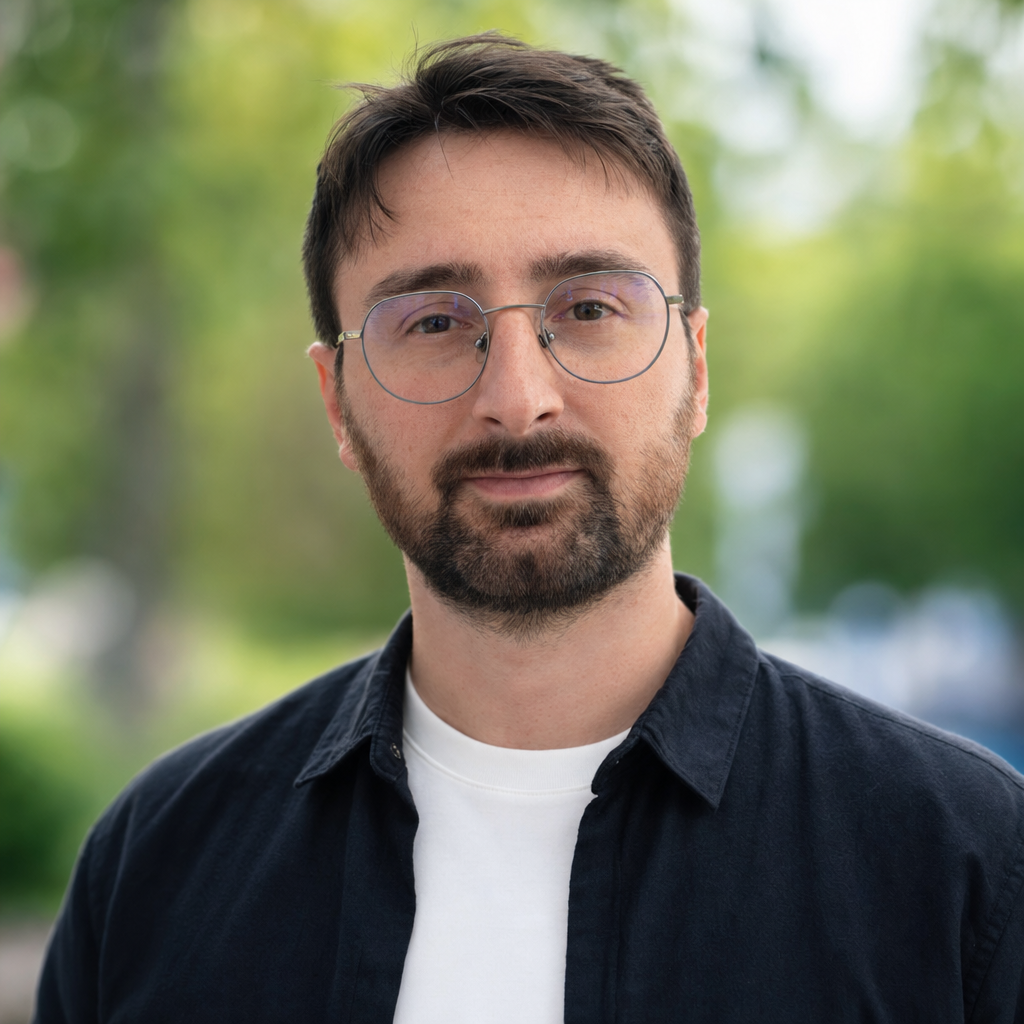
A natural outdoor daylight portrait of this exact man, soft bright daylight on an overcast-clear day, a clean softly-blurred background of green park foliage and out-of-focus city greenery with gentle bokeh, casual smart-casual outfit, fresh and bright, 85mm lens, shallow depth of field, lifestyle-editorial. Framing: head-and-shoulders, frontal. Expression: natural and relaxed, a genuine warm micro-smile, friendly soft eyes, completely at ease and candid, relaxed brow, lifelike. [+ identity anchor]
Why it works: bright overcast daylight is the most forgiving light there is, and the green-bokeh background reads instantly as "outdoors" without a single named landmark. Same natural-expression recipe as the window shot.
5. Just for fun: riding a Triceratops#
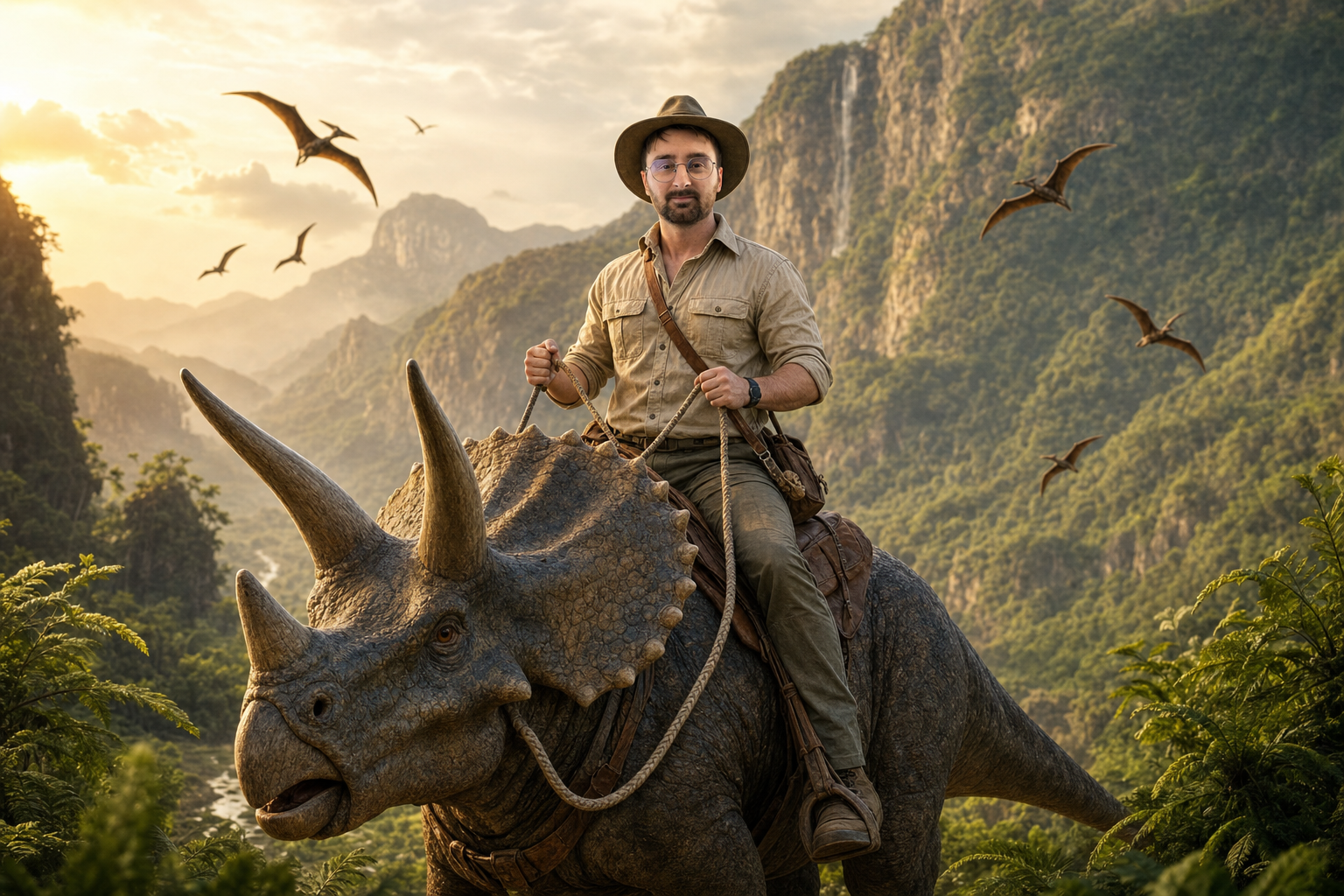
A cinematic, playful adventure shot of this exact man riding a large friendly Triceratops across a lush prehistoric valley at golden hour. He sits upright, his upper body squarely toward the camera, head naturally aligned on his shoulders, grinning with delight, both hands holding a rope rein. Wardrobe to match the scene: a rugged khaki safari outfit, a rolled-sleeve beige field shirt, and a wide-brim safari hat tilted back so his face and round glasses stay visible. Sweeping mountains and giant ferns behind, pterosaurs in the distance, epic fantasy-movie-poster look, golden-hour volumetric light, 35mm wide shot. [+ identity anchor]
Why it works: this is the whole point of character consistency, and the most fun you can have with it. A face the model has genuinely learned can ride a dinosaur and still be unmistakably you. Two craft notes make it land. The wide action angle means the expression never has to be a locked frontal smile, so it stays out of the uncanny valley. And the wardrobe was matched to the scene, a safari outfit rather than the everyday shirt from the first attempt, because a real explorer would not ride a Triceratops in city clothes. Think about the entire frame, not just the face.
10 more styles, 10 more prompts#
Beyond portraits, here are ten general style directions. Each image is gpt-image-2 at high quality, and the prompt is shown in full so you can copy, adapt, and see the method in action.
1. Photorealistic portrait#
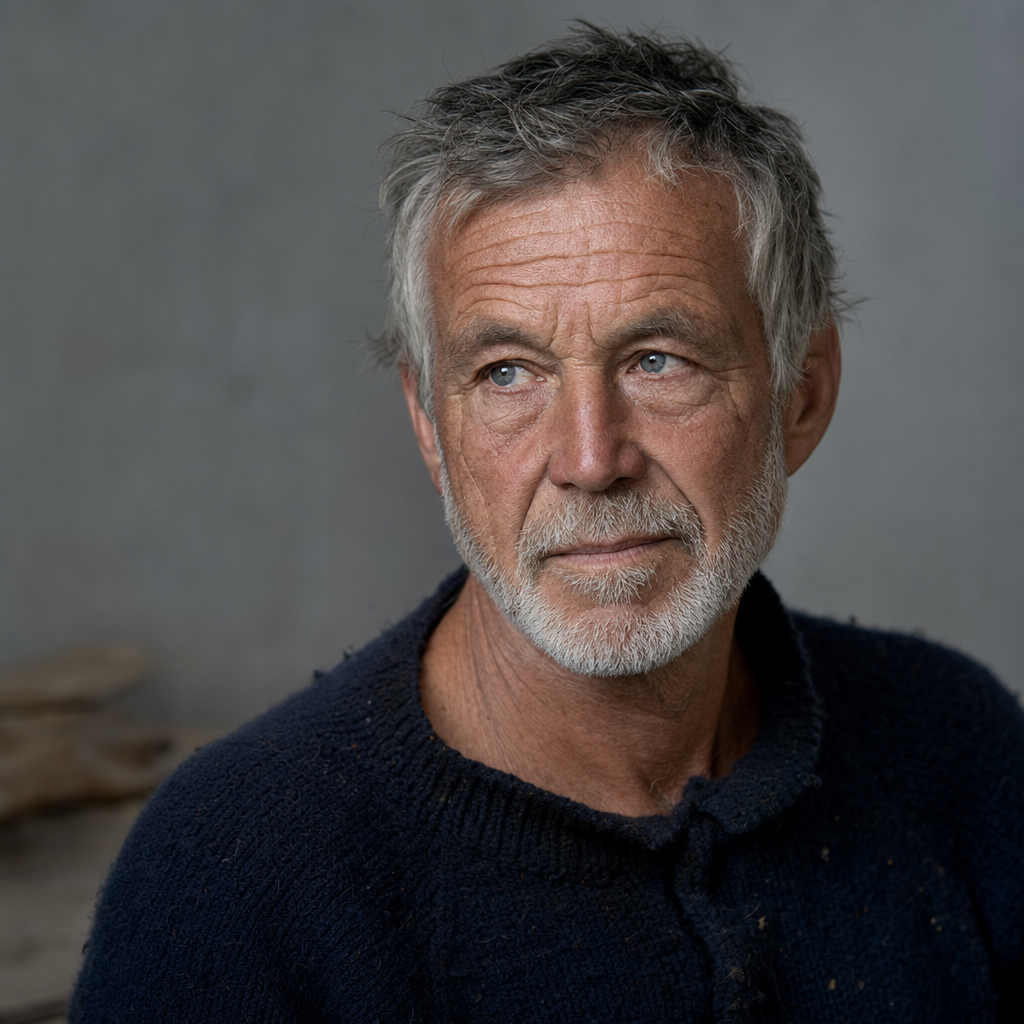
Soft north-facing window light filling a quiet studio with pale grey walls. A 60-year-old fisherman with weathered, deeply lined skin and a short white beard, looking just off camera, wearing a worn navy wool sweater. Fine skin texture with visible pores, catchlights in the eyes, individual beard hairs, shallow depth of field. Full-frame camera with an 85mm lens at f/1.8, soft background falloff, neutral natural color grade. Photorealistic. No text, no watermark.
Why it works: scene (window light, grey studio) first, then the subject, then the detail modifiers, then constraints. The lens line does the heavy lifting: "85mm at f/1.8" buys flattering compression and a soft background for free, and "visible pores, catchlights, individual beard hairs" forces real texture instead of plastic skin.
2. Cinematic film still#
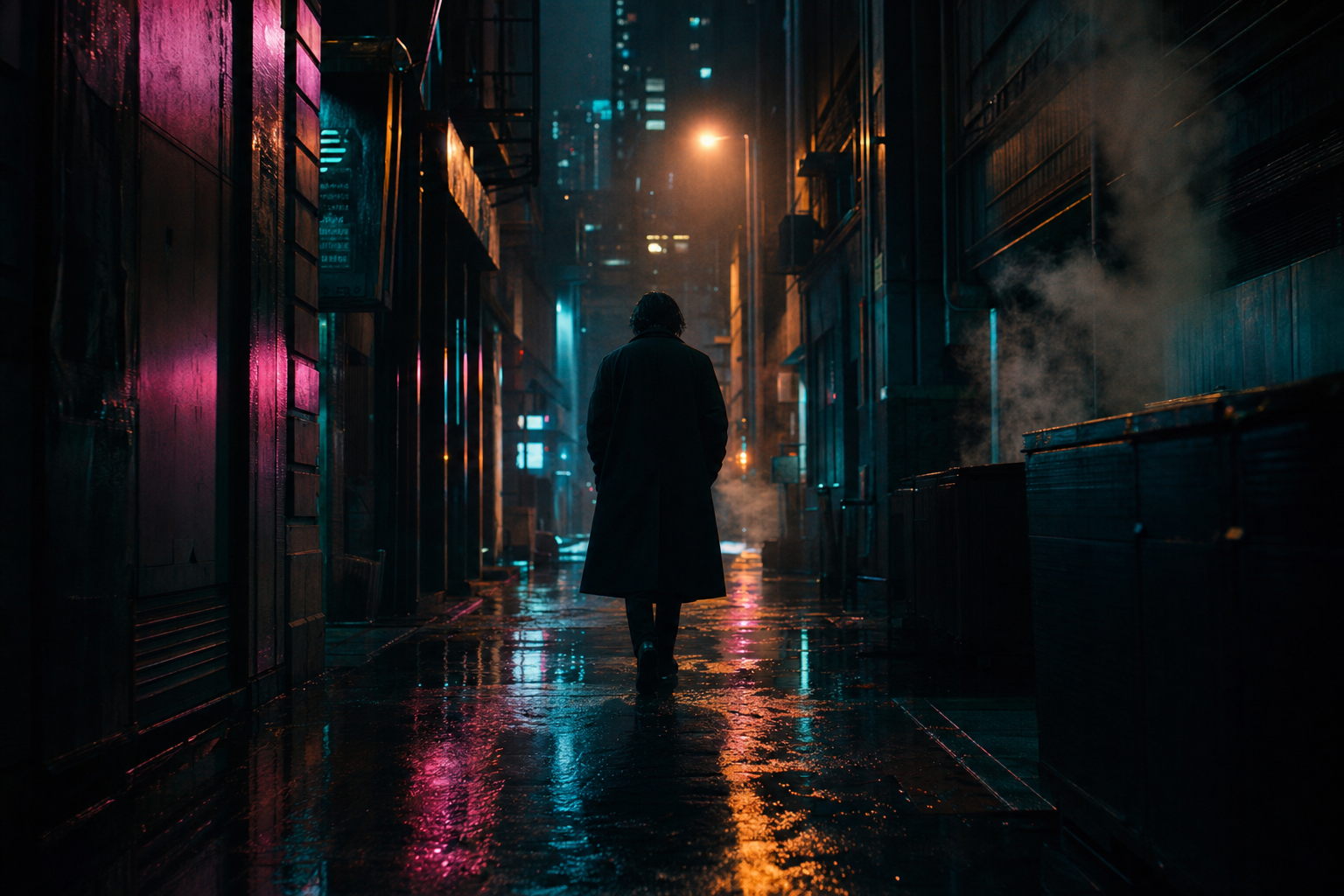
A rain-soaked neon alley in a dense night city, shallow puddles reflecting magenta and cyan signage. A lone figure in a long charcoal coat walking away from camera, backlit by a distant streetlight, atmospheric haze drifting through the frame. Anamorphic widescreen framing, teal and orange grade, volumetric light shafts, 40mm lens feel, subtle film grain. Cinematic film still, moody and quiet. No text, no watermark.
Why it works: the mood comes from named film-grammar terms, not adjectives. "Anamorphic widescreen," "teal and orange grade," "volumetric light," and "film grain" are concrete instructions a colorist would recognize. Backlighting plus haze creates depth the model can actually place.
3. Studio product shot#
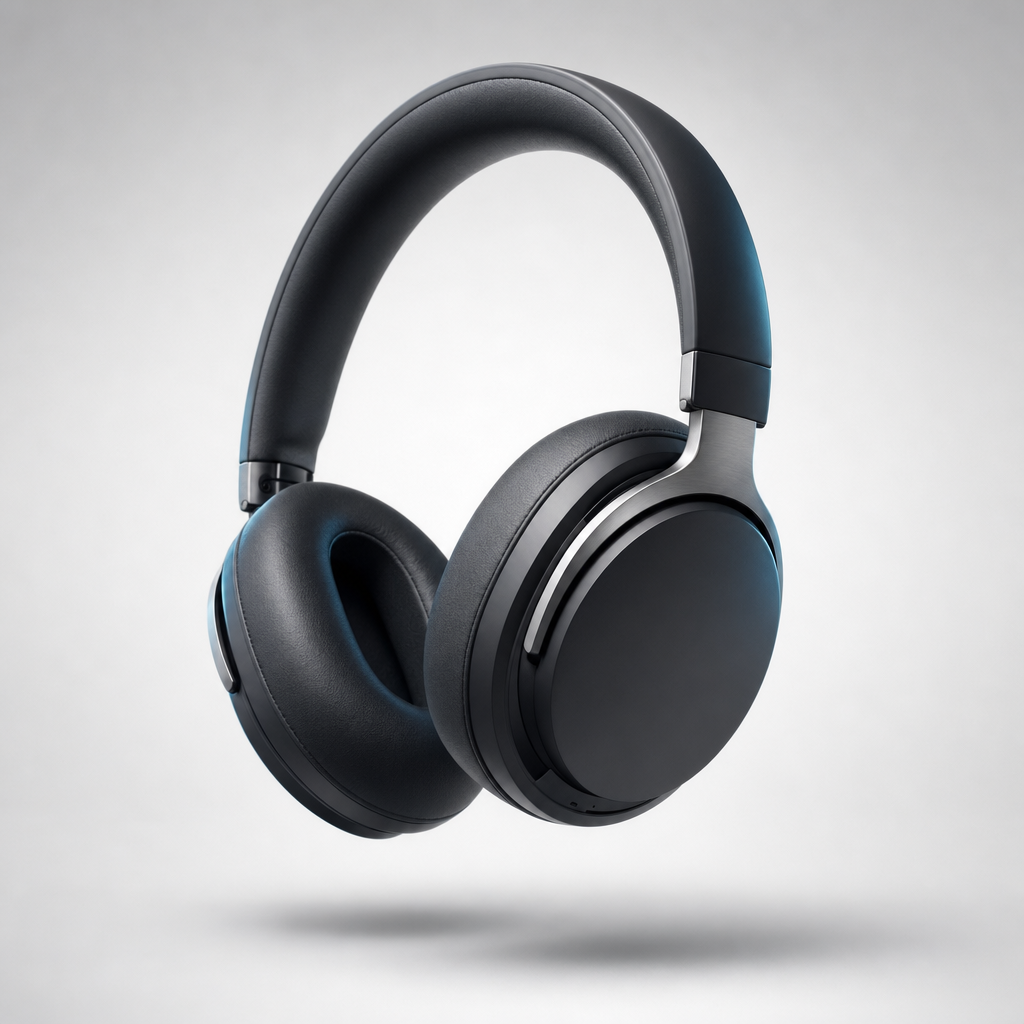
A clean seamless light-grey studio backdrop with a soft gradient. A matte-black wireless over-ear headphone floating at a slight three-quarter angle, brushed aluminium hinges and soft rubber earcups. Crisp softbox key light from upper left, a subtle cool rim light, gentle contact shadow beneath. 100mm macro feel, tack-sharp focus, e-commerce hero composition with generous negative space. Photoreal product render. No text, no watermark.
Why it works: product photography is a lighting problem. Naming the key light direction, a rim light, and a contact shadow gives the model a real lighting setup. "Generous negative space" leaves room for a headline later, which is how hero images are actually used.
4. Stylized 3D render#
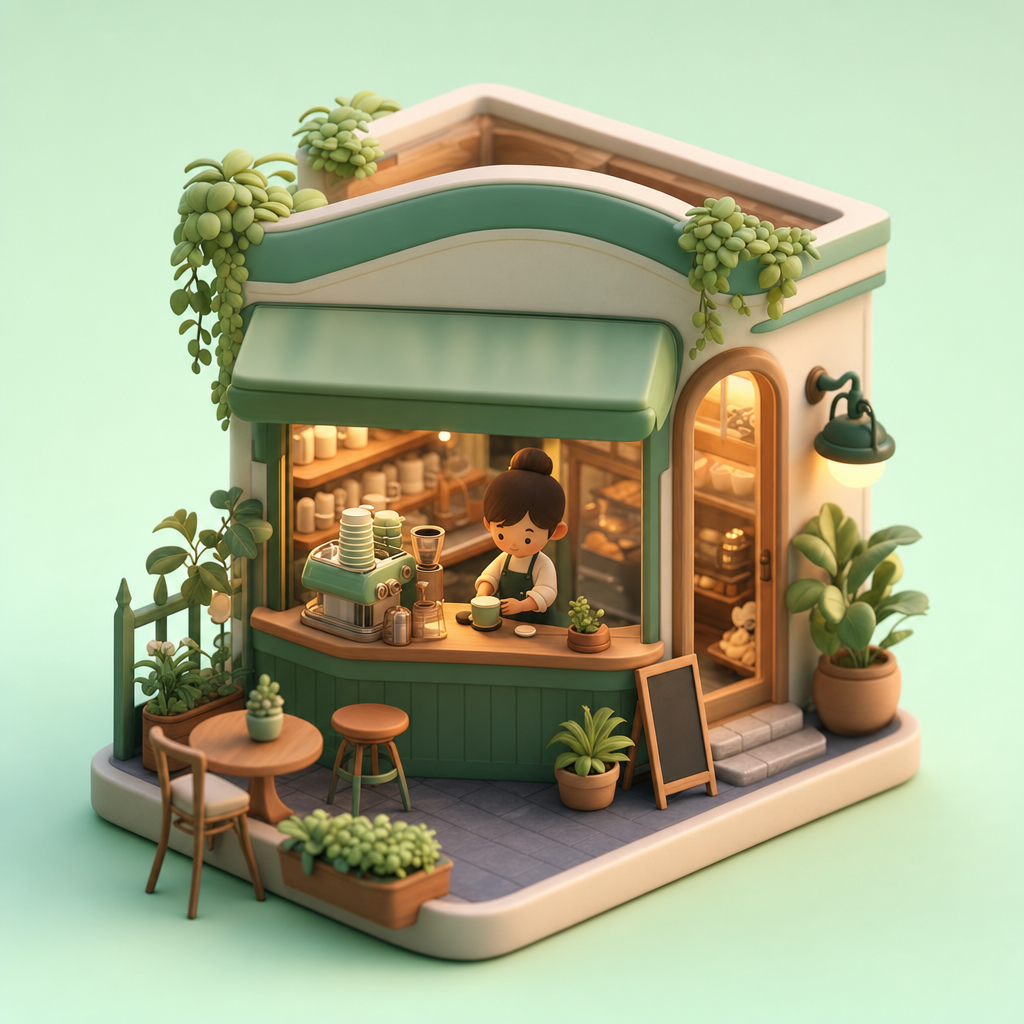
A plain pastel-mint background. A cozy miniature isometric coffee-shop diorama with rounded friendly shapes, a tiny barista character, warm interior glow spilling from the windows, tiny plants and stacked cups. Soft global illumination, subsurface-scattering materials, gentle ambient occlusion, octane-style 3D render, shallow depth of field. Charming and clean. No text, no watermark.
Why it works: render-engine vocabulary ("global illumination," "subsurface scattering," "ambient occlusion," "octane-style") tells the model the entire look in four words. "Isometric" and "miniature diorama" lock the camera and scale so it does not drift to a flat illustration.
5. Anime / cel illustration#
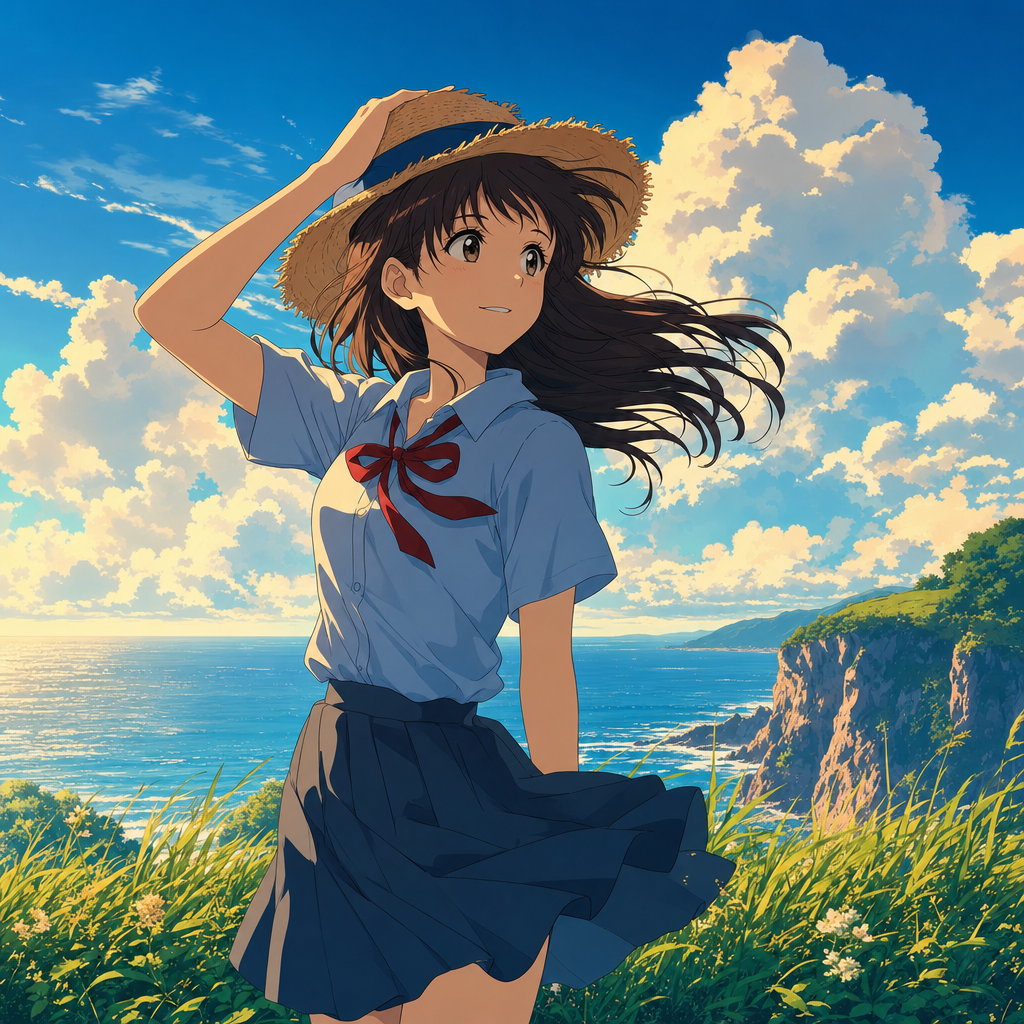
Late-afternoon golden sunlight across a grassy clifftop overlooking the sea. A teenage girl in a school uniform holding her sun hat against the wind, hair and skirt billowing, expressive large eyes. Crisp cel shading, bold clean linework, painterly cumulus cloud background, vibrant saturated palette, modern anime film aesthetic. 2D illustration. No text, no watermark.
Why it works: "cel shading" and "bold clean linework" pin the rendering technique, while the wind doing work (hat held down, hair and skirt billowing) adds the motion and emotion that make anime frames feel alive. The "2D illustration" constraint keeps it from sliding toward 3D.
6. Flat editorial illustration#

A warm cream background. A flat-design editorial illustration about remote work: a person at a tidy desk with a laptop, a small plant and a coffee cup, built from simple geometric shapes and a limited four-color palette of terracotta, teal, mustard and off-white. Subtle paper grain, no gradients, clean negative space, modern magazine illustration style. Vector flat illustration. No text, no watermark.
Why it works: naming an exact palette (four colors) and forbidding gradients is what separates clean flat design from muddy AI illustration. "Simple geometric shapes" plus "no gradients" is a hard constraint the model respects, and "subtle paper grain" adds the editorial texture.
7. Architecture / interior#
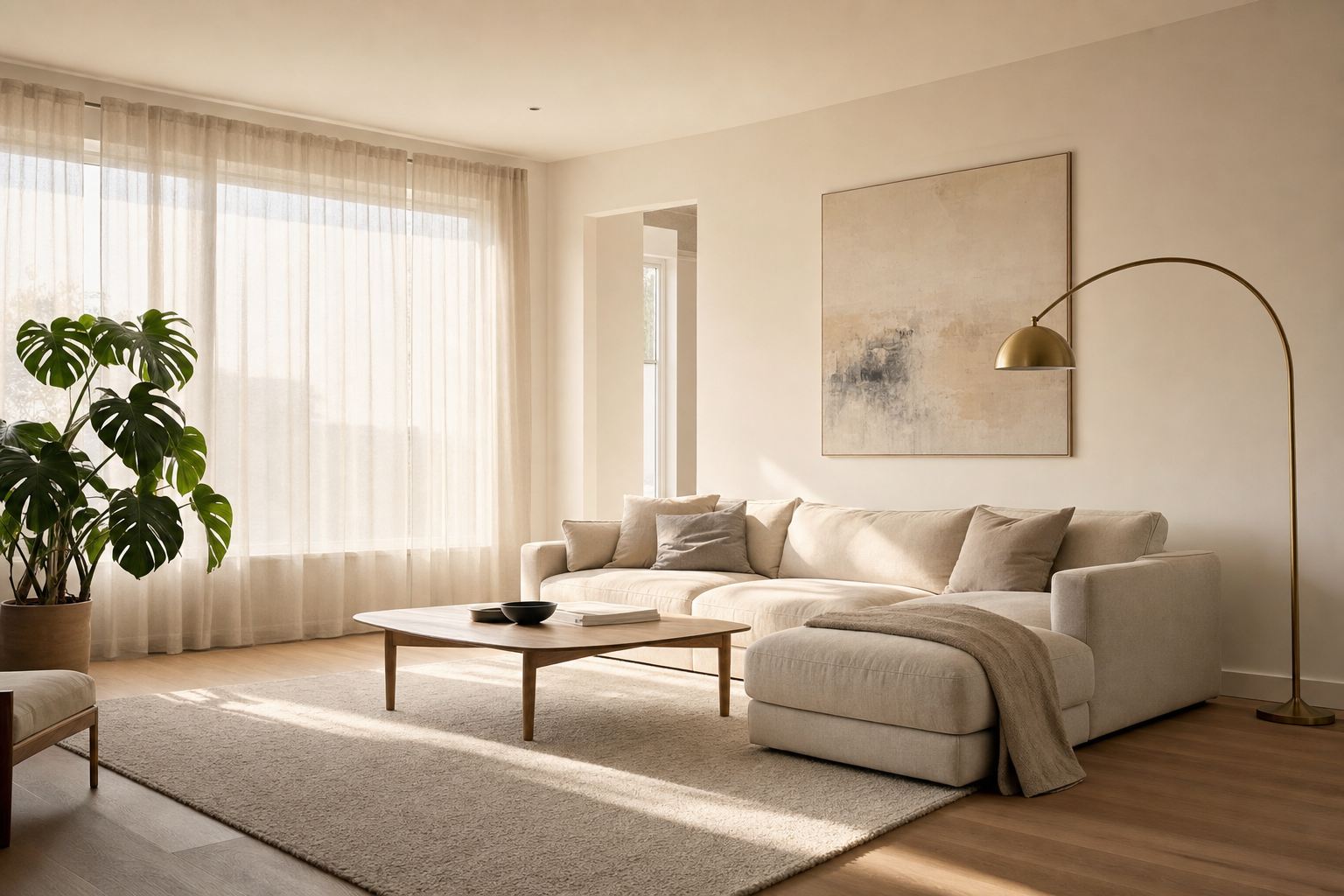
A sunlit Scandinavian living room mid-morning, large windows with sheer curtains diffusing soft daylight. Light oak floors, a pale linen sofa, a single arched brass floor lamp, one large muted abstract canvas, a monstera plant. Calm minimalist composition, realistic soft shadows, warm neutral palette, wide architectural framing with a 24mm lens. Photoreal interior. No text, no watermark.
Why it works: interiors live or die on light quality and a short, specific object list. "Sheer curtains diffusing soft daylight" sets the entire mood; naming five objects (and no more) keeps the room uncluttered. The 24mm lens gives the wide, honest framing real estate photos use.
8. Food macro#
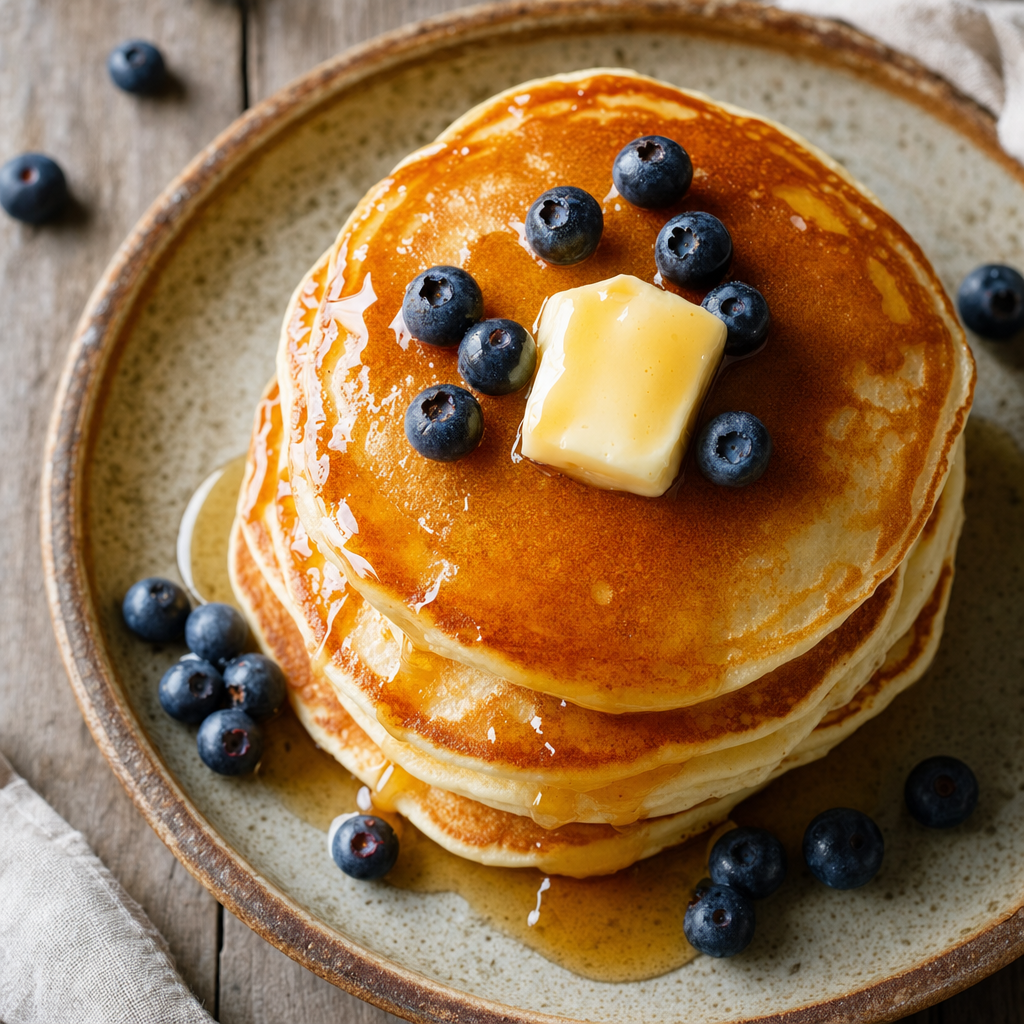
An overhead macro of a fresh stack of fluffy pancakes on a rustic ceramic plate, glossy maple syrup running down the sides, a melting pat of butter on top, a few scattered blueberries. Soft diffused daylight from the left, dewy condensation, rich shallow depth of field, appetizing warm tones. 100mm macro, food-photography styling on a weathered wood table. Photoreal. No text, no watermark.
Why it works: appetite is detail. "Glossy syrup running down the sides," "melting pat of butter," and "dewy condensation" are the specific cues that read as fresh and edible. Soft directional daylight plus a 100mm macro is the standard food-photography recipe, stated plainly.
9. Surreal concept art#
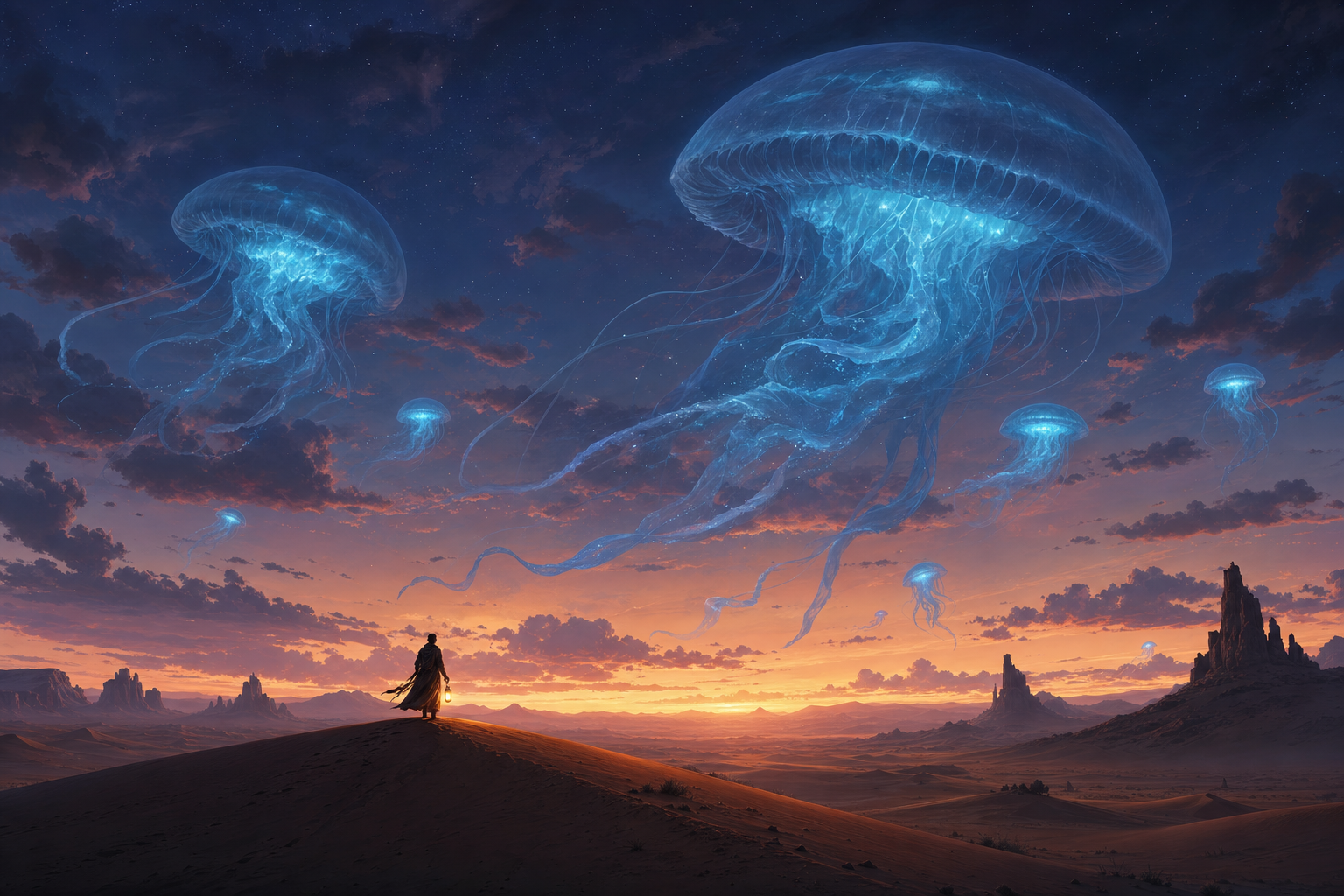
A vast desert at dusk where enormous translucent jellyfish drift through the sky like silent airships, trailing soft blue bioluminescent light. A tiny lone traveler with a lantern stands on a dune looking up, conveying awe and scale. Painterly concept-art rendering, dramatic dusk gradient, deep atmospheric perspective, cinematic color. Digital matte painting. No text, no watermark.
Why it works: scale needs an anchor. The "tiny lone traveler" against "enormous jellyfish" is what makes the surreal idea legible, and "deep atmospheric perspective" tells the model to fade distant elements so the depth reads. The simile ("like silent airships") guides the shape without over-specifying it.
10. Typographic poster (accurate-text demo)#
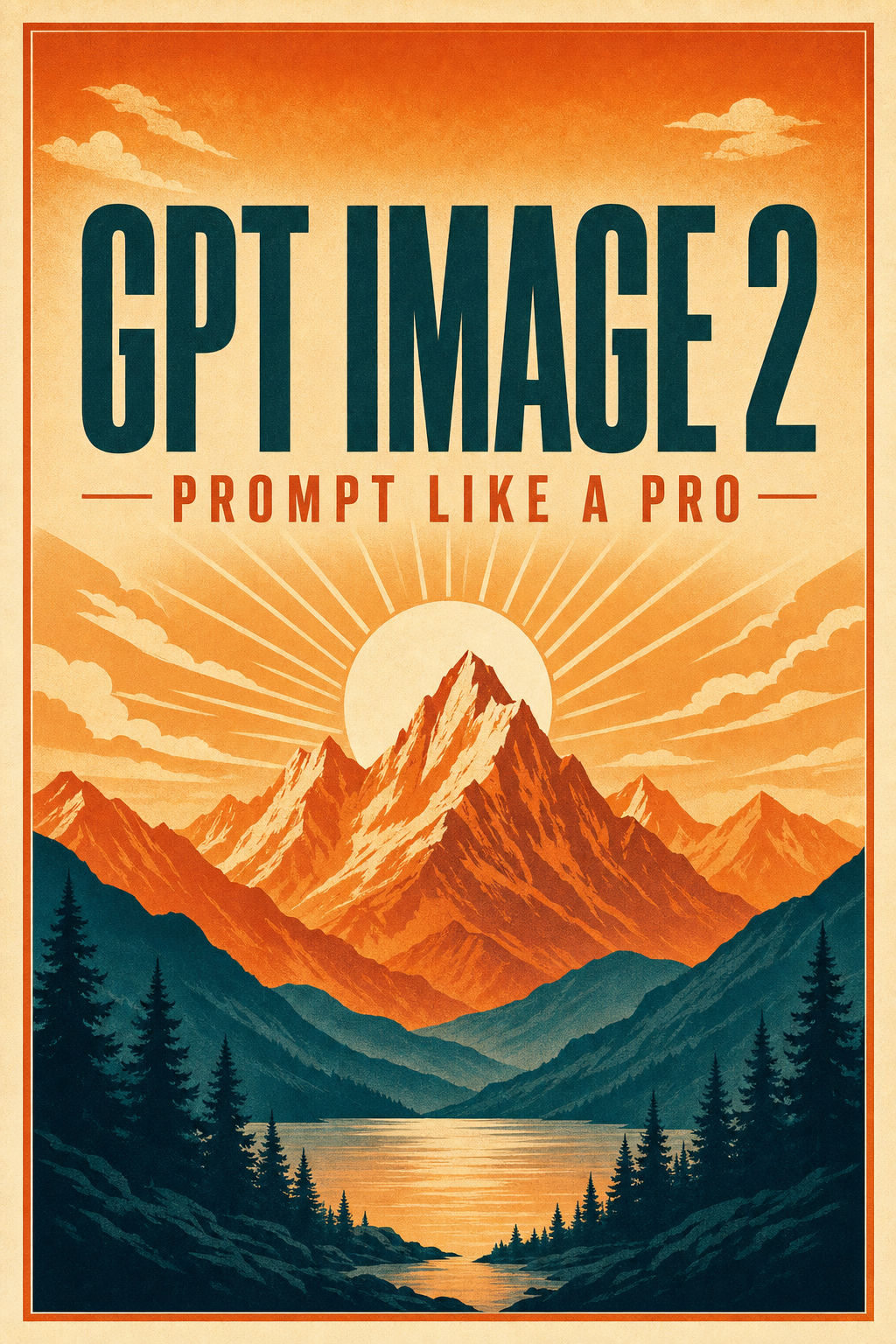
A bold retro-modern travel poster with a stylized mountain range at sunrise in layered warm gradients. Centered headline text in large condensed sans-serif reading "GPT IMAGE 2", and a smaller line beneath reading "PROMPT LIKE A PRO". Clean vintage screen-print aesthetic, limited palette of burnt orange, cream and deep teal, balanced symmetrical composition, crisp legible typography. Poster illustration with accurate text. No watermark.
Why it works: this is rule 4 in action. The literal strings are in quotes and ALL CAPS, the typography is specified ("large condensed sans-serif," "centered," "smaller line beneath"), and the quality is high, which is what OpenAI recommends for legible text. Text rendering used to be the thing AI image models failed hardest at; quoting it explicitly is how you get it right.
The ultimate editorial image, and the detail that sells it#
Everything above, the photographer's toolkit, the extreme-detail vocabulary, the composition rules, comes together here. This is a high-fashion beauty cover built entirely from the spec-sheet approach: named beauty lighting, a 105mm lens, a deliberate colour world, and a short list of the right texture cues.
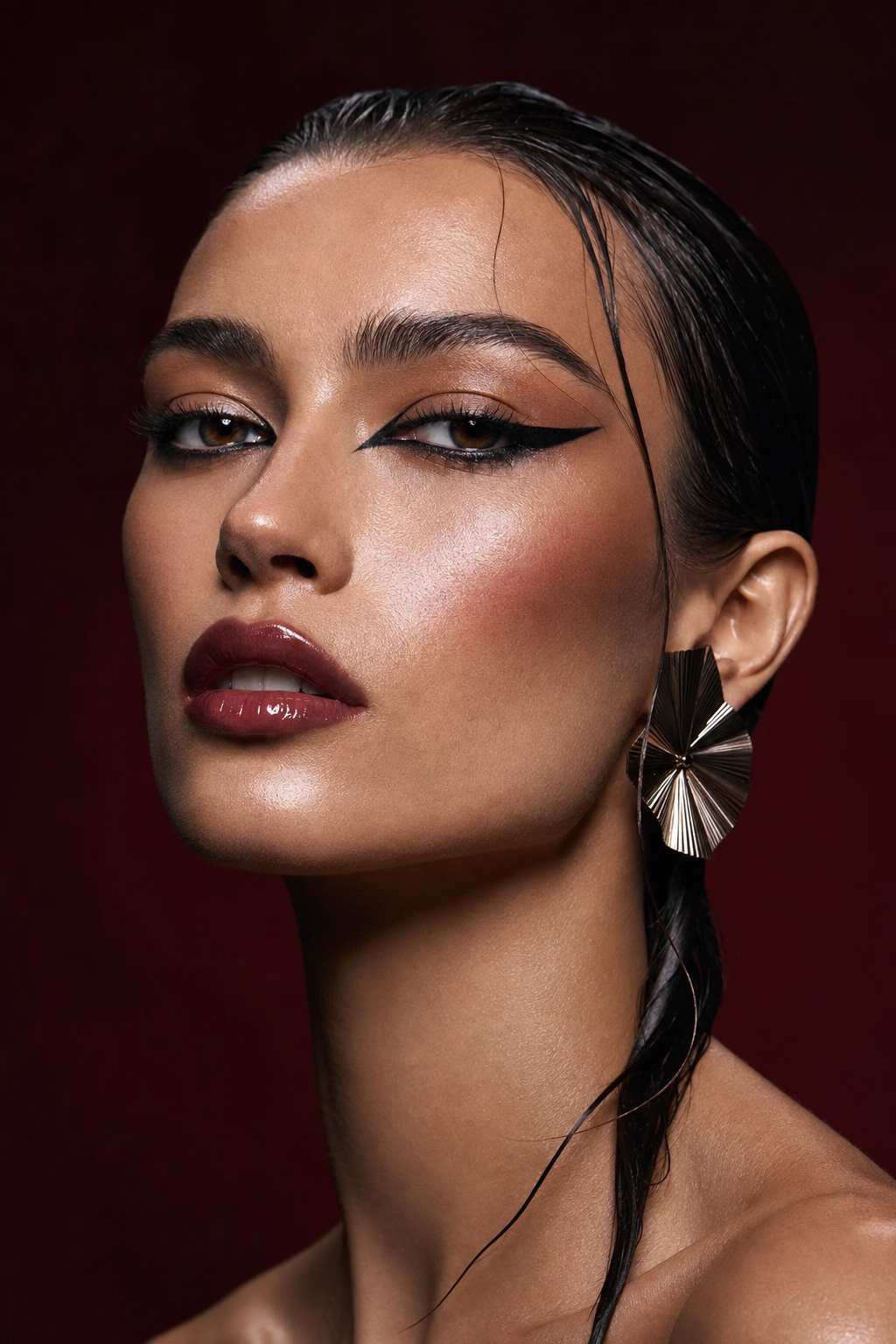
A high-fashion Vogue editorial beauty portrait of a striking model with sculpted cheekbones and flawless luminous skin, bold avant-garde makeup (graphic eyeliner, glossy lips), wet-look slicked-back dark hair, a single sculptural statement earring. Dramatic yet refined beauty lighting: a large beauty dish key with clamshell fill and twin edge rim lights, deep controlled shadows, glossy editorial finish. Tight head-and-shoulders, 105mm lens at f/4, shallow depth of field, clean seamless backdrop in a bold deep-oxblood tone. Extreme detail: fine skin texture and pores visible under the makeup, individually separated eyelashes, a detailed iris with crisp catchlights, fine flyaway hairs, natural skin retained, not airbrushed, not waxy. Premium magazine color grade, impeccable composition, ultra-realistic, shot for a fashion magazine cover. No text, no watermark.
Why it works: every clause is a real instruction. "Beauty dish key with clamshell fill and twin edge rim lights" is a complete lighting plot. "105mm at f/4" sets the compression and the falloff. "Deep-oxblood backdrop" gives a colour identity. And the detail line keeps texture under the makeup, the difference between a glossy render and a believable face.
The details that sell it#
Realism is decided in the close-ups. These four macros, same world, same prompting discipline, are where extreme detail earns its keep.
| Detail study | The cues that matter | |
|---|---|---|
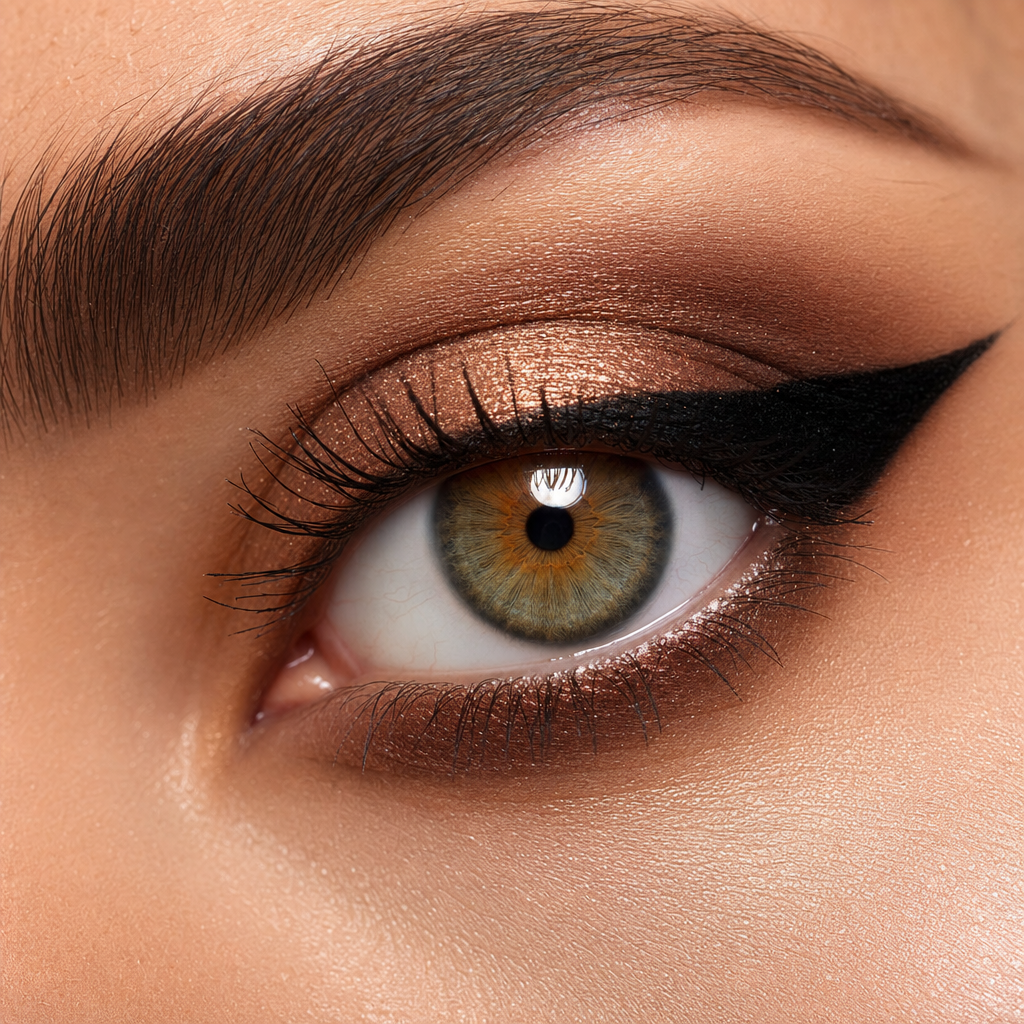 | Eye | Detailed iris with limbal ring and radial fibres, a crisp catchlight, a moist tear line, individually separated lashes, pores under the makeup. |
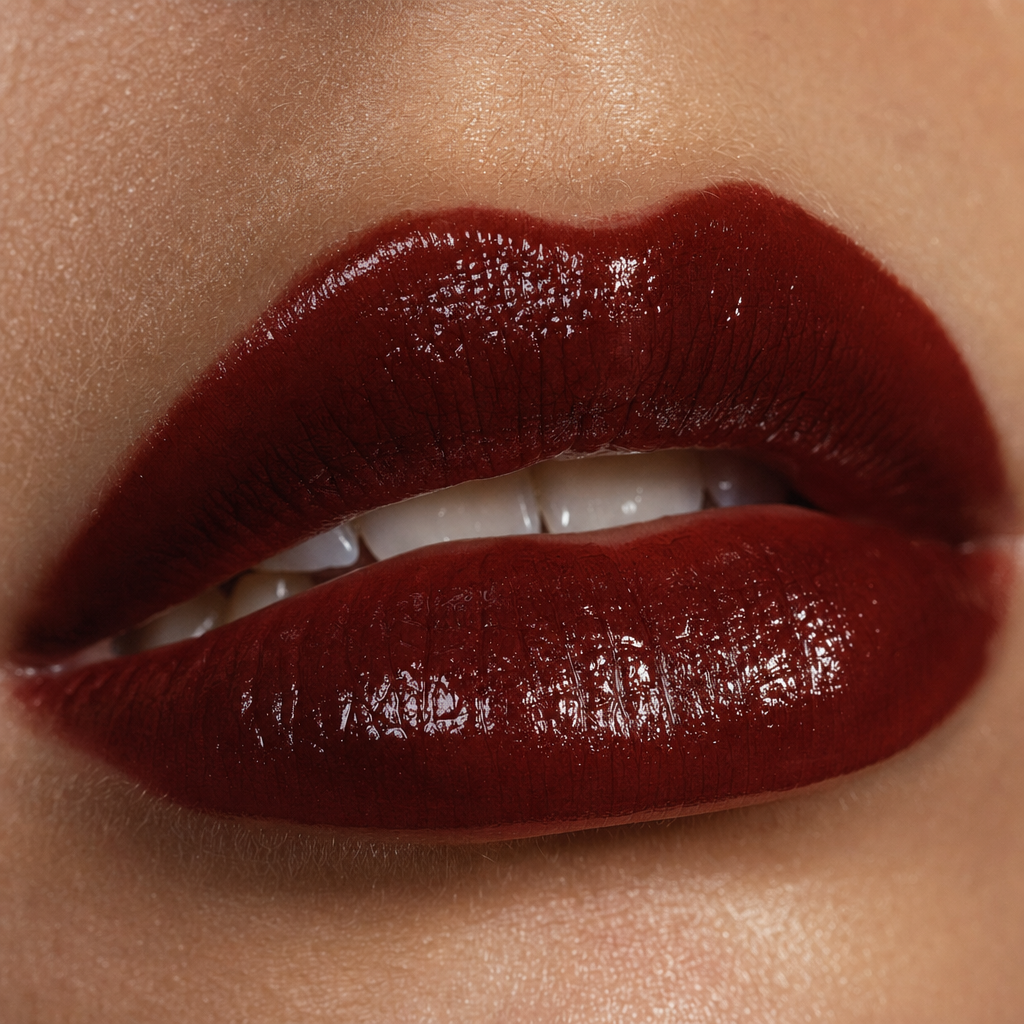 | Lips | Wet gloss highlights, fine vertical lip lines, dewy surrounding skin with visible pores, a soft cupid's bow. |
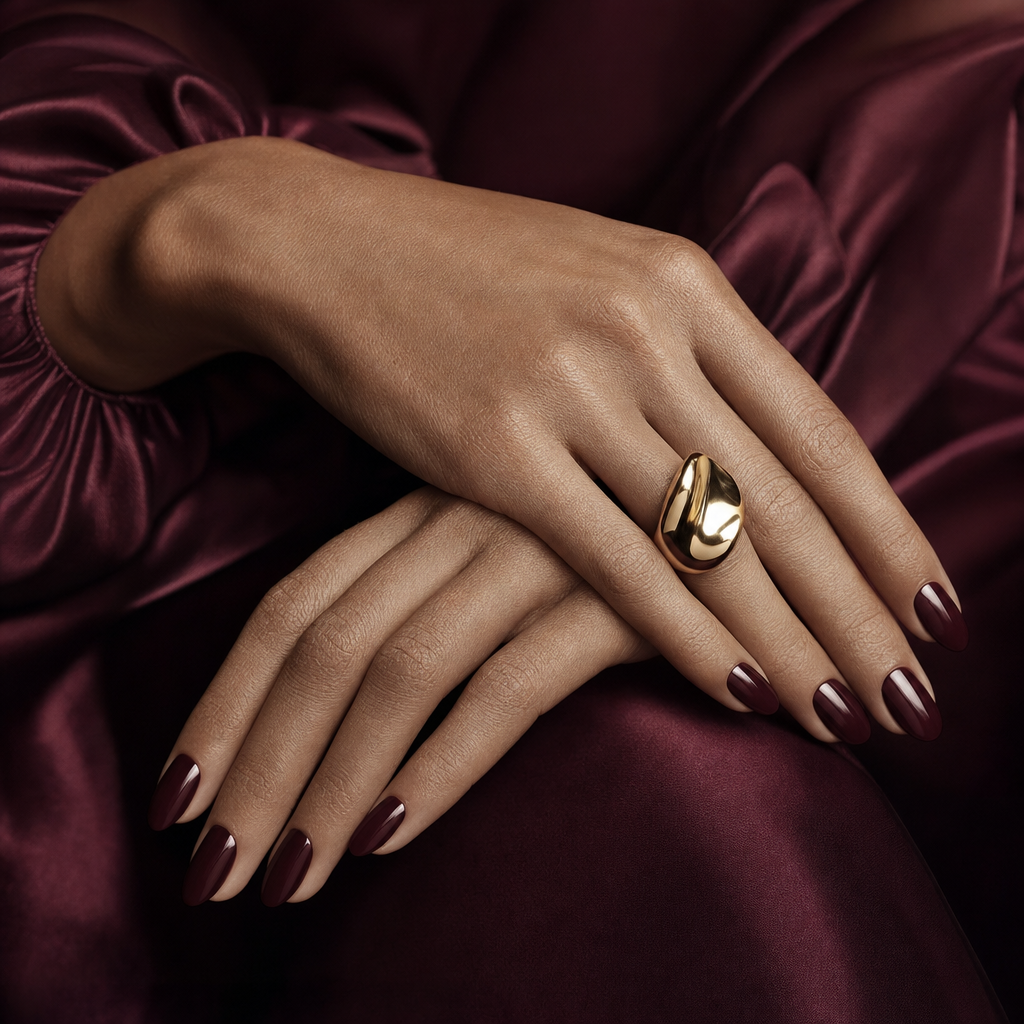 | Hands | Hands are AI's classic failure, so over-specify: "exactly five slender fingers each, natural knuckle creases, delicate veins". A sculptural ring and glossy manicure make it editorial. |
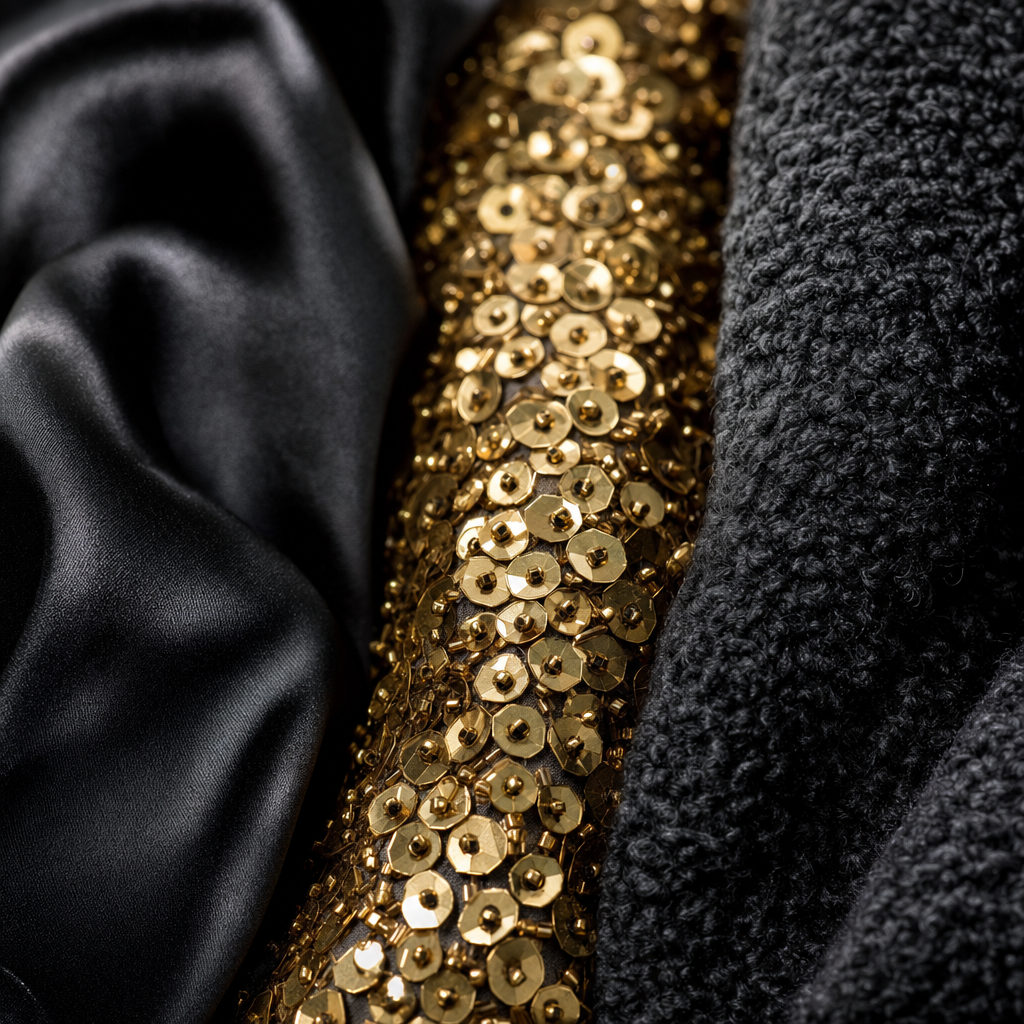 | Couture fabric | Each material named and placed (silk satin, gold sequins, boucle wool), "individual threads, sequin facets and weave", raking light to reveal the third dimension. |
The lesson of the whole masterclass in one line: describe the photograph, not the feeling. Light, lens, composition and a few precise textures will out-render any pile of adjectives, every time.
What this post does not cover: exact release dates, the current ChatGPT Plus or Free image limits, multilingual text accuracy, and head-to-head benchmark scores against Midjourney, Imagen, Flux, or Ideogram. Those claims circulate widely but could not be confirmed from reliable primary sources at the time of writing, so they are deliberately left out. Pricing and model specifications were verified against OpenAI's own pages in May 2026 and can change; check the linked sources before you build on them.
For more on OpenAI's image lineage, see our DALL-E guide. To compare GPT Image 2's main rivals, read the Ideogram guide, the Midjourney guide, and our roundup of AI image generators ranked.
Sources#
- GPT Image 2 model docs and image generation prompting guide, OpenAI (verified May 2026)
- OpenAI API pricing and developer pricing docs
- Prompting GPT Image 2, fal.ai